Snapping assistant tools - The definition of pain 😭

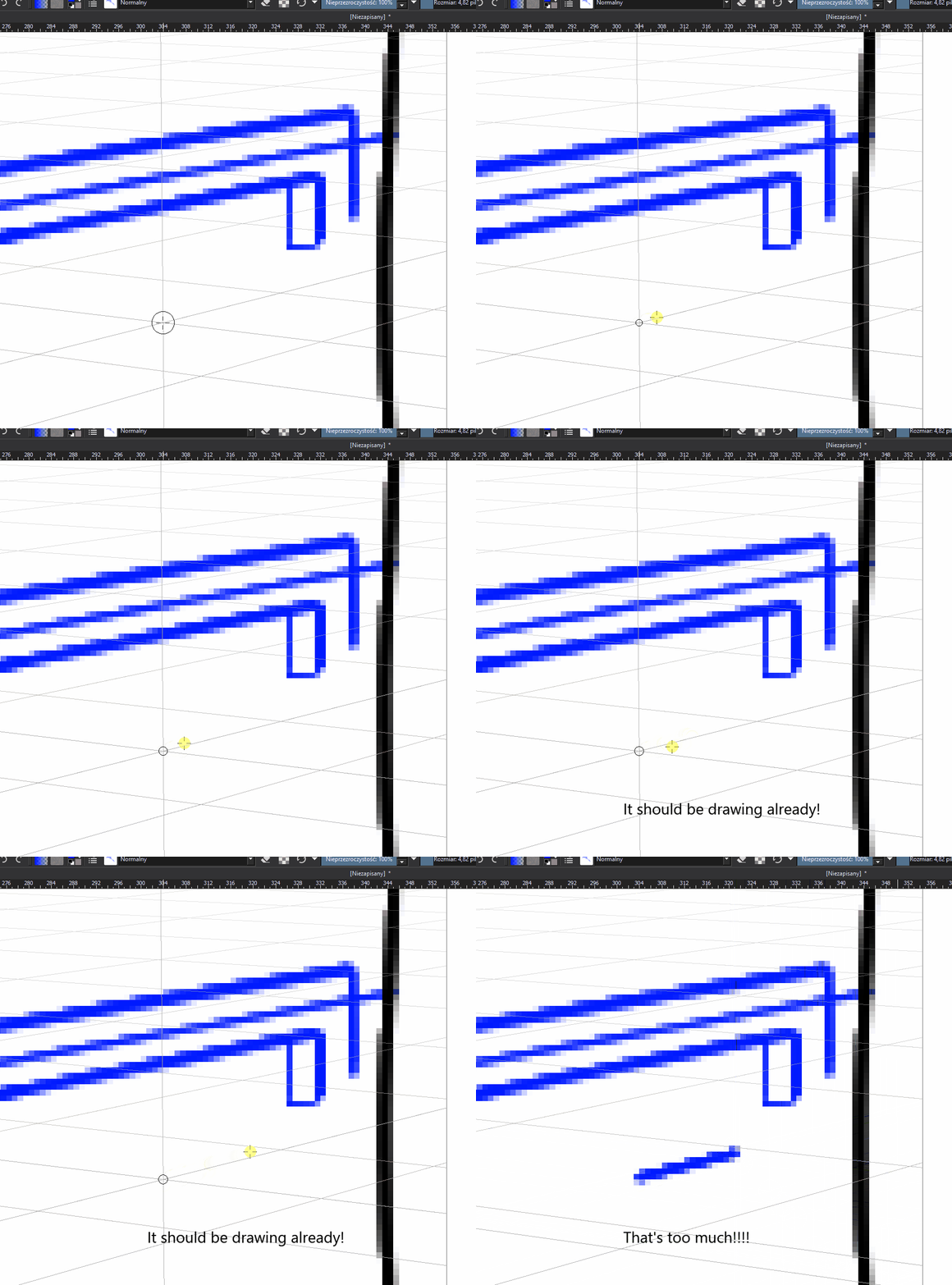
Snapping to assistants on. Only a single 2 point perspective assistant (though this issue occurs with other types of assistants as well). No stabilizer. Happens at high zooms.
kritapain

Definitely not hardware issue, as when I disable snapping, it draws normally (other than the fact it doesn’t snap). Changing magnetism to anything other than 1000 breaks snapping completely.

Hi

The problem is known.

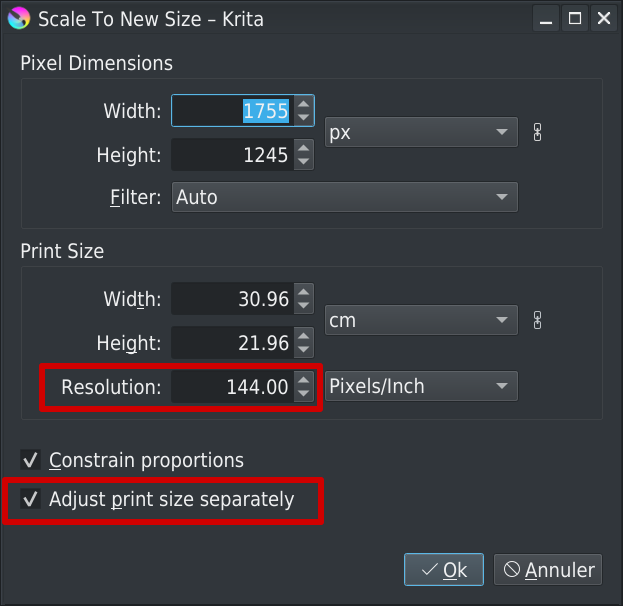
Change temporarily your document resolution to 10dpi (do not change pixels dimension, only resolution)
It should work better :wink:

Grum999

I’ve modified title of topic, to get something more understandable and easier to find when reading topics as list

Grum999

The thing is, it happens with all types of assistants from what I’ve tested in the past. The 2 point thing is just the straw that broke the camel’s back so to speak, and made me make noise about that.

By the way, how do I change the document’s resolution to 10dpi?

Yes, all assistants are built on the same base.

Menu Image > Scale image to new size…


“Pixel Dimensions” shouldn’t change, only “Print size”

When you have finished to use assistant, you can modify resolution to initial value if needed.

Grum999

Thanks! I am making a webcomic so the dpi doesn’t matter to me. I hope it will get fixed in the next release though.

Yes and no

When you’ll start to type text with text tool, the font size is defined in point
And point to conversion pixel is based on document resolution (dpi) :slight_smile:
That’s why you should take care about dpi size of your document

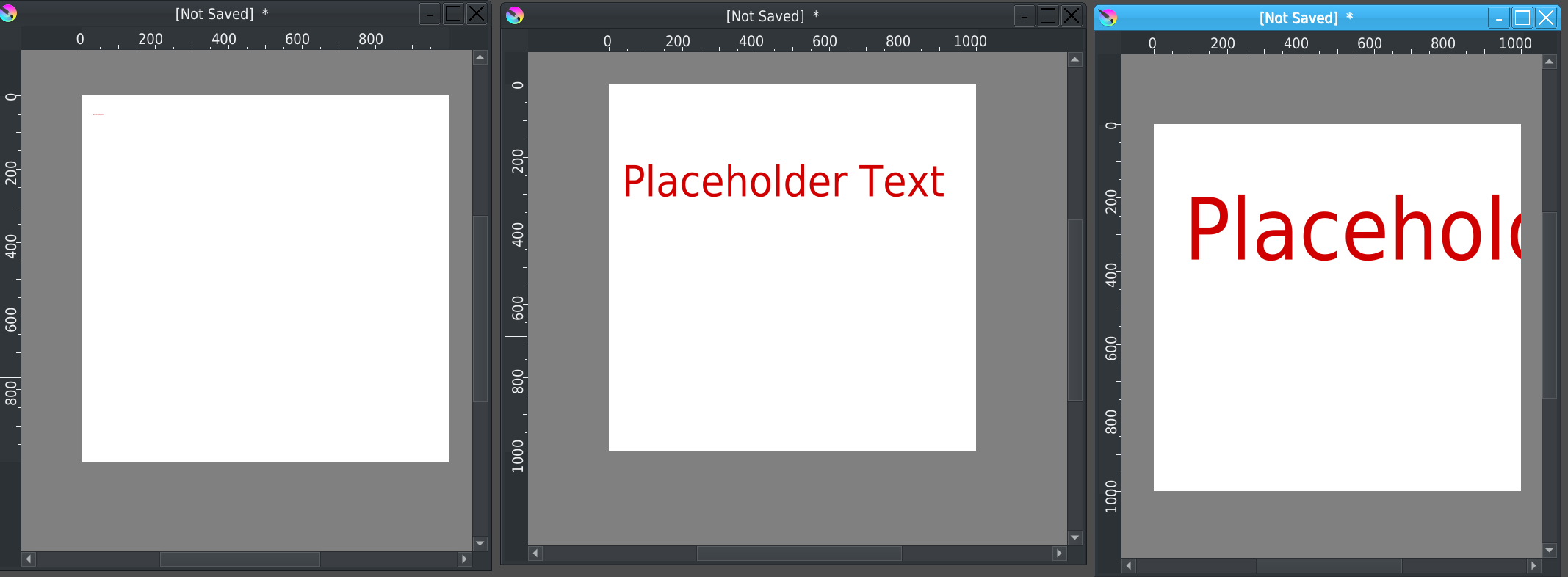
Example of 3 documents
Each document is 1000x1000px size
First one resolution is 10dpi
Second one 300dpi
Third one 600dpi

For all document, I put a text of 28pt

I let you see the difference of same text size on same document size but with different resolution values.

Grum999

Scale styles in the arrow tool. I can easily adjust the size to fit my needs.