I have been playing around with the brushes and have some questions about brush tips.
What is the best pixel size and DPI for a brush tip?
What pixel size and DPI is most often used for a brush tip?
What is the biggest pixel size and DPI that can be used for a brush tip in krita?
How to rename a brush tip in krita?
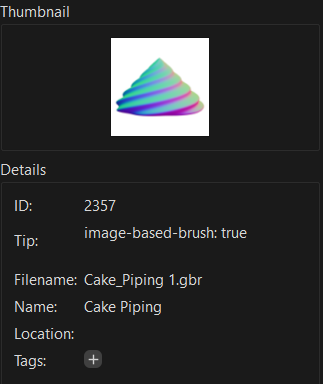
I can rename a brush tips “Filename” by finding it in the “brushes” folder and renaming the file but i have not found a way to rename the “Name” of a brush tip
Why does deleting or overwriting a brush tip in krita not actually delete it?
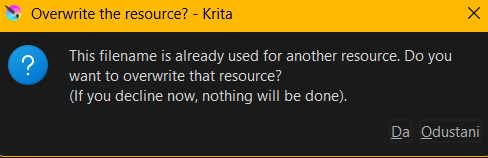
I can still find deleted/overwritten brush tips inside the “brushes” folder and this popup shows up when trying to create a brush tip with the same name as a deleted brush tip
You mean size in pixels, the pixel size is a measure determined by the manufacturer of your display, one display has bigger the other smaller pixels. This depends on the display technic, on the age of the display and the available machines at the time when the displays were produced.
there is none, it depends on the target, the application, how or for what will it be? (by the way, the best size of a pixel is a pixel because a pixel is a dot, its real size depends on your display ↑)
If you already found your brushes folder, why don’t you go through your brush tips and find it out yourself?; so open the brush tips using Krita and look into its properties via Image → Properties
a few topics in the forum revealed that this depends on the computing power, the resources of your PC, there are brush tips that some users can not use because of their “weight”
you can’t, the only way is renaming them via the file manager of your choice
maybe because it makes support much easier?, or in other words, there were and are regularly users crying “I deleted brush XYZ, palette ABC, gradient …”, and with Krita’s current Resource Management you can easily restore any of these accidentally deleted resources, like these two recent requests show: I need the original palette & Issue Getting Brush Back to Preset, and this system allows us to help these users quickly without “apparently big actions in the file system” as it was before, because users asking for help on this are usually not computer savvy, and sometimes it was no fun to bring hem their resources back, although this is no issue for us; but there could have been a different reason to design it this way; on the other hand, those who don’t look in those folders (uhh, file manager → “dangerous!”) don’t even know about it, and it shouldn’t bother them, and anyone who knows about the folders should know how to permanently delete a file if that’s what you really want to do
try it … - but no
use a file manager, browse to the desired brush tip, open it in your favorite graphics program, i.e. Krita, edit it?
Thank you for your reply and the correction regarding “size in pixels” and “pixel size.”
.5. I think it was a good decision to make “deleting” work this way for the reason you mentioned. It’s just that my process of creating brushes involves repeated trial and error, where I make many slightly different versions of the same brush tip to achieve the result I want. I was surprised to find all the brush tips that I thought I had deleted just sitting in the “brushes” folder, taking up space and making the folder unorganized.
.7. Just me being an idiot - seeing that the brush tip file is a “.gbr”/“.gih” and assuming that, because it isn’t a “.kra”/“.psd” or something similar, it can’t be opened in Krita or another image editing software.
for brush making or creating bundles, I use another user-account only created for this. There I’m using a manipulated Krita installation, from which I removed all resource-types Krita can bundle from their folders in Krita’s installation directory, so Krita is unable to constantly re-adding them into the corresponding folders in its resource-folder, this way I can import only the resources I want to work on. The only resources I hold are the stock bundles, because these can be de-/activated just as you need it; if you are interested in the batch file to clean out that folder, I can upload it to my cloud for you
If Krita can use them as brush tip, how do you think does it handle them? Through third-party software? Sometimes we stand in front of a forest and can’t see it because of so many trees in front of it …
Should I prepare a portable version of Krita for you from which Krita’s stock resources are removed, or do you like the other option with the batch file better? The latter option will enable you to strip out these resources by yourself with any version of Krita, you just have to browse in a certain directory that is not accessible for standard users but can be easily made accessible, and there you must run this batch file.
I realize now that my previous response may not have conveyed the message I intended and that I should have been clearer. I was referring to your answer regarding question 7, and I didn’t mean to give the impression that I wanted you to do anything for me. I’m happy with how Krita works and don’t need any changes, but I really appreciate the offer. You’ve been a huge help.
However, if you think anyone who comes across this conversation might find it useful, feel free to still take action.
 - but no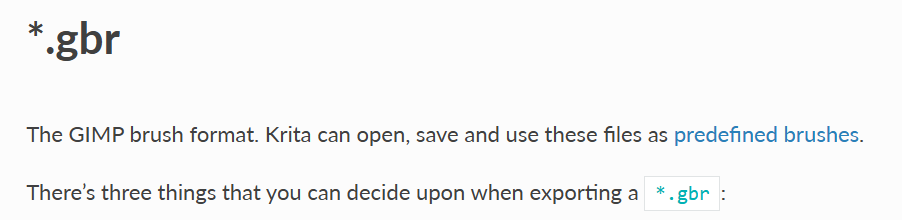
 ).
).