That makes sense too. Ignore my pinning of docker request. Yes floaty docker option would be great.
Edit: hang on, would it not be best if the docker is invoked and then it hides back while painting. In that case pinning might be needed
That makes sense too. Ignore my pinning of docker request. Yes floaty docker option would be great.
Edit: hang on, would it not be best if the docker is invoked and then it hides back while painting. In that case pinning might be needed
Glad to see the new ui/ux is in a hot discussion, hopefully Krita will have a nice UI just like Blender marches to major version 4.
I personally agree the 3d fasion style is a bit
outdated. The proposals in this thread do a good job and I think it’s pretty OK for different UI designs.
Krita is open and I can’t get why some contradict the new UI change and become so aggressive. There are people wants a new UI. We could pick one or two and implement them as Krita builtin themes(not only color scheme).
Let’s build Krita together 
The easiest way to find specific icons is probably Krita Scripting School - Icon Library. In the source code, the icons are scattered around in here: krita/pics · master · Graphics / Krita · GitLab
I think the icon size can be adjustable in Krita and that should be OK to leave that feature in new UI with vector based icon image. That shouldn’t be the case  I’d prefer large icons too.
I think like i said before, some really have bad experience with - badly implemented modern UI.
Its one reason i tried hard to stir this to actual discussion of design - since the modern UI in peoples mind are vastly different. It has a form but how it is implemented vastly differs lol. Atleast now we are seeing peoples design ideas and is picking up on things we like and dont like in more concrete way.
There is also the feeling some think this will be something that can be done quickly. I dont think any UI work will happen atm - not until QT6 port is done. Oth we can use this thread to maybe show our idea - in hopes the core dev can pick up some of them for the actual UI ^-^
As far as I know - a number of kritas icon are already vector. So yep it should not be a problem. I use krita’s icon as guide for my own icons i used in my plugin and my plugin can resize icon . as long as the option to resize icons is there - i’ll be happy since im the opposite of you two - I’m fine with them small. 
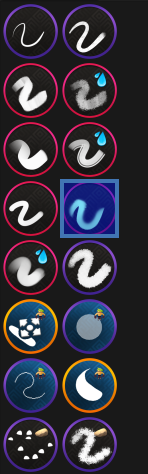
You mean the brush icons? That’s actually the easiest to fix by the users themselves - because the brush icons are a property or the brush, so you can easily (well, with some work) change all the default icons to some nice, consistent flat design. You can then share the bundle of those brushes as a replacement for the default bundle. I would suggest collaboration with other users since it is quite a bit of work.
Since we’re already working on Qt6, Krita 6 will come somewhat soon, maybe we could replace the default bundle. We need a few more brushes anyway: some wet RGBA ones, some with the new smudging algorithm, I would add maybe one or two more clone brushes because I doubt many people even check the options for that brush which drastically change the behaviour. But the new icons need to be descriptive and the design must be consistent. Note that the color of the stroke has a meaning. It would be easiest to just flatten the current design, I guess.
I think the 3D design is not bad, it could be updated but I think we should keep some of the design more than anything because it gives a lot of personality to the brushes.
I am from the time when those gradient like design were common. Sadly now everything is flat. Which is going backwards. But i can still find UI with lots if oomph. But UX would be struggle
Thank you for reply.
1, In currently of Krita 5.2.3 has resize handle in the bottom right of the main window. so I felt to makes it easier to operate because it aim when clicking.
For comparison, I tried resizing a palette. There is no handle in the bottom right.
I felt a bit uncomfortable with this.
I thought that there are resize handles,the resize success rate seems to be higher.
Any way it would be great to have other people’s reports or tests. 
Regarding brush icons, there seems to be a great interest in having an option to show stroke previews instead of brush icons in the Brush Presets docker. This is accepted as the current trend in all other painting apps too.
I know this wouldn’t work well if icons were replaced by stroke previews because there are plugins that use icons, and some may want simplified list. But Krita already offers Thumbnail and Details (detailed) brush preset lists, also stroke previews are already available and used in Brush Editor.
So maybe we could have brush previews added to detailed Brush Preset list, like so:
The preset name could be above preset preview like in the example or a popup on mouse over (not a fan of this and wouldn’t work with capacitive touch screens).
The icons themselves in the detailed preset list could be replaced by Brush Engine icons or Brush Tip icons as it doesn’t make much sense to have double stroke preview. While icons could still be used for Thumbnail list which is simplified list.
This detailed list could be the default list, which people coming from other apps would be familiar with.
But icons definitely need a refresh, as you said, the default bundle could be refreshed for 6.0. Something in style of GDquest bundle comes to mind:
There is a separate feature-request for the brush preview being displayed. You should vote for it 
Everyone with their neat ideas seems to forget one hard to change constraint that is Qt, which has limits how you can style it and what it can do. Pretty much every design has to be considered with that limit in mind unless someone is willing to rip Qt off Krita and put something different on top.
Yes and No. We are aware of QT. The problem is, we are not aware, what can be done with QT. What can we change and what cannot be changed. So we made our mockups with no limitations. At least I did. All we can do is give suggestions. Maybe something caughts the eyes of the developers and they think: “Yes that is possible with QT”
tl;dr
without design goals we can all agree on, there is little point in creating one mock after another. We first have to agree on what the goals of the design should be otherwise we just have a race where everyone runs in a different direction. Becoming modern is not what we should aim at but being useful.
All this discussion about “Modern” interfaces and what constitutes one is mostly pointless in my opinion, especially when there is no actual design goals. Even in this topic (and many others here where people discuss the Krita UI) people contradict themselves. Mostly it’s just opinions about personal taste, a lot of them can be solved by theming. You don’t just change a design just for the sake of it, in software (as was already mentioned here) you do it to solve a problem. And from my experience this can take unexpected turns and actually can make a software look completely different than a concept designer would design it.
So, what can design goals be, what is the issue to solve other than I just don’t like how it looks? As long as we can’t get agree on that, there is really no point on arguing.
I love Krita but I also know it is not perfect. Here are some Goals I came up with from the top of my head.
This is probably one of the hardest issues to solve, because when software gets more complex than just a “simple app” the UI also does too. Hiding functionality is usually the way to go, but this also hides useful functions and depending on peoples workflow can makes things really worse. For the software I develop at work I have the luxury that the workflow is pretty much the same for all users, we can easily figure out what functions are used very little and can hide them away in some sub menu. For Krita, I have no Idea what users need more or less often because everyone is doing something different with it and it’s not used for just painting anymore. There are a tools I rarely need from the tool box and a lot of options in the tool options docker that could be in a collapsed group for what I care but it can be very different from someone else’s needs. And hiding away features also makes it difficult to find things, when you’re not exactly sure what you’re looking for yet. Still, I think Krita will always look complex and full of stuff because it simply is, but perhaps there is some stuff that can be at least placed more prominent than others. I sometimes wish Krita could automatically highlight or move things I use very often to the top or something.
This is basically part of the previous point.
I love Krita, I use it since over a decade now but some things are still a pain to control with the stylus compared than using with the mouse. Especially when you have to hover over things (for example to get tool tips) or navigate menus like the dreaded blending modes selector for layers and brushes with its collapsible groups, which even leaves the screen because it is so long. I often have to put the pen away and switch to the mouse, and I feel this should not be the case in an art software that advertises the stylus as preferred tool. It’s just as bad with touch, everything is to small and finicky to control. Even with system level UI scaling this is currently not great because it also increase gaps and margins (basically whole spacing between elements). Not talking about mobile devices yet. As side effect this also could help visual impaired people. I’m not even in my 40 but already have trouble reading stuff that is too small in Krita on modern displays.
I think the default Krita theme already does a good job with that, new themes have to consider that as well. This affects the color scheme as well as the icons.
There is already a feature request for this so I wont go into details here. An additional preview of the Brush stroke (like the preset Editor has) was proposed by different people already.
All things should look and behave similar no matter where in the program. This is mostly the case already since Qt pretty much dictates how things can look. But there are a few corners that are weirdly structured compared to other things. Often Dockers nobody really touched in a decade.
Make it easy to recognize what things in the UI are and how they work. For example flat design is clean and looks good but also sometimes make things hard to recognize. Buttons without icons and only text are not always distinguishable from simple labels, and icons next to input fields are sometimes not buttons but in other cases are. This isn’t great.
My pet peeve is for example how the lines are drawn in the layers docker to indicate the the layer nesting together with the indentation. Since the layer thumbnail is not always the same size, depending on its content, the stack is sometimes hard to read, the lines that should help with that, too hard to see.
I have tried to be as simple as possible based on the current design of Krita which I believe will be transported to QT6. Although I am still contemplating outrageous and colourful designs, I think simple and dark should be the the cue.
Anyway, I have seen Audacity’s QT based 4.0 in action and it is probably something we can take a cue from.
There is a useful discussion going on about Qt’s limitations.
I thought that one of solution would be to impliment QSS available by default.
Before,I remembered when make some Krita themes for Style Sheet Loader Extension Plugin
Because, I disstatisfication of Krita UI elements were coloring contrast is small and simimar(Dark tab hilight had been same contrast,very hard to saw ) ,and UI elements packed too closer to the edge of the window.
These theme files called to qss file(QSS: Qt style sheet )
It has similar syntax of Cascade Style Sheet
If Qt version up the QSS customization possiblity must be increase.
About Qt Style sheet Limtation
(A followings as far as I knowledge over trying and errors  )
)
It could
It couldn’t
Furthermore, if want to change the UI behavior,it may need to modify the internal code or by Python…
PluginDevTool is helpful for exploring Krita UI
Krita feels like I went 10 years ago (c) Mateusz Urbanowicz, a pro artist.
He’s complaining about the speed and clunkiness. But what he described in a video seems like a photo editing workflow.
There are other artist videos too who can be seen using krita or praising krita for the first time like this
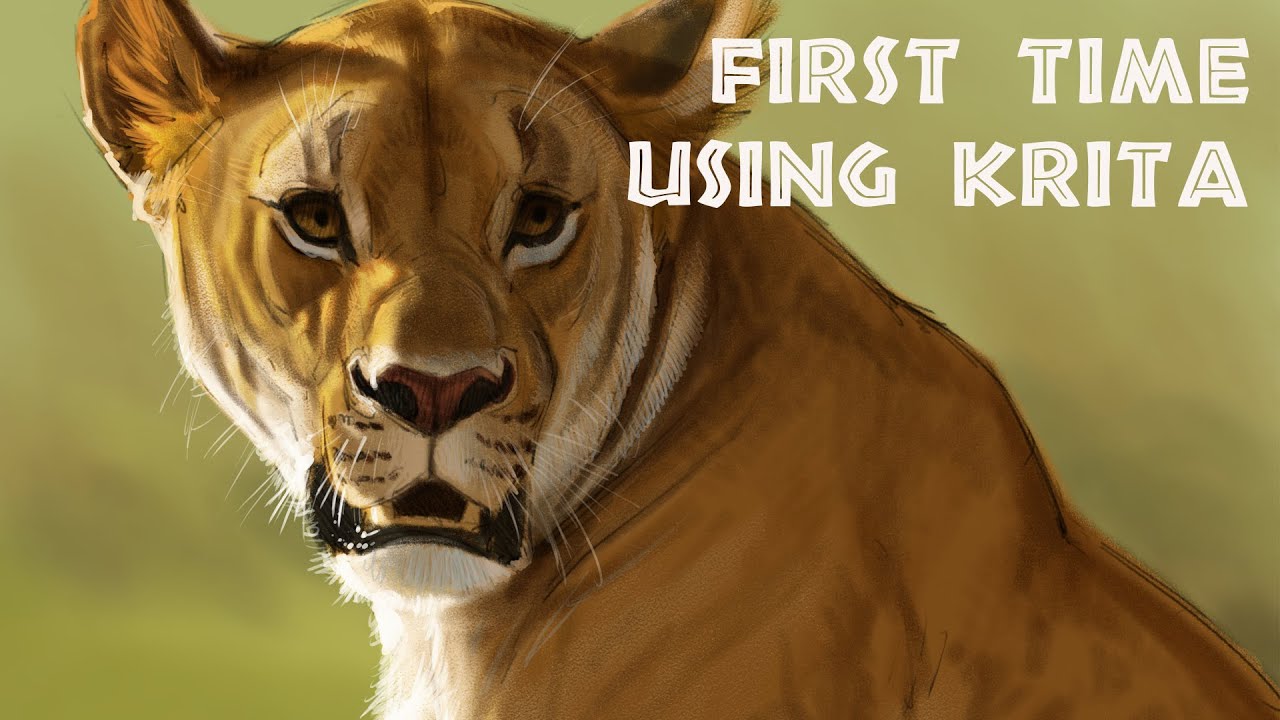
I mean to say it is subjective each artist has their own opinion. The artist also says that it does what they want it to do so it doesn’t hinder their work. Yes it can be definitely made efficient and I hope all the new artist that are discovering krita pitch in to help us get there.
Also nobody is negating the fact that UI needs to evolve.
I think after Qt6 and porting to QML things will stabilize for UI refresh.
Looks like someone has already done the hard work, not sure if it’s enough to make a new UI though
That is good but it is for more general applications. For complex application like krita we would need more custom things. But yes we can follow it. It is not complete though.