Krita 5.2.3, Win10. Here is a script that converts the current selection to a painting assistant. I wrote/put together the mostly jank structure of the script, specifics were done by a mix of chatbots (gemini, deepseek, mistral, copilot, etc). The function that converts the svg path to a assistant uses pairs of points and makes lots and lots of rulers😱… but it works (I forget which chatbot wrote that).
You don’t have to use the selection, I just used it for testing. Anything in a vector layer will do! 
A fair chunk of the script is getting Krita’s QDialog when it presses the open button. You can of course save and load it by hand or make a script to do that. Get the svg, convert, and save, then click load in the assistants tool and find it.
With freehand brush tool active you can adjust the magnet distance, if snap to assistant is checked. Interesting kind of effects can be achieved.
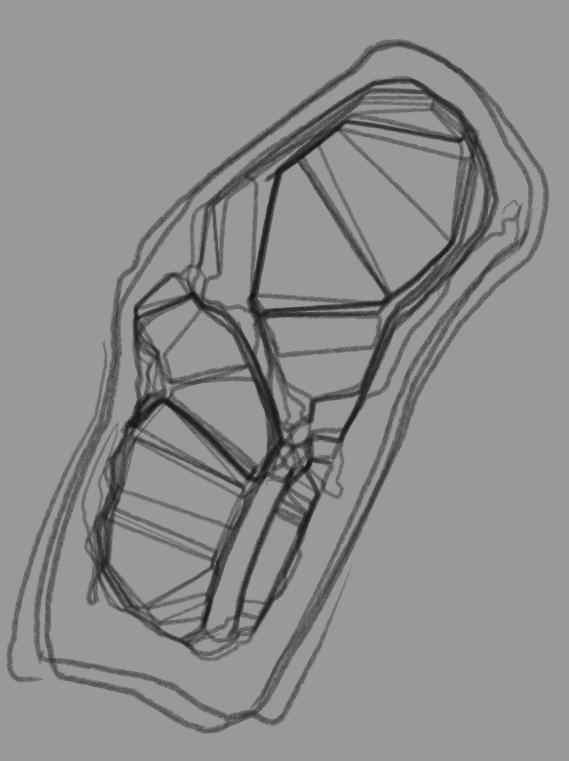
The UI will chug if you go too insane, or just don’t activate the assistants tool!
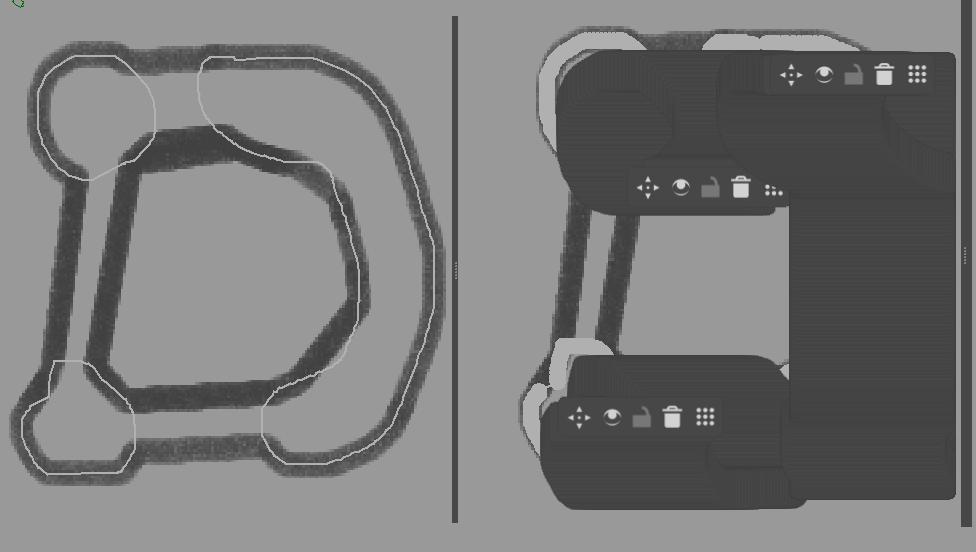
Please be aware if you have the native file dialog enabled it will temporarily turn it off, and then back on for the QDialog magic to work. A few windows will open and close pretty quickly. If it doesn’t work the only thing I can suggest is adjusting the variable “delay_per_step” it’s the milliseconds between each step being executed.
I did find getting the tool settings docker is pretty inconsistent. I fixed the problem by duplicating that bit a few times  Seems to work:roll_eyes:
The script… for scripter
from krita import *
from pathlib import Path
mp = r"C:\Users\work\AppData\Roaming\krita\pykrita\_modules"
if mp not in sys.path:
    sys.path.append(mp)
from utils import *
#
class Work:
    def main(self):
        def func1():
            self.inst = Krita.instance()
            self.doc = self.inst.activeDocument()
            print(self.doc)
            if not self.doc: print("no active document"); return
            self.root = self.doc.rootNode()
            self.sel = self.doc.selection()
            if not self.sel: print("no active selection"); return
            self.inst.action("convert_selection_to_shape").trigger()
        def func2():
            self.layer = self.doc.activeNode()
            self.svg = self.layer.toSvg()
            print(self.svg)
        def func3():
            self.layer.remove()
            self.inst.action("deselect").trigger()
        def func4():
            self.svg_path = extract_svg_path_d(self.svg)
            self.assistant = svg_path_to_assistant_naive_rulers(self.svg_path)
            print(self.assistant)
            self.fp = save_to_tempfile_ext(self.assistant,".paintingassistant")
            print(self.fp)
        def func5():
            inst = self.inst
            disable_native_dialogs()
            qdock = next((w for w in self.inst.dockers() if w.objectName() == 'sharedtooldocker'), None)
            if not qdock: return
            # file_path = "C:/Users/work/AppData/Roaming/krita/assistant/svg_conversion/01.paintingassistant"
            file_path = self.fp
            def load_assistant(file_path):
                print("Watching for dialogs...")

                #assisant tool must be active
                inst.action("KisAssistantTool").trigger()

                def check_new_dialogs():
                    for widget in QApplication.topLevelWidgets():
                        if isinstance(widget, QFileDialog) and not hasattr(widget, "_intercepted"):
                            print(f"Found QFileDialog: {widget.objectName()}")
                            widget._intercepted = True

                            path = Path(file_path)
                            directory = str(path.parent)
                            filename = path.name

                            print(f"Setting directory to: {directory}")
                            print(f"Setting file name to: {filename}")

                            widget.setFileMode(QFileDialog.ExistingFile)
                            widget.setDirectory(directory)

                            # Find the QLineEdit within the QFileDialog
                            line_edit = widget.findChild(QLineEdit, "fileNameEdit")
                            if line_edit:
                                print(f"Found QLineEdit: {line_edit.objectName()}")
                                line_edit.setText(filename)
                                line_edit.setFocus()

                            QApplication.processEvents()
                            widget.accept()
                            return
                    QTimer.singleShot(50, check_new_dialogs)

                QTimer.singleShot(100, check_new_dialogs)

                print("OK")
                # Click the loadAssistantButton right after starting the watching process
                if qdock:
                    bn_clear = qdock.findChild(QPushButton, 'deleteAllAssistantsButton')
                    if bn_clear: bn_clear.click()
                    bn_load = qdock.findChild(QToolButton, 'loadAssistantButton')
                    if bn_load: bn_load.click()
                #
                return True
            if not load_assistant(file_path):
                print("problem with loading assistant")
                return
            return
        def func6():
            inst = self.inst
            inst.action("KritaShape/KisToolBrush").trigger()

            qdock = next((w for w in self.inst.dockers() if w.objectName() == 'sharedtooldocker'), None)
            if not qdock: return
            if qdock:
                # Find the first checkbox with the text 'Snap to Assistants'
                snap_a = next((cb for cb in qdock.findChildren(QCheckBox) if cb.text() == 'Snap to Assistants'), None)
                if snap_a and not snap_a.isChecked():
                    snap_a.setChecked(True)

                # Find the checkbox with the specified tooltip
                tooltip_text = ('Make it only snap to a single assistant line, prevents snapping mess while '
                                'using the infinite assistants.')
                snap_line = next((cb for cb in qdock.findChildren(QCheckBox) if cb.toolTip() == tooltip_text), None)
                if snap_line and snap_line.isChecked():
                    snap_line.setChecked(False)
                #
            #
            enable_native_dialogs()
        funcs = [v for v in locals().values() if callable(v)]
        #funcs = [func1,func2,func3,func4,func5,func6]
        delay_per_step = 100
        for i, f in enumerate(funcs):
            QTimer.singleShot(delay_per_step * (i + 1), f)
Work().main()
utils.py… save them somewhere, or combine them into the script, make sure to take out the imports related to it.
# from krita import Krita
from krita import *

R'''
#
import sys
mp = R"C:\Users\work\AppData\Roaming\krita\pykrita\_modules"
if(mp not in sys.path): sys.path.append(mp)
from utils import *
#
'''

def get_qdockwidget(inst,objectName):
    for d in inst.dockers():
        s = d.objectName()
        if(s == objectName):
            return d
#

def update_settings():
    print("updating kritarc")
    inst = Krita.instance()
    QTimer.singleShot(10, lambda: QApplication.activeModalWidget().accept())
    inst.action('options_configure').trigger()
#

def toggle_dialog_mode():
    inst = Krita.instance()
    group = "File Dialogs"
    name = "DontUseNativeFileDialog"
    s = inst.readSetting(group, name, "")
    if s == "true":
        inst.writeSetting(group, name, "false")
        update_settings()
    elif s == "false":
        inst.writeSetting(group, name, "true")
        update_settings()
#
def disable_native_dialogs():
    inst = Krita.instance()
    group = "File Dialogs"
    name = "DontUseNativeFileDialog"
    s = inst.readSetting(group, name, "")
    if s == "false":
        inst.writeSetting(group, name, "true")
        update_settings()
#

def enable_native_dialogs():
    inst = Krita.instance()
    group = "File Dialogs"
    name = "DontUseNativeFileDialog"
    s = inst.readSetting(group, name, "")
    if s == "true":
        inst.writeSetting(group, name, "false")
        update_settings()
#

def extract_svg_path_d(svg_path):
    """Extracts the value of the 'd' attribute from an SVG path string."""
    import re
    match = re.search(r'\bd="([^"]*)"', svg_path)
    return match.group(1) if match else None
#

def save_to_tempfile(content):
    import tempfile
    import os
    fd, path = tempfile.mkstemp()
    with os.fdopen(fd, 'w') as tmp:
        tmp.write(content)
    return path
#

def save_to_tempfile_ext(content, extension=None):
    import tempfile
    import os

    # Create a temporary file
    fd, path = tempfile.mkstemp()

    try:
        # Write the content to the temporary file
        with os.fdopen(fd, 'w') as tmp:
            tmp.write(content)

        # If an extension is provided, rename the file to include the extension
        if extension:
            if not extension.startswith('.'):
                extension = '.' + extension  # Ensure the extension starts with a dot
            new_path = path + extension
            os.rename(path, new_path)
            path = new_path

        return path
    except Exception as e:
        # Clean up the temporary file in case of an error
        os.close(fd)
        os.remove(path)
        raise e

def svg_path_to_assistant_naive_rulers(svg_path_d: str) -> str:
    """
    Converts an SVG path string containing multiple shapes (separated by 'M')
    into an XML format where *every consecutive pair of points* within each
    shape is represented as a 'ruler' assistant.

    Args:
        svg_path_d: The string content of the 'd' attribute from an SVG <path> tag.

    Returns:
        A formatted XML string in the paintingassistant format with many rulers.
    """
    import re
    import xml.etree.ElementTree as ET
    import xml.dom.minidom
    from math import inf # Although not needed for bounding box, keep for consistency

    # Regex to find commands (M, L, etc.) and their coordinate sequences
    pattern = re.compile(r'([MLHVCSQTAZmlhvcsqtaz])([^MLHVCSQTAZmlhvcsqtaz]*)')
    # Regex to extract coordinate pairs (x, y) from a sequence string
    coord_pattern = re.compile(r'(-?[\d\.]+)[,\s]+(-?[\d\.]+)')

    shapes_points = []
    current_shape_points = []

    matches = pattern.findall(svg_path_d.strip())

    for i, (command, args_str) in enumerate(matches):
        args_str = args_str.strip()
        # Convert extracted strings to float coordinate pairs
        coords = [(float(x), float(y)) for x, y in coord_pattern.findall(args_str)]

        if not coords and command.upper() != 'Z': # Ignore commands without coords (unless Z)
             continue

        # --- Handle specific commands (Simplified for M and L based on input) ---
        if command == 'M': # Absolute moveto
            if current_shape_points: # Finish previous shape if it had points
                shapes_points.append(current_shape_points)

            # Start new shape with the first point
            current_pos = list(coords[0])
            current_shape_points = [list(coords[0])]

            # Handle implicit lineto if M is followed by multiple coordinate pairs
            # Treat subsequent points as destinations of L commands
            for pt in coords[1:]:
                 current_pos = list(pt)
                 current_shape_points.append(list(pt))

        elif command == 'L': # Absolute lineto
            if not current_shape_points: continue # Cannot L without a current point

            for pt in coords:
                current_pos = list(pt)
                current_shape_points.append(list(pt))

        # --- Add handling for other commands (Z, H, V, C, S, Q, T, A, relative m, l, etc.) if needed ---
        # Example: Z would typically connect current_pos back to the shape's start_pos
        # elif command.upper() == 'Z':
        #    if current_shape_points:
        #        start_pos = current_shape_points[0]
        #        if current_pos != start_pos: # Avoid duplicate point if already closed
        #             current_shape_points.append(start_pos)
        #             current_pos = start_pos # Update current position

        # Update current_pos based on the last point processed in this command segment
        if coords and command.upper() != 'Z':
             current_pos = list(coords[-1]) # Keep track of the current position

    # Add the last collected shape
    if current_shape_points:
        shapes_points.append(current_shape_points)

    # --- Build XML ---
    root = ET.Element("paintingassistant", color="255,255,255,255")
    handles_root = ET.SubElement(root, "handles")
    sidehandles_root = ET.SubElement(root, "sidehandles")
    assistants_root = ET.SubElement(sidehandles_root, "assistants")

    handle_id_counter = 0
    assistant_handle_pairs = [] # Store pairs of handle IDs for each ruler

    # Iterate through each shape defined by 'M' commands
    for shape in shapes_points:
        # Iterate through consecutive pairs of points in the shape
        # Need at least 2 points to form a line segment (ruler)
        if len(shape) < 2:
            continue

        # Use zip to easily get consecutive pairs (p1, p2), (p2, p3), ...
        for p1, p2 in zip(shape[:-1], shape[1:]):
            # Create handle for the first point of the segment
            handle1_id = str(handle_id_counter)
            ET.SubElement(handles_root, "handle",
                          id=handle1_id,
                          x=f"{p1[0]:.3f}",
                          y=f"{p1[1]:.3f}")
            handle_id_counter += 1

            # Create handle for the second point of the segment
            handle2_id = str(handle_id_counter)
            ET.SubElement(handles_root, "handle",
                          id=handle2_id,
                          x=f"{p2[0]:.3f}",
                          y=f"{p2[1]:.3f}")
            handle_id_counter += 1

            # Store the pair of handle IDs for this ruler assistant
            assistant_handle_pairs.append((handle1_id, handle2_id))

    # Create the ruler assistants, referencing the created handle pairs
    for h1_id, h2_id in assistant_handle_pairs:
        assistant = ET.SubElement(assistants_root, "assistant",
                                  type="ruler", # Use 'ruler' type as requested
                                  useCustomColor="0",
                                  customColor="176,176,176,255")
        # Add standard sub-elements for ruler type
        ET.SubElement(assistant, "subdivisions", value="0")
        ET.SubElement(assistant, "minorSubdivisions", value="0")
        ET.SubElement(assistant, "fixedLength", value="0", enabled="0", unit="px")

        assistant_handles = ET.SubElement(assistant, "handles")
        ET.SubElement(assistant_handles, "handle", ref=h1_id)
        ET.SubElement(assistant_handles, "handle", ref=h2_id)

    # --- Format and Return XML ---
    rough_string = ET.tostring(root, 'utf-8')
    reparsed = xml.dom.minidom.parseString(rough_string)
    pretty_xml = reparsed.toprettyxml(indent="    ", encoding="UTF-8").decode('utf-8')

    # Remove extra blank lines caused by minidom
    non_blank_lines = [line for line in pretty_xml.splitlines() if line.strip()]
    return "\n".join(non_blank_lines)
 (and timers) It’s just trying to get around that limitation in the scripter, if it isn’t an issue in plugins I would make it a plugin instead, I posted about it here.