Thanks for replying!
Here’s a screenshot
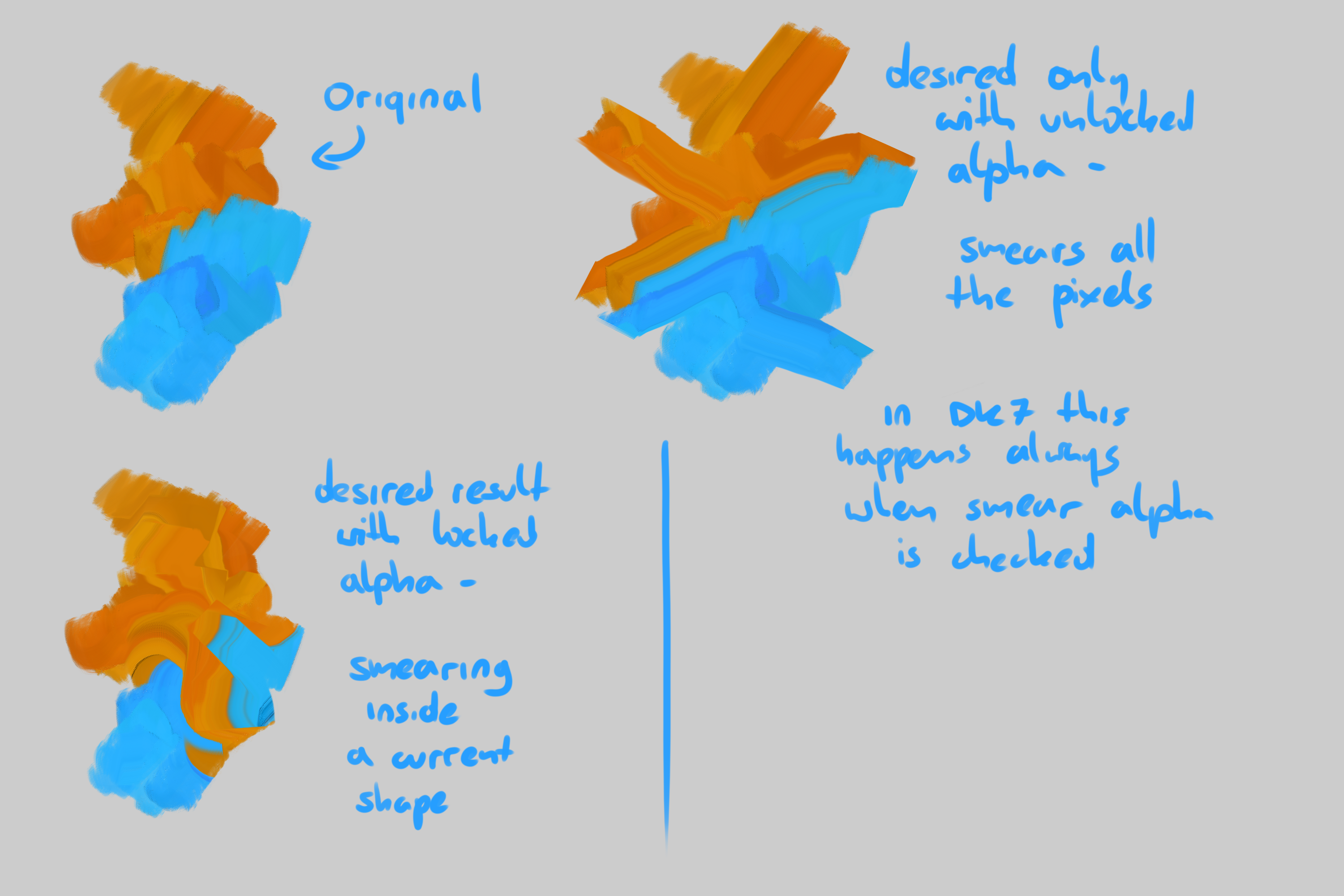
with DK7 the effect shown on bottom left is no longer possible to achieve.
Thanks for replying!
Here’s a screenshot
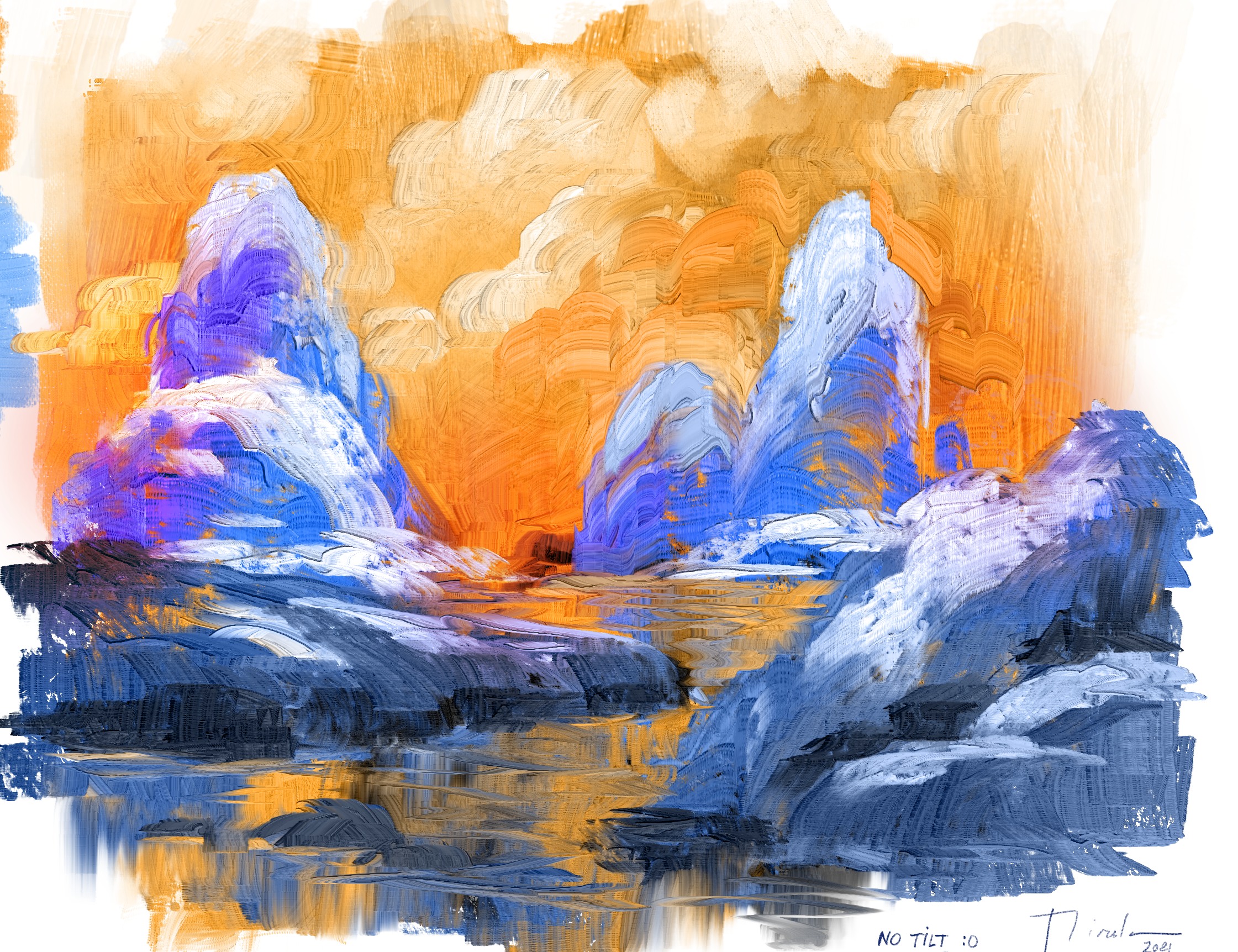
Tests showing the impasto feeling we can already achieve in Krita 5 prealpha with @dkazakov DK7 normalized. Is painted without Tilt, in a laptop I5. So i think in desktop performance will be better. But i am aproaching almost DinA4 size (my first tests where done about 1000px. Now is Doubled. Cool. As usual, Oil style, but i am also interesting to see new ideas.
enjoy the weekend 
I’ve been playing around with creating more brushes (using DK7).
I tried making a preset to mimic limited paint on the brush; setting colour rate, and lightness strength to fade with distance. That seems to work okay until I sweep the brush stroke back across itself; that smudges the colour information, but doesn’t apply to the lightness texture. I did a quick video to demonstrate:
This is using dulling mode, but it did the same thing with smearing.
good! is really interesting to see how other users create brushes too. Welcome 
This looks so cool! Looking forward to seeing this in Krita (the stable public release).
Hmm, I think it’s designed to not smudge the existing height layer, to prevent the buildup issue that existed before the height layer was separated. However, that was before Lightness Strength was an option. In this case, I think what can be done to fix the issue is that for the smudge engine, the Lightness Strength value can be treated similar to how the Color Rate value is used for smudging (in the new algorithm), as in, it’s the ratio of new information to information copied from the canvas. In this case, instead of Lightness Strength controlling how much the lightness values deviate from neutral, it could be used as a ratio of the lightness values of the brush to the lightness values copied from the canvas (or neutral if smudge length is 0, meaning nothing was copied).
This does require that the heightmap layer is initialized at 50% gray (if it isn’t already), and it might slow things down a bit, since now the heightmap layer will have to be copied when smudge rate is greater than 0% and color rate is less than 100%. But I think it’s necessary for impasto brushes to look natural, so I believe it’s a worthwhile trade off. Although, I can’t say for sure there won’t be other issues that crop up if smudging of the lightness/heightmap layer is allowed.
Anyway, that’s what I think is happening and how I think it can be fixed. If @dkazakov can implement it, I look forward to testing it!
 I think my comprehension is currently set at ~10%. Do you have an algorithm to improve that?!
It sounds like you understand what’s going on anyway. I think if it improves the visual feedback for the impasto-style behaviour it will be worth it; hopefully without too much impact on performance.
By the way - After re-reading dkazakov’s initial post yesterday, I put the impasto aside to get more familiar with the new algorithm. It’ll take a bit of getting used to, but it seems like you might have addressed what’s been bothering me for years about the colour smudge engine. Even the banding issue seems to be much improved.
So, while the impasto stuff is all very cool and exciting, the changes to the underlying colour-smudge engine is a really big deal - so thanks for all the work you’ve put in to improving that. 

Another round of drinks for the coders!.. 
I have talked with @halla and we decide that is a good idea to share the brushes i have created based on Krita 5 prealpha. (Dk7 normalized)
I have done 8 brushes already wich show different ways we can use the new features. Enjoy them! and let me know your opinion, please.
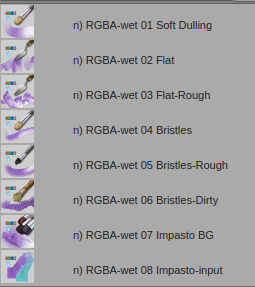
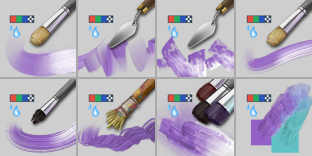
I have been testing them in laptop and desktop with tilt and without, and they have a quite well performance in DinA4. Of course they need optimization, but for now i think is a good starting point.
Feel free to share them, change them, reinventing them, whatever you think is going to help Krita development.
This is the link under your own risk of addiction 
You only have to unzip and copy to paintoppresets folder. And Remember:  These brushes only works in Krita 5 prealpha right now..
Also do you remember the Chacoal challenge here in KA?
Lot of you were involved helping and giving ideas, Let’s repeat this experience showing what Krita community is able to do.
Maybe somebody has missed the DK7
Regarding the normalization:
I understand the problem (that right now the normalization happens after the scaling, which means after the options). I wonder though, would it matter much in practice if the normalization happened before the scaling?
For me, non-normalized brush tips are a bit of a problem… When I was working on the piece below, I was constantly noticing how every time I pick a color, it gets darker and darker. That was of course because the brush tip wasn’t perfectly balanced. But perfectly balancing a brush tip manually is difficult. I would prefer to have some kind of option for Krita to do it for me…
Cool to have some news brushes but how to test it without problems, e.g. when I have Krita v4.x installed in my Win10 system?
Afaik those test packages for windows are portable, so that they are not technically installed - you can extract a zip, run without installing, delete the folder.
They may share the resources, so you should definitely backup the whole resource folder (settings > manage resources > open resource folder)
Sweet, going to test later! Looking super promising. Thanks Ramon 
Guys, is 0 = black, 127 = mid grey and 255 = white? So an almost perfectly mid grey tip would be the best idea to keep it as easy to work with as possible for keeping the values on point when sampling color? It is not that easy to balance by the sliders in Krita, however of course it can make sense if there is some auotmatic solution to keep the “mid tone” of a brush alpha always on 127, if I understood that correctly.
If I recall #7f7f7f is mid gray at 127.
Hi!
I’ve been testing the krita 5 version and the brushes, they are awesome!!!
One thing I noticed is that the “RGBA-wet 08 Impasto input” seems to be ignoring transparency of the color one starts painting on and paints without transparency.
Also, I noticed that since all the brushes mix the colors when pressed smoothly, when starting on a very transparent color, or no color at all, and paint over another color, it’s is like works as an eraser.
For example, supose you have a 100% opacity red square and adjacent a transparent square or say a green 10% opacity square. With this brush if you start on the green square and drag to paint smoothly over the red square, the read square opacity is lost, it works as an eraser then.
I would expect that the opacity shouldn’t be lost and the resulting opacity shouldn’t be less than what already is there.
I would like to know if this is a property of the brush engine or if there is a way to change it in the brush configuration (I looked but get lost in all the options)
Thanks and congratulations on the brushes, they look superb!!
Hi, @Mythmaker!
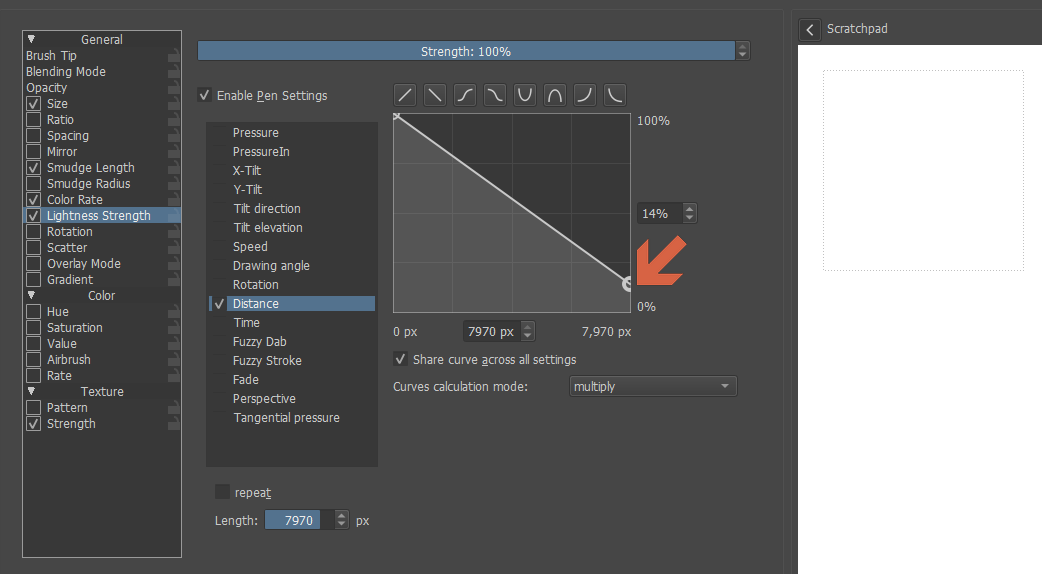
I have checked your report. The problem happens because with time your lightness strength drops to zero and therefore nothing is painted on the lightness channel. The workaround solution in the current build is to not let it drop to zero, like shown on this screenshot:
I have made a patch that forbids lightness strength dropping lower that color rate and smudge rate. I guess it would be a good solution. The fix will be available in the next build (I still have to fix one more bug before doing the build).
Hi, all!
I have fixed all the reported issues and made new packages.
Issues that have been fixed:
Artifacts when using Rectangle tool in Lightness mode (reported by @RamonM). Now it explicitly “dries up” the paint before and after the use of any figure painting tool.
Lock alpha switch now works correctly (reported by @wojtryb)
The brush now doesn’t let “lightness strength” drop too low when the brush still paints something (reported by @Mythmaker)
The lightness strength is now premultiplied with “Opacity” value (noone noticed it was untied from opacity). Now the behavior is consistent, all three painting parameters, color rate, smudge rate and lightness strength are premultiplied with opacity value.
DK8 (27.04.2021)
Hi, @pablo!
Also, I noticed that since all the brushes mix the colors when pressed smoothly, when starting on a very transparent color, or no color at all, and paint over another color, it’s is like works as an eraser.
That is the behavior controlled by “Smear alpha” checkbox in the “Smudge Rate” page. You need to disable that to get the behavior you want.
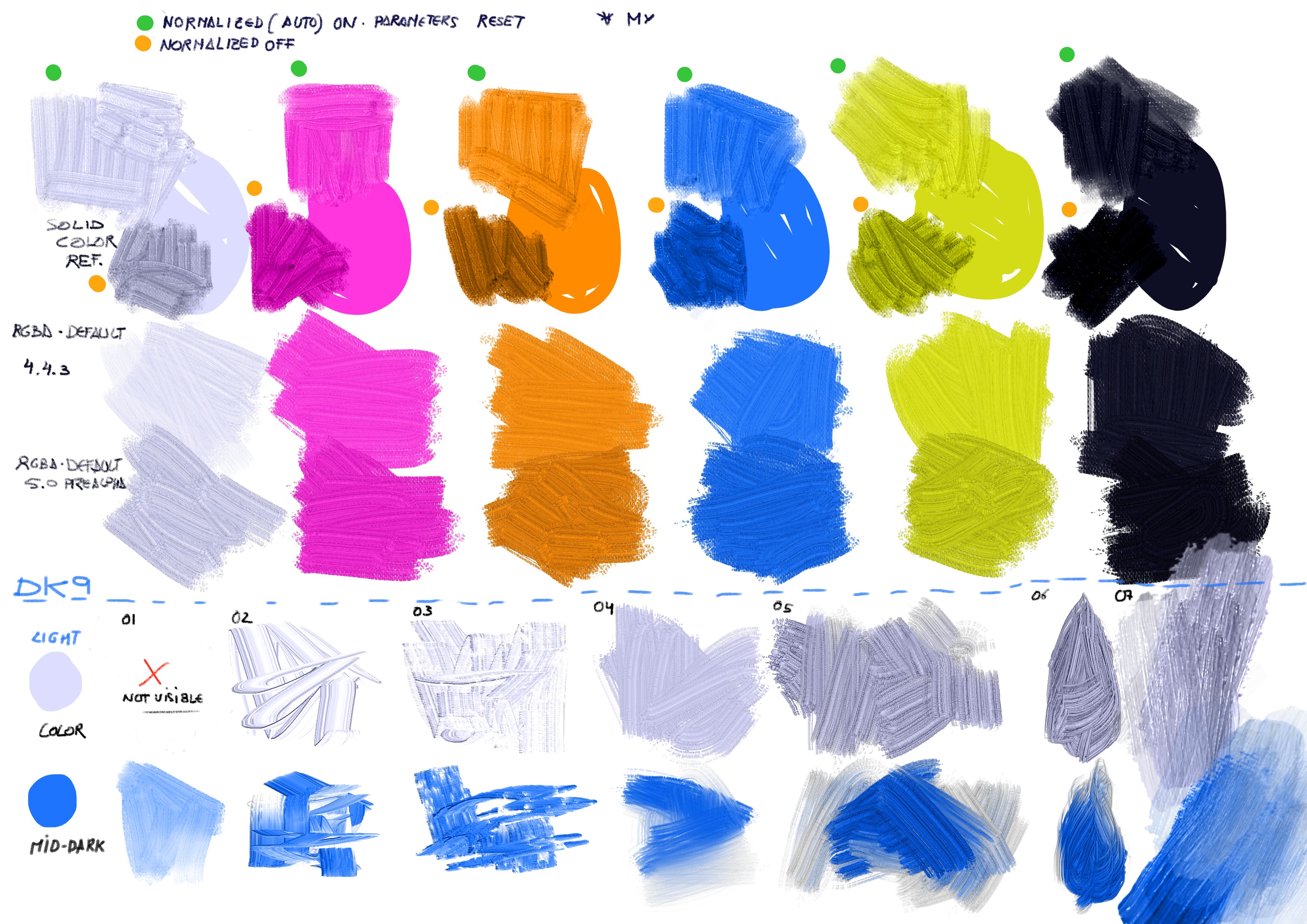
I have prepared a very experimental package (DK9) with optional brush normalization feature. Could you check it and tell what you think about that?
Important notes:
This normalization algorithm work a little different from the one in DK8 and all the previous packages. The brush you created will probably look a little different from how they looked in DK8.
The normalization is disabled by default, so you’ll have to enable it for your preset to look the same as before.
This implementation of normalization also available in Pixel brush engine.
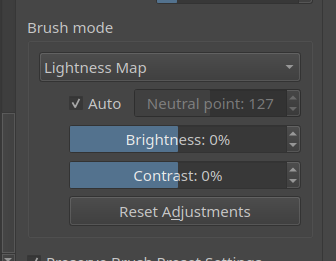
If you hover the “Auto” checkbox you’ll see the average lightness of the brush before and after the current adjustments in the tooltip. You can use this information as the first approximation for your settings.
DK9 (27.04.2021)
PS:
Illustration:
27 posts were split to a new topic: [Needs Feedback and Testing] Colorsmudge with smeared heightmap (slow but hi-quality version)
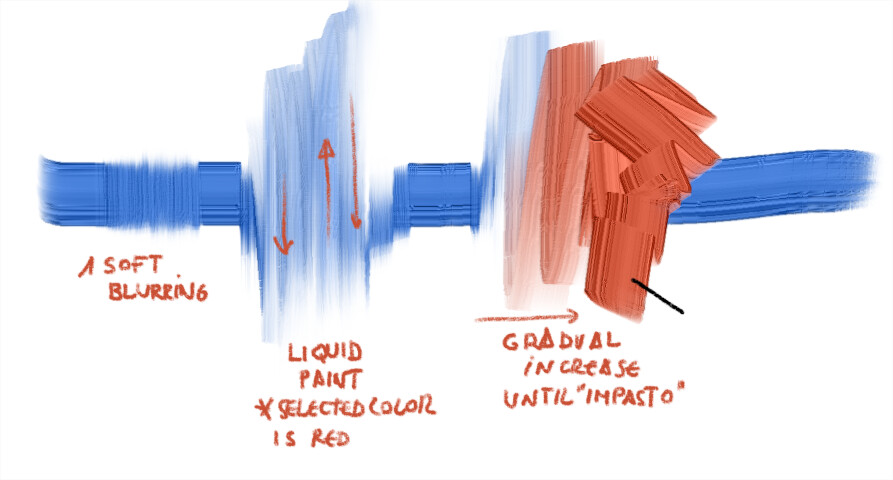
I look for basically 3 things;
Behavior
Blending soft in low pressure, drag painting in mid pressure as i show in picture to manage the painting as liquid paint (or move a lot the color) and then get color in a “crescendo” Also using tilt but i have the problem that i don’t know how to include in the icon without mess it.