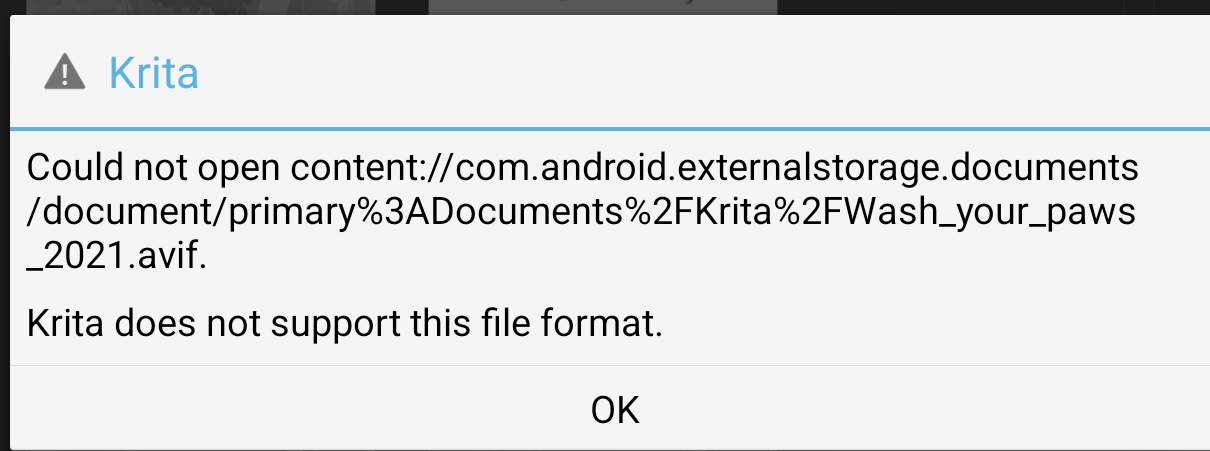
We are in a process of upgrading the libraries we depend on. These libraries allow Krita to open various file formats (i.e. .png, .tiff, .exr, .heif, .avif, .heif, .webp), play animation audio, render fonts and so on. We plan to release the next stable release of Krita already with the updated set of dependencies
Could you please help up with testing the updated packages with your personal workflow before we actually release them?
Imported and exported some basic .heif, .jxl, .webp without issue.
Animation playback works.
Animation audio works (.flac, .mp3, .ogg, .opus, .wav).
Fonts and the font selector seem to work fine.
G’MIC works, Python plugins work.
The builtin FFmpeg works for the MP4, GIF, and Matroska presets. However, the WebM preset results in ‘FFMpeg crashed’. For comparison, using 5.3.2.1’s FFmpeg results in Automatic encoder selection failed Default encoder for format webm (codec vp8) is probably disabled. Please choose an encoder manually., so this is a regression, but apparently already wasn’t working.
Externally running this FFmpeg with the same arguments shows it crashed to an illegal instruction, somewhere in libvpx.
Backtrace (from the prebuilt deps with debug symbols)
With my workflow, haven’t noticed anything strange/broken so far (on arch). Will update from Windows later, maybe, if I fix up my PC cable hell. I have no config there so I’ll be doing this in a more ‘clean’ way there. : P
That the animation and timelapse export options aren’t there is intentional. Previous versions showed you the options, but you could never actually perform an export because you can’t set up ffmpeg on Android. Making that work via the Android video encoders instead is a different job site.
Unfortunately not, since it involves quite a lot of text changes, the translators will need to have a round with it first. We may ask them to make an exception, but that’s something to look at once all the exports are working, rather than having to do two rounds of it for timelapses and animations.
It seems like Apple Silicon doesn’t support SVE and SVE2 ISAs, while libvpx automatically enables them if the compiles supports them, disabling the runtime checks at the same time…
What does it say before that? You probably cut out the message that explains the cause of it.
And can you check whether this is exclusive to this version of Krita? I get the same kind of error on earlier versions anyway:
Could not execute addResourceVersionImpl statement QSqlError(“19”, “Unable to fetch row”, “UNIQUE constraint failed: versioned_resources.resource_id, versioned_resources.storage_id, versioned_resources.version”) 1063 “fontregistry” “fontregistry” “Noto Sans Sinhala” “Noto Sans Sinhala” version 0
SAFE ASSERT (krita): “result” in file /builds/graphics/krita/libs/resources/KisResourceCacheDb.cpp, line 2160
You may just never have noticed because release versions of Krita don’t show you a dialog box about safe assertions.
You are right, the same line appears in v5.3.2.1’s log.
Could not execute addResourceVersionImpl statement QSqlError("19", "Unable to fetch row", "UNIQUE constraint failed: versioned_resources.resource_id, versioned_resources.storage_id, versioned_resources.version") 2826 "fontregistry" "fontregistry" "Taco and Tequila Shadow" "Taco and Tequila Shadow" version 0

SAFE ASSERT (krita): “result” in file /builds/graphics/krita/libs/resources/KisResourceCacheDb.cpp, line 2160
and a bunch of fonconfig warnings before, e.g. Fontconfig warning: “/etc/fonts/conf.d/49-sansserif.conf”, line 10: invalid constant used : serif Fontconfig warning: “/etc/fonts/conf.d/49-sansserif.conf”, line 18: invalid constant used : sans-serif Fontconfig warning: “/etc/fonts/conf.d/49-sansserif.conf”, line 26: invalid constant used : monospace Fontconfig warning: “/etc/fonts/conf.d/49-sansserif.conf”, line 34: invalid constant used : emoji Fontconfig warning: “/etc/fonts/conf.d/49-sansserif.conf”, line 42: invalid constant used : math