Ok…
I’ve been working on getting text-in-shape/text-on-path to work. All of the functionality is implemented now, but the branch still needs optimizations. I am currently working on type setting mode, but development on that is still early.
In the meanwhile, a bunch of stuff got merged:
- The PSD text branch got merged
 As noted previously, we can load all fancy features, but we cannot save all of them (only simple text saving is possible), because PSD requires a certain kind of positioning data before it accepts the advanced text data, and I need to sit down and figure out what exact positioning data it needs. Similarly, Krita and PS have fundamentally different text layouts, so I also cannot guarantee text being 100% the same. Krita will ask if you want to load text as a text object or as a paintlayer for this precise reason.
 - The Rich text editor got removed, with only the SVG source editor remaining. The oncanvas text editor is far more sophisticated than the rich text editor ever was.
- The shortcuts that were originally implemented for rich text are now functional with the oncanvas text editor. It’s not every single property that can be configured in the text properties docker, because I right now do not have the time to implement that (though, everything is set up so that implementing new property shortcuts will be a good first contribution, if someone is interested).
- The tool options have been overhauled:
- You now create new texts with either the current values inside the text properties docker or a given style preset.
- There’s a button to open the text properties docker, so that people who don’t know it exists will be able to find it.
- There’s a config option on whether you want to paste rich or plain text by default. There’s also two extra shortcuts for pasting either explcitely.
- There’s a config option to switch between visual and logical mode for bidirectional text.
- There’s still the two buttons for the glyph palette and the svg source button.
- Finally, there’s a set of conversion buttons that allows you to convert text from old pre-positioned SVG 1.1 text to inline wrapped or preformatted or back again. There’s also shortcuts for these, even inside the Shape Selection tool, though I haven’t put them inside any menus yet, so you will either need to add them to the toolbar or use the ctrl+enter menu to find them.
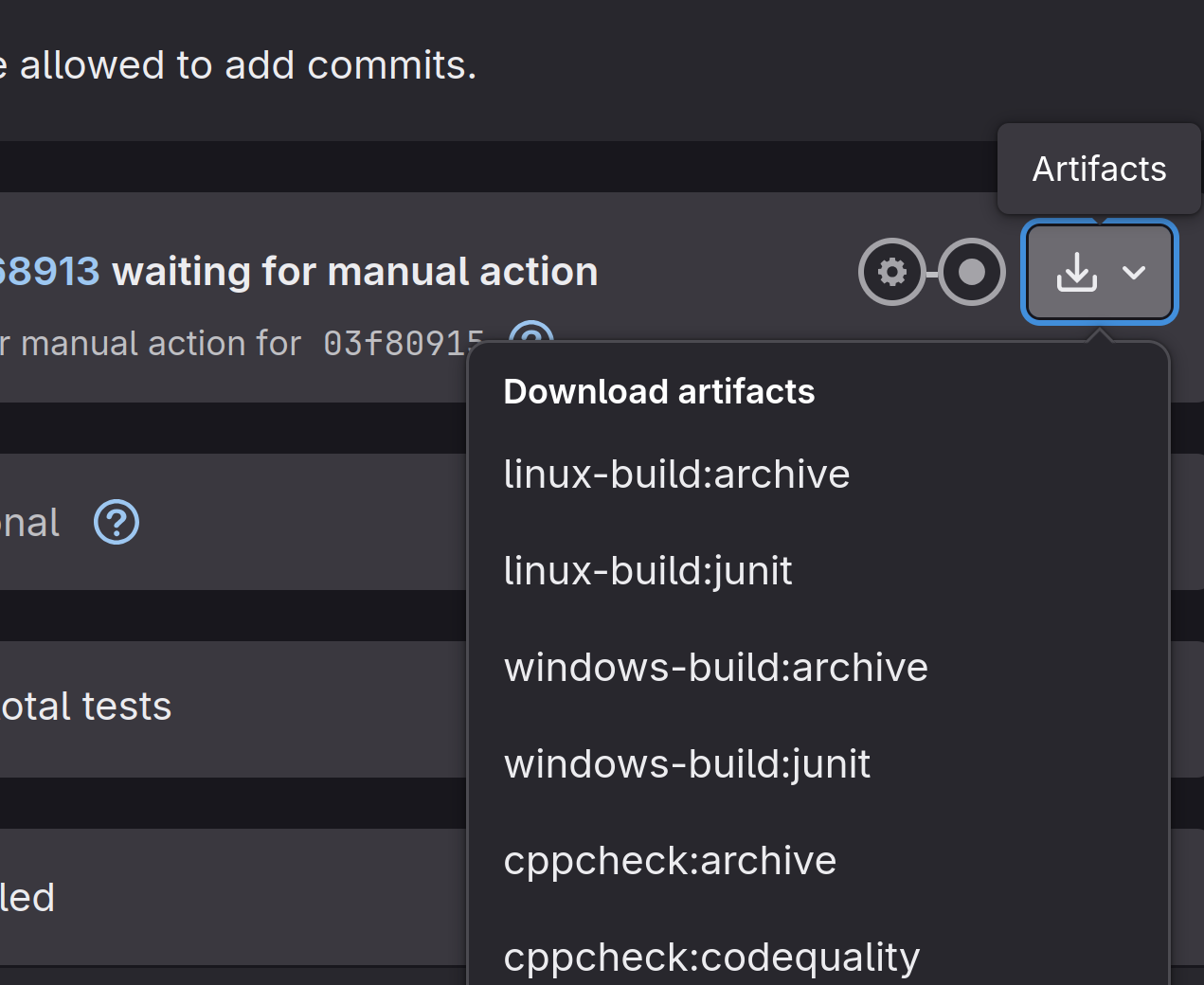
I have rebased MR 2470, and would still like feedback on whether it is preferable to the latest. You can download a testing version from gitlab by going here, and selecting the “windows-archive/linux-archive/macos-archive” from the artifacts dropdown:
Yes, this is partially caused by the fact we cannot have popups inside QML that overflow the window. I have a workaround waiting for that, but it’s non-trivial. Probably there won’t be a resizing option before 5.3 because I have an approaching deadline.
Also something that probably won’t be fixed in 5.3. Basically, QML doesn’t have a proper scrollbar, and while within KDE’s kirigami there’s one, that would be a new dependancy, and it’s quite late to add one right now.
I have noted the first down, but for justify, it only works with text-in-shape, which has no UI yet.
“Add property” at the bottom.
Neither will be in 5.3. The fill and stroke got blocked because I was told not to work on it because it would be too big for 5.3. The on canvas menu just was not planned for 5.3 to avoid scope creep. The main issues are design and also because on mobile it would conflict with the mobile text editing menu. The latter might be fixed in qt6.
One minor quibble: As far as I know, only Microsoft Word has implemented an on canvas menu for text.
Yeah, I hadn’t had the time. Halla went and looked at it for me, should work now.
I didn’t touch anything canvas related in those months, so very unlikely.
Thanks!
Please report a bug at bugs.kde.org. What is likely going on is that Krita cannot find the default fonts folder, but I do not have a windows machine, so I cannot immidiately tell what is causing this.
String freeze (my deadline for new features) is in roughly two weeks. Wish me luck.
EDIT:
Should I report issues like that at all or ignore them?
Feel free to report them, feel free to ask about them. Thing is, I can’t force anything, and my instincts tell me that it’s going to be stressful for everyone if I try. In either case it’ll take a bit before I’ll answer (really really busy trying to get this finished).