5.2.2 win10 64
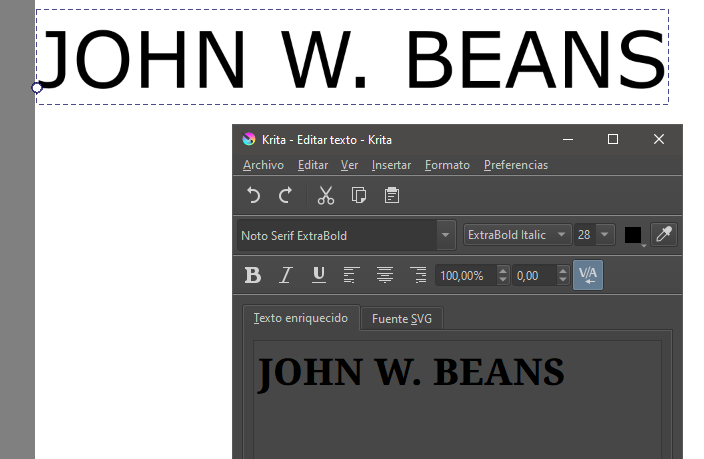
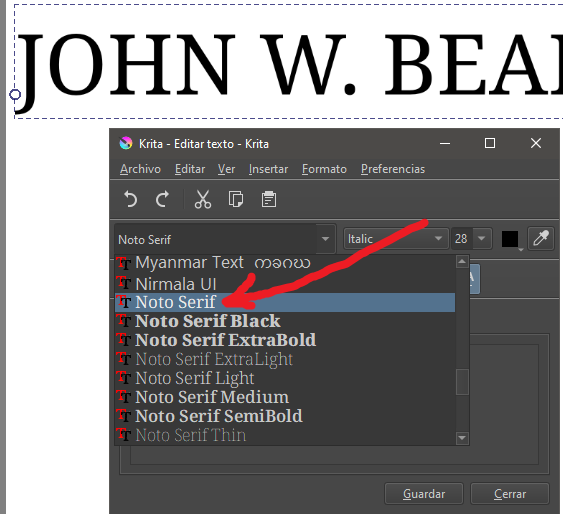
Hello, why doesn’t the font in the document look the same as the one in the preview window?
I’ve already clicked “save,” and all changes are applied, but the font that actually appears in the document isn’t the same as the one shown in the small preview window.
This is a known issue, and the answer to your question can be found in the so-called Text Tool Thread, where things like your issue are discussed. There you’ll find the answer to your question as well as the current workaround for it, because the fix is currently “announced” for Krita 5.3.x which will need some time to arrive. Therefore, the following two postings in particular should be of interest to you:
The current solution/workaround is to use Krita 5.1 for tasks like this. Since you have not named your operating system as required in our FAQ for questions like this, I can’t tell you the version you need for your system, but if you are As a Windows user, you can use the portable version for this task, this way you don’t need to uninstall your current installation of Krita, the portable version uses the same settings as your current installation, but you can only run one version at a time.
You can find it in the attic:
I’d prefer it wouldn’t, the answer given by Michelist is correct, and the issue was already brought up in the text tool thread. Thing is, some people might be subscribed to that thread for updates, and I imagine it might be frustrating if every single instance of the fonts not being found gets merged into that thread. Especially as I still have a ton to do for 5.3, and I imagine we’re going to see this question posted like, 10 more times.
The reason is that I don’t know if I’ll have to change all the settings in Krita, shortcuts, etc… That’s why I’m sticking with this version; I don’t feel like reconfiguring everything.
You can update without losing anything, this is also the reason why a standard reinstallation of Krita can’t fix configuration errors because the configuration is stored in a different location than the installation, the same goes for your resources, like brushes, patterns, gradients, bundled or loose doesn’t matter.
It is the same as for the portable installations, as I wrote above in my answer to you:
You can use as many of these portable versions as you want, they will all use the current configuration. And changes you make in one of these installations will be visible in every other installation when you start it.
And updates only exchange the program files, not the settings nor the resources.
But it is always a good idea to have a backup from your configuration files, at least from the kritarc, and from your resource folder.
The kritarc is found at the end of the folder %LOCALAPPDATA%, just enter %LOCALAPPDATA% into the Explorer address bar and hit enter, and you’ll be taken into your local user folder named Local.
Your resource-folder is found via ‘‘Settings’’ >> ‘‘Manage Resources…’’ >> ‘‘Open Resource Folder’’, or , alternatively, by entering %APPDATA%\krita\ into the Explorer address bar and hitting enter.