Krita 5.1.0 have introduce some touch gesture configuration in Canvas Input Setting
They are pretty nice, but I still want to change Pan Canvas gesture from Three Finger Drag to One Finger Drag to fit my taste.
But what about Sample Foreground Color from Merged Image (eye dropper)? It is assinged to One Finger Drag by default, can we just switch it with Three Finger Drag ?
How does it pick color from canvas if we put three fingers?
Goal : Set one finger to pan canvas & three fingers to pick color
First exchange the two gesture like this:
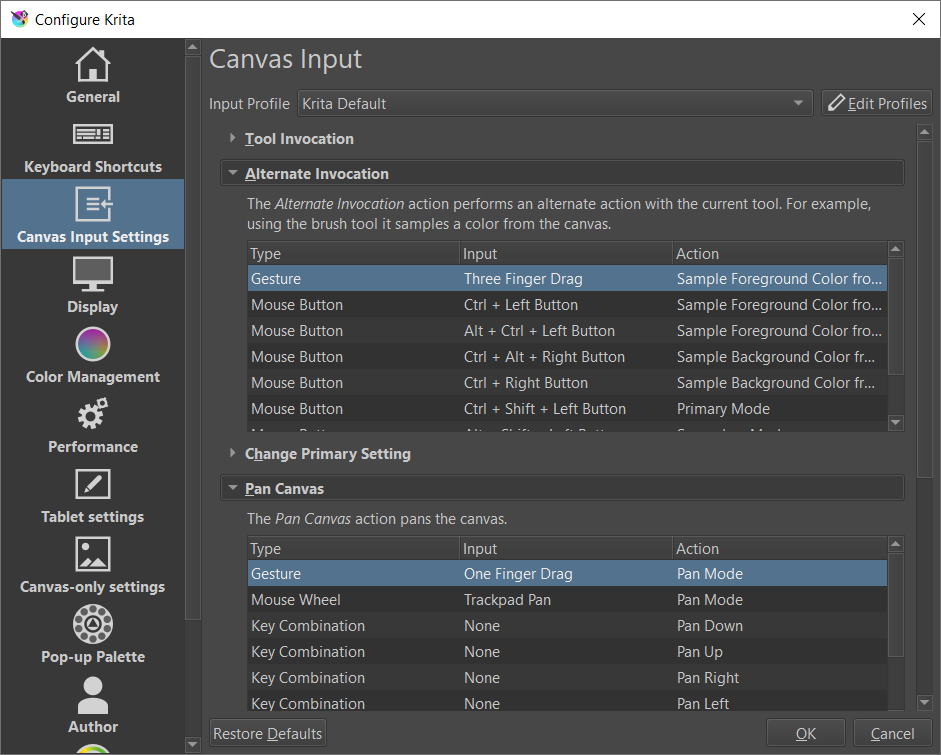
Then, back to canvas and pick the color you want, but with some note:
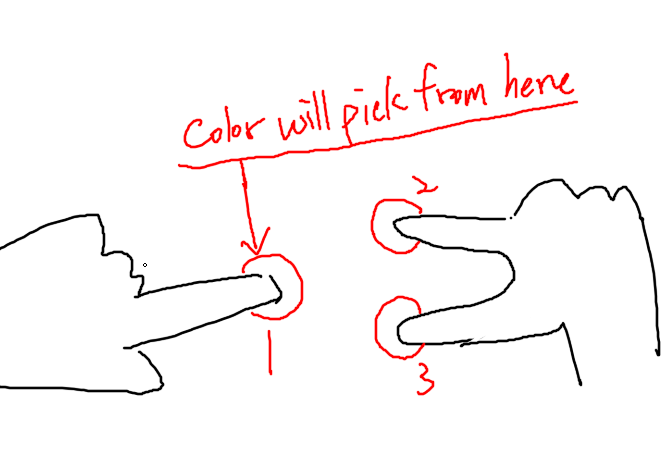
First, press down the FIRST finger, it will be the “Color Sampling Finger”
Second, press down another two finger (it is easier with another hand, I prefer using thumb and middle finger)
You can now easily dragging (or even leave canvas and tap) the FIRST finger to the color you want to pick, other two fingers don’t need to move 
(Just found it when doodling on Android tablet, hope it helps.)
