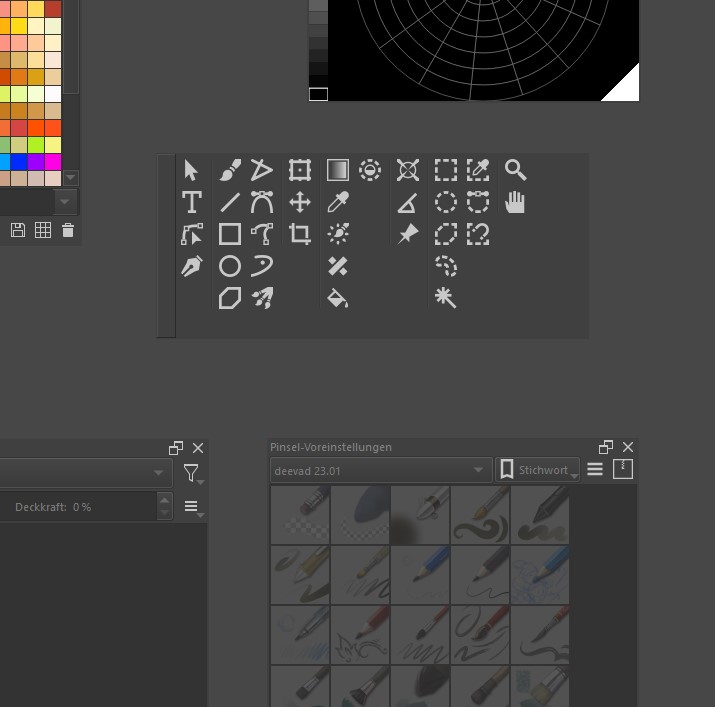
Hey guys,
Can you create your own tool list with your own graphics? Is there a tutorial for this?
Unfortunately nothing was found =)
Best regards
DAB
Hey guys,
Can you create your own tool list with your own graphics? Is there a tutorial for this?
Unfortunately nothing was found =)
Best regards
DAB
You mean the toolbox or the toolbar icons?
You can either overwrite the configurations though it will probably be undone every update. Or you can create a plugin
That is the Toolbox. I’ve changed the title of your topic to indicate that.
For what I know, these icons are hard-coded. In order to change them, you have to build Krita yourself after changing the source code to address/link to the icons you want to exchange. At least if I understood your question correctly.
Michelist
You are going to have to make a plugin and do stuff like this:
from krita import *

qdock = next((w for w in Krita.instance().dockers() if w.objectName() == 'ToolBox'), None)
wobj = qdock.findChild(QToolButton,'KritaShape/KisToolLazyBrush')
wobj.setIcon(Krita.instance().icon('activate-next-layer'))
ok thanks
Have you considered using Actuator - Automate Sequences of Actions : Krita Plugin [paid] ?
Even though it was build to create sequences you can create your own group with tools you want, apply any image for each tool you want.
You can see how it works here: augmentedbrush.com/actuator/actuator-learn-complete
wow thanks, i look