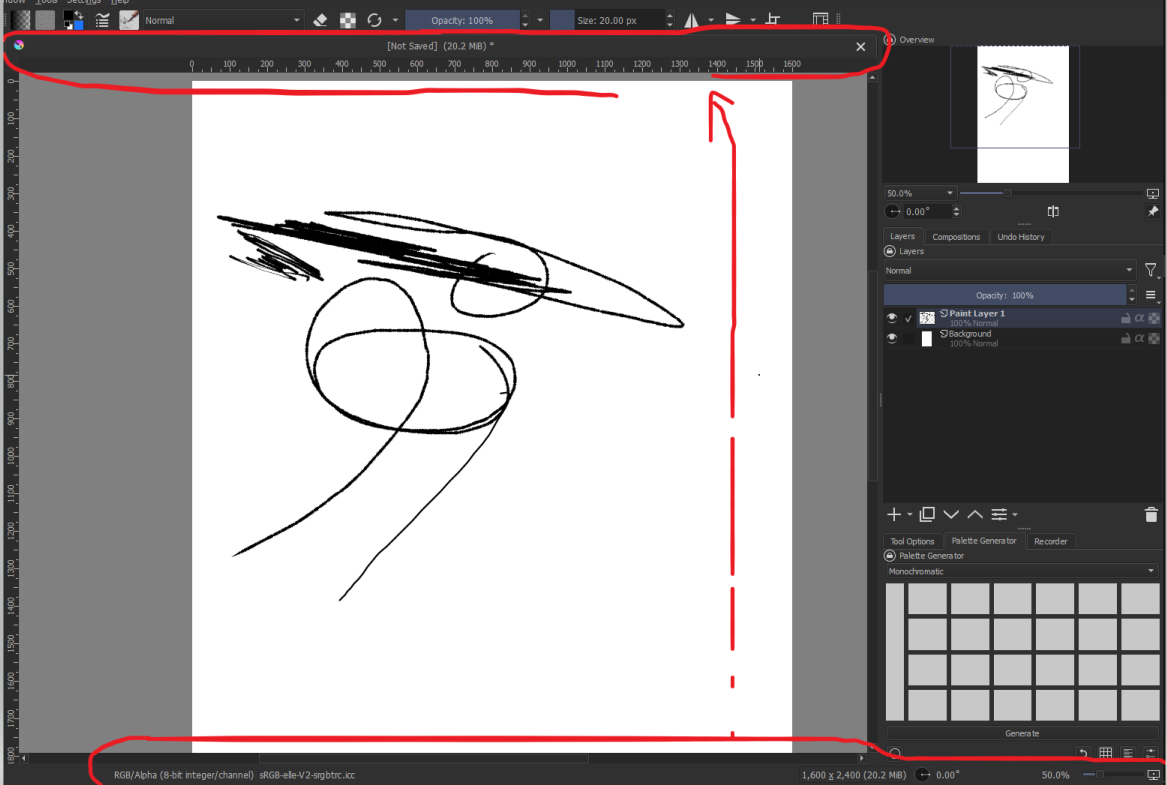
Turn off the rulers, that should give you some more space. Then switching from tab to subwindow mode another few pixels. I’m not sure if the status bar can disabled.
Thanks for the answer! But I use the ruler a lot, so I can’t turn it off( And about the subwindow, I find the default one a bit more convenient, but the large size does bother me sometimes.
I’m not sure if I should change the topic to ‘Feature Requests’ if there’s no solution?
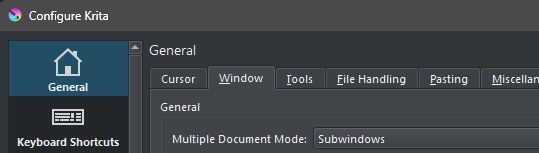
Hi  as mentioned by @Takiro you could try this:
from menu Settings >> Configure Krita >> General >> Window
Set Subwindows in Multiple document mode (not Tabs).
The status bar can be hidden:
from menu View >> Show Status Bar
Oh thank you :D, really forgot that I could turn off the bottom, but still what about the top one, is it possibe to add something to it except [Not saved] (N/a MiB)?
Like that?
[Not saved] (N/a MiB) | resolution (e.g 600) | canvas (e.g 1,600 x 2,400)
This is my first question related to merging… I apologise if I have asked it incorrectly.
As they mentioned above, subwindow mode would have been one way, but there are more. →
But since you dislike that, you can go another way that instead of removing the tabs will reduce the size of them a bit, therefore, you need to install one of these plugins →
- Krita Redesign (which works best together with Kanvas Buddy most recent version downloadable from here)) respectively
- Touchify (which has the Redesign plugin and other plugins incorporated as a part of Touchify (which is a killer plugin if you want to
- customize Krita, and
- save space, and
- gain a lot of cool productivity features.))
But plugins are unfortunately not usable if you use Android.
Michelist
Thank you, I will try to use them :o
If I were you, then I would go for Touchify, because the other plugins are part of it. Okay, in the beginning it will be overwhelming, but when you get the hang of it, it is like a drug.
You will find it on this GitHub page, there you have to click on the button main in the upper left and have to select alpha.0.0.6.1 from the drop-down menu, so it gets the button alpha.0.0.6.1, then click on the green code button on the right side and select Download ZIP from the drop-down menu.
Alternatively, you can use this direct download-link:
https://github.com/CarWalTech/krita-touchify-plugin/archive/refs/heads/alpha.0.0.6.1.zip
Michelist
:o Thanks!!! I had a brief look at all the plugins, and yes, touchify is a bit overwhelming, but it looks promising. 
I knew I didn’t answer to all your needs, personally I keep the Status Bar cause it has other greatly useful information for me (brush full name, zoom…), and now I don’t know if there are other possibilities to put some of them in toolbars.
Fortunately in the meantime @Michelist answered, he knows a lot of Krita plugins, I don’t yet, so all this now is super useful for me too!  Thanks!