WE ARE STILL IN ALPHA, I USE THE PLUGIN WHENEVER I USE KRITA SO STABILITY IS A TOP PRIORITY BUT USE CAUTION
A Krita plugin that focuses on offering users features that expand any artist’s workflow. (especially those using touchscreens and stylus tablets) Featuring:
Collapsable, optional and customizable On-Canvas Widgets
Features two Toolshelves and our customizable Toolbox
Customizable Layouts
Swappable Presets
Fully customizable Toolshelves
Multi-pagable and pinnable
Display Dockers, Action Buttons, Menus and More!
Fully customizable Toolboxes
Featuring functionality inspired by Blender and several Toolbox-like Krita plugins
Flexible, expandable and fully configurable Action System
Tons of Options:
Summon dockers
Switch workspaces
Launch heavily customizable popup windows
Change canvas color properties
Create dropdown menus
Create additional triggers for existing krita actions
And much more…
Compatible with Most Krita Extensions
Customizable with Icons from Krita, Material UI, or your very own .PNG or .SVG files
That sounds like an interesting extension possibility. Okay, Docker groups could always be created* via the workspaces and selected and called when needed, that even with different placement of the Dockers, so the “moving” of the Dockers not possible in your plugin, but to call these workspaces via a toolbar button in a toolbar did not work until now.
But all the other possibilities you described would be quite desirable to have. So it would be cool to be able to include your self-created or Kritas pre-configured workspaces in your plugin as well and call them via then your plugin.
Unfortunately, after you have whetted our appetite, you forgot to include a link to your plugin, as already mentioned by @dk8, so your “dish” is still in the tinker’s kitchen, and we can already “smell” it, but unfortunately we can’t “taste” it yet.
Michelist
*You can find the workspaces and how to manage/create them either in the icon on the far right edge of the toolbar, in Krita’s default configuration, or via the “Window” → “Workspace” menu.
as soon as I find time to upload it to GitHub you can rest assured I will share its source
additionally I was unaware that this is how it workspaces were supposed to be used… I will see if I can refactor anything based on how I’ve implemented it to possibly also expand over to workspaces…
I’ll try to get a Github repo out today for this stuff, but I wanted to share what I’ve found about having workspace toggles:
There is not action API to talk to them, so this doesn’t make them easy to use… not impossible tho
The current way of getting them is currently limited and reliant on the text in the menu bar… not too horrible, but it has the possibility of being language concerning
But after putting everything together, I have come up with a working prototype of triggable actions that can be placed in the toolbar.
*I know that I am showing the menu bar here, but fear not, both are options. It’s just have I have to make a menu bar option for it to be eligible to be placed in the toolbars.
Then I would save myself further work if I were you, because we already have this via the “Window” menu, if you select the “Workspace” submenu there, you’ll see what I mean. I already mentioned this menu at the end of my previous post. There you have them in a menu already.
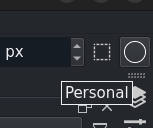
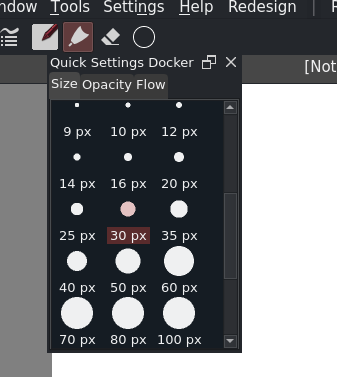
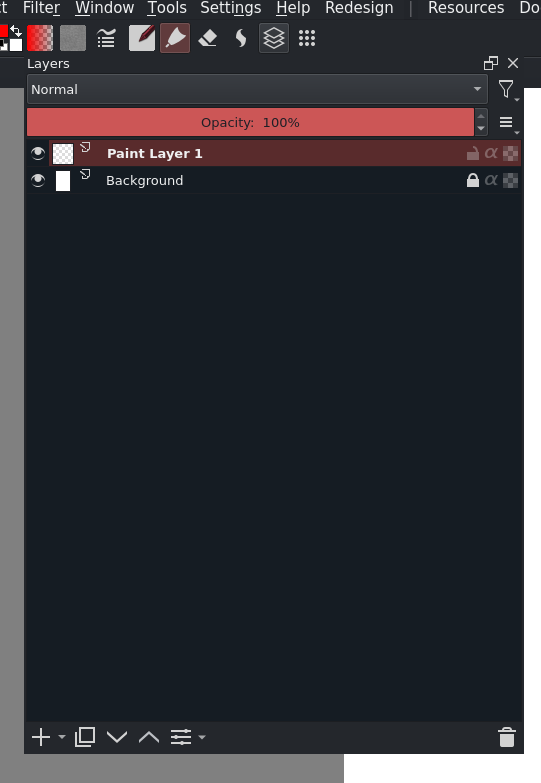
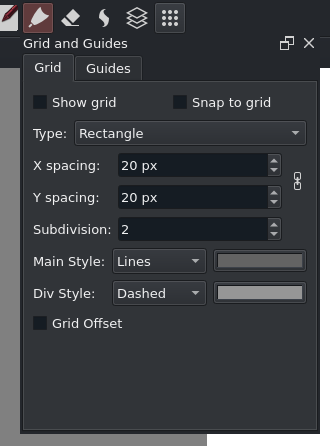
I slightly adjusted the popup functionality to now support “popup dockers”
Much like the normal popups, as we will call “action popups” going forward, they close on focus lost and automatically open at the location of the button. For instance, in the screenshot below, I have the Quick Settings Docker as a popup now
I’m uploading my newest changes now, please be advised that this is quite a bit of a refactor to be better “orginized” and will require you to either migrate you config, or start anew.
Also Here’s some screenshots of the new docker popup feature:
I think the popups are great.
If I were to make a suggestion for improvement,
Provide a parameter to adjust the transparency of the popups, or
Make popups appear at the cursor position
A UI to visually edit and save the contents of the pop-up
Is there a shortcut action to make the popup appear? It would be more convenient to have them. I recommend placing the .action file in the plugin folder where you created it.
After installing the updated plugin, the popup no longer appears.
: Customizable Docker Group Toolbar Buttons
This feature may not be working properly. Multiple dockers only appeared at once, not one switchable docker. Am I using it wrong?
I am running it in Win10 Krita 5.2.0-rc1.
Provide a parameter to adjust the transparency of the popups, or Make popups appear at the cursor position
Both are more than doable, and I will seek to implement them
A UI to visually edit and save the contents of the pop-up
This is complicated for a couple of reasons
Actions created after Krita loads are not considered part of the toolbar the way we currently load them
While the Popup Items could easily be added and removed on run time, other features aren’t
While I would like to implement a UI for editing the config files directly, I worry about the complexity in implementing it. I’ve been trying to keep this project’s logic very easy to understand and non-convoluted. Not off the table just discouraging to work on
Is there a shortcut action to make the popup appear? It would be more convenient to have them. I recommend placing the .action file in the plugin folder where you created it.
The reason we don’t use an .action file, is because it assumes that all of our actions are static. This is not the case, we add actions based on the data in the configuration files. I do want to make shortcuts avaliable though as well, but there’s a couple of hitches that we will have to resolve:
If shortcuts can only be assigned when an .action file is used, then I will have to reevaluate the implementation of adding actions, that might also involve the plugin directly editing the file itself
If we are resulting to using the .action file, it also means that custom icons could potentially be off the table
After installing the updated plugin, the popup no longer appears.
: Customizable Docker Group Toolbar Buttons
This feature may not be working properly. Multiple dockers only appeared at once, not one switchable docker. Am I using it wrong?
I am running it in Win10 Krita 5.2.0-rc1.
Docker Groups work like tabs, they’re intended to be used like them:
If that tab group is open, it closes itself
If that tab group is not, it gets opened
If another tab group is opened, every docker in any other groups is also closed
Additionally, as mentioned earlier, The configuration format was rewritten, so you’d have to manually migrate your settings for now, there is no auto-migration while I’m still developing the plugin.
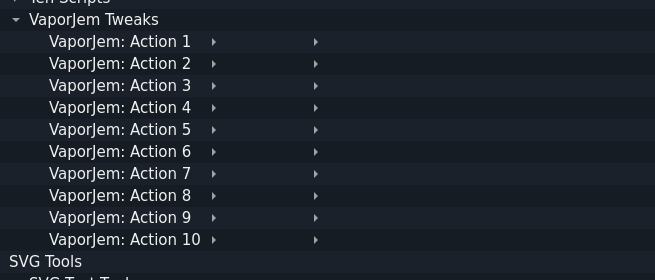
Following up to my over complicated explanation behind issues with shortcuts, I have a solution I’m working on:
I’ll give you all 10 actions, and you can edit your config files respectively on what they need to do.
A settings manager may also do this in the future.
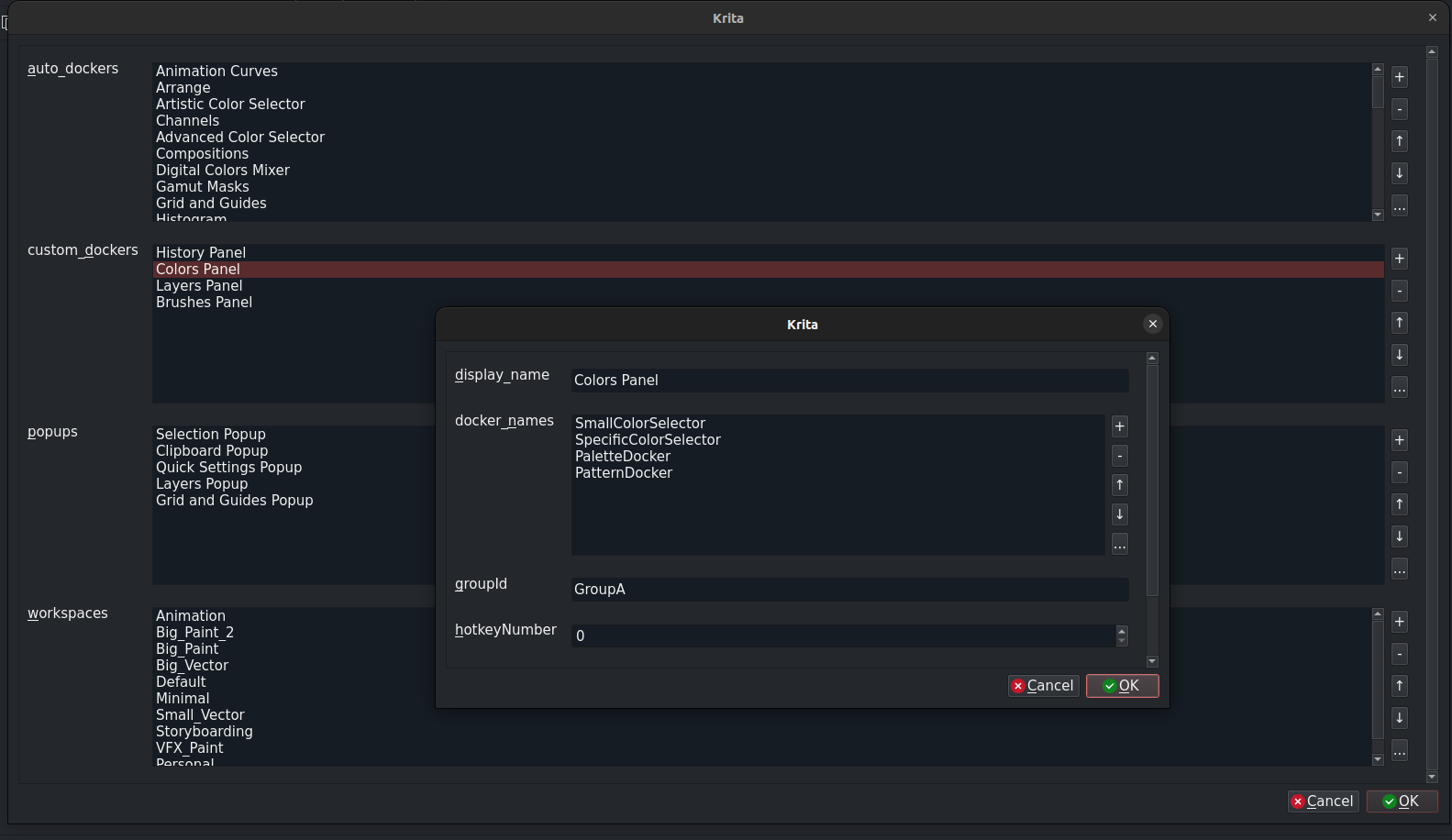
Small Update, while I was against making an In app setting dialog for some time, I have made some decent progress on it actually, I but a custom “PropertyGrid” like system that can dynamically give you editable fields. It is still not ready for testing as certain functionality needs to be implemented still, but I wanted to share my progress on it
Is this in anyway possible to use on android? I can see how this is extremely helpful. This would make krita easier to use on android devices and with a faster workflow!
 Hello
Hello