When I used Gimp more, I loved doing effects with texts. I was just looking at some of my old tutorials on that program…and I adapted one of them to get that golden effect in Krita:

13 Likes
Is this using layer effects or is it destructive layer based effect. Looks cool 
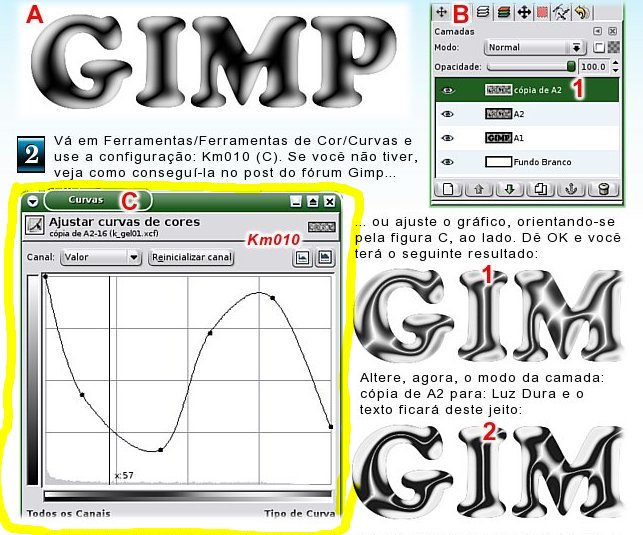
• tachiko: I had a gel text tutorial for The Gimp, here are two examples:


The only problem is that this type of effect uses Curves, for adjustment. I don’t know if this feature is available in Krita…or if there is something similar in G’Mic.
• raghukamath: No layer effects.  It’s just layers and layer modes. The golden color I got applying a gradient that I created. In the background there is another gradient. On top of it I put a layer, on it I applied the Texture Big brush and removed part of it using transparency mask and editing with another brush.
1 Like
That seems to be Filter → Adjust → Colour Adjustment Curves
If you try it with layer effects you can have editable text.
I tried it now, here, with Krita’s Curves. In Gimp it is possible to load curves configurations, there I had this configuration saved with the name of Km010. In Krita I don’t know how to load this, so I set it manually:
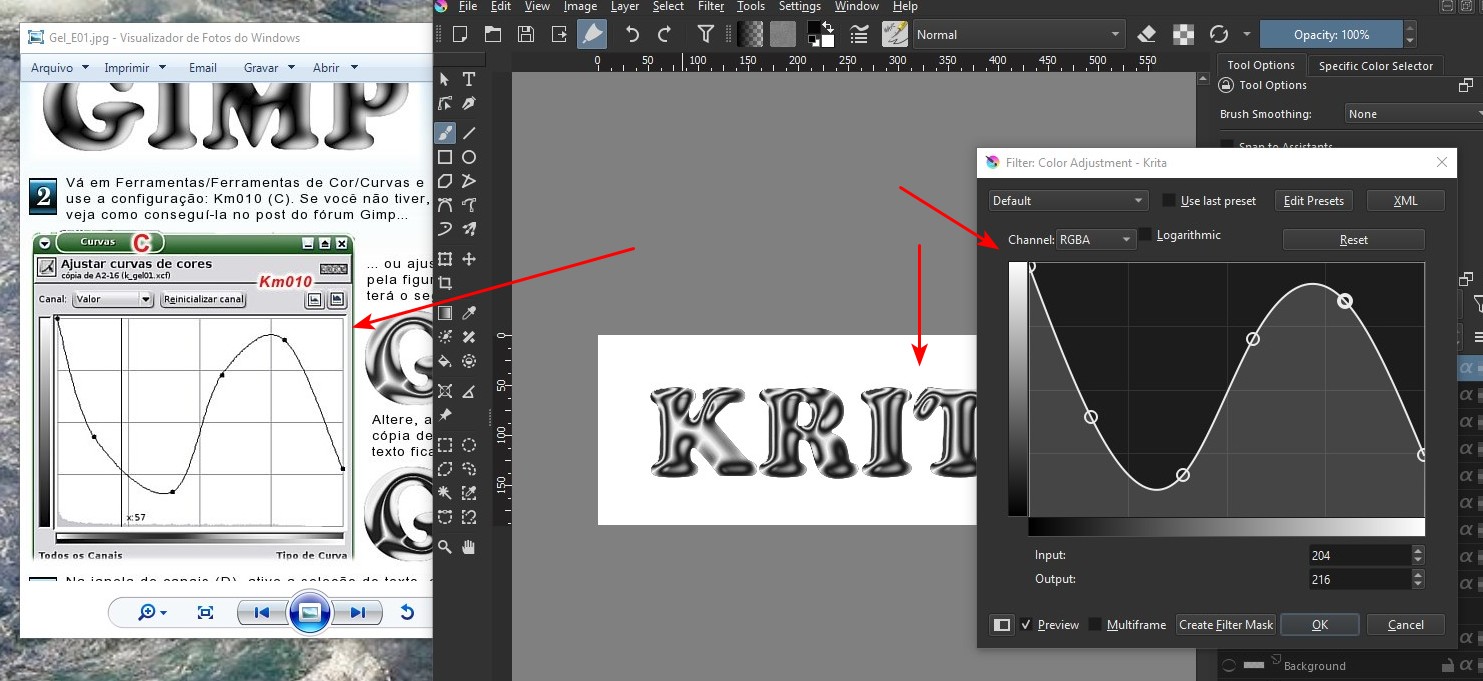
From there I produced a slightly different effect:

I think it wouldn’t look the same if I used Krita’s layer effects, unless there were Curves implemented there…
3 Likes