So I’ve run into this issue too. And I feel like there’s something else going on more than just the scale of the sensor being off. There’s actually already a variable in the source code that caps the speed that I tried changing but it doesn’t fix much. It’s easier to see/measure this by setting only the opacity to speed.
In Clip it looks like this, note how it gets darker at the corners when shading and the corners slow you down. When doing a lifting stroke (#1) it fades, but when stopping at the end (#2) it darkens there almost completely.

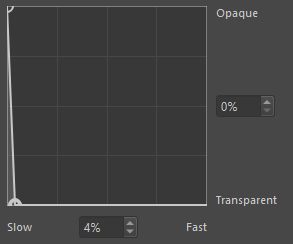
Even if one makes a ridiculous curve like this in krita (note this is minus my changes but should be close to them), I cannot get the same effect.
First speed is being calculated from before the pen is set down. So the above shading in krita looks like the first square below. If I start moving before starting to shade, it looks like the second. Also note the very last stroke, in that one I sped up before touching the canvas. But not a big thing, Clip always starts at 100% but, for example MyPaint does not. Though an option for this would be nice.
More importantly note that there is no darkening at the end of the second stroke like in Clip either. Sometimes I can get it to look a bit darker, but I have to really be really trying.

In Clip this isn’t possible. Speed always starts at zero.
Now in Clip, this is named “Velocity”, not speed, so that might be in part why the lack of darkening in krita when the stroke changes direction, but the complete lack is weird. Mypaint has a speed sensor and, apart from me not understanding how to control the settings much (like the flow of the brush is very visible) it behaves similar to clip. Also only using velocity does not really explain this completely.
Krita has the MyPaint engine, so I thought, okay, I’ll try that, but I didn’t understand how to transfer the setting properly and couldn’t invert the curve for some reason (thick = slow instead of thick=fast), like the strokes were just not working, idk.
I’ll try to investigate some more when I can.