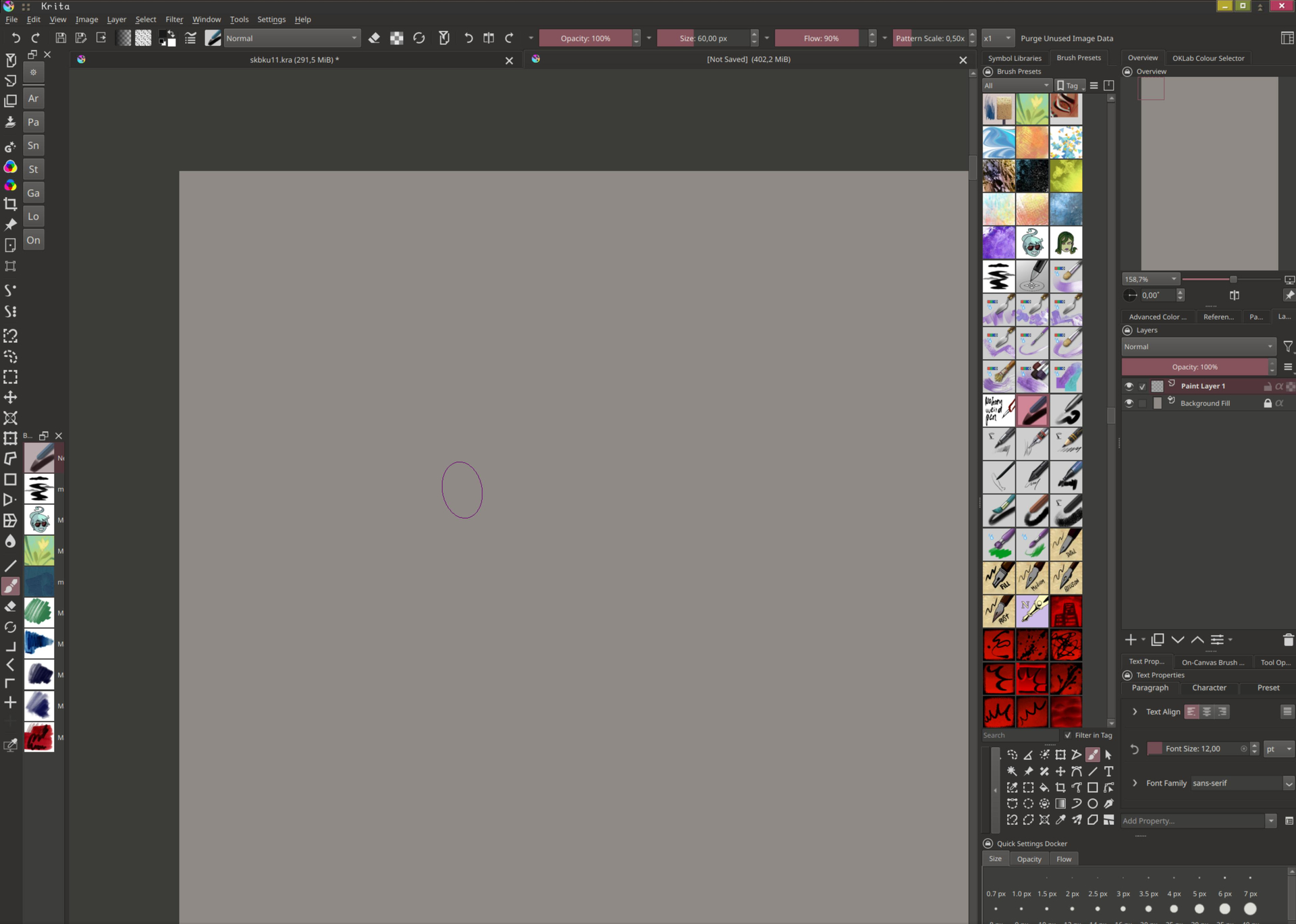
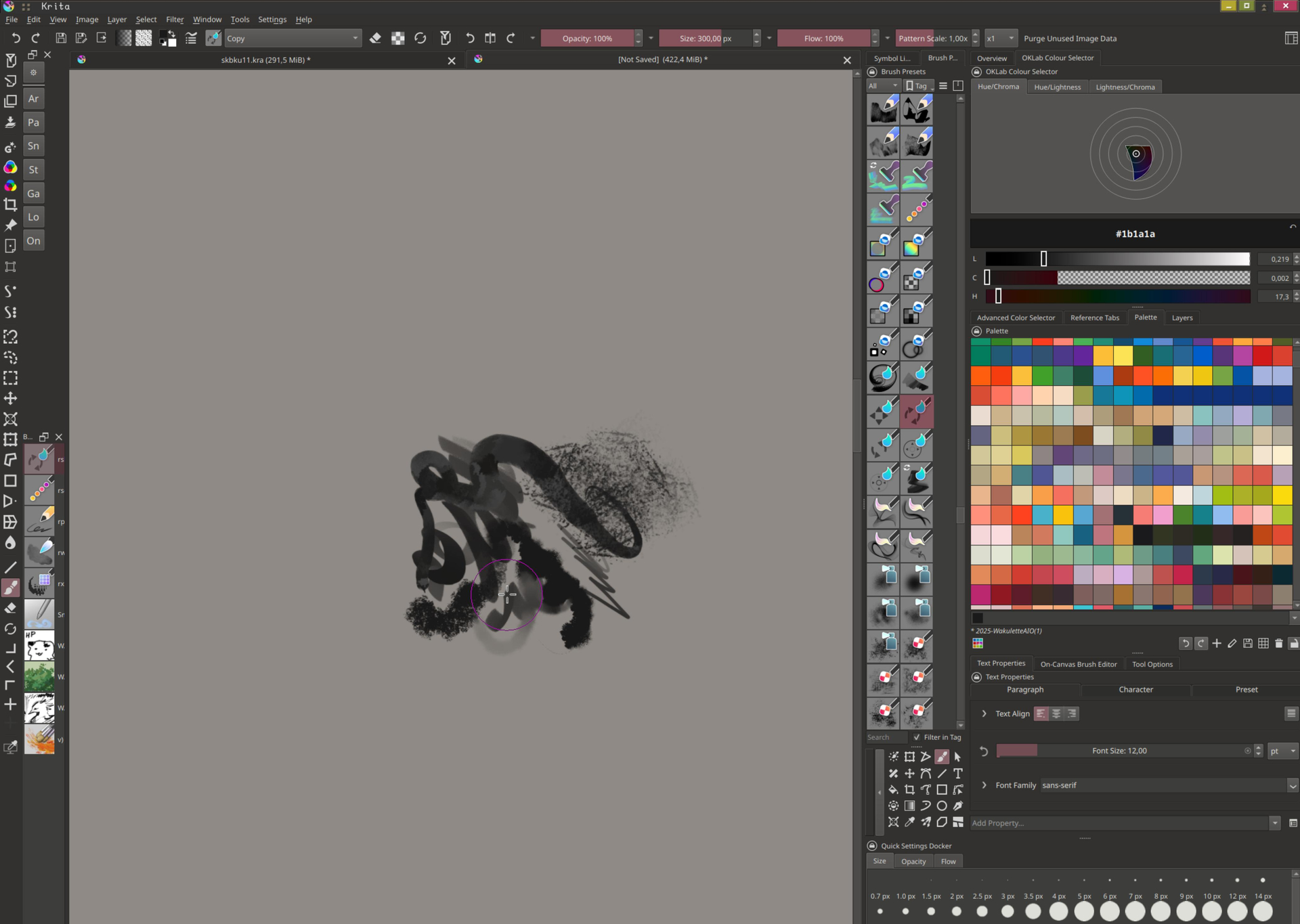
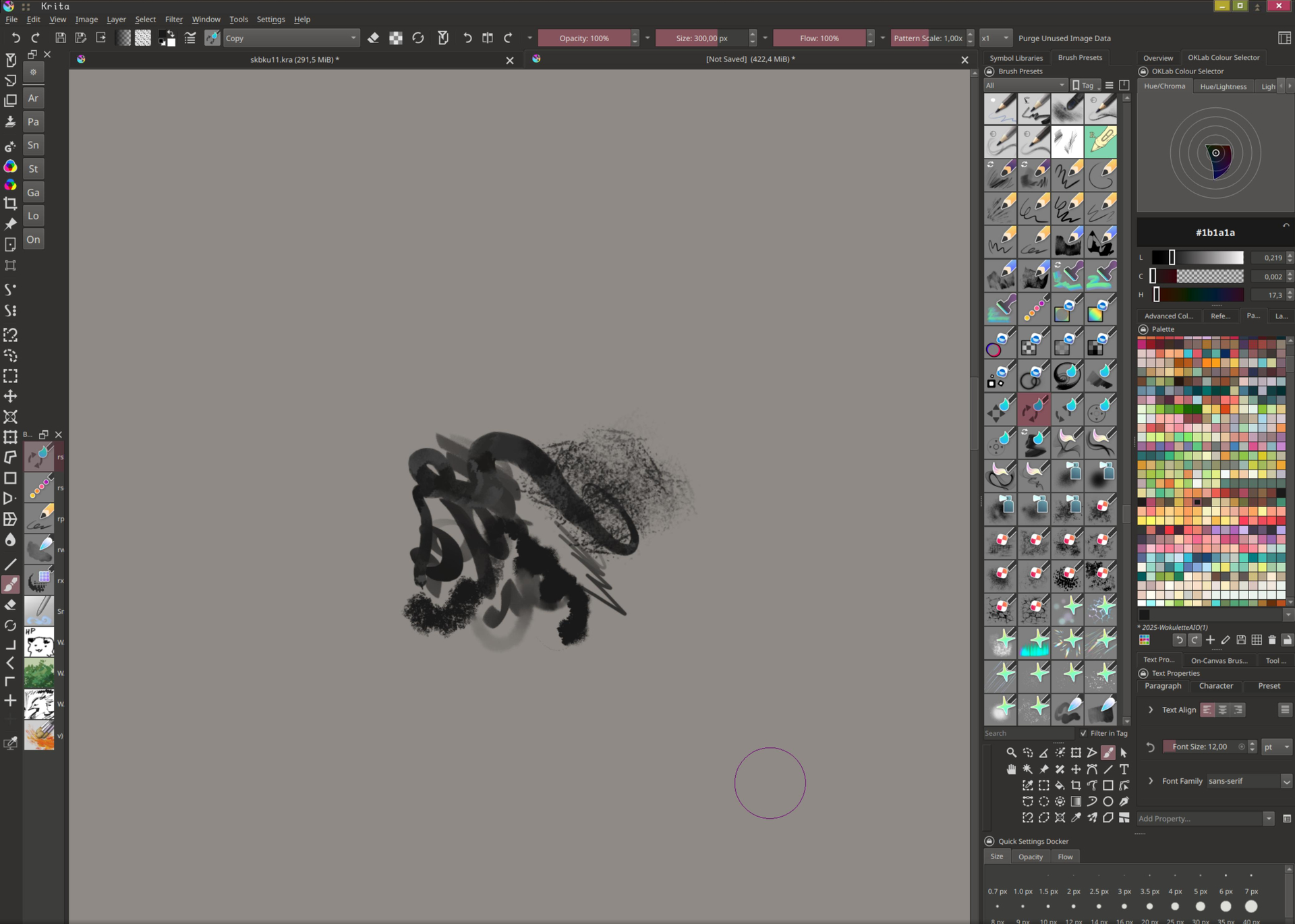
As you can see, it’s not full-screen, as I leave some space for chat and videos. There’s four rows of brushes, and everything is pretty compacted.
“Four?” you might ask. “There’s only three in the image”. That is quite literally the problem, and it only gets worse & worse over time.
The rightmost docker, usually upon either drawing on the canvas and/or (?) picking a brush, will expand. And it doesn’t stop. During that time, I can’t resize the docker to be smaller, leaving me with less & less screen space until it just magically can be resized again & is back to work. This happens extremely inconsistently & randomly. It was never a thing before, so I’d assume maybe an update broke something specifically on my end, but how do I even track this?..
Anyway, the usual:
Krita info: Krita 6.1.0 prealpha git fd2e3f5 AppImage Sys info: Artix 7.1.6 / KDE Plasma 6.7.4 / Frameworks 6.28.0 / Qt 6.11.1
Only notes so far:
This seems to happen mostly with brushes from bundles, and not my custom .kpp’s
The behavior resets itself without any of my input (it seems)
This seems to be most frequently replicated if I use a Pen/Touch input, and then specifically click a brush icon with my mouse
Fast addition: this is the widest I’ve gotten so far, before it just resets itself to being interactable again. Could this be just, some weird mouse-pen-touch input wizardry on 6.1??
Might seem crazy tiny, but after working in “small” UI on CSP’s iPad version of their desktop UI, this is my normal scale for touch operations ;_; any bigger feels extremely cramped.
Maybe something weird is happening that it decides you were dragging the docker resize handle, and then it cancels itself? Even though it’s the right-most dockers that resize, it could be the handle along the right side of the canvas being dragged, since the Brush Presets docker doesn’t seem prioritized to expand.
Is this Wayland or Qt6 specific? Or does it happen with XWayland or Qt5?
So far only tried on Krita 6 Qt6 + Wayland. I don’t really have a way to check natively under xorg, but I’ll see if the Qt version changes anything & report back!
On Krita 5.3.3, this also happens, but there’s also some other odd UI things going on that are much more minor & irrelevant to this ( I think. I’d have to triple-check all the plugins, but I mainly use Next builds over the stable ver. ). I have to assume that it’s wayland’s input then, as I’ve never had this much of a problem on my non-touch PC ( which, curiously, is also running KDE under wayland – I just don’t have touch input ). But also, the non-touch PC does not use a MPP Pen, but a display tablet, so I imagine this also might play a role?
I’ll see if I can catch anything else related to the touch-pen-mouse combo.
Did some more tries on the laptop today, and it’s really hard to narrow down the reason for this occurring… I’m quite sure this is just pen/pen hover + mouse, since when I tried touch, nothing much happened?.. Man this is complicated.
I’ll do some more test runs today/tomorrow on my PC too, and see how that performs. I’m a lil busy when it comes to my PC because I’m moving it to my houses workshop :“”" ) So sorry if new info comes in a bit later than that, I’m just in home renovation hell.
Ok it’s been a really long time now, and genuinely the only thing I can connect is that some times if I draw with a pen and then click a brush preset with a mouse, the docker will keep changing width. It does seem however, that this is related to this nonuniform picker plugin, so I can safely mark this as “solved” unless I somehow bungle something up again. Also will add the issue to the repo of said plugin. I forgot that this picker isn’t a krita-native thing,… ehe,
Edit:
nevermind it just happened again. It was fine for like a few hours but it’s back. I give up.
I tested with mouse only input. This doesn’t change a thing, and also expands the rightmost docker endlessly. No touch/pen input is actually needed. I wish I could say going to 5.3.3 solves anything (I instead have a problem where I can’t even scroll through my brush presets, I keep getting snapped to the currently selected preset for no reason. Aka, the brush presets docker becomes absolutely useless outside of being eye candy.) but I think I’m at a point where I have to drop Krita?? I genuinely can’t work on anything when the docker takes up 3/4 of my screen and I have no way of resizing it. Add the 5.3.3 thing to it and it’s genuinely impossible to work in any meaningful way.
I can handle a lot of problems but I can’t handle the ui breaking down every 3 seconds, and I have no idea how to debug this either. So I guess it’s the end of this thread on my end. I’ll still try to test stuff from released appimages focusing on X thing, but yeah. o7
That’s too bad. It strikes me as unusual that this doesn’t seem to happen very often - at least to others - because I haven’t heard of anything like this being as severe as you describe.
You’ve probably already tried out various distros. And if you’re already using AppImages anyway, I’m not sure what else I could recommend, especially since you’re a technically savvy user yourself.
I’ve tried even a custom xfce/labwc setup at this point, and cleaning Krita, but eventually this just creeps back in somehow which really sucks ;___; but it is what it is. I’m not abandoning Krita but I definitely need a sanity break for now, because I feel like I’m genuinely loosing it. Even restarts don’t let me get the dockers “unstuck” from their screen eating mission,
You have quite the complex and unusual setup of docks, so that may be why no one has noticed this before. Since it’s something that only happens rarely, it’d be kind of hard for someone else to reproduce in the current state I think, but you could maybe try to narrow it down by rearranging one dock at a time or something?
If possible, could you also export your layout into a bundle and provide it somewhere? Maybe someone else could use it to try and reproduce it.
This should only happen when the preset becomes selected or the widget is resized, which suggests it’s related to the resizing issue. Does this happen with the preset lists in the toolbar and brush editor?
By “cleaning Krita”, do you mean resetting everything to default, so these issues couldn’t be caused by a third-party plugin?
About the docker setup, maybe one of them is resizing itself and causing the other dockers to resize, but it seems odd.