Krita 5.2.9, 5.3 prealpha, 6.0.0 prealpha on Windows.
While practicing with Krita, I more and more like to change the UI layout. Even though Krita already offers a lot of functionality for that, there are some limitations.
I know there are a lot of threads about “Krita UI Redesign”. This is not about a redesign, because I think Krita’s UI is already quite good with respect to Windows desktop use.
The request:
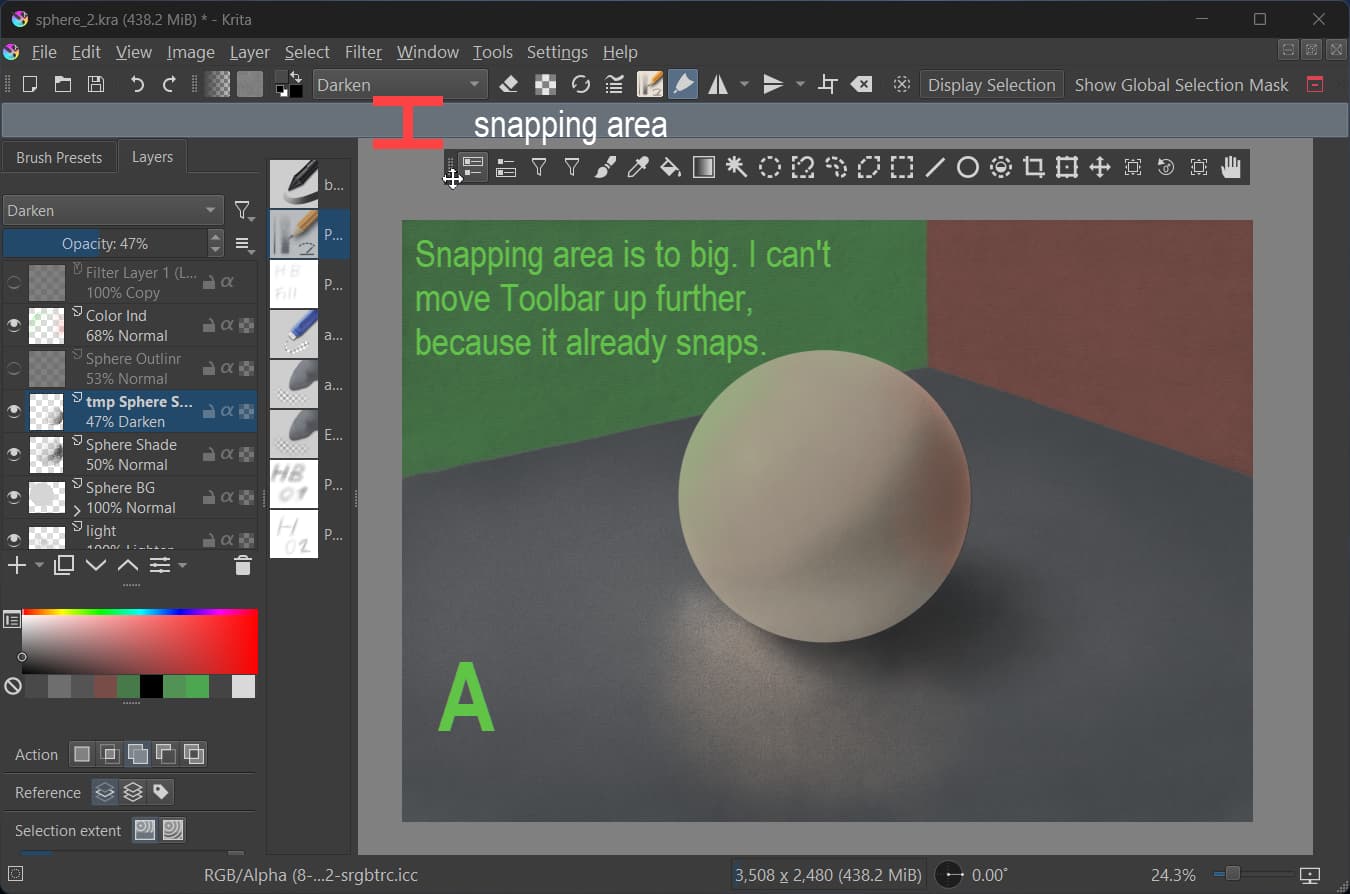
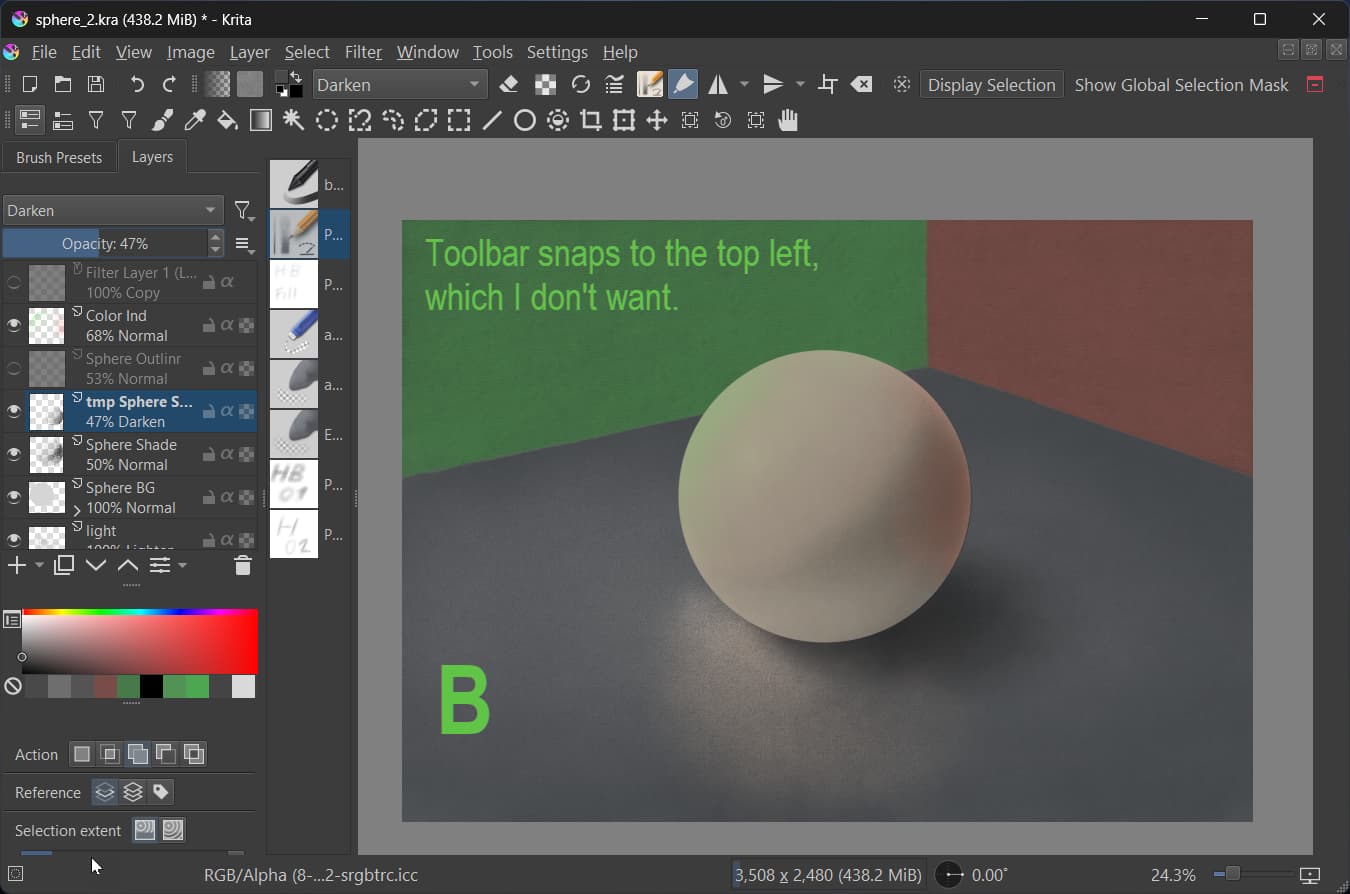
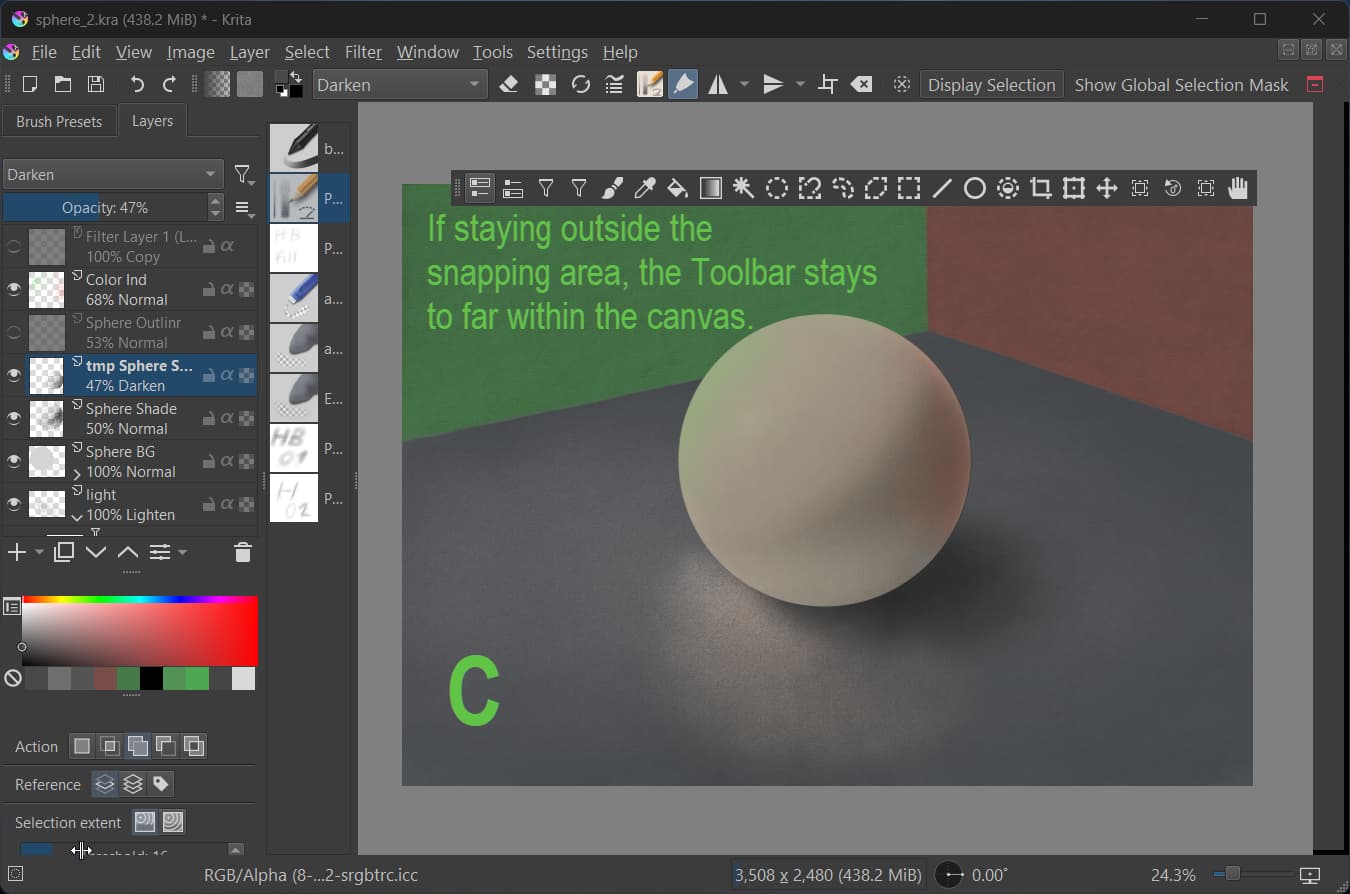
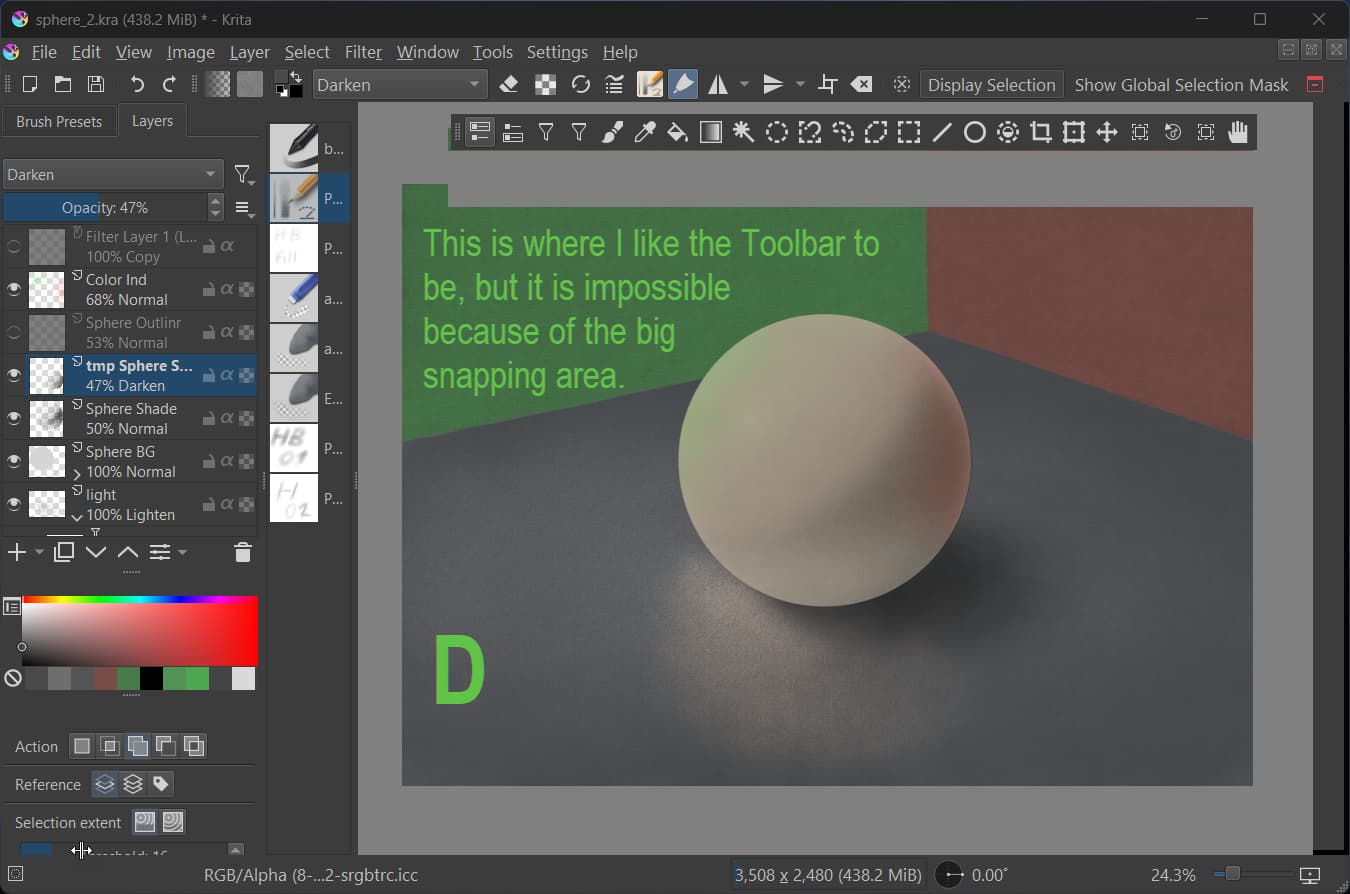
Moving UI elements (dockers, toolbars etc.) to the edge of other UI elements or the canvas borders triggers the snapping to early. It’s difficult to explain this in writing so I hope the screenshots help with this:
I used the Toolbar as an example but the request is valid for any UI element that “snaps”.
This is also related to my other feature request that is related to vertical Toolbar orientation vs. horizontal orientation and / or cutomizing the Toolbox.
As written, this is not a redesing request but one to make the customization a bit more flexible.
This plugin will let you configure where dockers go when docked. You must have dockers in those areas, and they must be visible for any changes to become clear
Yeah it is for dockers only In the toolbar configuration window you could try putting expanding spacers at the “top” of your toolbar.
Here is a script to configure where the toolbar can be docked, then you can position it in the spot you want without it wanting to dock Make sure to change the name of the toolbar you’re using (found in xmlgui). Obviously if you resize Krita away from top/left or put a docker there it will mess up
from krita import *
inst = Krita.instance()
win = inst.activeWindow()
qmwin = win.qwindow()
toolbar = qmwin.findChild(QToolBar, "BrushesAndStuff")

area = Qt.NoToolBarArea
#area = Qt.BottomToolBarArea
#area = Qt.TopToolBarArea
#area = Qt.AllToolBarAreas
toolbar.setAllowedAreas(area)
I don’t know what the script is supposed to do, but the floating toolbar still wants to dock to the top with the big snapping area.
And it is not really a solution to use scripts.
The request is about standard Krita allowing to place the toolbar more freely without the snapping kicking in to early.
But thanks for the help.
I already tried with a spacer the other day, but that gave me issues if the spacer was at the beginning of the toolbar. So I gave up on that.
I expect this feature request will not get much votes - It’s to niche. But I thought I post it anyway.
Yeah, this is one of the annoying quirks of the UI.
With Dockers (at least on Windows) you can press down CTRL before dragging the docker with the left mouse button, and then it won’t snap/dock to anything.
However, this method does not work with toolbars, which always try to snap.

 In the toolbar configuration window you could try putting expanding spacers at the “top” of your toolbar.
 Make sure to change the name of the toolbar you’re using (found in xmlgui). Obviously if you resize Krita away from top/left or put a docker there it will mess up
 but if it works…