Upgrade to 5.3.1.1 has stopped text editing

Just installed the latest version.

I can write text but the grey ‘text edit window’ doesn’t come up anymore.

I have clicked everything. Opened older documents. No text editing available.

I have reinstalled but no change.

OS Mac Sequoia 15.7.4

No idea what has happened. Please help.

There is a new text tool that lets you enter and edit text directly on the canvas and is generally more powerful. That’s why there is no editor window anymore.

More about how it works here:

Thank you so much but having looked through everything, I still have no idea how to edit text.

I cannot see a ‘new text tool’. The old one is still there but does nothing but moves and copies text. Can someone please explain, or link a video on, how to simply write text and edit it like past versions.

Thank you so much. My apologies for being a nuisance.

You don’t have to look for a new tool it is the same button as the old one (it was completely replaced).

You activate the text tool, then draw a box where you want the text to be and then you type.

Here is a recording showing it:

That said, the old way of editing text is no longer available in newer versions of Krita.

Thank you. I got that far but still have no idea how to make the text bigger or change the font. All I can do is drag it around, duplicate it by accident, or change the text. Where or how do we edit the text now?

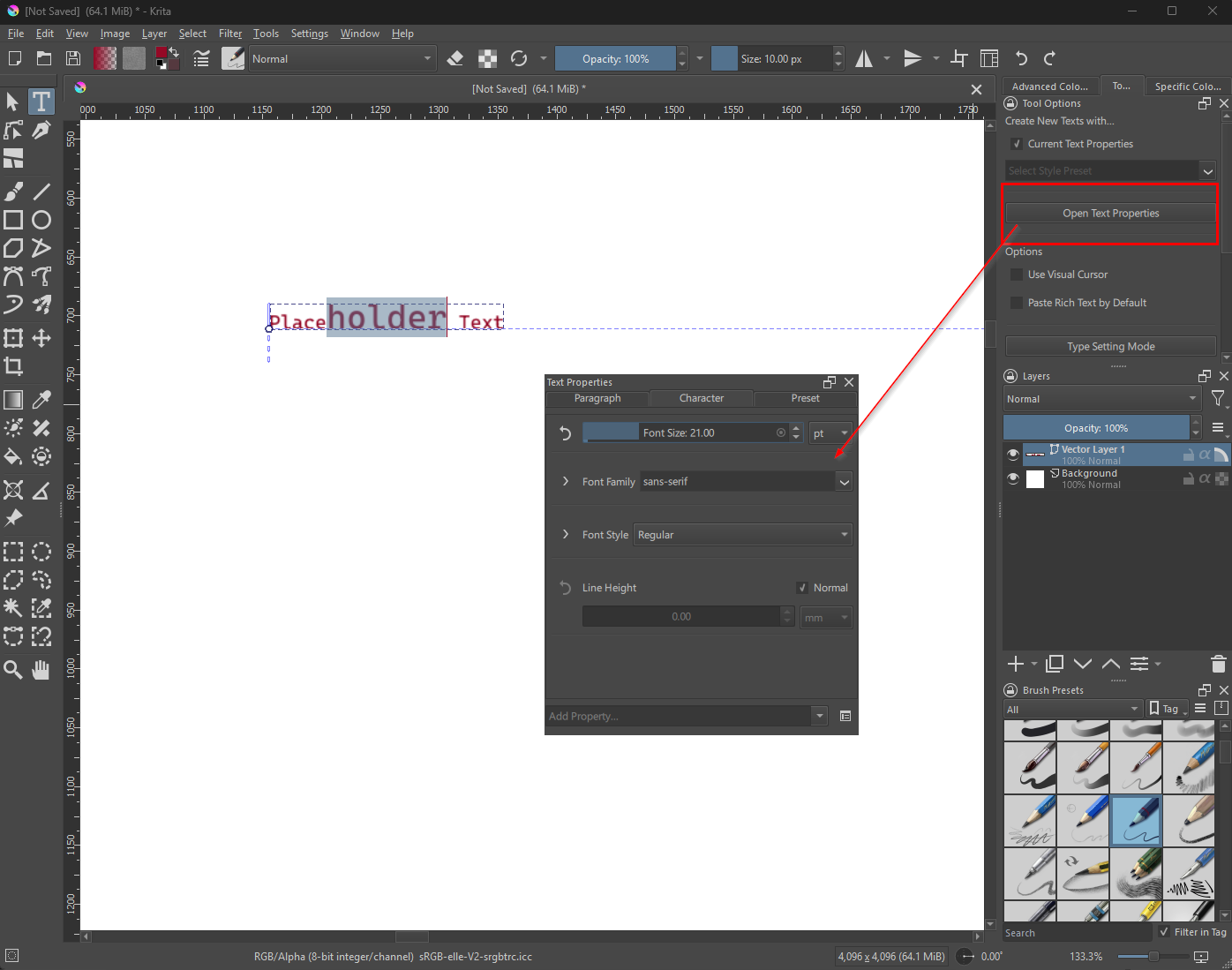
When you are in text edit mode, press Open Text Properties in the Tool Options docker.

This will show a panel where you can edit all sorts of text properties.

I normally have that docker in the side panel somewhere but I dragged it to the middle of the screen to show it better.

You can even unfold the properties to have even more options.

In the future the controls will be replaced with more intuitive ones. You can read all about it and give feedback in the topic I linked to earlier.

Got it, thank you. Thats a really poor change. The ‘undo’ button disappearing is also slowing me down massively. I appreciate your help. Thank you so much!
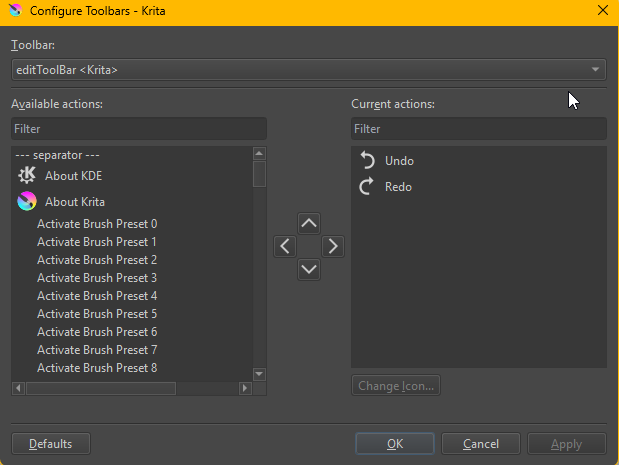
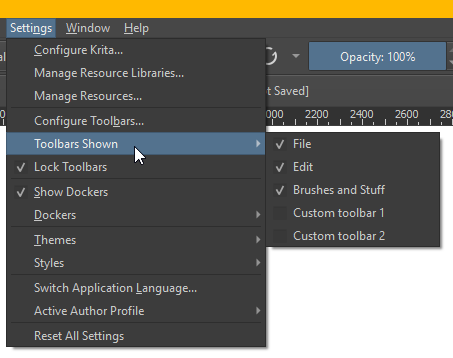
The Undo button is still there. It might be in a different tool bar. You customize every toolbar with Settings → Configure Toolbar

Select the Toolbar you want to edit and add the buttons you want to it.

Which toolbars are visible is also in Settings menu

Okay. I cant do my work like this. The new text editing is absolutely awful. Any idea where can I find an older version to download please?

Every version ever published is here.

Sorry, linked the wrong archive. Is correct now.