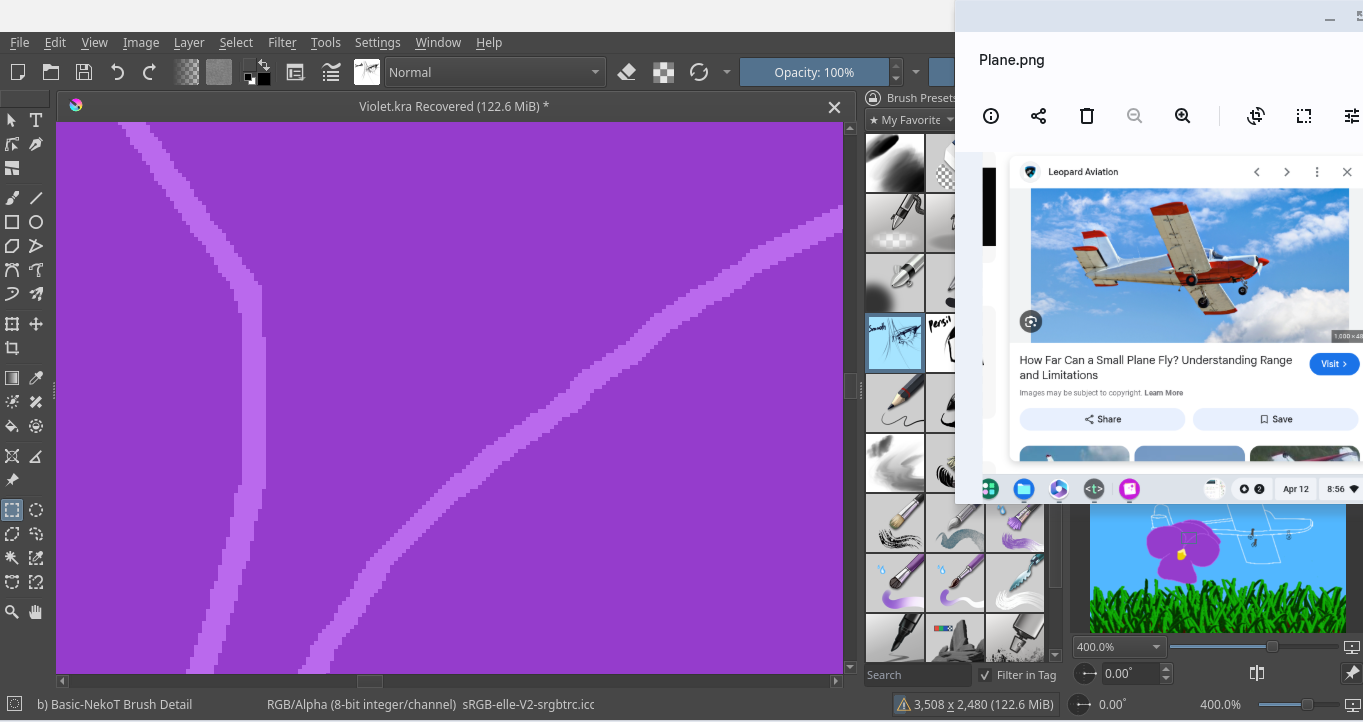
Hi all! I was on Krita and suddenly I couldn’t move! My cursor moved but I couldn’t click on anything or close the window. I was forced to restart my system and in the process lost my in-the-process-of-editing art. My saved version is there, but I couldn’t save what I had just added because everything was frozen (including other windows). Anyway, hope someone can explain what happened and how to fix it!!
Here’s my system info:
I use a ChromeOS Octopus Version 145.0.7632.216
I use Krita 5.3.1 [Version (compiled): 5.15.7 Version (loaded): 5.15.7]
And to make sure you don’t lose too much of your progress, you should back up your work regularly.
Here you could follow one of my countless posts about creating a security cushion of backups, so that such a disaster only costs a few minutes of work and not makes you cry:
I’m guessing that it has to do the device’s memory, but we’ll see what @Michelist and others have to say.
The reason why I say that is because you have another app running while working with Krita. I’ve read that the advice is to not have anything else running. That has helped others.
Echoing what @CrazyCatBird said, you have a warning icon on the RAM meter telling you your system is overextended. It’s the yellow icon next to the canvas dimensions on the bottom status bar.
You should work more economic, so if that plane should be a reference then simply import it into Krita and show it with one of the various reference tools of Krita, may it be the original inbuilt one or one of the reference plugins. That would allow closing the other app and save the RAM and CPU-cycles it needs for running.
And with such limited equipped devices like your Chromebook, you should set a focus and only run Krita and terminate all other apps when you work on demanding projects, because what you want to do is painting. So, if you need to listen to music while painting, switch on your radio, for videos use your TV, for chats your cell phone.
Also, always when you have a layer group, and it is completed, needs no more modification, you can merge it together that too saves RAM, you could even go so far and begin working with file layers, but that is an advanced technic you will have to accommodate yourself with first. You see, there are ways to “give Krita more space to breath!”
I don’t know how it is handled on Chromebooks, but on desktop OSes you usually have a lot of junk apps running unnoticed in the so-called systray area. These can be weather apps, RAM-meter, news-ticker, etc., and anything you don’t need for your life while painting should be terminated to free up the resources it steals Krita.