I’d think in Krita 6.0 with the move to native wayland support, i thought the issue of krita not scaling properly would be fixed. However it’s still always too small, and the fractional scaling menu is always grayed out.
Yes I know QT_SCALE_FACTOR exists, but telling users to pass an env varaible that doesn’t even work half the time is not good UX. There should at least be a proper menu for this in the settings.
I’d be intrested to contribute to a solution to this problem, I’m just wondering why it’s like this in the first place.
You may need to run Krita with the environment variable QT_QPA_PLATFORM=wayland. Help->System Information for Bug Reports should show Qt Platform name as “wayland”.
I do that, and i can confirm it runs on wayland by the fact that i can’t select it with xprop.
Could it maybe be that the actual scaling is smaller than it should be? I increased my scaling to 150%, and it does get bigger, but not big enough to match the scaling.
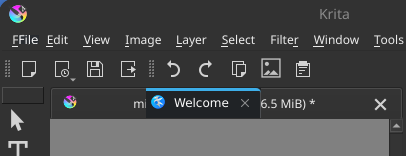
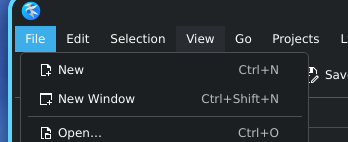
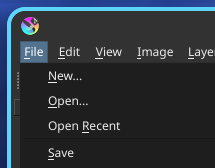
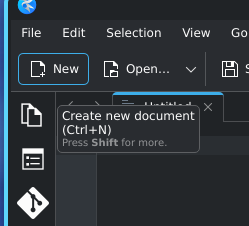
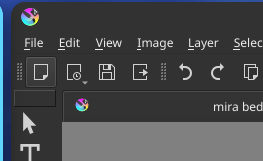
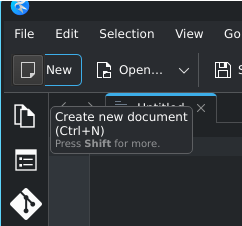
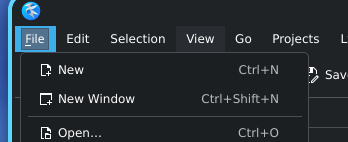
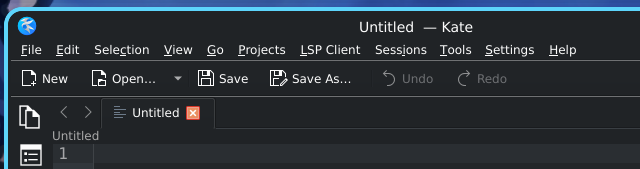
Here is the menubar compared to other KDE apps (kdenlive, kate):
I understand, but do understand that some things can look visually bigger or smaller due to other elements, for example, taking your picture, I took the File from Kate and dragged it, to Krita and as you can see the font height is the same. I also took the mdi tab and it is also same height. The only difference is likely contrast making it seem more pronounced.
Which version of Krita are you using? (by version I mean like appimage, package manager, flatpak) You can change themes by going to Settings and there is Themes and Styles. On my system it uses Breeze, not Fusion.
The appimage.
Yes, with system packages exclusively, you can set a custom style.
System packages are not the recommended format for krita anywhere, and are hard to get on immutable distros. The appimage, flatpak, snap or any other format doesn’t come with the Breeze theme.
From what I can find this was disabled back in 2020 because of some niche visual bug that has been fixed by now. I really think it should be bundled or even set as default now.
You can try setting QT_SCALE_FACTOR env variable to some other value, and see if Krita looks bigger. Tested with Kubuntu Krita 5.2.11 appimage, maybe also works with Krita6 (Qt 6)?
in console go to folder where krita AppImage is and start Krita with custom scaling. (change 3.2 to something that works for you)