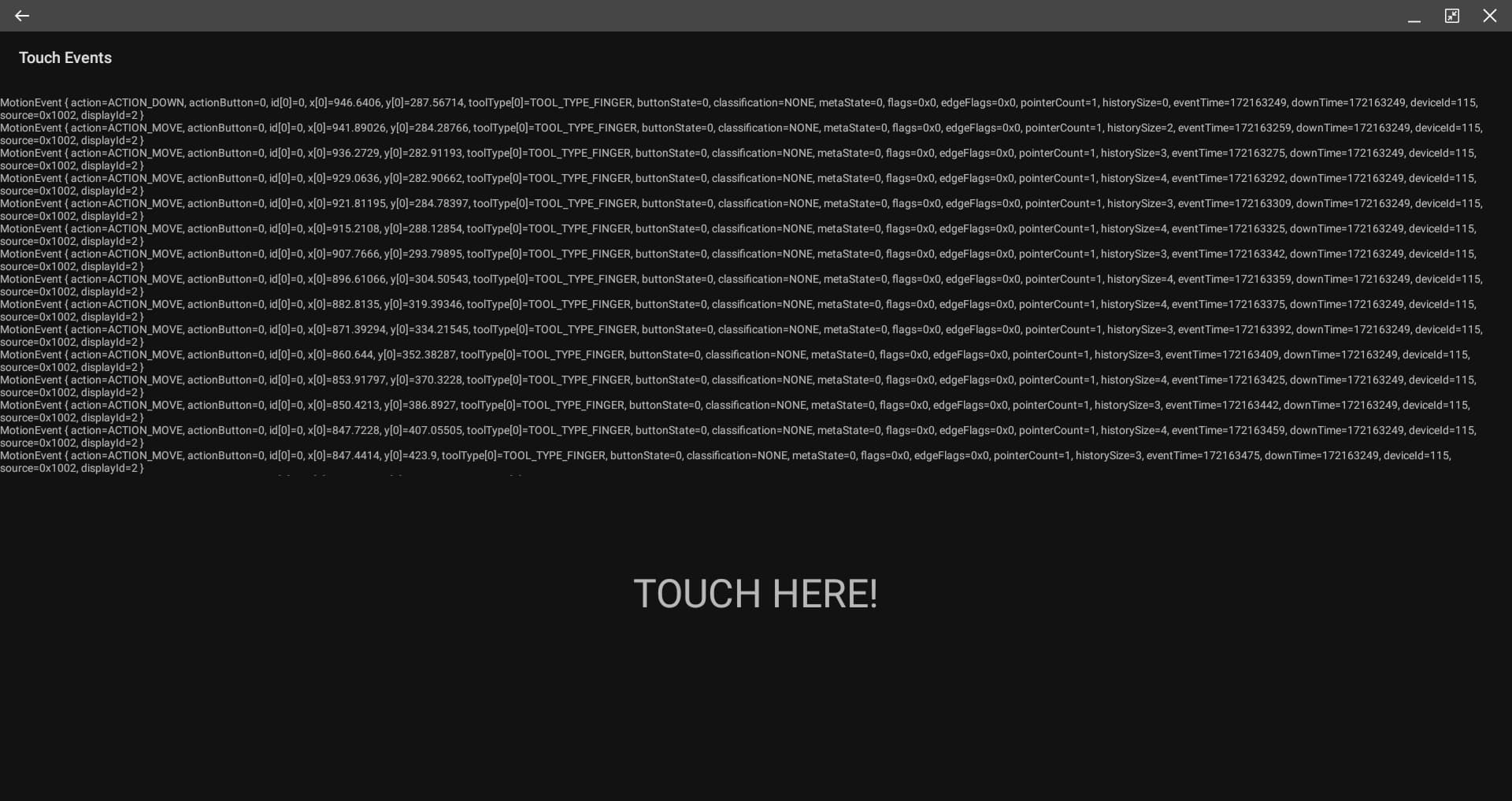
Type of device* : Display Tablet + Smartphone
Brand and version of the device: XP-Pen Artist 12 (2nd gen) + Samsung Note 9
System** : Android
graphics tablet/display tablet/2-in-1 laptop/Android tablet
** Windows/Linux/Mac/Android, + version (you’ll find it in Help -> Show system information for bug reports)
Description of the issue (you can include screenshots):
Hi, @sh-zam I’ve been using your hotfix version and it’s doing fine. I want to ask you regarding certain issues I’ve encountered when using it.
Color picker
The Alternate Invocation, whereby you press Ctrl+left click to pick colour but it seems unresponsive when I tried it.
Rotate & Zoom using shortcut keys+pen
Same thing, it seems unresponsive to the command (‘Shift+alt+left click’ & ‘Ctrl+alt+left click’ respectively) when using with the pen.
Transform tool
Rotating & selecting on the transform points are also unresponsive, sometimes it works but most of time it doesn’t do it accurately.
Just wondering if another hotfix would be able to solve this?
Looks like the latest version I uploaded was an old one. Can you please test the APK at the same link again (preferably by first uninstalling the APK you downloaded from this link)? If things still don’t work. Well then we’ll need to get started with getting logs (because things do work on my tablet [touch events + modifiers])
Hey yeah the modifiers finally work with the pen input! Only ‘Ctrl+Space+left click’ (Zoom In) doesn’t work & ‘shift’ doesn’t respond when transforming . By the way, just asking if there’s a way to get the pen tilt to work as well?
Here you go! Also just asking if is there a way to fix line jitter without using brush smoothing? (Brush smoothing slows the strokes alot) The line jitter seems much more apparent than on PC.
Hmm, okay… Does the tilt work for other apps? If yes, can you try to download the APK from the same link (I’ve uploaded a version 2 there) and test again?
yes, let’s give it a try. But it seems the way XP-Pen has implemented their Android driver isn’t exactly correct. You can see they’re sending events as “TOOL_TYPE_FINGER” rather than “TOOL_TYPE_STYLUS”, which makes Krita think it won’t have “tilt”.
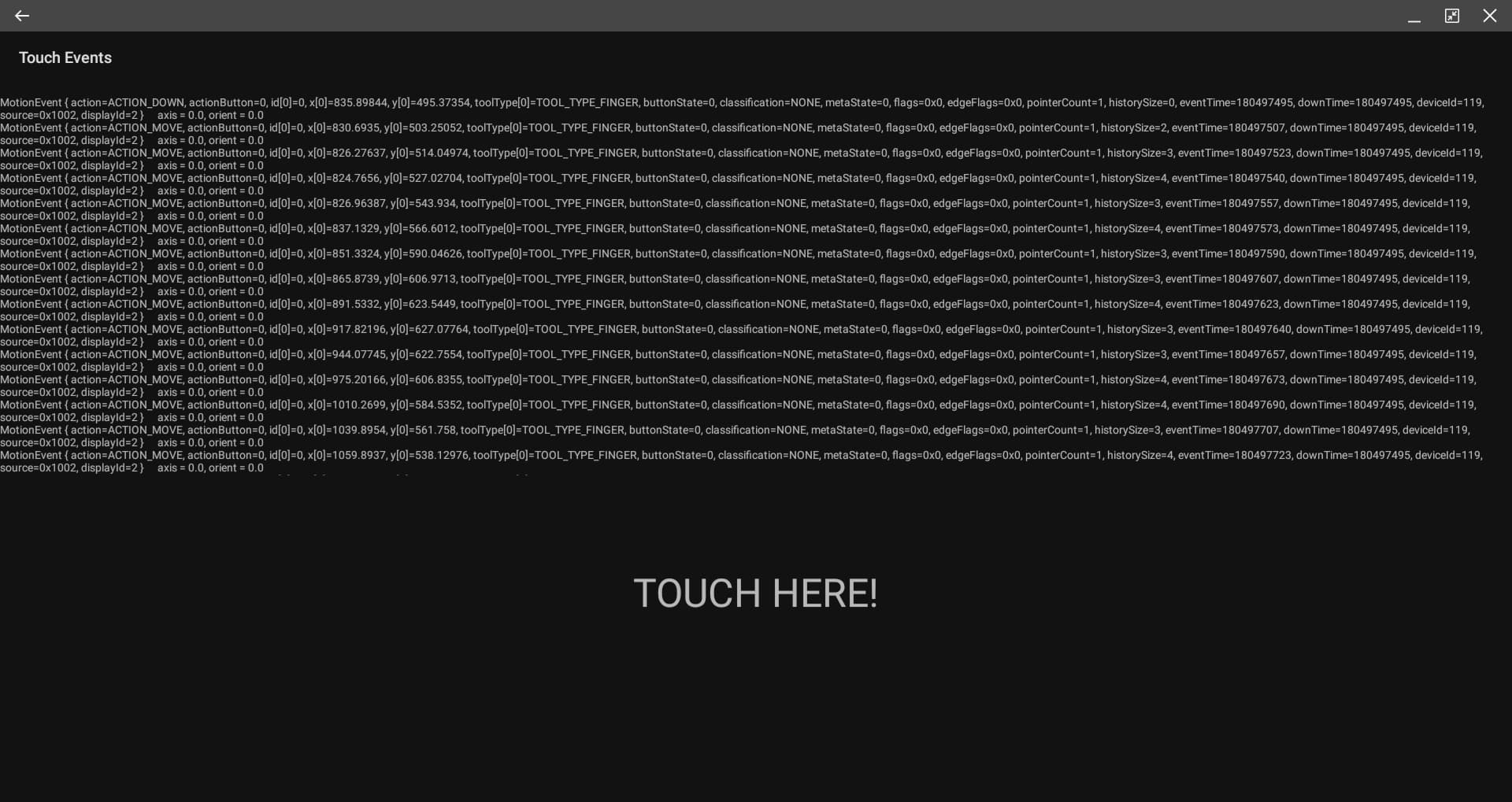
Here’s the screenshot of the another test, I’m wondering if this has got to do with hardware or as you mentioned the android driver? Because if PC works fine, why on android can’t do the same.
From the screenshot there seems to be no state for the tilt functionality. The hardware may support it, but it seems the driver implementation isn’t properly implemented or could be they want us to use their SDK (like some other brands that I’ve seen).
I see, so i guess there’s nothing much we can do about it right now?
I did emailed XP-Pen about this problem but in the end they told me android has tech limits and recommended me to connect to PC instead.
Ah alright, thank you so much for the help up till this point though! Glad you managed to troubleshoot & offered me some hotfixes for my issues, and to know the devs behind Krita are awesome folks!
At least I now know the certain tech limits of XP-Pen working on android.