I tried importing it from my android to my pc and that worked, so hopefully it’s all right. It’s the first time I created a bundle, if you couldn’t tell already…
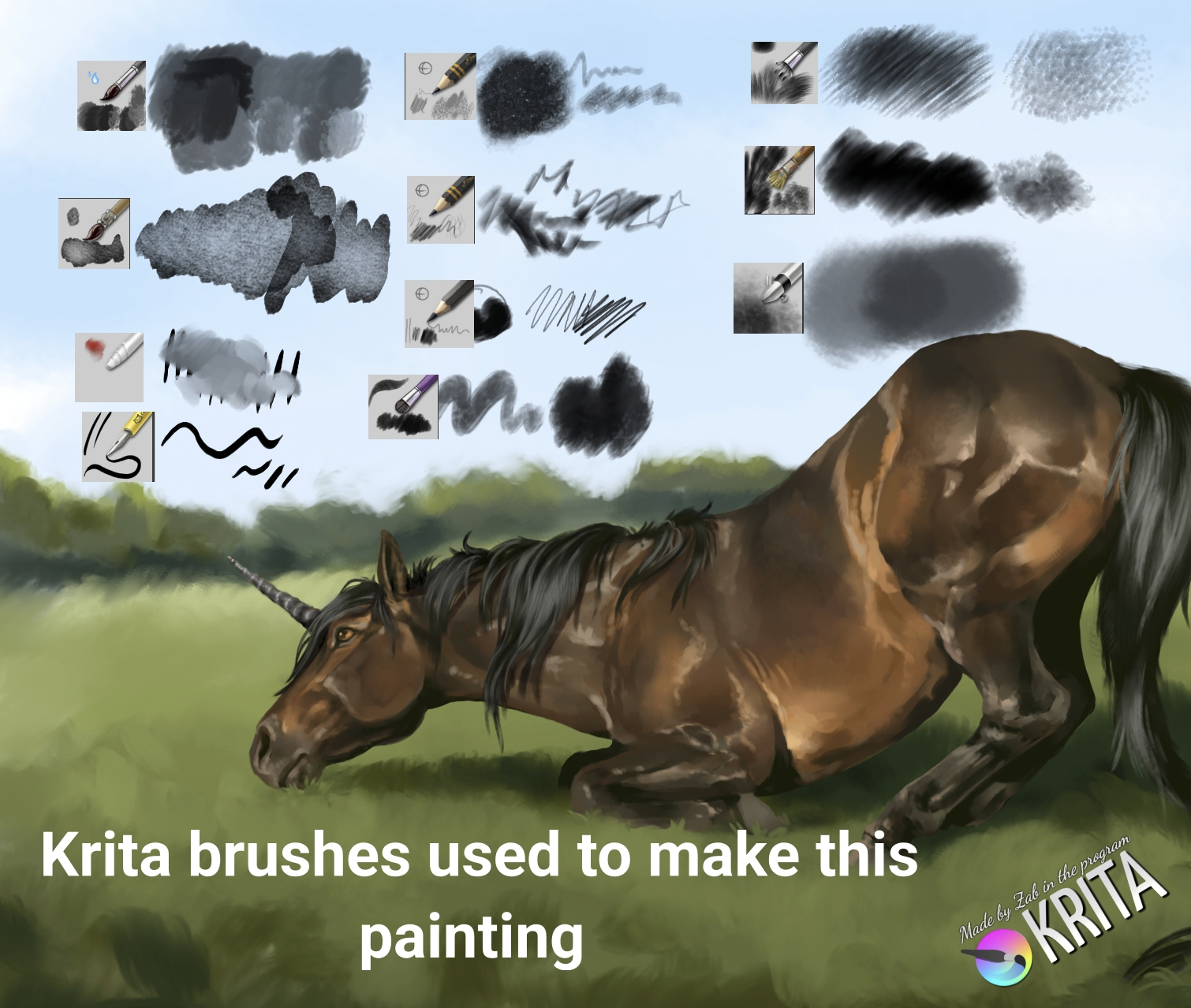
I made the brushes because I wanted to see if I could make a painting completely with my own brushes. Though it feels weird to say I “made” the brushes when all I did was create a brush tip for some, and tweaking settings based on other brushes I like (I think all from the default brushes). I didn’t really use the watercolory-brush, line brush or most pencils for this, I just wanted to have them in my set.
Well, here goes. Use as you wish.
Thank you for sharing your work with the community!
And yes, you made nearly everything right with your bundle. It can be downloaded and imported without issues. These two minor things are more or less usual for a first time bundle:
You did not give your bundle an own icon so it can be spotted better in a huge collection of installed bundles.
You did not add tags to your bundle, even if they are tagged on your HDD/SSD, these tags must be added explicitly to have your bundle tagged, and you have to add the tags for each resourcetype, so for brush tips, brush presets and patterns for your bundle. You are tagging the bundle thrice, so to say.
But what you made great was to add the brush tips triangle.svg, smoke.png, chalk_round_hard.png and the pattern Sand_fine.png to your bundle although these are stock resourcrs. This is important for users who disabled or even deleted their stock pendants, your bundle will always work!
@Erisian: Did you restart your Krita twice after importing the bundle? What is your OS? Which version of Krita do you use?
Thank you
I tried adding a tag but couldn’t figure out how, nothing happened when I tried..
I know one of them had the triangle brush tip and smoke for the textured airbrush, but the others are supposed to have brush tips I made (and named very poorly), are they not coming along?
They had the right shape when I installed it on my laptop, so I thought they came along even though I wasn’t able to add them as brush tips (Krita said I had resources with the same name already).
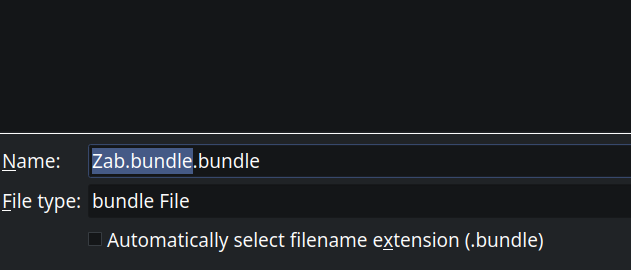
I downloaded and seem fine, showed up in my resources and able to use without even restarting Krita. I did delete the first “.bundle” before saving to my disk location, making it Zab.bundle.
All the brush tips and patterns needed to make it work are in your bundle! So, 6 brush tips, 11 brush presets and 3 pattens.
However, if you have enabled Krita’s stock resources, in this case the Krita_4_Default_Resources.bundle, the brush tips triangle.svg, smoke.png, chalk_round_hard.png and the pattern Sand_fine.png will not show up in Krita under Settings > Manage Resources.... So there will only be shown 3 brush tips and 2 patterns and 11 presets, because the stock bundle already provides them.
This is because for Krita the stock bundle is the primary resource containing these four files in its database, and it will not list identical resources twice.
Thank you!
(Yeah I named them bundle because at first I couldn’t open them in the dev. build of Krita on my android tablet - to test it since it doesn’t share anything with my regular Krita - and I thought it might be because android keeps messing with file extensions. But then I tried on the normal one and it imported there, so I dunno why. Anyhow, that’s why they’re named bundle bundle )
All that matters is they look great. I might not use the fur ones for fur, as I don’t paint fauna, but I see some other ways to work them in to my style. Thanks
Because you are using a pressureless device for painting? So, mouse, trackball, or touchpad without pressure levels that works like a mouse, where finger down = 100 % pressure, finger up 0 % pressure.


 or atkease postet for the sake of..
