During a lot of time I have been preparing ths gift. It has taken a lot of effort but is going to be amazing!
Today you will be able to use this amazing templates, Let me know What do you think about them.I listen suggestions for future Templates. Remember this resources are C00 and you can do whatever you want with them,
Wow, I love videos like this. It’s not just new resources (which are pretty awesome on their own) you’ve also shown us some pretty serious options to play around with to personalize the new resources.
@RamonM I have a question. Do these paper texture templates behave any differently than applying a texture overlay? Do brushes behave differently on the template papers than they do if I just use an overly texture?
Test them and let me know it. They are seamless, that means they can repeat infinitely. They can be adjusted in a lot of different ways.
Wc recreate better the paper interaction and more things i talk about in the video an the other video about templates
Great and Amazing video. Thanks so much for your valuable gift. It really enhance a drawing or watercolor to a professional level.
One concern Is about the Memory size of the canvas that seems so high…
That is the weight of quality.
And Krita is a software that is dedicated to be a professional tool, and in that arena you fight with big machines e.g. with decent PCs, not using pocket computers (Although there are a few powerhouses in the mobile area. However, these are the exception rather than the rule.).
The bar is still in blue. The patterns are in JPG 1024x1024 using the Marvelous Fill layer. @Michelist is right, but trust me this is not high demand. Paint and enjoy!
Only on weak outdated hardware, ranging barely above the minimum specs required by Krita to work, this can lead into issues when users create high counting multi-layer documents with these templates. But to be honest, the machines of users, who throw tons of effects and layers and whatnot else on their canvases, for creating their work, would soon run into the same issue without your templates too.
No reason to overthink them, in my eyes. They are perfect the way they are.
Hi Ramon
These look fantastic, thanks for making them available, seems a lot of care went into them.
I wanted to check if they should be usable on Android tablets?
I can’t seem to access the krita resource folder (I can see the folder name is in use, but cannot actually access or view in /storage/emulated/0/Android/data) to store them in.
Should I instead save some kra files using each paper on my laptop & then open / adjust on my tablet (it’s just a Samsung 8+)?
(I’m probably being stupid & just missing the clear way to use them I’m sure, so if someone can reply ‘no idiot, you just follow steps A, B & C…’ then in advance)
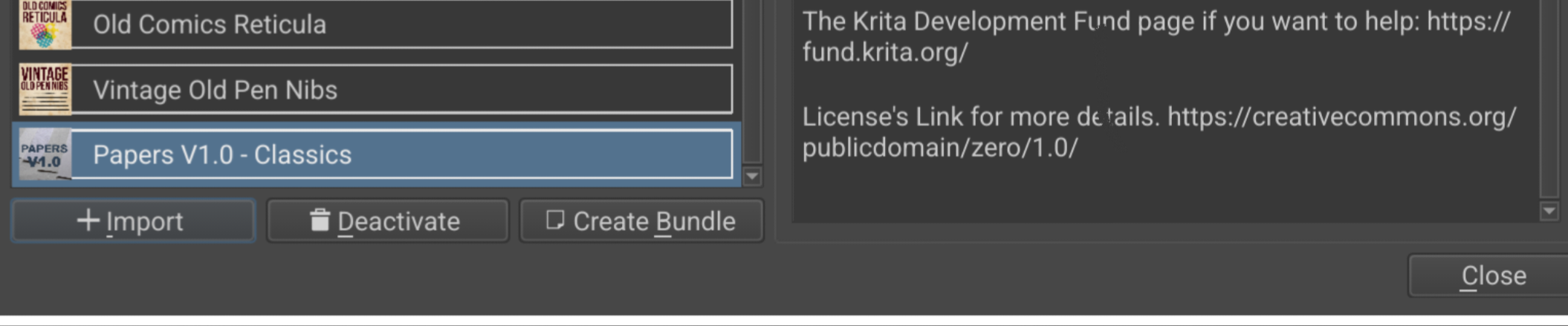
Downloaded these a few days ago and I like them a lot. I imported the bundle and they’re in my Patterns, but I’m not sure how to make the templates in your screenshot.
Did you make them yourself with the patters overlayed on a blank .kra or something? I haven’t made templates before so I’m unclear on how they work.
@sooz: This needs more than a simple import through Krita’s resource management. It is a two piece installation, so a bundle that must be installed via Krita’s resource management, plus an additionally to download ZIP-Archive that has to be unzipped, and its content has to be manually moved or copied into templates. I’ll describe it below:
@Teapics: You already have the bundle installed, but now you need to additionally import the main part of the templates!
I’m talking about the Papers V1.0 - Classics.zip archive (← that link is a direct download link of the needed archive). You must download it to your download folder, then you have to unzip it which will give you the folder Papers V1.0 - Classics containing two further folders and all folders hold a bunch of files, but no fear, you do not need to enter the folders, you must simply copy or move the whole unzipped folder into the subfolder templates of Krita’s resource folder. Here is how that can work:
Because this can be tricky on Android, but I know that from the following two methods so far always one method has worked, so please follow this description I once made:
There are two ways to find and enter the resource folder using Android. If you are lucky, you can enter it via ‘‘Settings’’ >> ‘‘Manage Resources…’’ >> ‘‘Open Resource Folder’’, if not, you must first look up the location of your resource folder in Krita’s settings via ‘‘Settings’’ >> ‘‘Configure Krita’’ >> ‘‘General’’ in the tab ‘‘Resources’’, where the path is written, then you must browse into that folder, open the templates folder and copy your themes into it. After this you have to restart Krita and can select them then in ‘‘Settings’’ >> ‘‘Themes’’.
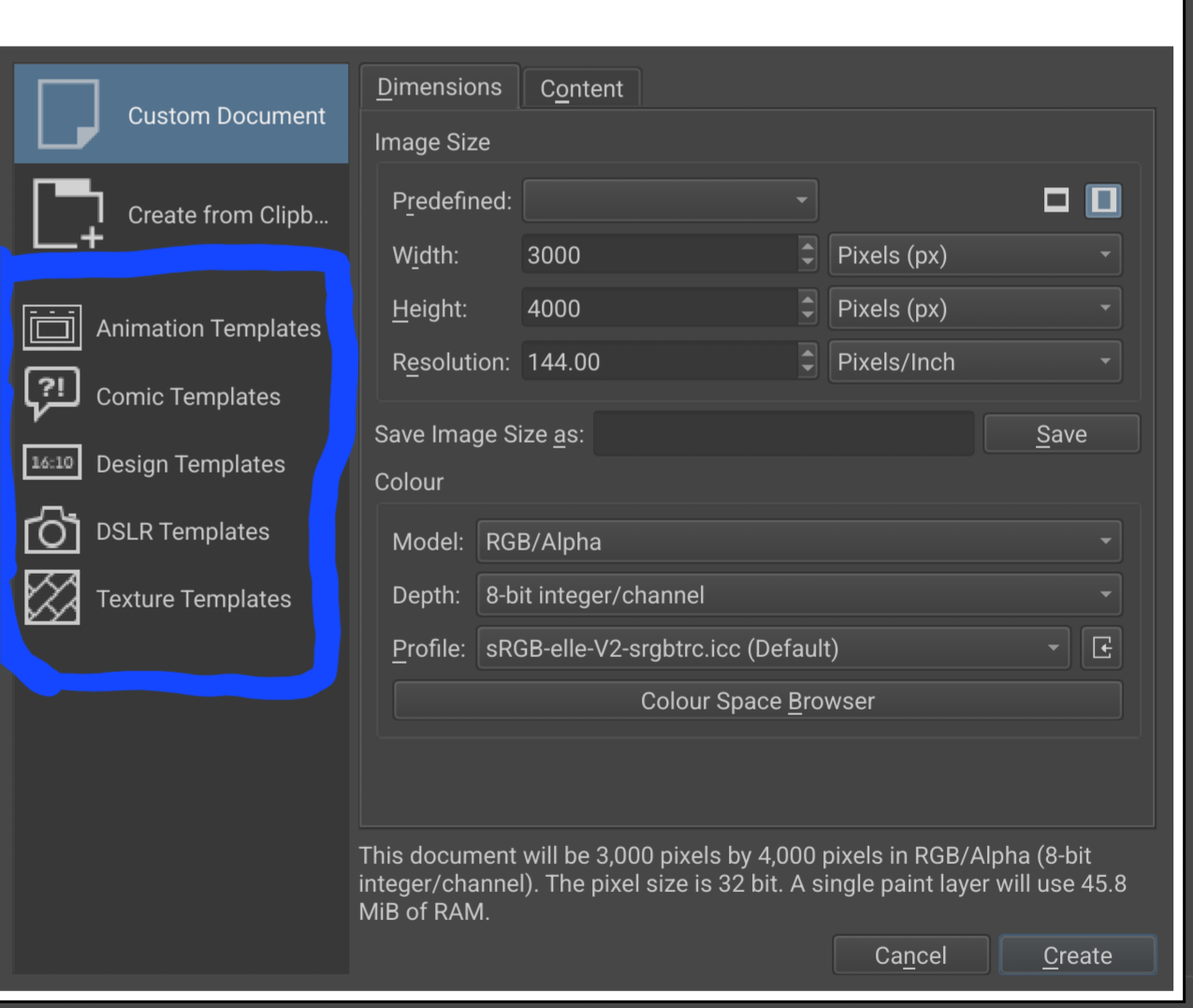
If your device’s own file manager is unable to enter your resource folder, then go into the Play Store and install the app Total Commander from there, it is a file manager that can enter your resource folder, unfortunately you may first have to get accustomed to it, but it is very comfortable has a two pane window where you can open on one side Krita’s resource folder’s subfolder templates and on the other you open the folder to which you have unzipped your Papers V1.0 - Classics folder, then you only need to copy the complete unzipped folder over into the folder Papers V1.0 - Classics into the folder templates. Then close Total Commander, in Krita click on the Close-Button in the Manage Resources dialog, now restart Krita two times, and then it should show you the templates in the File → New dialog on the left as an own group.


 !
!


 e.g. with decent PCs, not using pocket computers (Although there are a few powerhouses in the mobile area. However, these are the exception rather than the rule.).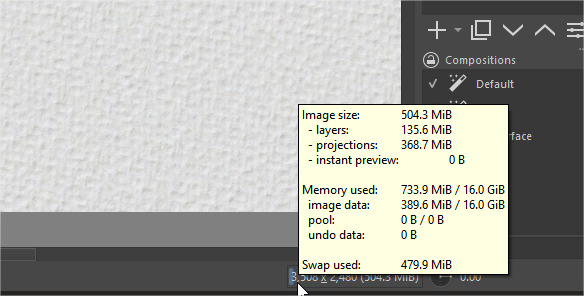
 in advance)