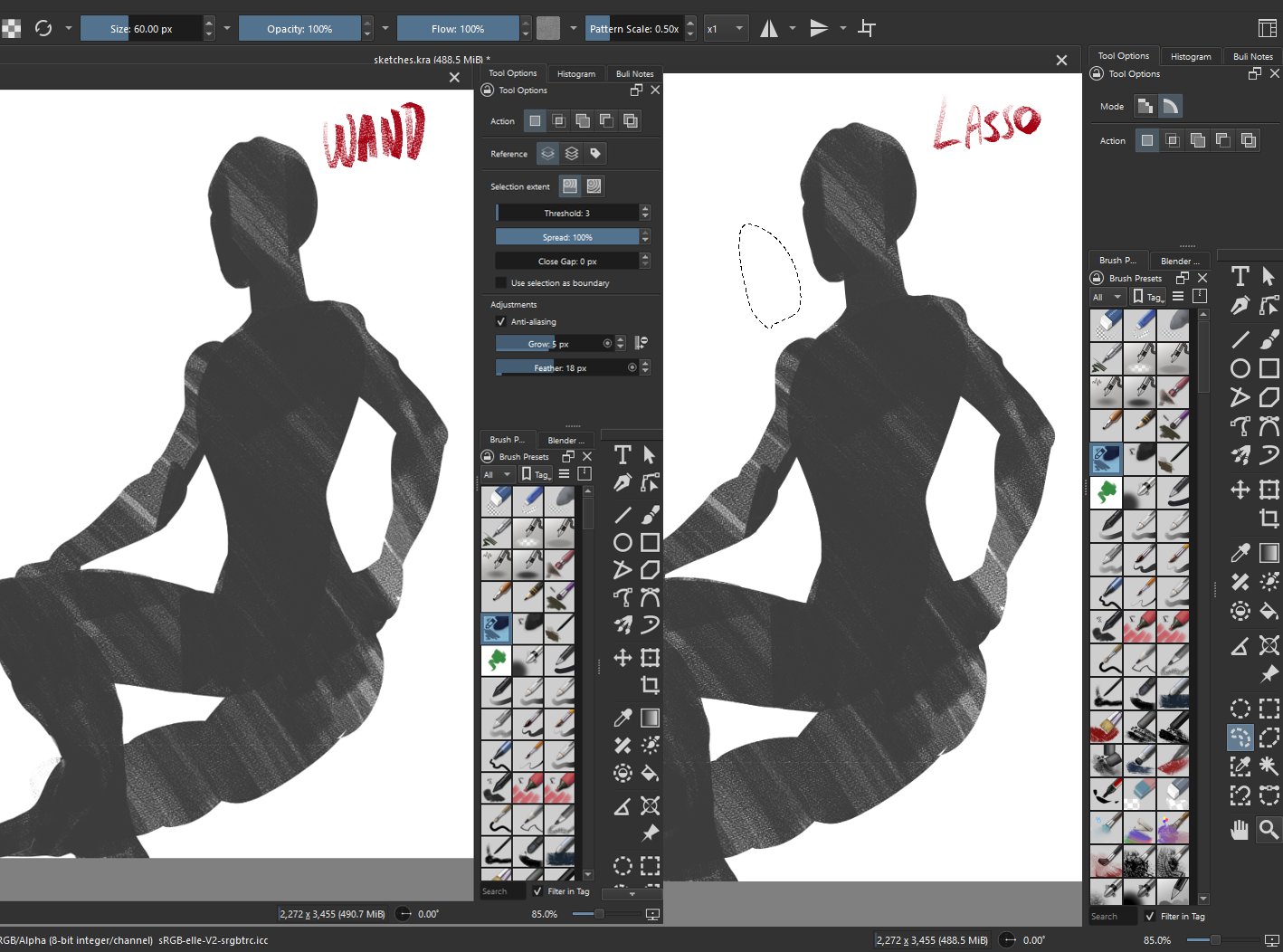
But… Krita HAS a feather option
pick up the lasso (or wand tool) and go to the tool options docker! Should be at the bottom
And about the first one… sadly, for now, just works with a stabilizer program…
But… Krita HAS a feather option
pick up the lasso (or wand tool) and go to the tool options docker! Should be at the bottom
And about the first one… sadly, for now, just works with a stabilizer program…
For the feather you have to make a pixel selection. You have selectected vector selection.
I am glad I apologized beforehand for missing features, because dude, you just made my day!
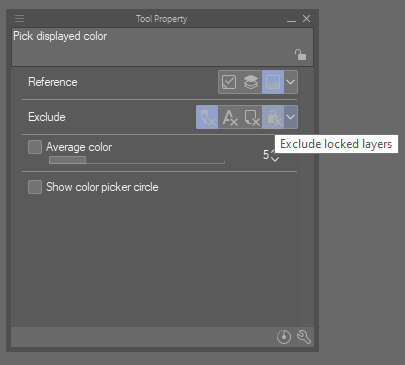
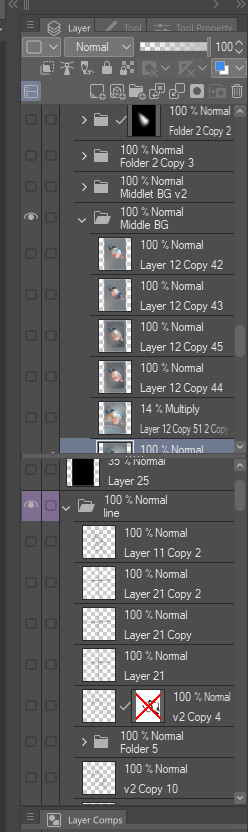
not sure if this has been mentioned previously, but the one thing i really miss from csp is the ability to ignore certain types of layers when color picking. very useful for those of us who overlay colors/textures on top of our paintings and i havent really been able to find a workaround for it in krita.
I do this by using ctrl+shift for layer select (which ignores locked layers) and then color picking from current layer. Not exactly the same, but pretty seamless when you use hotkeys 
I bought a copy of CSP at a discount when I bought my Wacom graphics tablet. Got a permanent license for version 3, which will most likely never get upgraded. I even installed Windows on a couple of machines, even though I hate Windows beyond reason.
I asked them about having a port that would run on Linux. Not a chance. It also does not work under the Wine umbrella.
As far as I am concerned, Krita is for me, and I would like to see these features of CSP.
3D models to be used as references
Persistent and separate Color history docker
Just in case you’re not familiar with it, there’s a plugin to show Blender view in Krita - Plugin: Blender Layer - Live 3d View in Krita - Resources / Plugins - Krita Artists
This can be used as 3D reference, although of course it’s much more complex than just having this feature in the base application.
+1 for the color history, seems useful!
I have never used blender. I think I installed it once on a Linux box, but the learning curve stopped me.
I tried using my own palette once, also, but it is not automatic, and I would need one for every project. I never finish a project in one go, so I would like a persistent colour history for each one, even more than the 3D reference tool.
There is a Feature request for persisting color history as palette feel free to vote for it.
Thanks. I already did vote for it.
For me there is really missing thing for brushes is “Correction → Taper” function for post-touch brush stroke tails. Function is absolutely the same to “Haraiso” or “Harai” ( [はらい] ) in older IllustStudio or MangaStudio.
IS/MS:
[はらい]……値を大きくすると、タブレットからペンを離したあとも線が徐々に細くなりながらペンについてきます。
CSP:
Taper
Changes the length by which a line is continued when drawn by gradually decreasing the pen pressure.
When the value is large, the line follows the pen by becoming thinner even after the pen is released from the tablet as if it were drawn with a brush with long tip.
When Stabiliser and Taper works together, this makes strokes fading smoothly after pen tip is released but still hovering over the tablet (stroke tail follows to hover position of pen with smooth pressure fading over time). This makes strokes endings to be a super handy, and allows fine calligraphy effects at high values, and at low valiues allows better control of stroke tail. And this feeling is completely missing in krita - i always feel that strokes stop too early and can’t get used to this enough. I think this is actually a very important part of Celsys drawing soft and their brush engine.
switch to erase mode when sampling pixels is unable to sample a color, ie when pixels do not have a color value or when the alpha value is fully transparent.
I don’t think anyone ever mentions this, but it’s such a nice shortcut for workflow. Similarly, tone layers and black and white drawing.
this works in aseprite and i would LOVE to have this also in krita for pixel art reasons as well
As stated here in this thread:
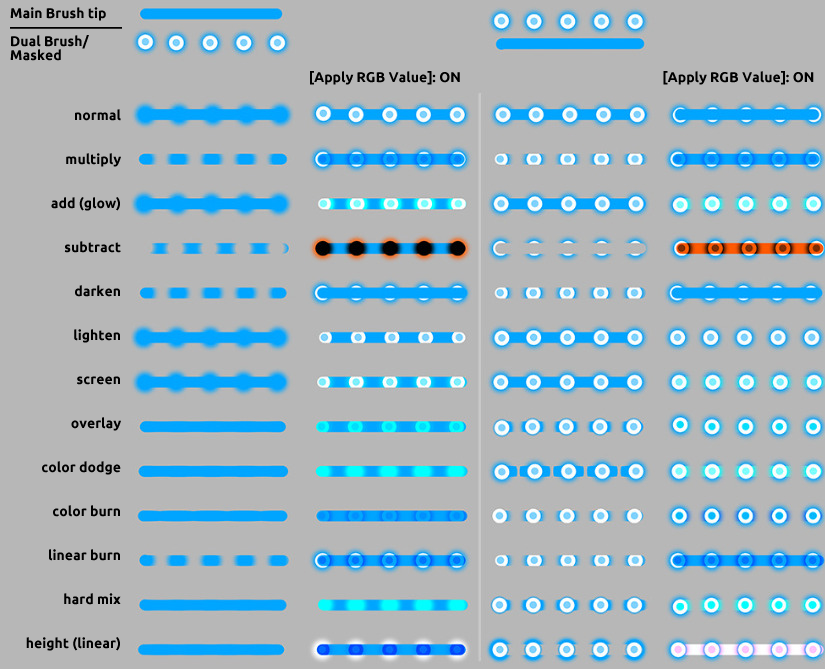
There is sadly no “Apply RGB value”
The way in which CSP plots it’s version of masked brush tip allows for a more combinations of texture separate from “pattern”
Small UI gripe that I might try to tackle later as a custom dock is a preference for the layers buttons to be in a close area. I use hotkeys but it’s also just more convenient to have “New Layer” next to “Layer Blending Mode”.
A non CSP thing is just how I, in general, would love to be able to pick and choose what buttons are visible in layer operations without going into a sub menu. Once again that would probably be custom dock territory though, and at least Krita allows for plugins (globally). 
 Any other desires I think have been said already:
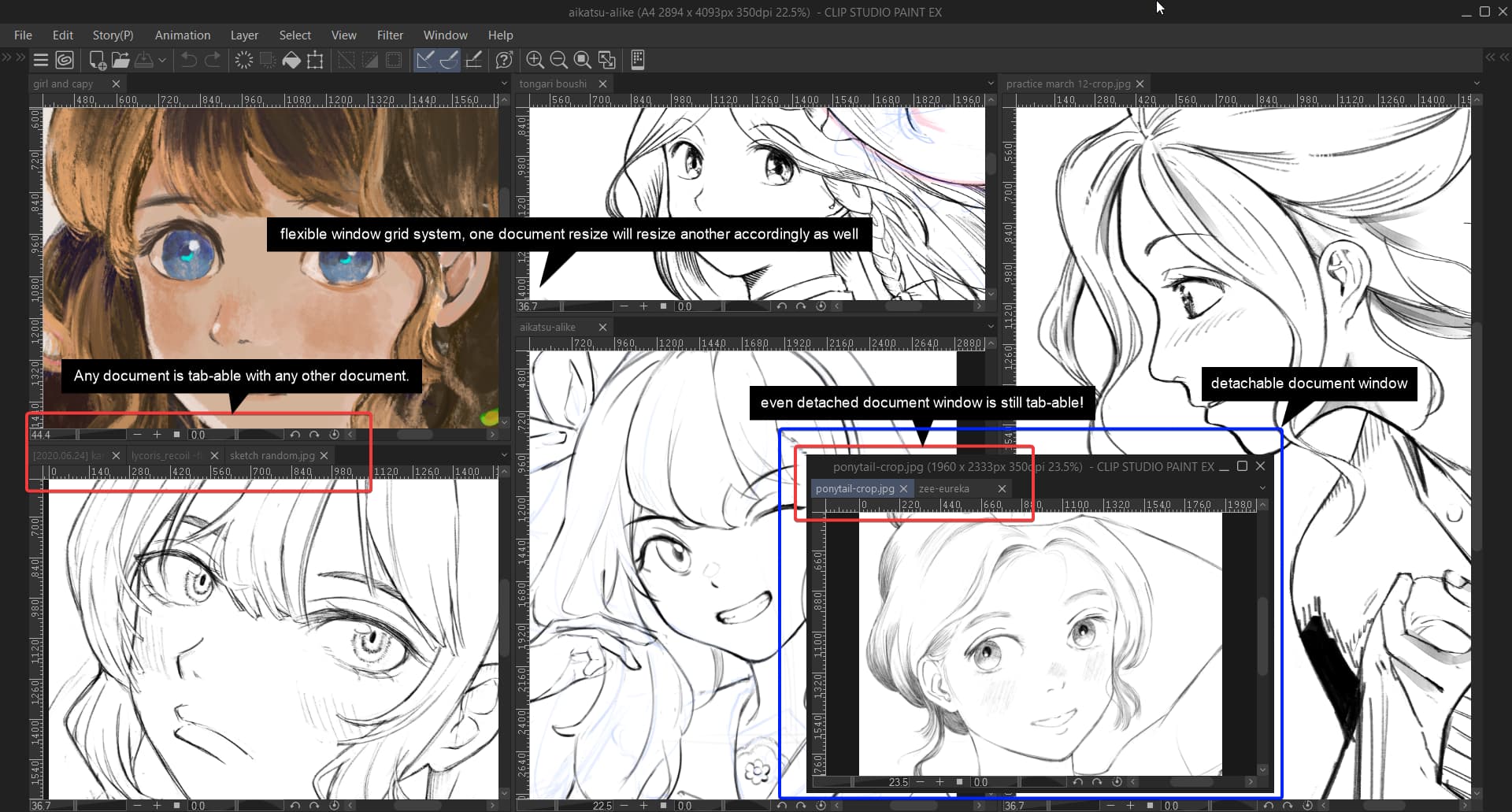
This for sure. Krita’s subwindow system is not consistent and doesn’t work as elegantly as CSP.
I would say, these vector speed lines, in radial form, horizontal/vertical orientation
etc. They help in time gain in manga or webtoon illustration for action scenes.
Ah, right.
A 3D viewer, and a Line&Tone filter as well.
Ah, right.
A 3 point perspective viewer with 3 distance planes : XY, XZ, YZ