Can you specify a set of brushes for the plugin to choose from, or does it blindly select a brush from all the installed brushes you have? If the latter is the case, then it could theoretically also select eraser presets …

Michelist
Can you specify a set of brushes for the plugin to choose from, or does it blindly select a brush from all the installed brushes you have? If the latter is the case, then it could theoretically also select eraser presets …
Michelist
You can build the list of brushes to cycle from. You can see it at 1:39 in the video.
(If any improvements come to mind, let me know.)
Just improved the manual mixing feature, with color post-correction. Here is a video illustrating the workflow: you put the wrong color on the canvas and you fix it in place.
this is probably the most important thing to master with ColorPlus.
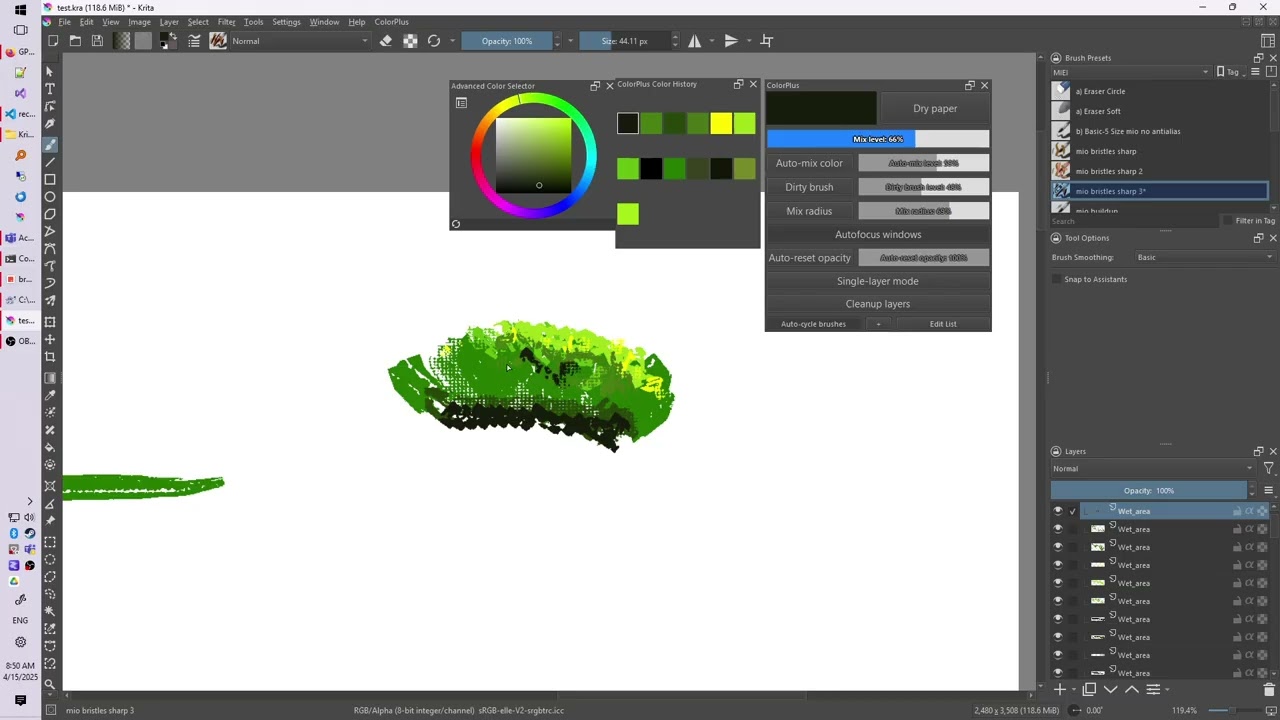
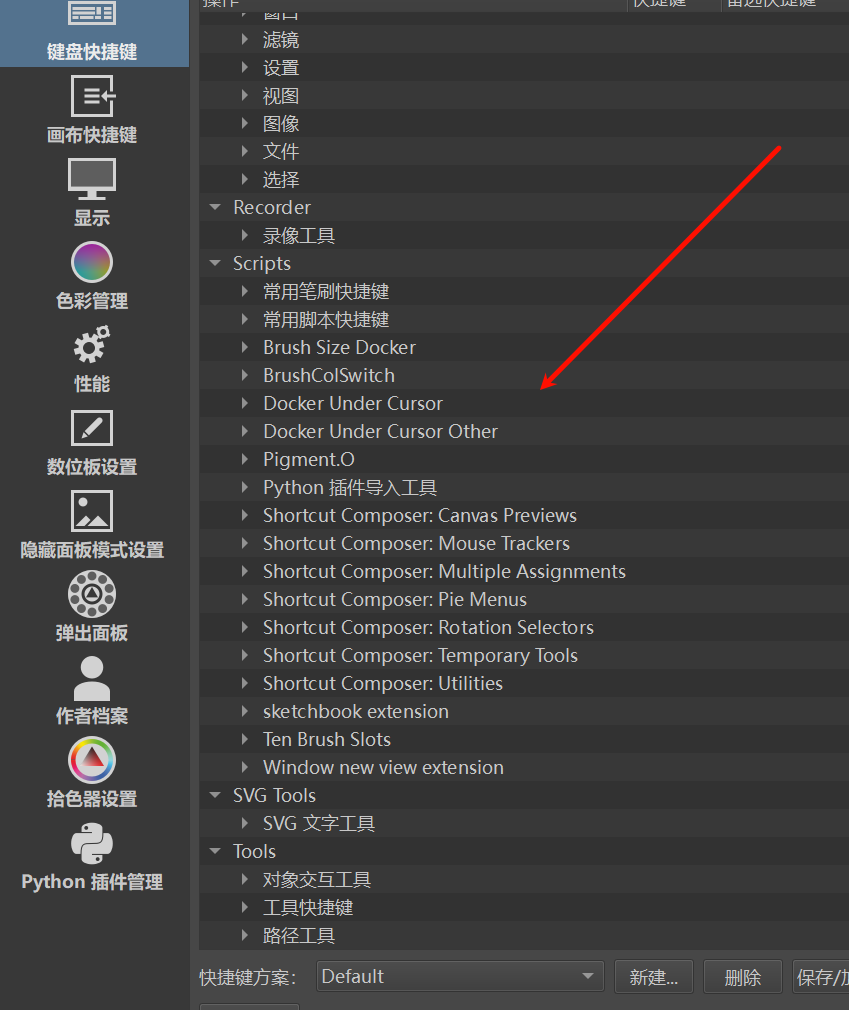
Usually a plugin’s shortcuts are found in Configure Krita > Keyboard shortcuts.
There should be a section with the plugin’s name.
Hi, it looks like you didn’t copy the .action files. Did you read the install instructions?
First of, thank you for making this wonderful plugin.
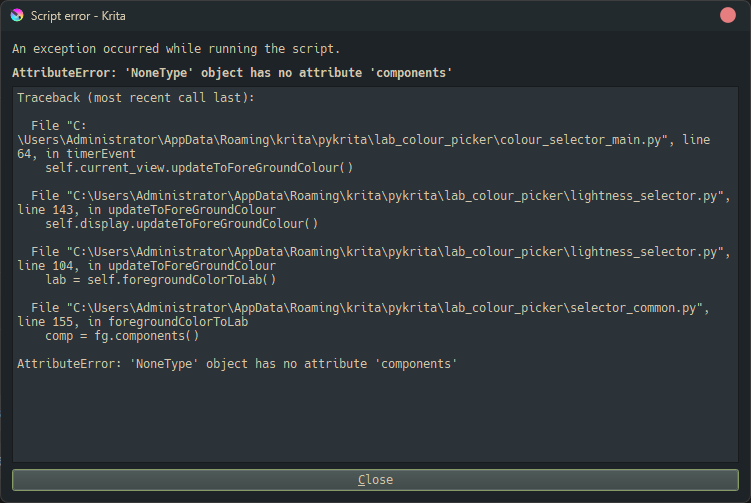
I’m having some error, maybe this is reason why some functionalities didn’t work such as drying the paper, color picking on a separate layer and single layer mode. The post-processing and auto color mixing works.
Hi, what Krita version are you on? (I have tested the plugin on 5.2.9, on Windows)
I had this error at version 5.2.9. So I thought maybe updating Krita to the latest build might fix the issue but still the same.
Hi! I can’t seem to install this plugin in Linux using Krita ver 5.2.9 / 5.2.11
I got these errors from running Krita in terminal
krita.scripting: "Traceback (most recent call last):"
krita.scripting: "  File \"/home/kumii39/.local/share/krita/pykrita/recent_color/__init__.py\", line 1, in <module>"
krita.scripting: "    from .recent_color import MyExtension"
krita.scripting: "  File \"/home/kumii39/.local/share/krita/pykrita/recent_color/recent_color.py\", line 4331, in <module>"
krita.scripting: "    Krita.instance().addExtension(MyExtension(Krita.instance()))"
krita.scripting: "  File \"/home/kumii39/.local/share/krita/pykrita/recent_color/recent_color.py\", line 2083, in __init__"
krita.scripting: "    os.mkdir(self.plugin_state_dir)"
krita.scripting: "FileNotFoundError: [Errno 2] No such file or directory: 'None/plugin_krita_color_plus'"
krita.scripting: "Could not import recent_color"
krita.scripting: Error loading plugin "recent_color"
Works perfectly fine on my windows 11 tho 
Managed to make it work by changing plugin_state_dir’s path, now the folder is on my home directory.
And encountered some issues while trying it out
Thankfully Auto-mix color works fine, I think that’s good enough for me XD
Hey seguso,
I’ve been using ColorPlus for a couple of days now (WIndows 11) and I’m loving it. I use single layer, but I like all the little amazing features you were able to fit in this gem of a plugin.
The color mixing, in particular, is beyond cool. I have no idea how I managed to do Krita before, without it.
Thank you so much for sharing the gold 
Paulo
Hi, i have followed the instructions at Github, but ColorPlus isnt listed in the Python Plugin Manager… i dont figure what im doing wrong. The machine have just a single user, me. Any tip?
What a brilliant plugin. Thank you so much. And your videos are inspirational!!
@Marcelo_Colina: How did you try to import this plugin into Krita?
If you’ve chosen the way via File → Open that is not the way, you need this one↓:
You install plugins in Krita by clicking on
Tools→Scripts→Import Plugin from Fileand in the dialog that opens, browse to the downloaded plugin file and select it, confirm the selection (click on the OK-Button in the lower right corner of the dialog), then confirm Krita’s activation request and the message that the plugin is installed, and, AFTER you saved your currently open work(s) to disk, you have to restart Krita.If you missed letting Krita activate the plugin during the steps above:
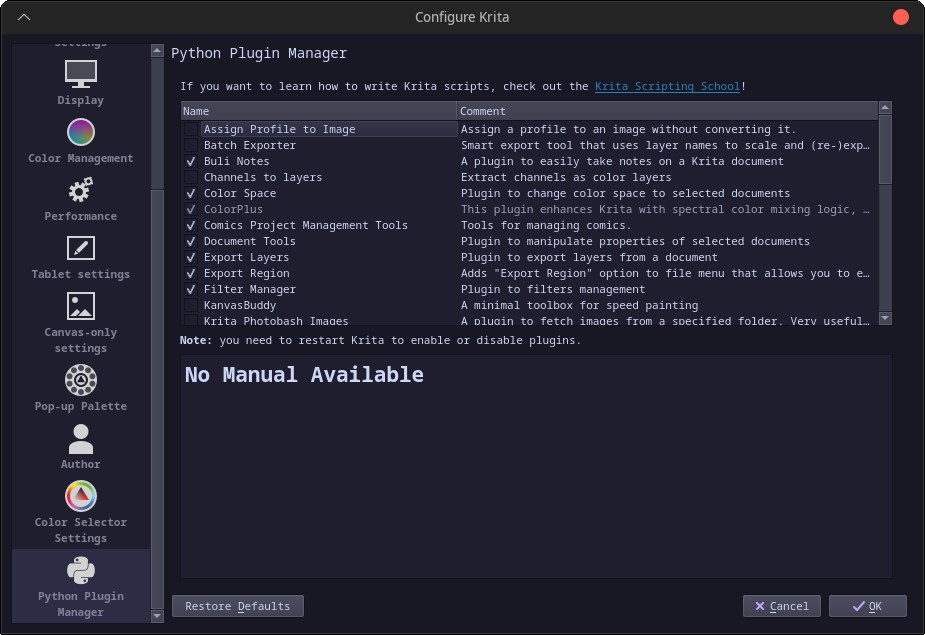
Then you have to search in Krita underSettings→Configure Krita→Python Plugin Managerfor the plugin you just installed (ColorPlus) and can activate it by checking the box in front of it. Then confirm with the OK-Button in the lower right corner and restart Krita a second time to be able to use the plugin.
Michelist
Hi Michelist. I have followed the instructions in the ColorPlus Github page. It says to copy the files and subfolder in pykrita user folder, also the action files in the user folder too. I did that, but when i open Python Plugin Manager, it is not listed. When i went to “import plugin” it asked me a .zip file, but i dont see ColorPlus offer a .zip for download, only invidiual files, non compressed, that i download one by one.
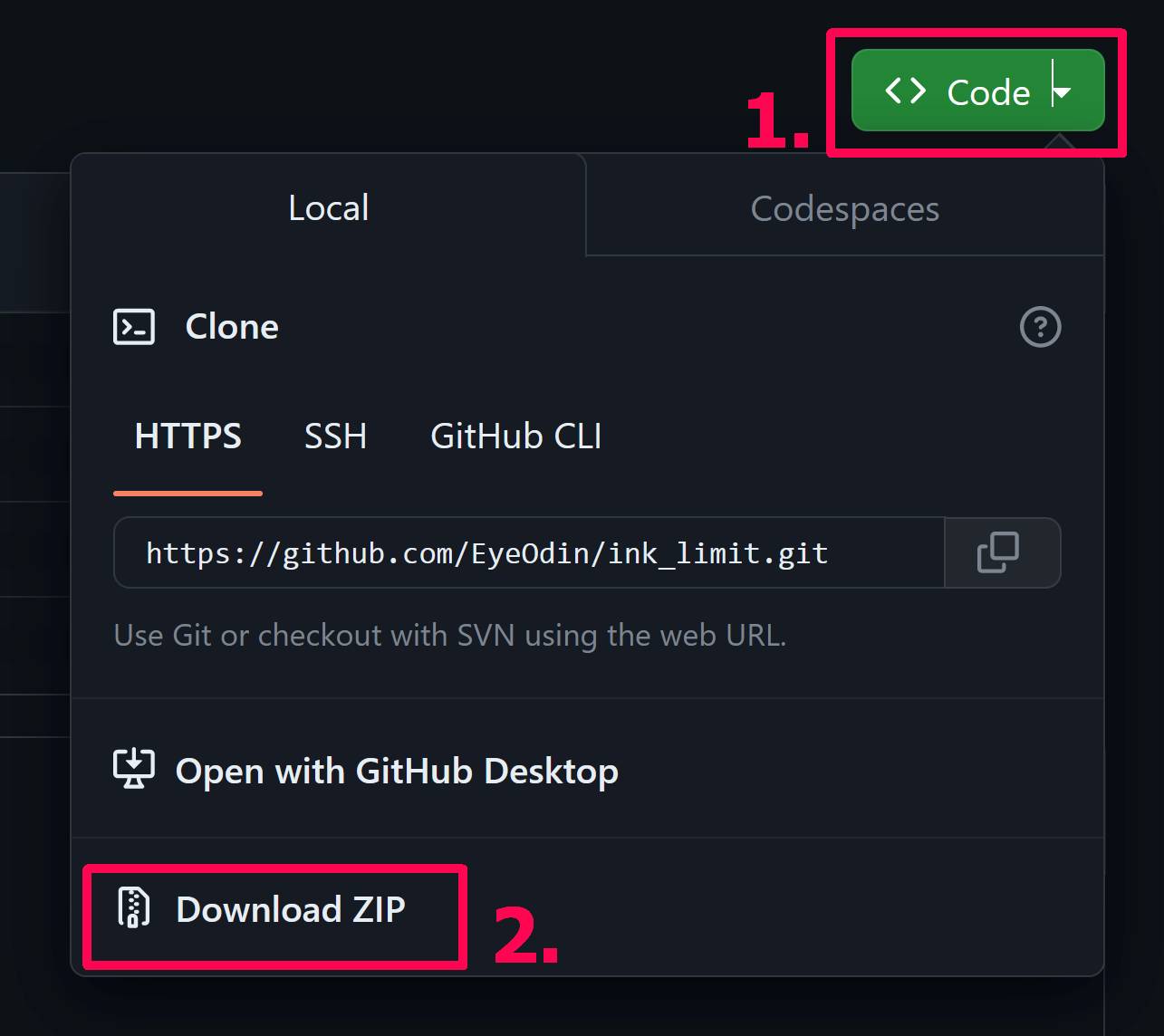
If you want to download something from GitHub:
Download ZIP, to get your ZIP-File, then install it the way I described above.
Unfortunately, @seguso did not follow usual practices to create a plugin, so you need to open the downloaded ZIP after the installation (the installation in the way I described in my posting above) and copy the content of the folder actions (so the *.action files in it, not the folder with them) it contains in the second level of the archive into the folder actions in Krita’s resource folder, which is found via Settings → Manage Resources... → Open Resource Folder.
Michelist
Add/Edit: Corrected a misleading description.
Hi Michelist! Thanks very much the fix! It was installed and listed now.
I think this plugin doesn’t work on Linux right now. I tried installing it both manually and with Michelist’s fix but they both led to the same issue: the plugin doesn’t work at all, and I can’t even disable it in the plugin manager.
Which version of Krita are you using? And do you use the AppImage or one of the not official versions maintained by the community?
If you use one of the Krita nightlies that already use Python 3.13, that could be the first possible reason.
Because always, when having issues on Linux and not using the AppImage, you should check if the issue shows up with the AppImage too.
But for anything else, we need support of @seguso here, because it is not my plugin and I don’t know Python.
Michelist