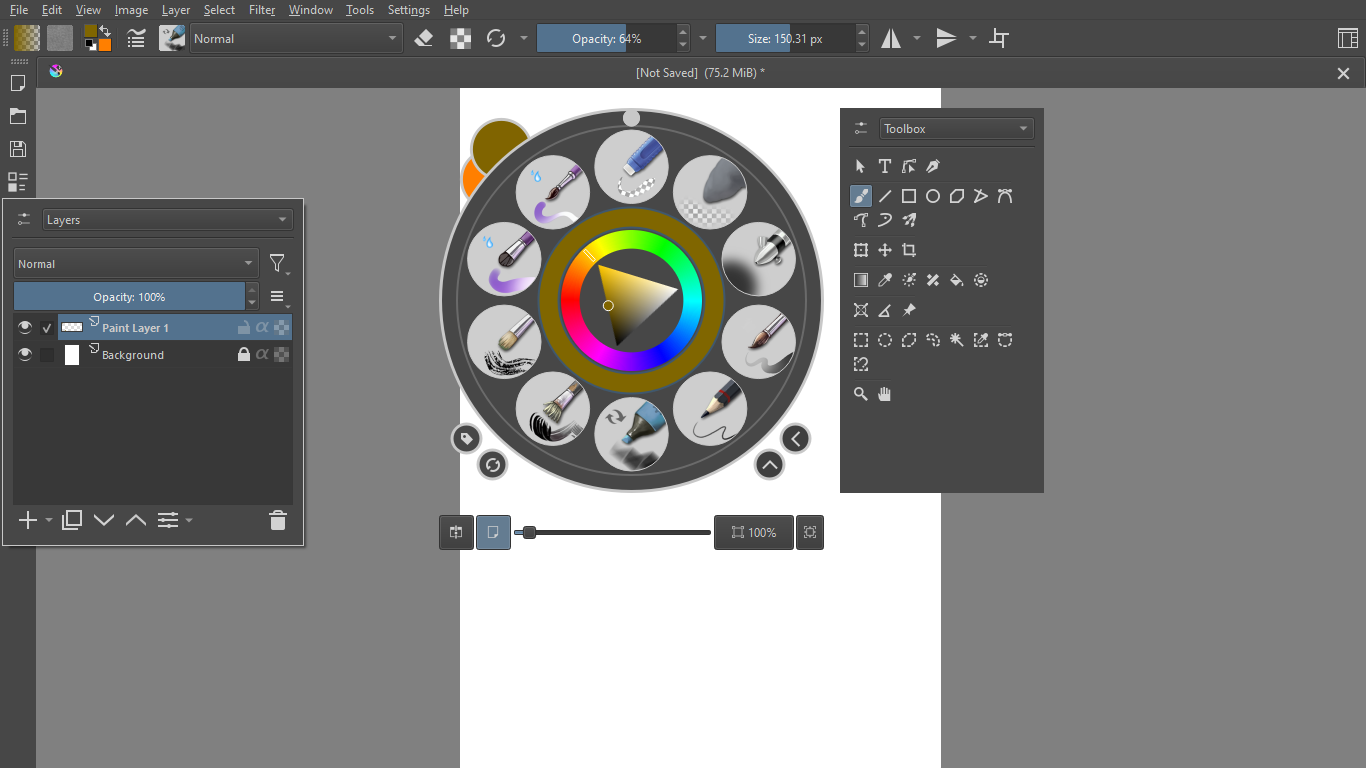
thats amazing  I feel like this open some more plugins in desktop side .
Too bad android cant do plugins. :<
thats amazing I feel like this open some more plugins in desktop side .
Too bad android cant do plugins. :<
There are two aspects to it, one is coded in Krita, which would be available in android as docker box.
second is the plugin which can be discussed here Plugin Prototype - Summon Docker Extension - Resources / Plugins - Krita Artists (krita-artists.org)
I have tested both and the native implementation shows promise of accessing dockers very easily including pop up pallet
What i mean is since I do also make my own plugins mostly for my needs , I can further customized whats availabe to me on desktop. Downside is I wont have same experience on a table. 
Though im probably one of the few that do draw on mobile /smartphone.  Selfishly wanting stuff.
So far with the state of Android and the android maintainer being very busy we can only help improve the experience by requesting this smaller type of request.
understood and agreed, any stuff helping to draw on android tablet is welcome since android version will now take a backseat till probably migration to Qt6.
Now, only the action button for android are missing 
Action button as in, buttons for each dockers?
Because otherwise the button to summon docker is here.
My setup now has docker button on left, which i can bring up with left hand. Right hand i can summon pop up. Brush size and opacity i can manage on top bar.
My tablet dream setup is almost there, except the brush size and opacity sliders which cant be rotated.
No, I meant some buttons on the screen.
You holding the button, and tapping/dragging with your stylus to decrease/increase size, opacity, lightness etc. Equivalently to strg, alt/cmd shift on windows/linux.
Hmm, could work, wonder a floating button can be implemented.
Maybe a function button can be implemented. this requires a request topic.
I think - an improve touch docker.
The current touch docker is bug out - iirc.
Something like a slim touch docker with side pop-up/ bottom pop-up.
my wish oth is quick access bar in android.
But button side/bottom popup touch docker is a much better idea.
My wish would be a simple implementation for android. I can connect a bluetooth-keyboard and use these shortcuts that way, but I don’t always have such a keyboad available.
As an user I would press one key and drag my stylus horizontally or vertically
For example
shift + horizontal movement (hm) changes the brush-size.
Shift + vertical movement (vm)
Shift + tap switches between the last used brush
Ctrl + hm changes the saturation and ctrl + vm the hue
Ctrl + tap toggles the color picker
Holding alt/cmd toggles the eraser mode
Those actions should be configurable.
Should I write a request? Or is there one for floating buttons? I did not find any.
I remember requesting something like this before - currently on desktop this is supplemented by shortcut composer plugin.
I think it be good to create a feature request, atleast to open discussion.
Then ill make a request aswell for slim touch docker. I think with something like this a UI layout that is more mobile/ tablet friendly can be created.
then maybe finaly i buy a tablet. anyway my phone is handling krita suprisingly well.
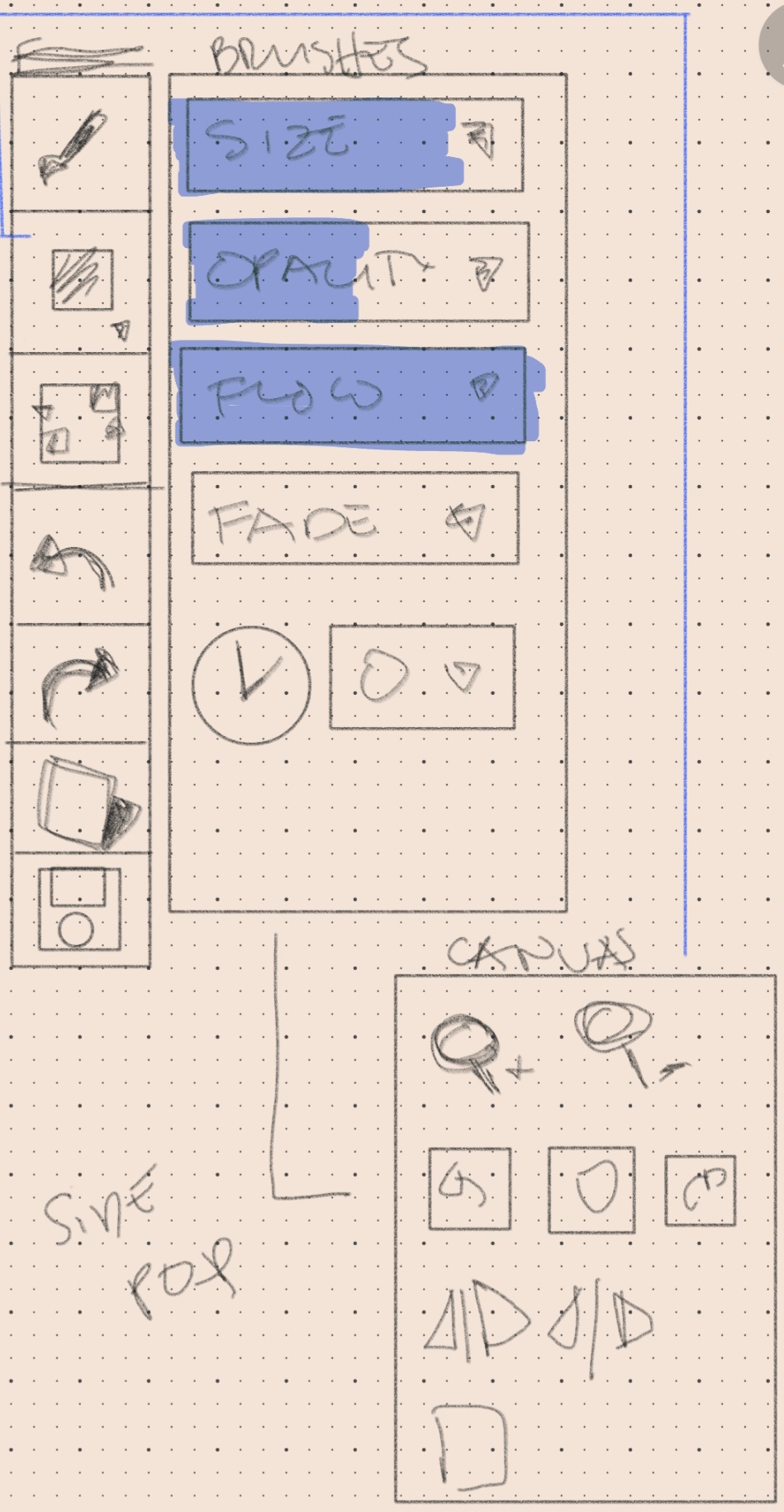
@BeARToys I drew a quick draft of what I want to propose.
A more compact touch docker . a combination of things that already exist but design more for tablet / minimal docker style. Gonna see how i can write it.