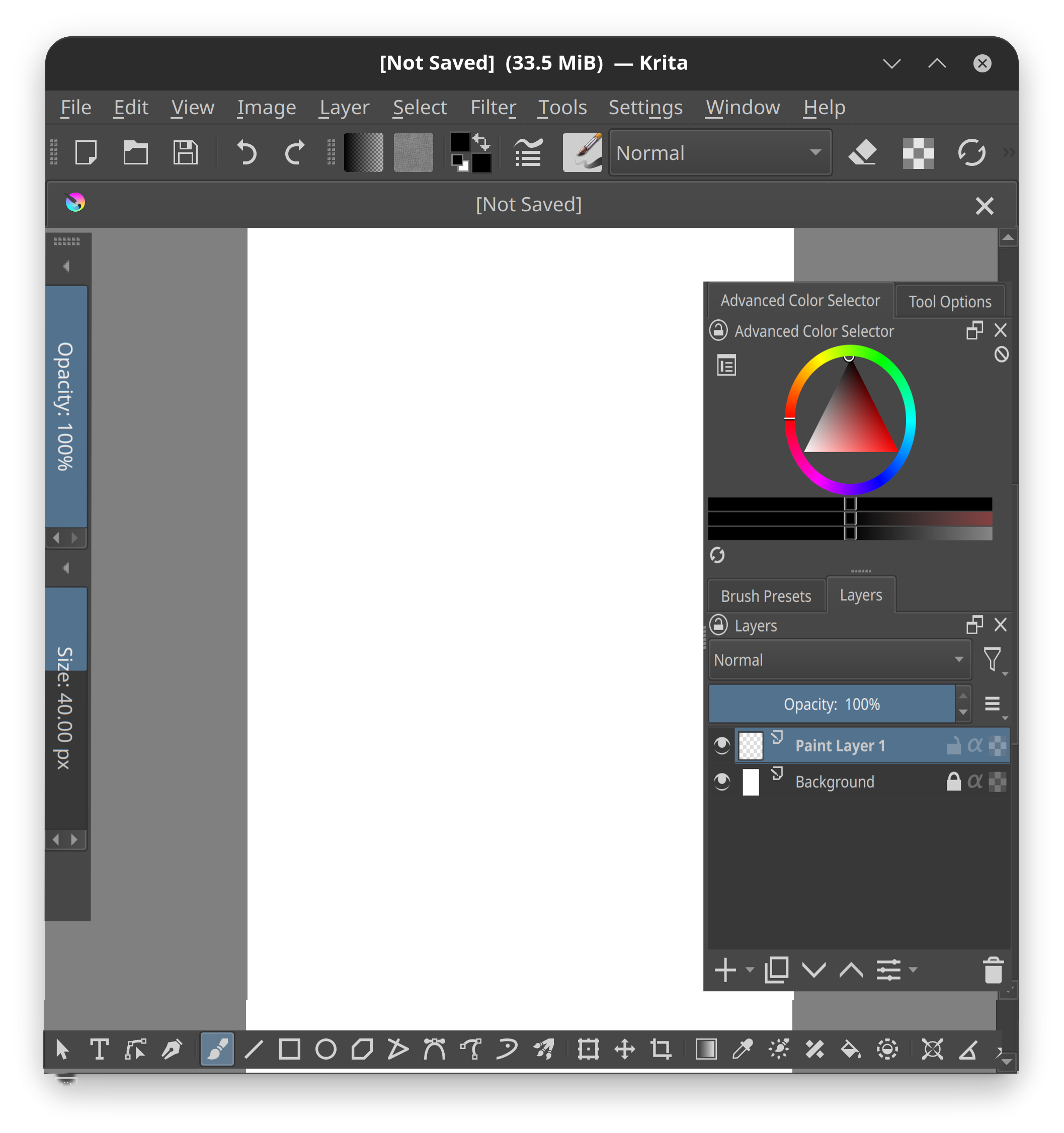
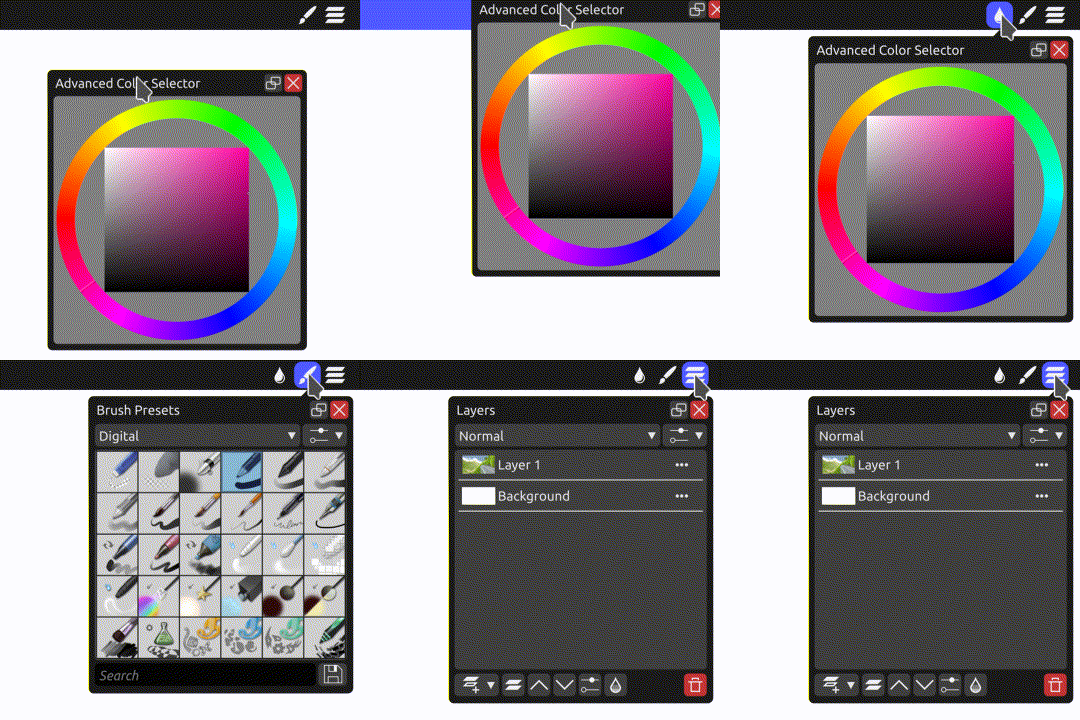
Ok I am back with a feature request for Tablet mode which in my mind at least feels like should be easier to do.
As of now we already have full-screen mode and that also can be activated with gestures too. So I am suggesting two modifications before we go for a full-blown tablet interface.
This obviously will take inspiration from Procreate which in my opinion is the best tablet implementation.
Auto hide docker - This is technically the default behavior in full-screen view so no changes are required. However, some dockers should be made visible at will, and thus the next point
Toggles to unhide docker - Some floating toggles or a button which can either be activated using hover or clicking it to unhide the layers docker and brush. This could be called main docker which can be customized
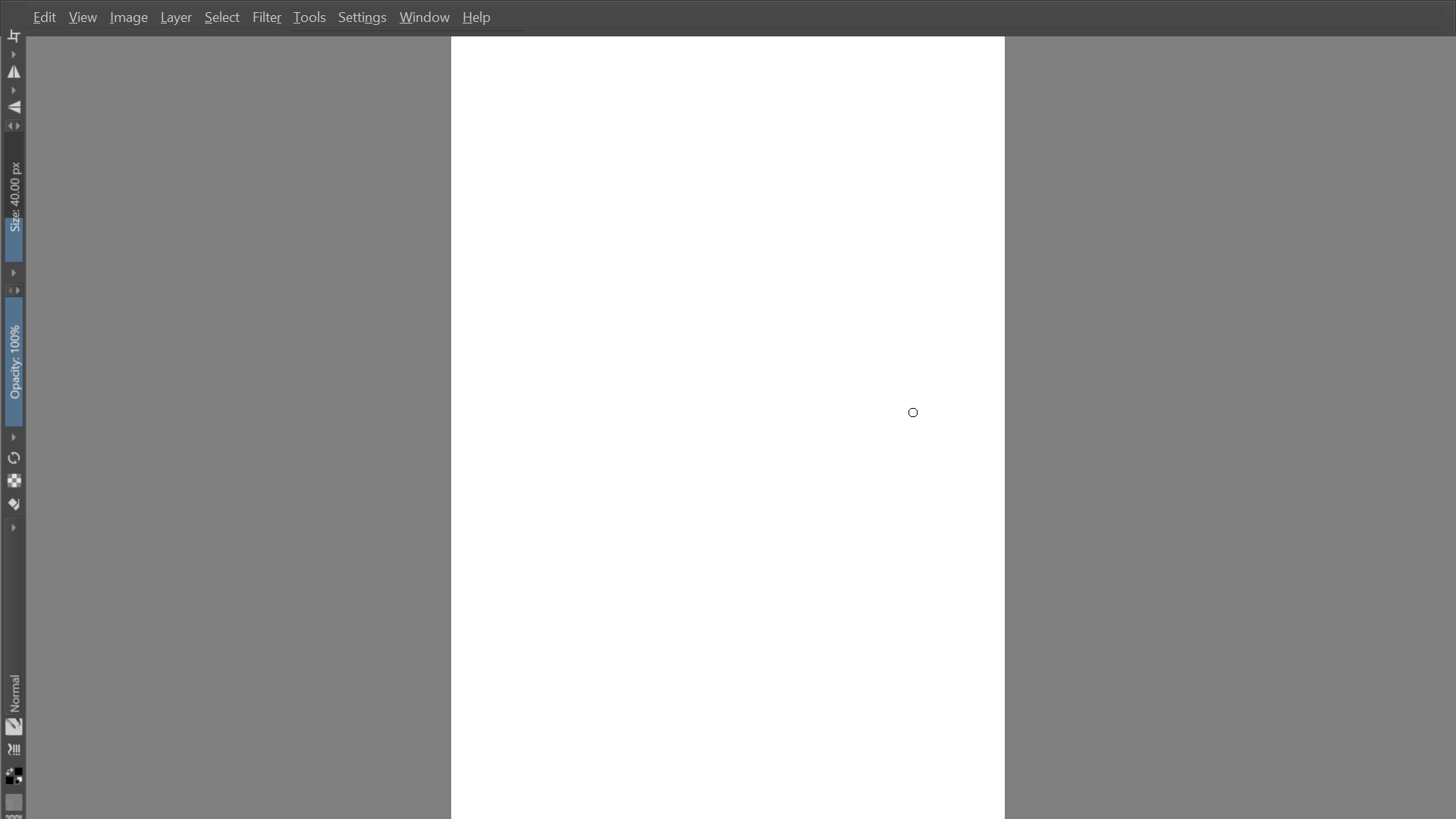
top bar to move in vertical format - The top bar should always be visible and turn in vertical format with easy brush size and opacity sliders.
Shortcoming - The main issue I can foresee is that dockers are customizable in Krita and user-modified dockers will affect what gets unhide and what not. Thus essential stuff should be added as a dedicated preset which can be enabled for cohesive usage.
with just these changes, the interface should be tablet ready and should be fairly able to compete with pro apps. This IMHO feels should be easy to implement but a developer can vouch for it. Layer selection is already considered in 5.2 release which works as intended.
Let me know if all this makes sense. I can create a mockup with animation which should make it better to assimilate.
Mobile interface
Using all Edges - This will retain maximum screenspace and utilize all the corners/edges
gesture navigation possibility - using two finger gesture to swipe from the right will reveal the right docker and swiping from below will reveal tools. this in theory should not mess with the Android gesture system too (in theory)
scalability - potential to scale with mobile interface
implementation - easy to implement (I assume)
all workflow supported - can work in desktop workflow too
two hand navigation - with one hand to draw and the second hand to operate scale opacity eraser etc.
uniqueness - this will give Krita uniqueness in tablet mode than let’s say procreate or Clip studio
It seems that @abhifx has used up all his votes, otherwise I can’t think of any reason why anyone wouldn’t want to vote for their own feature request.
But who knows, maybe clicking on the blue button next to your own topic headline is too exhausting
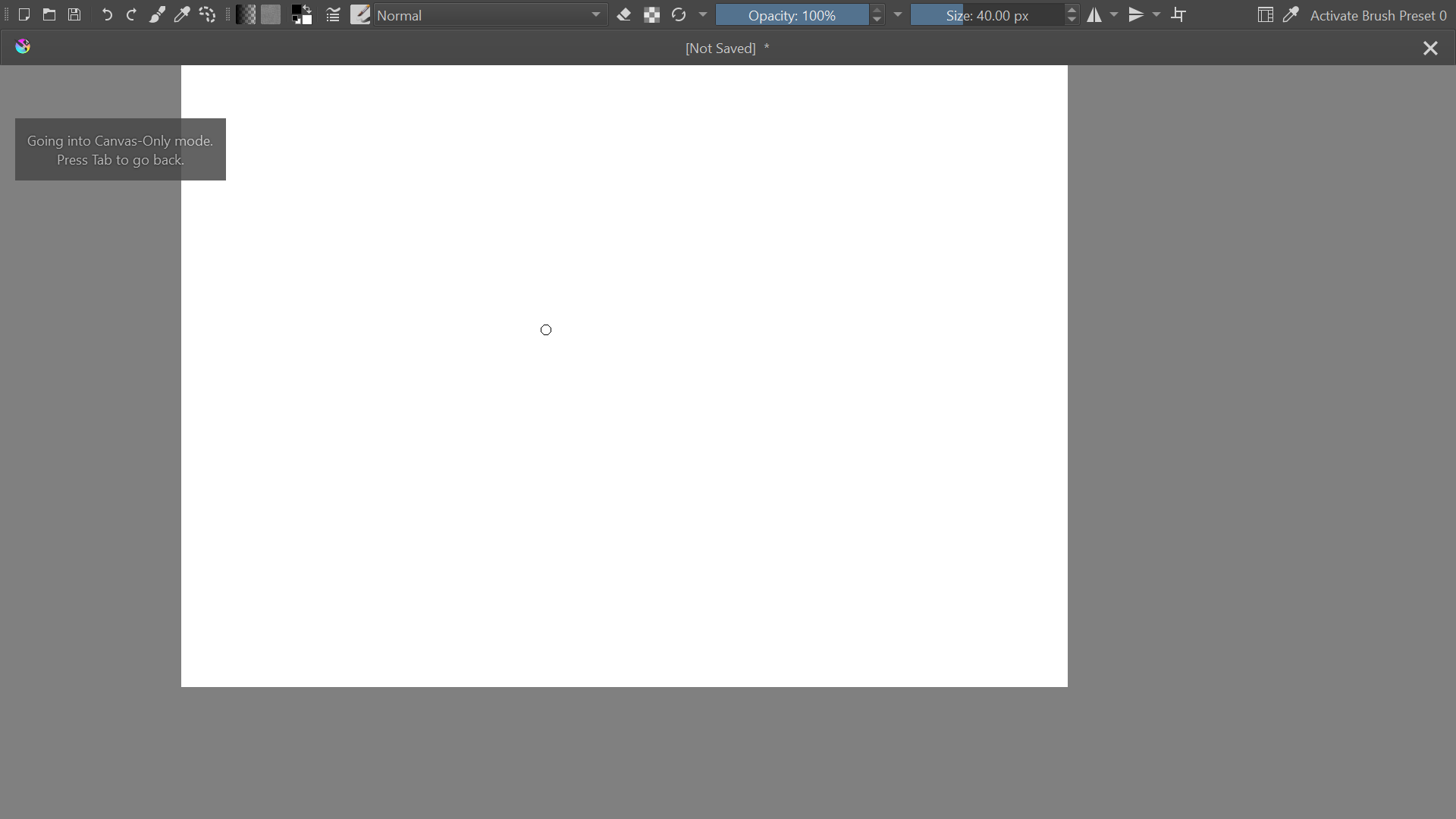
Just as an example of what can currently be done in Canvas-Only with menus, toolbars, and dockers enabled, and scrollbars and status bar disabled, and with Multiple Document Mode as Subwindows:
Toolbars can be placed vertically, however things like the Blending Mode combobox and Size and Opacity sliders are very wide. If it were somehow possible to rotate them as in your mockup, it might work for the sliders, but I don’t think the Blending Modes would be very usable that way. I don’t think the entire Toolbar should be rotated, as the icons would be sideways.
What interests me is the idea of easily showing/hiding individual dockers.
I’ve thought before on the possibility of a ‘Dockers docker’; a docker that would show a configurable list of dockers and allow you to toggle their visibility. And also, the possibility of allowing Canvas Only to have a list of allowed dockers rather than all or nothing. I haven’t really investigated either, so I get the feeling there could be some complications in implementing those that I’m not thinking of at the moment.
Keep in mind there is already a way to toggle the visibility of all dockers: Settings->Show Dockers, which can be assigned a shortcut. If you switch to a Workspace with minimal dockers, that could also work.
Thanks for the detailed reply, in fact, I tried that before even starting this post. Here is what I think has a flaw in the existing method.
the top bar is not exactly designed to work in a vertical format.
using a lot of real estate which is the whole point of the tablet interface. the idea is to remain minimal but retains full functionality with super ease of implementation.
the rotated toolbar is correct, that is just me lazying up making the mockup.
assigning shortcuts would only work with the keyboard on hands. this some method to unhide dockers like gesture (two finger swipe could work) or some hovering icons
Using all Edges - This will retain maximum screenspace and utilize all the corners/edges
gesture navigation possibility - using two finger gesture to swipe from the right will reveal the right docker and swiping from below will reveal tools. this in theory should not mess with the Android gesture system too (in theory)
scalability - potential to scale with mobile interface
implementation - easy to implement (I assume)
all workflow supported - can work in desktop workflow too
two hand navigation - with one hand to draw and the second hand to operate scale opacity eraser etc.
uniqueness - this will give Krita uniqueness in tablet mode than let’s say procreate or Clip studio
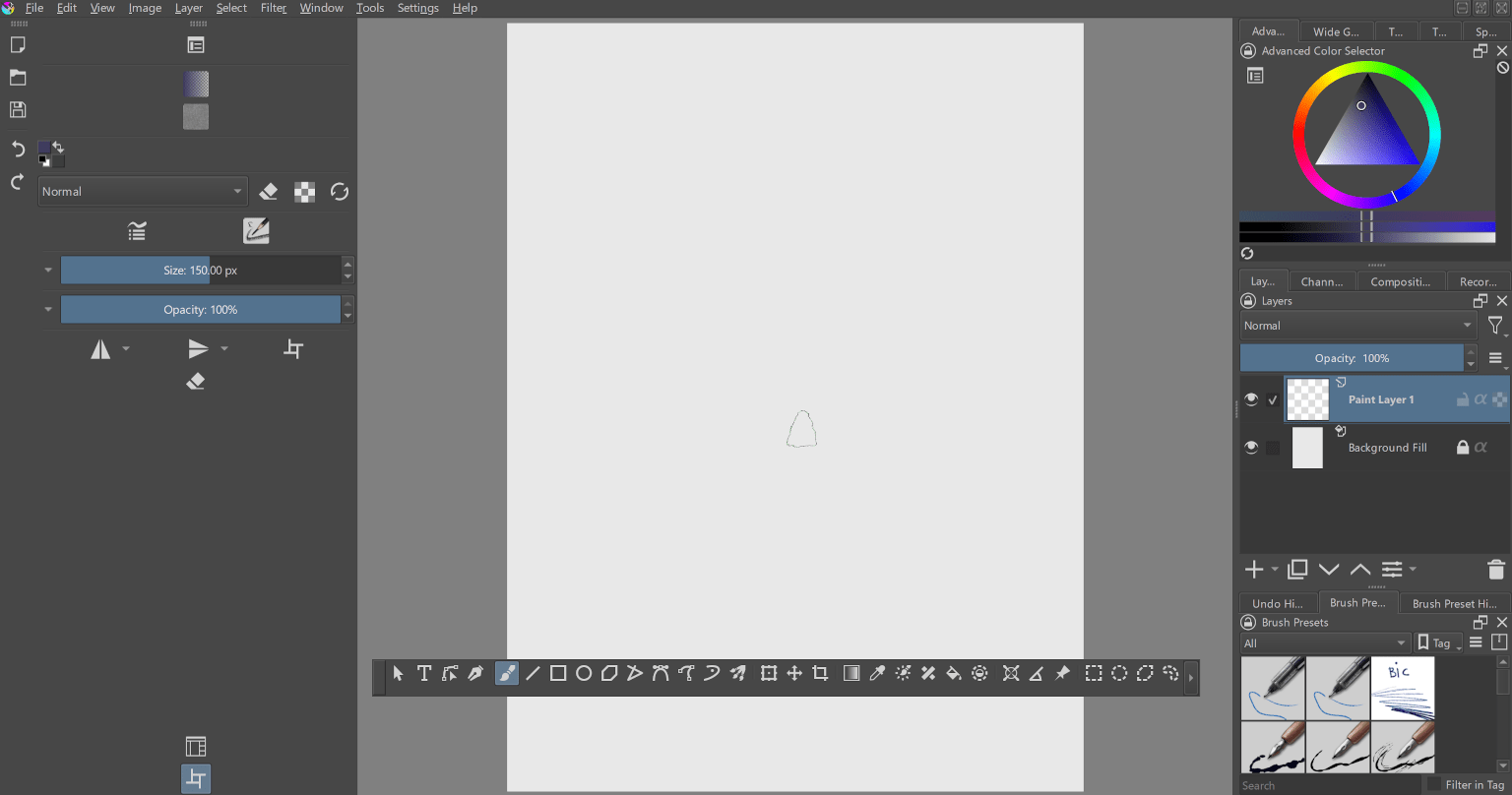
In case this feature request dies, here is the setup I use for now, which could potentially help any newcomer who is looking for a tablet interface alternative.
enable canvas only mode using the tab on the keyboard or four finger touch gesture on the canvas
Now this setup can give access to basic brush settings and in case layers need to be accessed or some tools need to be used, can come out of canvas mode at any time. Color and brush access can be done with a longer press finger gesture to get the Krita wheel
cons of the setup
Unintuitive - breaks workflow whenever layers or tools need to be accessed
huge pen travel on top to increase brush size or opacity or dropper tool to select color
These are really good suggestions and i have even requested something like this before but without the mock up. I use krita on a large phone the s22 ultra and i need ultimate customization even more than tablet users if added i wouldnt even care about pretty UI for mobile users ! But sometimes its just fighting the UI and slow workflow that cause me to try other apps on android like infinite painter and concepts which are great apps in their own right but do not offer everything krita has. My two cents.
Hi @cosmos10040 , first thanks for the kind words, second as I understand that Krita guys/gals are still working on conceptualizing mobile/tablet interface. So not sure when that will happen.
My idea here was to use the existing interface and shoehorn a tablet / mobile interface that would be easy to implement (hence the hack). This should at least reduce the “fighting the UI” a bit.
Not sure how to get this more traction other than voting for this feature in this thread.
I think you have to be patient at the moment, because until Krita 5.2 Final is released, the developers won’t tie themselves to an additional construction site, they have more than enough to do at the moment.
And then I would also give them some recovery time, because developers are only human, and they occasionally need time for themselves to recharge their batteries for new tasks.
Hi @Michelist , I understand that. True I am not expecting anything out of this (at least not very soon) from the devs, My only humble submission is how to get this noticed enough so that it at least gets considered for implementation. But your message definitely is important for all people who have low knowledge of how open source works. Thanks




 if added i wouldnt even care about pretty UI for mobile users ! But sometimes its just fighting the UI and slow workflow that cause me to try other apps on android like infinite painter and concepts which are great apps in their own right but do not offer everything krita has. My two cents.