With your Wacom pen you should also be able to put any eraser on the eraser end of the pen. It even remembers what eraser you had selected with it.
You must be a wizard 
At first, about usage:
I thought this plugin automatically remember the last used: ‘Normal Brush’, ‘Sumdge Brush’ and ‘Eraser Brush’. However you have to select (with the shortcut) a brush of the ‘right’ type in the proper slot? After this the plugin remember if you change bushes of that type? Or you have to change brush and recall the shortcut?
Second, about Krita 5:
Wich Krita 5 you are using? And wich OS? On my Pop! OS and Krita 5 beta2-94dbdca if I select the slot 1 with the plugin every brush I change to becomes a eraser. The E key don’t disable the eraser mode, and the slots 2 and 3 of the plugin don’t seem to respond.
windows11 and beta2
No, it has nothing to do with type, you can choose any brush. Only slot1 will change all brushes to “eraser mode”.
The plugin it is working now. In my case it was because the plugin ten brushes was already using the shortcuts crtl + alt + 2 and crtl + alt + 3. After setting them to none I now can assign two normal brushes, and the first shortcut makes every brush an eraser and remember it.
@AndreasResch can you double check if the shortcuts from the plugin aren’t being shared by any other action/plugin? It seems this is the only problem with the three brushes so far.
Also, back on topic. Do you mind keeping giving feedback on what entails an eraser tool?
- If you manage to get the plugin working could you tell us if it is the behavior you expected and want from an eraser tool?
- Is remembering the last eraser used the only thing you want, or you want to make every brush into a eraser if the eraser tool is selected?
Cheers.
I gave it another try and it sort of works. But it’s very confusing and will lead to a lot of confusions. At least the way I understand it.
When I press the “1” shortcut (let’s just call is like that) and select an eraser after that, it’s remembered. However, when I select a brush after that, it’s used as an eraser and a pen icon appears next to the brush thumbnail. And then I can’t even turn the eraser switch off any more. It’s stuck.
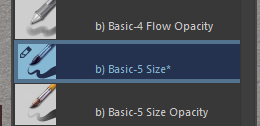
So to be able to select a brush after I erased, I have to press the “2” shortcut first and then select a new brush. This is way too complicated and if you forget it, you’ve turned your brush into an eraser and can’t get it back to a brush.
The proper functionality should be that I can select erasers, pen and smudge tools whenever I want. And as soon as I press one of the three shortcuts, it should select the last used tool of the respective category.
About the eraser tool. There’s nothing special about that. It’s the eraser tool that pretty much every painting app has got. In Krita it’s a bit more confusing, as erasers are basically just a special sort of brush. So in Krita the eraser tool would be the subset of “eraser brushes” - the ones that by default are tagged with “Eraser”. The advantage of having a dedicated tool is that it would basically also serve as a “slot” like in the Three Slots addon. And before some users get annoyed again. I don’t want to replace the eraser switch as it is now, just add the eraser tool on top of that. And the “E” key can also stay assigned to the eraser switch. I can change the shortcuts anyway if I want to - and my Cintiq remote does only simulate the key that I tell it to.
But eventually I would also be happy about a proper Three Slots addon that works as described above. But if there was a dedicated eraser tool (and maybe even a smudge tool), user coming from other painting apps will immediately search for them and know how to use them. No Three Slots explanation required.
So if there is some skilled programmer out there - maybe the Three Slots addon could be adapted to work a bit better.
Now that krita has the mypaint blending brush, it may not be very effective.
CSP does not have an “eraser tool” in the strict sense. It can compose any brush into a “tool” and set a shortcut key. The “eraser tool” just put a few erasers inside.
If we can switch tags with shortcut keys in krita and record the last brush in the tag, it will be similar. But there are some differences. CSP’s tool attributes are built-in, but krita is not. If you are in a place like a straight line tool, you need to switch back first. Because the straight line tool also supports brushes
That why I used “pretty much” - I know a lot of painting programs, but not all of them.
Not sure what you mean by “switching back from the line tool”. When you change the brush while being in the line tool, that brush should be saved in the slot. Of course this opens up the idea about assigning different brushes to the brush tool and the line tool - which in some cases might be useful. But that would probably need a checkbox or alternate shortcut somewhere.
Can somebody remove the “Slow Mode” from this thread please.
It is not to add more fuel to the fire but even in other painting programs the eraser is a brush, in SAI and Clip it’s like that, this gives the advantage of having textured Erasers and free to create your own.
@AndreasResch Have you tried the Ten Brushes plugin? You could create a profile for your ciniq and add that specific key so that it invokes only the eraser you want, when pressing again you return to the last brush you used.

I do see a usecase for it, I was also thinking about requesting this. Sad to see people outright denying someones usecase and turning it into a non-constructive yes/ no argument.
You could also see the request as if there is a second brush, one that also retains history.
It could be interesting to solve the issue on another way, see it as a ten brushes script but then with each slot remembering the previously used brush? I may need to use 3 differeent erasers with different harness values and one that is square, but as soon as I switch to a particular eraser, Inplan to use it multiple times. Thus one shortcut to a particular eraser times 4 doesn’t cut it for me.
I personally plan to configure Krita with the switching script (mentioned earlier in the thread), so that holding Ctrl on a brush turns it into an eraser (if possible). That way, it works like Blender sculpting for temporary reversing tool actions.
Then I would like my E key to invoke the last used eraser and have access to both options depending on the situation.I think that it would then also make sense that if I hit the E key again (while the eraser is active) to get the last used eraser, hitting the E key again gives me the second to last used one and hit E once more to return to the previously used (so back to the first) eraser.
Yes, but those erasers are brushes in “erase” mode, the same as in Krita, only they were ordered in a category.

Krita does the same but in her own way:
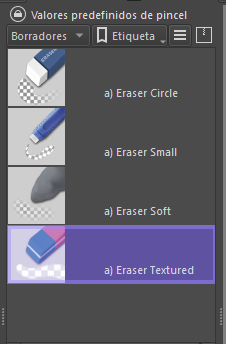
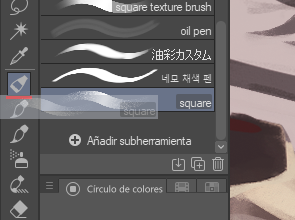
Well, perhaps the feature that could be asked is to add tools to the Toolbox or I don’t know if a plugin could be made that would replace the default Toolbox with a more customizable one, I know there are already some, but I haven’t tried them.
There’s many people here, all with different wishes about how Krita should be.
Also, you can add developers: they have their own vision of the software and finally, they decide 
Is their vision of things is good or bad, I can’t tell.
The only thing I’m sure is, if a feature request isn’t properly argued to developers, even if feature is interesting and could be useful for everyone, they probably don’t look at it if basic rules they’re asking for a feature request are not respected.
And you can be sure that argument “This software have this feature, it should be implemented in Krita” is the worst thing you can argue to developers here.
Could be sad to see an interesting feature being ignored, but finally for developers, having something detailed and properly argued is a source of motivation.
Also, you can consider:
- many people ask for many things and developer’s team is so small that they can’t take in account all features requests
- many people ask for things that can sometime be in conflict ; one want BLUE while another one want RED
- some people want things that are sometime outside the perimeter of software…
To get a chance to be listen by developers, try to develop the feature request properly.
What I understood is for some reason, some people here need to get dedicated eraser tool.
What I currently know:
- Basically any brush can be switched as an eraser
- And there’s already dedicated eraser brushes
So, it sound useless as every brush could already be an eraser to create an eraser tool.
From a developer point view, where is the interest?
Creating an eraser tool is just to create a button that will select a dedicated eraser brush…
This topic is a little bit hard to read, but the thing that seems to be expected behind a dedicated eraser tool is to have:
- The ability to quickly switch (by pressing a configurable key) from current brush (whatever the brush is) to an another brush for which:
– brush engine is (potentially) not the same than the current brush
– brush size, opacity, blending mode are not the same than the current brush - The ability to switch back quickly (by pressing the same configurable key) to brush (for which size, opacity, color, …, are kept )
- Also maybe, having the choice to define different brush (one configurable key per brush) have to be taken in account.
With a such feature request, it might be possible:
- To configure eraser brush as some people here wishes
- To configure quick alternative brush (not only erasers)
- To keep in mind the current Krita’s philosophy (use brushes)
Current plugins seems to doesn’t works or doesn’t fit need (for what I read here, can’t tell more because I don’t use these plugins and never tested them)
But I’m pretty sure a such functionality can be implemented through a plugin; with BuliNote I already made things to keep in memory used brushes and restore them,there’s everthing in API to do that.
The thing is, I didn’t implemented any keyboard shortcut ability as I practically never use shortcuts 
So rather than debating if Photoshop, CSP, or other painting software have or don’t have the feature, maybe just try to find a precise description of how it can be implemented in Krita, keeping in mind the current philosophy of Krita (erasers are brushes - find a way to improve how to switch between brushes)
Grum999
I don’t mind if it’s an eraser or a brush in eraser mode. In practical use, that’s the same thing. It’s all about the option to access the recent eraser, either via an eraser tool or a shortcut with an underlying slot mechanism. As mentioned before, the tool version is preferable because of consistency with other programs. And I also checked SAI which also has a dedicated eraser that can be accessed via the traditional E key.
I feel that you may want to press “E” to automatically switch to “Eraser brush tag”.
At the same time, the current brush becomes an eraser brush.
In this way, you can select the eraser you want to use among the eraser brushes, which is also close to other software.
I personally prefer the krita way.
“E” can turn the current brush into an eraser, and I can also select the eraser brush I want by right-clicking the pop-up panel and tab.
This is Google Translate.
There has been prior discussions about a dedicated eraser tool in old forum and as well as kde phabricator. I’ll search for the links and post here for people to understand and read more about it.
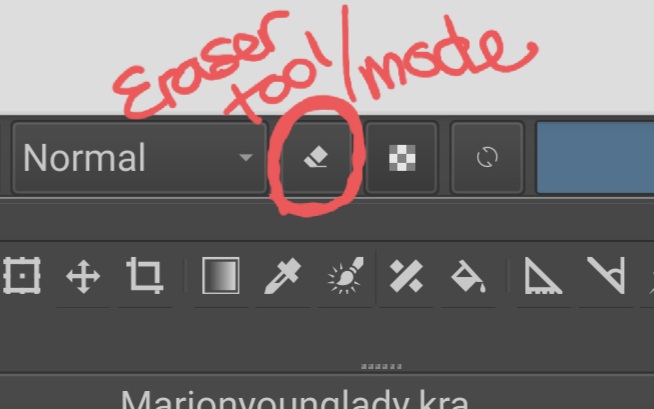
Also note the ‘E’ toggle is not just for the brush it is for all the other tool as well like gradient tool, fill tool, shape drawing tools like rectangle etc. You can even add textures with eraser mode and get interesting effect. Even if krita gets a dedicated second brush tool for only eraser presets like requested here. I believe this core functionality of switching the erase blend mode of the current paint tool shouldn’t be lost. I believe it is similar to paint with transparency feature of clip studio paint.
Also note that I am not making a yes no argument I just pointing out the feature of existing erase mode. Please think the current erasing feature as erase mode and not eraser tool. It is a mode not a tool. Any painting or fill tool can be in erase mode.
The feature request here seems to be for an ability to remember last used eraser brush preset.

I think the arguments made by the Blender Studio team (linked above) are sound and come from people using Krita in a professional environment. Particularly:
For example, while we are using a brush to paint, we can press “E” to toggle “erase mode” in the brush settings and the brush will start erasing instead of painting. This will happen while maintaining the same brush radius, textures, etc.
This is not always desirable, since painting brushes often use specific settings to achieve a style and texture, while we may want a more simplified brush for erasing (usually a circular brush with a falloff).
There’s the Ten Brushes script but it has the limitation of not being able to change the eraser preset unless you open the settings, which slows down the workflow. There’s also a delay when you press the toggle key which makes the experience less smooth.
The erase mode is great and shouldn’t go away, but a dedicated tool with a proper shortcut (doesn’t have to be E) is mighty useful. CSP has both and it’s great to have the option to either use the current brush to erase, or switch to a dedicated eraser with a more appropriate settings for the task at hand.

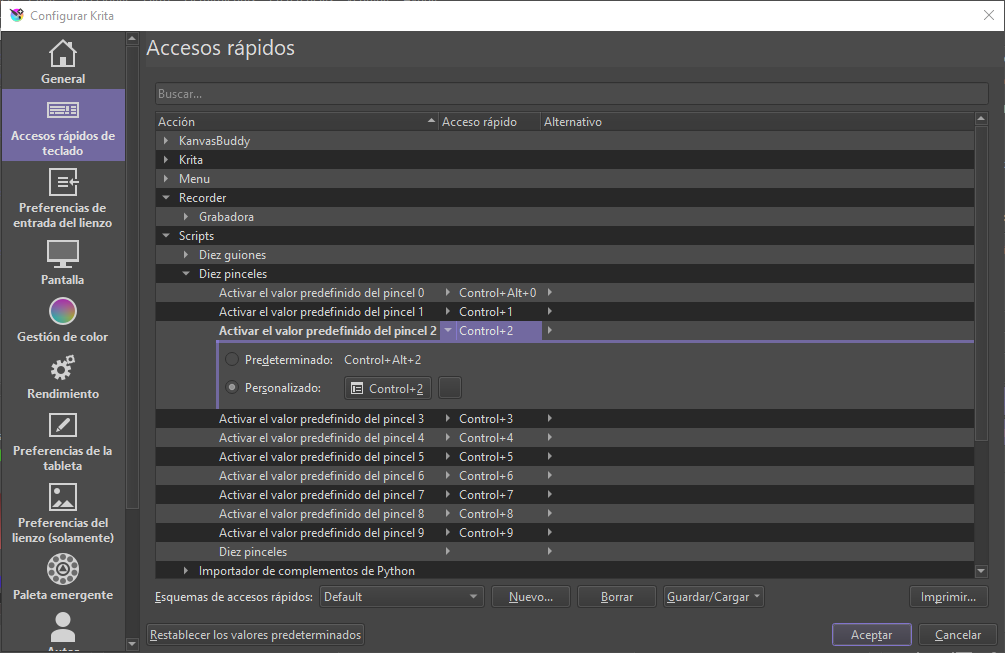
That’s how it is now - using the Ten Brushes plugin. This is not what the feature request is about. See previous comments.
I would like something like this,
-
To keep the current behavior where pressing the “E” shortcut puts the brush in “eraser blend mode”.
-
To have a “second freehand brush tool” that could use any brush present you want. It can be a eraser brush present or it can be a regular brush present. It remembers the last brush present that was used with this tool.
It doesn’t share the same tool options as the first freehand brush tool like brush smoothing or assistants. There’s a option to assign a shortcut to the tool in the keyboard shortcuts or tool invocations menu as a temporary shortcut. But it doesn’t have any shortcuts or brushes assigned to it by default