Which version of krita are you using and where did you get it from?
Which operating system are you using?
Many people have used these bundles with no problems do it’s a question of figuring out what you’ve done wrongly or what you haven’t done that you should have.
So you downloaded the .bundle files and then did what exactly?
Does the bundle(s) show in your Settings → Manage Resource Libraries listing?
Have you disabled any other bundles in there?
Do the brush presets appear in your Brush Presets docker and if they do then do they have proper icons with no little ‘x’ mark on them?
There are people here with more experience than me in this area and they will probably come along soon to ask more questions and give further advice.
I hve krita 5.1.5 which i believe is the most up to date version and I got it from the krita webpage.
Im using windows 11
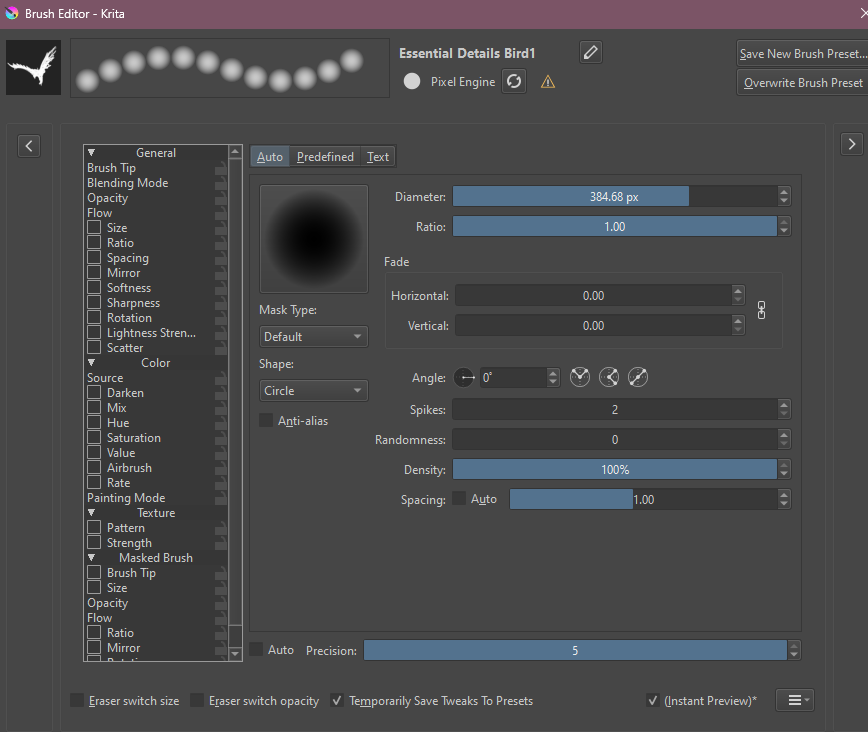
I downloaded the bundle and extracted the files and followed the steps provided by dragging the folders into the krita resource folder, the brushes show up in the resource folder and in krita itself with the proper icons, no x’s, but when I go to use them I just get the circles. I havent disabled any other bundles.
This is what i see when I go to brush editor
@Makaria This is a brush bundle. Extraction and dragging files into folders is not how you import a bundle.
Once you download the allbrushes bundle to your downloads folder (or whichever folder you prefer), click on Settings > Manage Resources > Import Resources. Navigate to the .bundle file and select it.
Thank you! I figured out the problem. I initially downloaded via Gumroad which wasnt the .bundle file, once I used google drive I got the .bundle file and was able to import it properly and now they work!
You are right, and the file “Essential2C_6.png” is missing. And to be precise, it is missing in the big and the small bundle.
@fizzyflower, I hope you are well, and I hope you could provide the missing file.
@FellowEsin, unfortunately the fact is that I asked for this brush tip almost two years ago, and we haven’t heard from @fizzyflower for a very long time, a fact that worries me a lot.
@fizzyflower Hello do you have separate brush packs? I’ve had to deactivate this essentials pack because the load times are just too long. Would be cool if I could only activate specific categories when I need them.
this is unbelievable…genuinely the best brushpack ive ever come across. u put so much effort into this thank u !!! i will definitely be using these<333 exactly what i needed tysmmm
Yo, that’s a lotta art brushes. Just wondering, how do I actually download the brushes to krita, it keeps saying “this file is not the file format”. Help is appreciated