I’m a brand spankin new Krita user so I have no idea what I’m doing.
Whenever I try to draw any small thing without zooming in, or long press, it opens up the brush display as if I had right clicked. Is there any way to rebind or disable this?
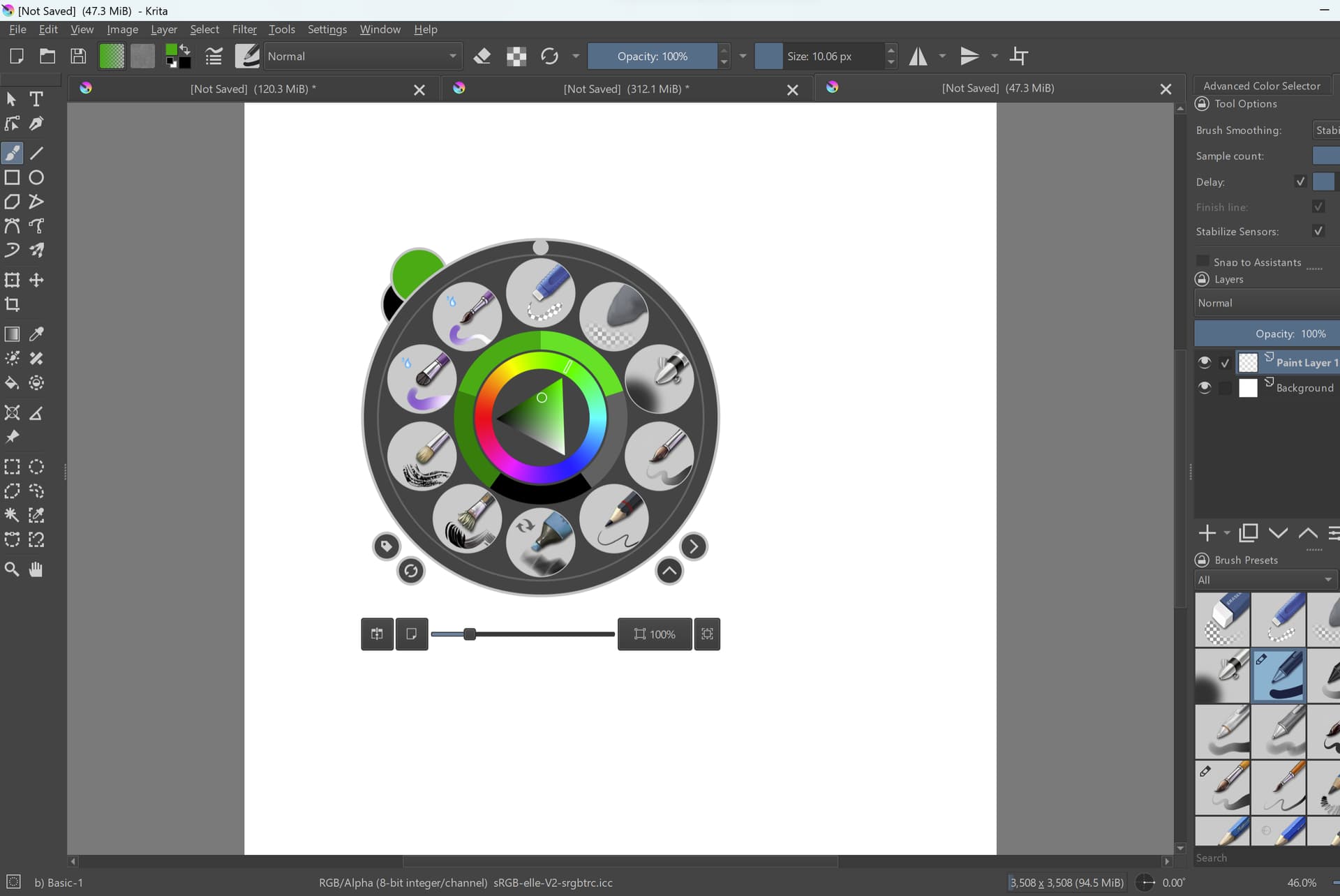
Are you on Android by any chance? I’m asking because on Android, long press is the default gesture to bring up the menu for each tool (that pop-up palette is the menu for the freehand brush).
Let us know which operating system you’re on so we can help you change the setting in Canvas Input Settings that will work for you.
I’m actually on PC using a XP-pen tablet on Windows 11. Sorry I didn’t think that the operating system info was actually important, I get it now 
Open Settings > Configure Krita > Canvas Input Settings. Open the section called Show Popup Widget.
You probably have 2 shortcuts in there. Leave the one that is right button. Delete the gesture that is set to one finger tap.
Could also be the Windows setting to open the context menu when long pressing, which makes it impossible to draw, unless deactivated.
If it is that ‘helpful’ Windows behaviour then this gives advice about how to turn it off:
My brush starts weird - #12 by Ralek
I didn’t realize until I saw that article you included, but when I long click it does do the same thing as a right click. Thank you! Unfortunately it looks like the issue is with Krita and not windows, but that’s more information than I had before!
I’ve removed the ‘Solved’ mark because the problem has not been solved.
I assume that you’ve changed the Windows settings to stop long press being interpreted as a right-click?
If so try the following:
Do a ‘long press’ on a layer in the Layers docker.
If you get the context menu for the layer then Windows is still sending a right-click for a long press.
That would be something to be dealt with at the Windows system level.
If you can’t find it and deal with it at the Windows system level, or if long press does not open the layer context menu in the Layers docker, the suggestion by @sooz here:
How to shut off brush toolbar when tapping - #4 by Sooz
should be tried, deleting the One Finger Tap input line.
Right-click anywhere on the line then press the Delete Shortcut button that appears.
If that doesn’t fix it then the only possibility is to delete the Right Button shortcut but that means you won’t be able to use the popup palette at all and the other on-canvas widgets for other tools won’t work either.
Right sorry. I have shut off long press, AND deleted the one finger tap shortcut. When I long press on a layer -I’m not sure what the context menu looks like but- it pulls up a list of opacity, visible, locked, etc. if that’s what you mean. My windows version looks different from the previous link you included and I accidentally disabled the side button long press shortcut, and I’m doing searches and going through manually and not seeing anything about long press of the pen shortcuts.
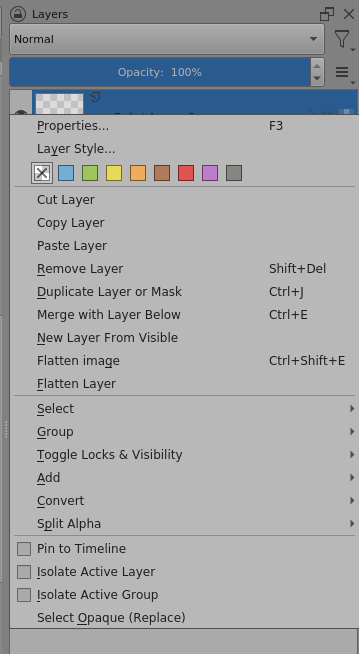
This is the context menu for a layer in the Layers docker when you right-click the layer:
This is the Properties Window for a layer when you right-click it and then click on Properties in the context menu:
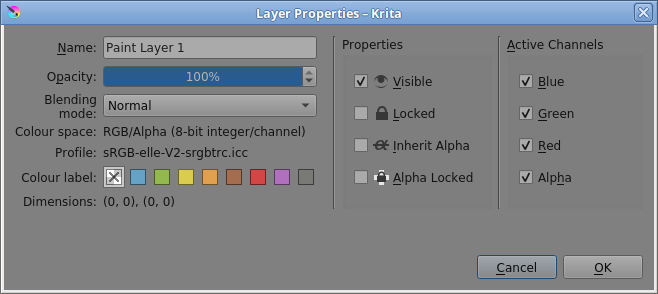
However, you can get the Properties Window by right-clicking the layer and then doing another right-click because the size and position of the context menu is usually such that the ‘Properties’ item appears under the cursor after you’ve done right-click to open the context menu.
So, it sounds like you did a double right-click (or a right click followed by a left-click).
You really have a lot going on there but I’ve no idea what it is.
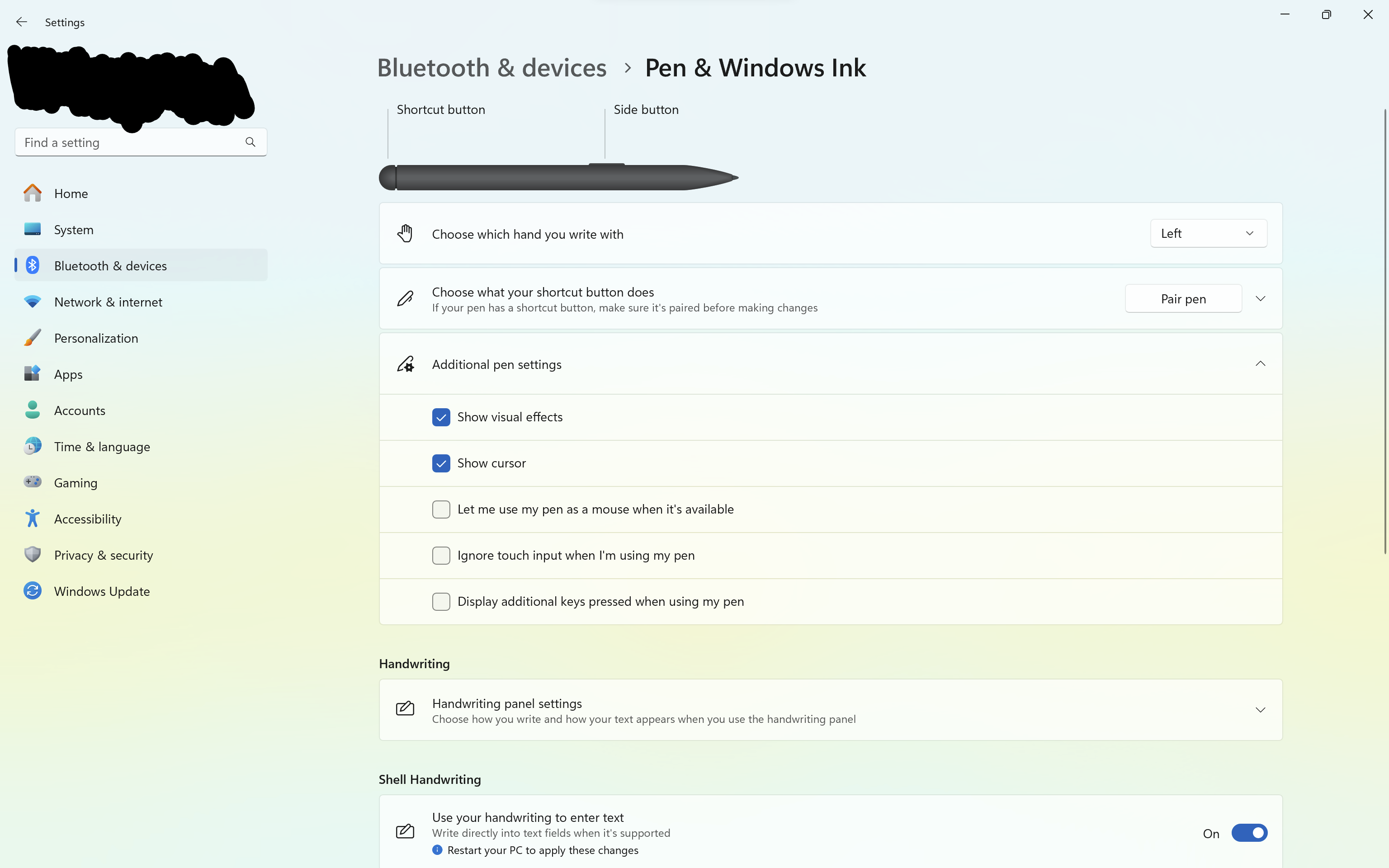
If I were you, I’d disable ‘Show visual effects’ and enable ‘Ignore touch input when I’m using my pen’.
I’d also disable Shell Handwriting because krita has quite a few text/number ebtry fields.
If there is anything called ‘Flicks’ or ‘Gestures’ then I’d disable those as well.
All the bells and whistles generally cause nothing but problems.
Krita does what it’s told to do by the operating system, which listens to the various peripheral devices using their device drivers.
If the popup menu is appearing then krita has been told that there has been a right-click or a One Finger Tap, by some means or another.