So today my partner sent me .clip file so i have to try clipstudio. Good thing today they are no longer stingy (not allowing free trial user to save file).
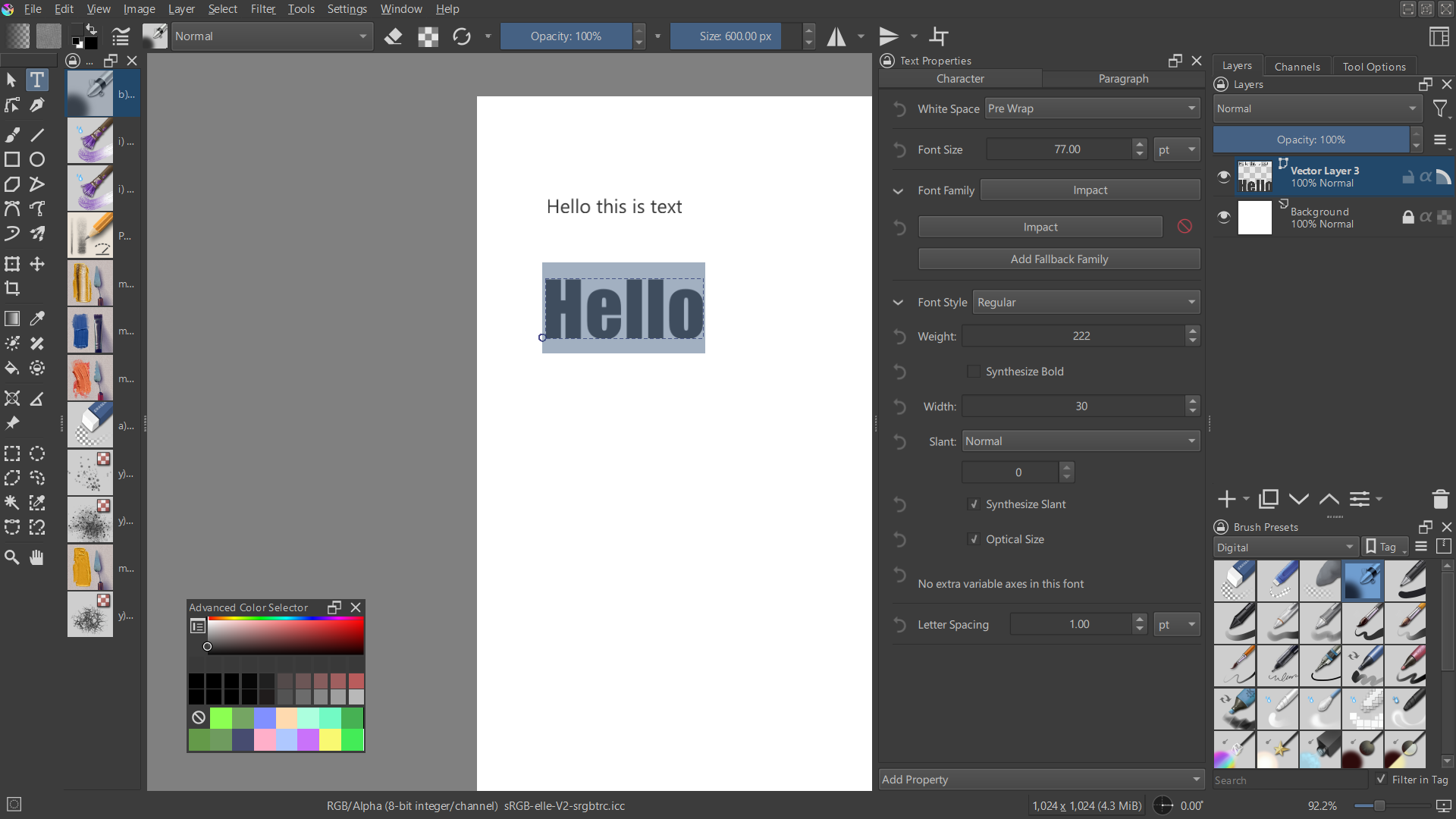
It looks like this in Krita 5.3 prealpha (it can be downloaded on krita.org - go to download and seach for Krita Next nightly builds).
Notice the button at the bottom of the new text docker (it’s called “Add property”). Hidden in that one are many more text / font options you can add to style your text.
Not everything is working yet and there can be bugs in what is working, but it has matured enough to test what will come to Krita 5.3.
EDIT:
If you want to test the Krita Next nightly, make sure to backup your resource database before doing so. Read this thread that includes background info regarding text development.
Read this tut about how to make a complete backup of your current Krita setup (can be used to reset Krita to default state, but also to backup your current Krita so you can test a new prealpha version) - information valid for Windows.
that already looks usable, though i wonder if the text docker can be minimized even more. At this stage it took so much screen real estate. Or is it just you making it as that wide?
You can resize it like other dockers. But because of the horizontal layout of some of the ui items you get the usual cropping issue when the docker is to narrow.