
This plug-in causes me a hand cursor bug over the brush. It only goes away by clicking on the plug-in. I also had problems using it with a tourbox controller, but now I’m using a doio Macropad which is working fine with it
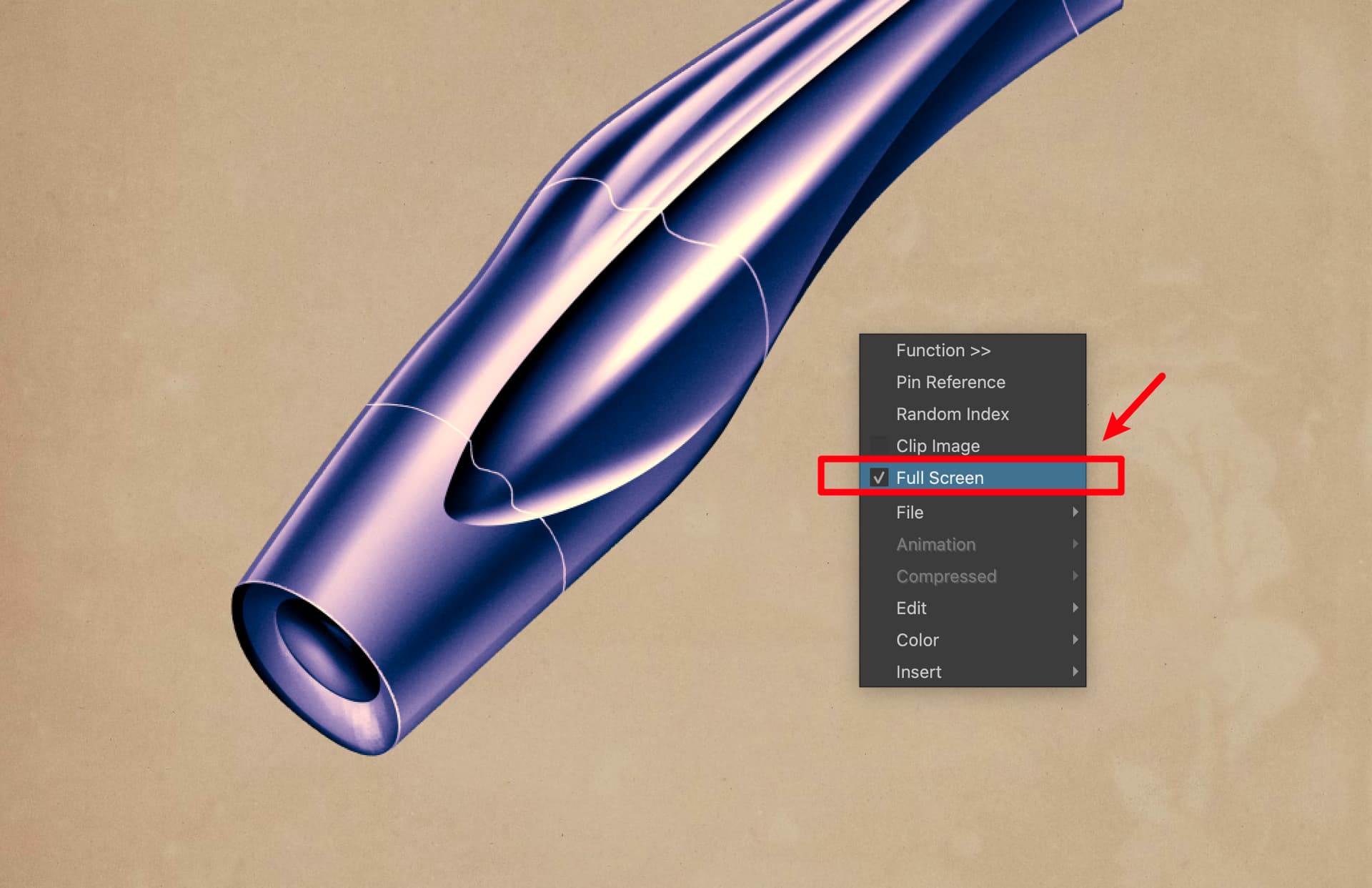
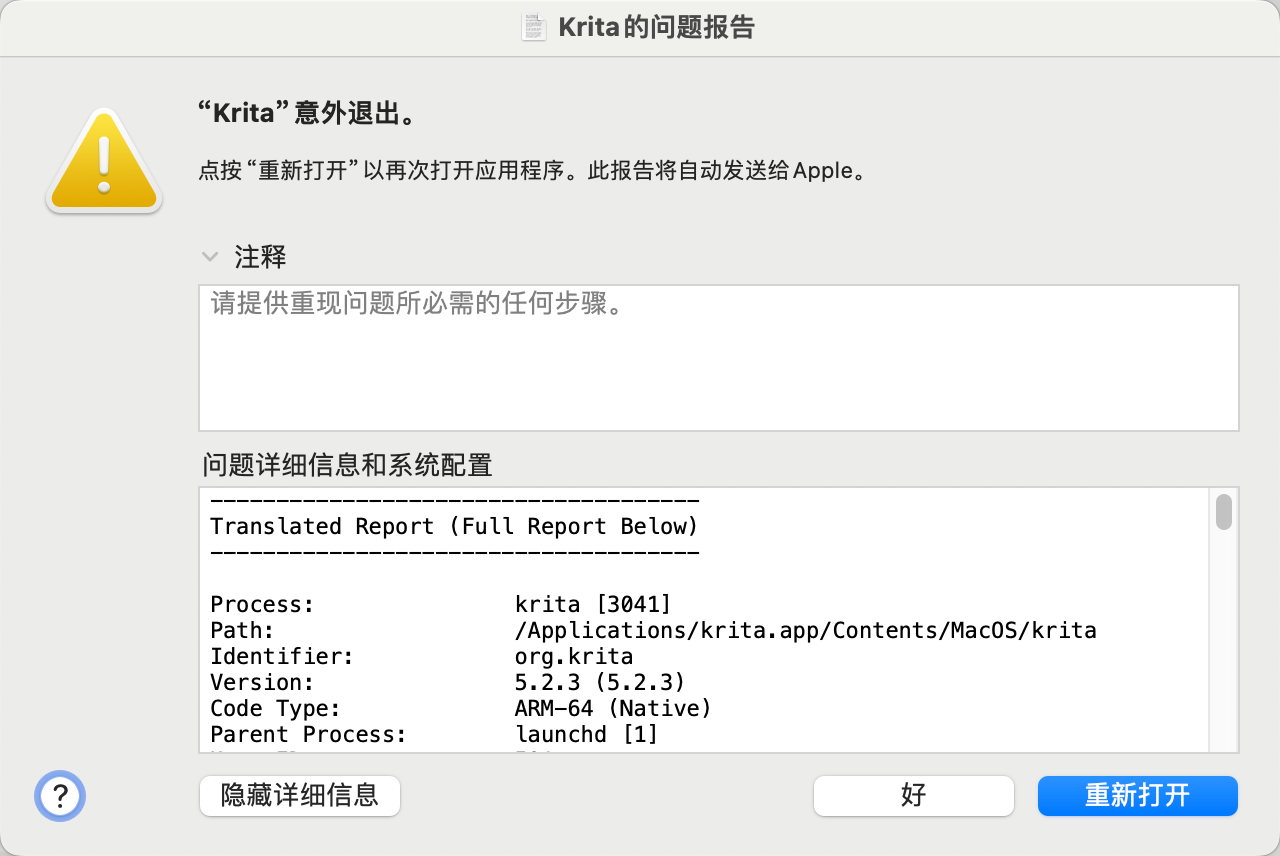
When I cancel full screen display, this plugin causes Krita to crash, forcing me to restart Krita. What is the reason for this? My Krita version is 5.2.3 and Mac Sonoma 14.6.1
Hello, is there any way to replace the zoom shortcut? I mean instead of Shift + Right Click use Z + Left Click.
that will interfere with Krita own shortcuts. so no. if you want you can set it up but you need to assure the Z key is free on your Krita instance.
Ah I understand, ok then how do I change the shortcut? Do I have to modify something in the plugin?
I kinda made it easy to change because I tested quite a bit of combinations but I did not expose the variables for changing them. but still I don’t recommend doing changes without a back up.
but my system is always the same the imagine_board_modulo.py file contains the instructions for a given widget. Then on the #region Panels you have a bunch of classes and change the ones you want. if you never did something you want the mousePressEvent or mouseMoveEvent or mouseDoubleClickEvent or mouseReleaseEvent . Please do mind you need all of them for a single click.
the zkey in Qt is Key_Z but it might need a Qt. before or some variation of it. I never use it because of the conflict it causes with my shortcut scheme so I kinda forgot the correct nomenclature before it or if if it even needs it.
Also I recommend using an IDE to read the text properly. I use VsCodium but VsCode also works. Otherwise you will just see walls of text and get lost easily.
1 Like
Hi there, as developer and user of Touchify, I have found great usage in this plugin, however find it lacking basic touch gesture functionality keeping me from using it to it’s fullest with exclusively a stylus. I’m here to make a feature request for you to add some basic touch gestures like zooming, scrolling, panning, etc.
don’t have the hardware to develop for it.
yet I do… perhaps we could do a collaboration. I recently merged reference tabs into my plugin and implemented touch gestures that probably could be borrowed for your plug-in.
Thank you for the offer but I will have to decline.
Without the hardware I can’t test it to give my guaranty to it. That it is working as intended.
The code is no problem I already had implemented it before but saw nothing of course so I took it away. Was it really working properly was it causing conflicts? No idea.
You should only need the stylus and the keyboard. Touch will not open gates only redundancy to the same things.
You install plugins in Krita by clicking on “Tools” >> “Scripts” >> “Import Plugin from File” and in the dialog that opens, select the file you just downloaded, confirm the selection, then confirm Krita’s activation request and the message that the plugin is installed, and restart Krita.
If you missed letting Krita activate the plugin during the steps above:
Then you have to search in Krita under ‘‘Settings’’ >> ‘‘Configure Krita’’ >> ‘‘Python Plugin Manager’’ for the plugin you just installed and activate it by checking the box in front of it. Then confirm with “OK” and restart Krita a second time to be able to use the plugin.
Michelist
Update:
- bug fixes
- minor tweaks
Bug Fixes
found a curious setting configuration that would cause a bug and fixed that and it needed a small restructure that changed information flying around. if there is another setting that creates a new error from overlooking it tell me about it
Now closing Krita halfway an operation also now does not break it and cleans it properly. sorry about that oversight.
Minor Tweaks
Now you can refresh the board manually by going to the context menu and hitting, you guessed it “Refresh”. This is actually interesting as you are working on a project file ( say a KRA file ) you can hit update and your board will show the update you just did in comparison to other files on the board.
Also when doing the Function Operation “SEARCH COPY” you can select from what index number to start from in case you needed to stop the operation half way before.
5 Likes
If only I can zoon and drag. this could be perfect 
Why would you not be able to do it ?
Check the wiki see the list of camera commands.
1 Like
Oh shoot, my mistake for not reading the whole wiki. It works perfectly now  and finally I found the best reference plugin.
2 Likes
I am glad you like it 
Update:
- Quality of life additions
Reference Board Lock
RMB click to access the menu to lock the Reference board. this will block edit commands to the board in order to not miss click on it.
Recursive Search
when openning a folder with Preview or Grid this option will also display images inside folders withing that folder. use with discretion!
Function rename Extension
This is not a file format conversion but a straight file name renaming change.
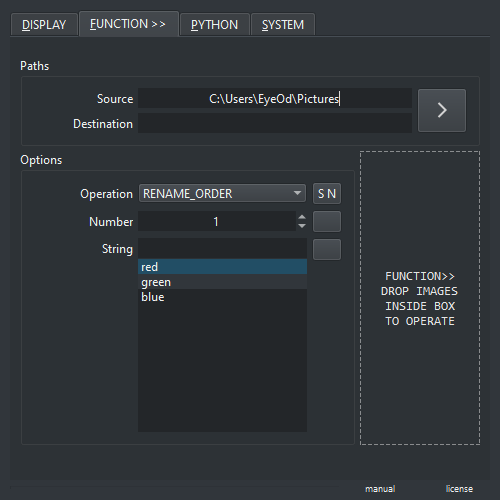
Reset Function Properties
Reset buttons have been added to the Function tab. In order to reset Operation, Number and String inputs.
Function Drop Area
Function tab now has a “Drop Area” in which dragging and dropping images inside will trigger the active operation.
5 Likes
Update:
- Fixed a display issue with the color picker on the Preview and Grid modes.
3 Likes
This is a sub-menu to reorder images when ORDER of each element is important.
What should I make more or this is enough ?
2 Likes