Soon I will release a bundle with an updated version 
7 Likes
Really enjoying this brush so far, thank you very much, my mate!
1 Like
when I try to downlaod it, its just an image, how I downlaod the brush?
hi
Grum999
1 Like
Those brushes are so good… <3
1 Like
Thanks for sharing … I got the link from @Charly61
1 Like
estimate? really hyped up!
Thank you so much! 
You’re welcome!, I hope you enjoy.
The brushes are ready, I just have to refine some things about them.
2 Likes
thanks bro, this is the best one i ever download
1 Like
Lets-a-go baby hell yeahhhh
awesome!
You can link to this pack?
When i download i get a .kpp file, and i am importing it as a preset. but i don’t get anything to show up. i’ve important .kpp files just now completely fine but when i try this it just doesn’t show up in the brush presets panel. should i be doing something special to be able to see it?
Hello @saykamachuhirik and @gaylemonade and welcome to the forum!
@gaylemonade, if you really have imported it as a file with the filename-extension KPP and imported it via ‘‘Settings’’ >> ‘‘Manage Resources…’’ >> ‘‘Import Resources’’, then you’ll find it among your brushes if you enter “d) Ink Pen Texturized” into the search-box at the bottom of the Brush Preset-Docker, be sure you don’t have selected any tag in the box on top of the Brush Preset-Docker.
@saykamachuhirik, the link to download this brush is the blue-colored text in the first post of this topic below the picture shown there. Some browsers tend to rename the filename-extension of Krita brushes from *.KPP to *.PNG, to import these brushes you have to manually rename this filename-extension back to KPP. In case you can’t see these filename-extensions, you must enable the view of them in the Windows-Explorer-menu “View” that is shown in the upper part of Windows-Explorer, it is a checkmark-box where you have to set the hook (checkmark) in, to be able to the these filename-extensions and hidden files and folders.
If you need further support, then please feel free to report back with a brief description of what you have done so far.
Michelist
There are no problems with the extension. But there is a problem with importing the brush into the program. I’m trying to import it but it doesn’t show up in the list of brushes.
i’ve got all that right. and i’ve done this several times before succesfully. however even though i am searching it just isn’t there. i’ve also attempted to redownload and import it multiple times so if it was actually doing it i would see a very apparent long list of duplicates.
i don’t get any error when i do it, i’ve restarted my program and my computer, and it just lets me import seemingly nothing. is there some more manual placement of the file i could do? i was attempting to do that unsuccesfully.
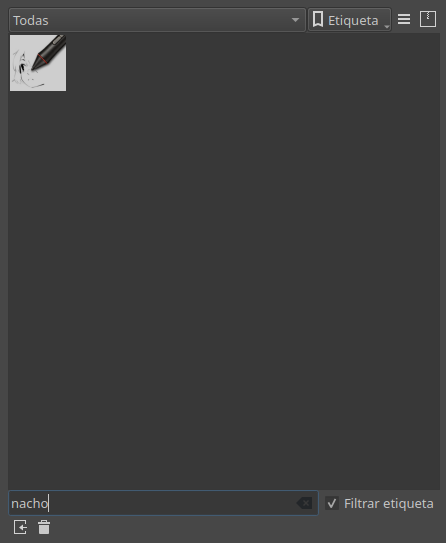
I’ve just redownloaded the brush and did install it without issues on my side.
Did you enter the name I gave you in my former post into the search-box as I asked you to?
Another way to install brush-presets in Krita is to open the resource-folder via ‘‘Settings’’ >> ‘‘Manage Resources…’’ >> ‘‘Open Resource Folder’’, in that dialog open the folder “paintoppresets” and then open another Explorer-Window and search for the downloaded brush-preset to drag the “d)_Ink_Pen_Texturized.kpp” from there into the folder “paintoppresets” from the first opened explorer window, after you have done that close and restart Krita and then try again to search for “d) Ink Pen Texturized” without the quotes and without the underscores of the downloaded KPP, if you’ve done everything right it has to show up.
Michelist
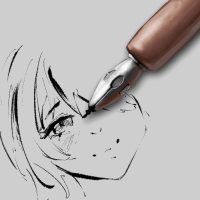
The Nacho Pen is not the one from your opening post, that looks like this (d)_Ink_Pen_Texturized.kpp):
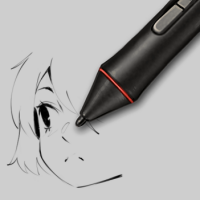
This is the Nacho (b)_Nacho-Pen.kpp):
Michelist
1 Like
