i would think maybe having a ton of them would stop it, but even the nacho won’t work with just one copy of it.
That should not be the case.
I have a Krita installation for testing purposes, this installation holds over 4500 brush presets, 11000 gradients, thousands of brush tips, and many other resources, and I can find every single preset in that installation, the resource-DB, e.g. “resourcecache.sqlite”, has more than 13 GB.
And your screenshot shows only one copy of d)_Ink_Pen_Texturized.kpp and b)_Nacho-Pen.kpp, so there seem to happen a strange thing on your side, but I can’t imagine what exactly.
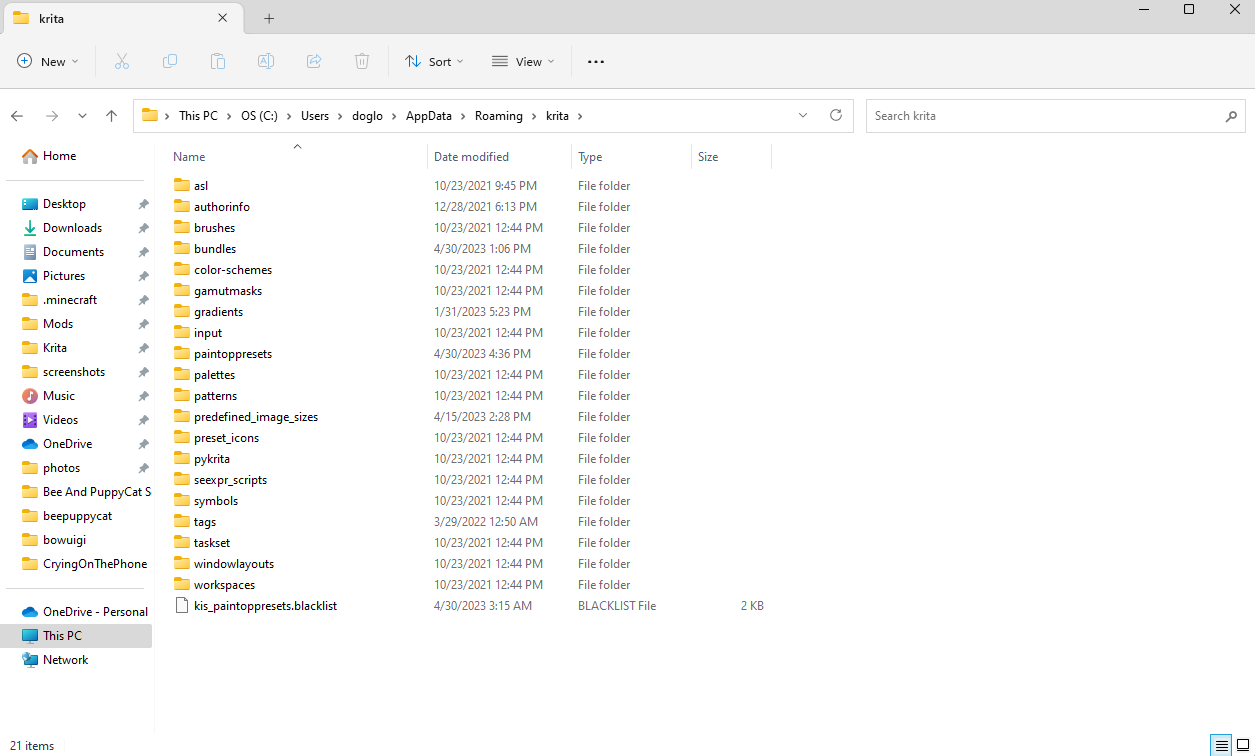
But there is one thing you can test. Close Krita and open Windows-Explorer and go into Krita’s resource-folder, at the end of that folder is your resource-database “resourcecache.sqlite”, please rename that file to “resourcecache.sqlite.old” or move this file to a different folder, desktop or download, for example. After you have renamed or moved this file, you can start Krita again, and it will rebuild this file from scratch, then you should find the d)_Ink_Pen_Texturized.kpp and b)_Nacho-Pen.kpp among your other presets. If they don’t show up, then you should remove the new created database and rename or move the original one back into its old place/name, again this only works if Krita is not running.
Michelist
i can’t find that file what would the directory be for it? would it be the same file location i went to for the painttopresets folder?

most of these folders are entirely empty which makes me think im at the wrong location
Oh sorry, it was late and I didn’t notice xc
Delete all copies of “d)_Ink_Pen_Texturized” from the “paintoppreset” folder and delete the “resourcecache.sqlite” file from the outside folder, so that Krita will rescan the resource folder.
@gaylemonade The resourcecache.sqlite file is at the bottom of the listings, below all the folders.
You haven’t shown a full screenshot of your File Manager window so it’s difficult for anybody to understand where you are and what you’re doing.
I’ve just downloaded it from the googledrive link in the first topic post ( d)_Ink_Pen_Texturized.kpp ) and imported it by Settings → Manage Resources → Import Resources.
It then was in my Brush Prests docker and I found it by typing “ink pen” in the search field at the bottom of the docker.

What version of Krita are you using? The brushes only work in version 5, from what I see you seem to be using version 4.
I’m actually having the same problem!
I’m using Krita version 5 and as far as I can tell the only files that have been accepted as new brushes or brush bundles have all been PNG. My Krita seems to not even detect files that are kkp for some reason. And when I try to install _Ink_Pen_Texturized as a PNG it doesn’t actually get added to my brush list even though the program does detect it.
Which is very sad because this brush looks awesome 
 Hello @Sarandea, and welcome to the forum!
Whose problem are you having, exactly? Here were more users describing issues.
Please tell us which operating system and which version of Krita you are using. And please note that this brush preset only works in Krita 5.x or later, so if you use Krita 4.x or an even earlier version of Krita you have to update it to Krita 5.x in order to use this brush preset.
That would make me wonder. Okay, a brush preset is literally a PNG with the settings making it a brush preset added in its metadata, but it has to have the file name-extension KPP to be accepted from Krita as a brush preset.
The usual issue with this brush is that some browsers think they do us a favor renaming the downloaded file “d)_Ink_Pen_Texturized.kpp” to “d)_Ink_Pen_Texturized.png”.
If this is the case for you, you only need to rename it back to “d)_Ink_Pen_Texturized.kpp” and can import this brush preset via ‘‘Settings’’ >> ‘‘Manage Resources…’’ >> ‘‘Import Resources’’. After the import via the described way, it will show up between the other brush presets.
And Krita does this right! It would be a wonder if it does, because the correct extension is KPP, not KKP! So, with KKP it can not work.
Michelist
1 Like
i am very new to this app and i want to know, how do i dowload the brush set.
really like this brush design and definitely one i am looking for-
- you download the file provided, depending if its a .zip you will have to extract it, this time you wont have to.
- open krita.
- click on “settings” and then “manage resources”.
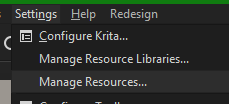
- click on “import resources”.
- find the brush file you have downloaded and import it.

3 Likes
Hello @BluewiffENT, and welcome to the forum!
You need to download this brush via the blue highlighted link to its Google Drive location in the opening post of this topic, i.e. the file “d)_Ink_Pen_Texturized.kpp”. Everything else you need to know is in my post just above your first post here. So, what you have to do if your browser renamed it to “d)_Ink_Pen_Texturized.png”.
If you have further questions, feel free to ask them here in an appropriate category in a topic you create yourself.
Michelist
3 Likes

What version of Krita are you using?,
How are you importing the brush?
1 Like
hi, uh, why I can’t import this into krita? I’m pretty new here and can’t import anything beside bundle files.
still workin on it?
In fact the brushes are ready, I’ve just been a bit busy with work to make the bundle, I even have the examples ready.
2 Likes

