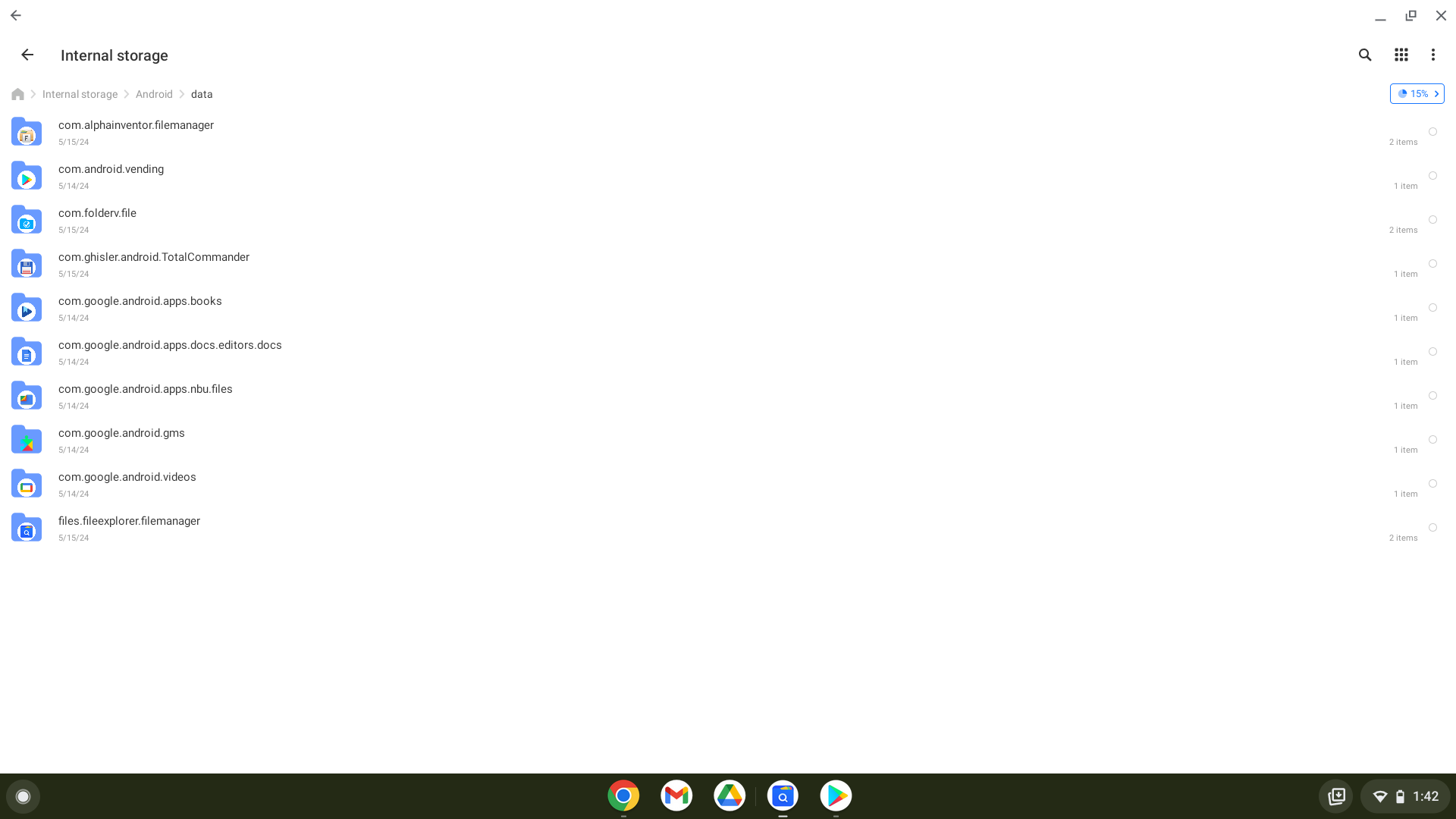
For some reason the I’m not seeing the “org.krita” after going to android then data
Well that probably explains why yours is crashing.
First, I noticed your ChromeOS version is at 103, is your chromebook past its updates? Or is it cause of the reset? If you can update it, make sure it is on latest version
As for why your folder is not being made, are you by chance out of space?
It’s past updates and it has 20.7 GB available. Is it being past updates the issue?
It generally shouldn’t be, but anything is possible. Try maybe wiping data or reinstalling and see if that does anything
Just to be clear you do see others in there, but nothing with Krita in it? Just in case I double checked mine and it is there
That said, I in general wouldn’t suggest using a computer hooked up to the internet that isn’t getting security updates as you risk your computer being exploited. Maybe consider the possibility of running linux on it? (There is also chromeos flex but I’m not sure it can run android apps)
Edit: Wiping data of the app, just to be clear
I hardly use the chromebook for anything but drawing and youtube so im not too worried about being exploited but I’ll keep that in mind. I’ve also been considering running linux tho I’d have to do more research on it before committing.
I already wiped/powerwashed/reset my chromebook earlier and still ran into the same problem of Krita crashing on startup. Here’s what my files show when going to andriod-data
Can you install another android app, see if it shows up there?
And I mean try uninstalling krita specifically and reinstalling, and wiping just krita itself and nothing else
Edit: Also, do you use a stylus?
I’ll have to check those in the morning. It’s running late for me. Thank you for the help and patience so far, it’s been greatly appreciated!
Alright so as you can see on at the bottom I downloaded Ibis Paint and it showed up there. And yes I use a stylus with the huion model gt-133 drawing tablet

You are going to have to use ADB to see the issue you are having then, here is instructions on how to set it up:
Once you enable ADB, under Deploy from ChromeOS, follow the terminal instructions (no need to install Android studio)
1 Like
It’s a problem via the Google Play store but it could be the other one to bc idk what an f droid repository is
F-Droid is another App-Store for Android, and it offers FOSS (Free (and) Open Source Software) like Krita, you probably have to use the side-load variant to get it, at least if you aren’t tech-savvy.
Michelist
1 Like
Tried this but apparently my Chromebook is too out of date even for that to work. Says only chromebooks from 2020 onwards have that ability for ADB while mine is from 2018. Seems like it might just be a case of my chrome book being too old now
If that is the case, then going into developer mode may be the only option (which will again reset the chromebook)
Hola, me sucede lo mismo pero con una chomebook me sale el siguiente error: “La aplicación ha causado un error grave y no es posible continuar”
Y se cierra la app. Ayuda!!
Hello, the same thing happens to me but with a chomebook I get the following error: “The application has caused a serious error and it is not possible to continue”
And the app closes.
Please help!!
Hello @Alan20asa and welcome to the forum 
I’ve moved your post to a topic that deals with this problem on Chromebook and Android. Please read the topic to help you understand the situation.
Also, check if the Google Play Store has the update that you need.
Hello, with a chomebook I get the following error: “The application has caused a serious error and it is not possible to continue”
And the app closes.
Thanks, I already updated the version, and that’s where the problem occurred.
Can you confirm what version you are on? Does it say 5.2.2.1 or 5.2.2?
I have 5.2.2.1
The last update was on april 30th, 2024
Just to confirm, you are on latest version of chromeos, I think 124? And you are on x86 or on ARM based chromebook?