Thank you for the hard work made on this release. I’ll be updating right now!
As I added it already to my bug-report:
The fixed setup-file “krita-x64-5.2.0-setup.exe” is now downloadable via Krita’s homepage and as well from Jenkins.
This means FFmpeg is now included.
Michelist
3 Likes
congrats on the new release!
Hi I have removed my krita user´s folder, and also deleted all the /local krita related files So i think is a new Krita from scratch. Where are the buttons for undo or redo if I move a swatch?
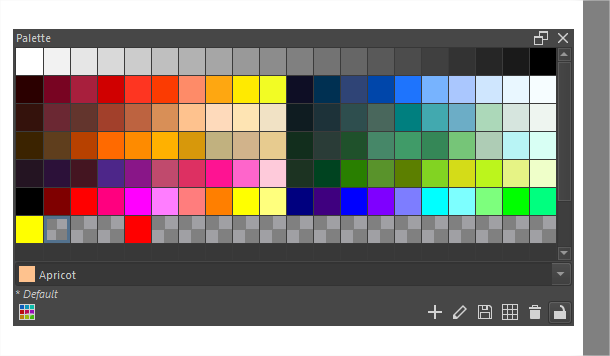
Hello @RamonM, I didn’t know there were undo/redo buttons for actions performed when modifying a palette.
Did they used to exist?
1 Like
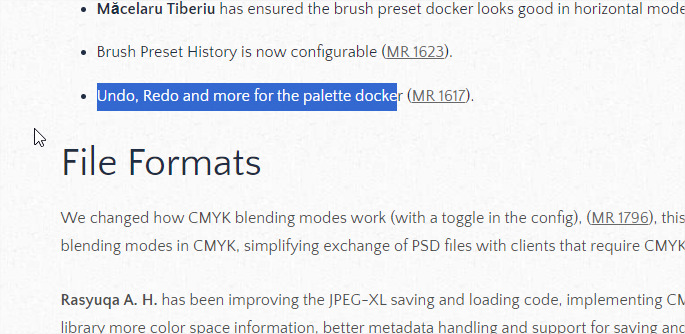
Not in the past. but this is from release notes. Users will read the text in the release notes, not the MR because the MR looks like development document,
2 Likes
I need to catch up and learn about the amazing new facilties 
Undo/redo for palettes was implemented, but the buttons were hidden pending a UI redesign. The release notes probably should’ve reflected that only the lock button was actually added.
3 Likes
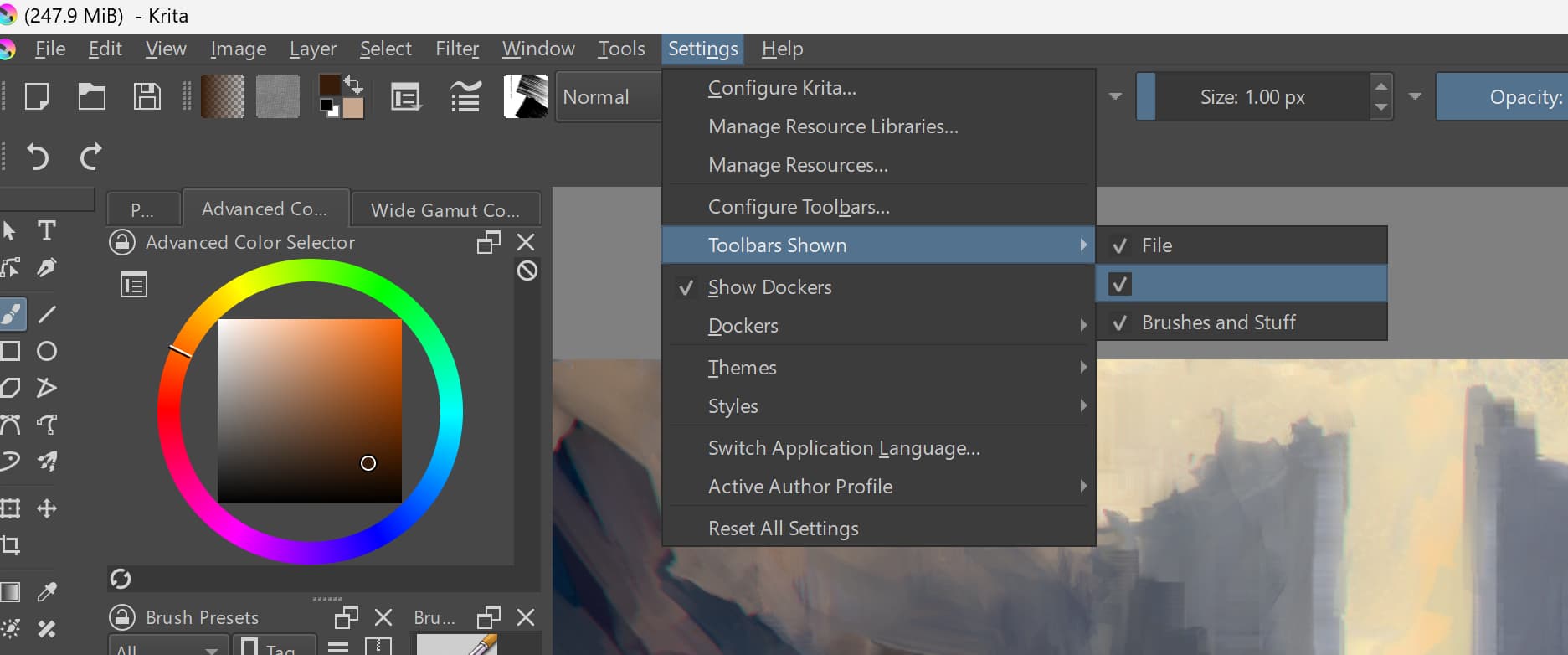
Now it seems that Krita 5.2 has 3 toolbars. (I love it). But Tool bar for undo-redo, doesn’t have a name. Maybe we can call them Toolbar 1, Toolbar 2, Toolbar 3. ?
Verified Version changes . It seems more than numbers has changed? 5.2 (left) 5.1.5 (right)

Edit> Changing numbers in a previous kritaxmlgui (5.1.5) doesn’t work. to make appear the new feature. A patch please ? or then we need to recreate the xmlgui again in Krita folder.
This is important because users have complex resource folders with a lot stuff inside and customized toolbars :S
1 Like
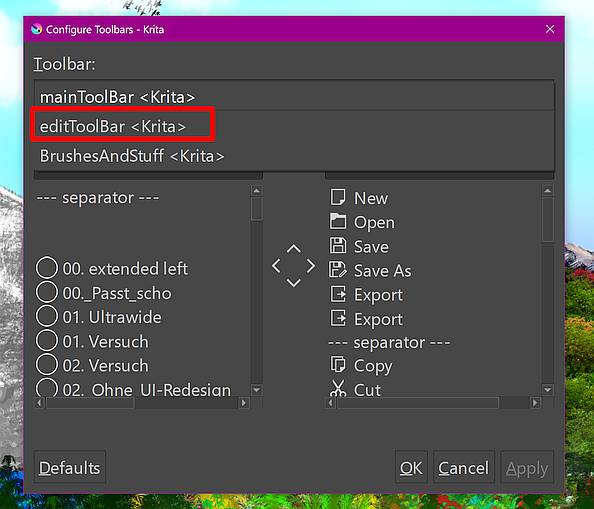
It has the name “editToolbar”, unfortunately it is only shown in the “Configure Toolbars…”-Dialog.
Michelist
1 Like
I try to setup it but it say that I can’t remove the beta version, I also can’t uninstall the beta version , can someone help me? 
@Pui_Xi_3000
Which operating system? (Windows, Android, macOS…)
Can you please provide a screenshot of the message?
Which website are you getting the 5.2 download from?
1 Like
Sorry I just fix it never mind , 
I restart the window and successfully uninstall it ,sorry for not trying another way first 
1 Like
So, this problem is very subtle, when I change tools, either by shortcut or by clicking on the tool, in version 5.2, in the middle of changing tools a prohibited sign appears where it does not allow me to interact with anything in krita until it disappears, that’s it. only 0.5 seconds, however this time adds up, if you press several quick shortcut keys like “V” which changes the brush to a straight line, the program may even crash, does anyone know what could happen, and yes, this does not happen in the krita 5.1
Moderator add from later comment:
Windows 10, I’m a Steam krita user, but it also happens with the one installed via the web
1 Like
Hi @RexBucket Thanks for reporting this. I moved it to the 5.2 thread. I saw you tagged it as a Windows installation. Are you on Windows 10 or is it 11?
Wide gamut color selector - Windows
some issues i’ve found so far:
- Hue Ring Appearance option seem to not affect the square + hue slider
- No option to turn off/hide Shade Selector
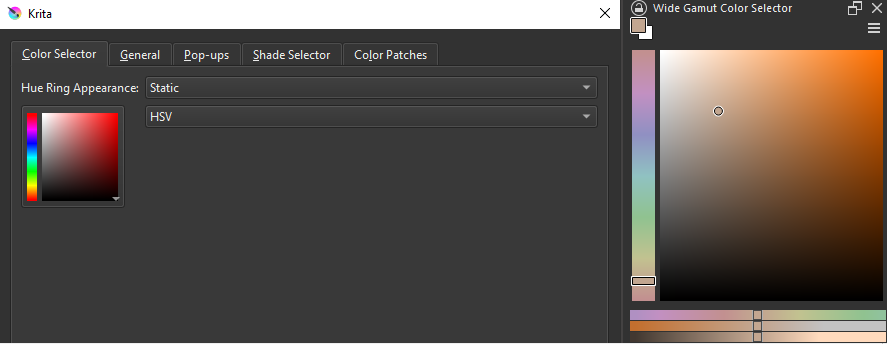
a quick fix would be nice if somehow dev team read this topic
i’ve been waiting for years for a photoshop-like square + vertical hue slider color selector, thanks
2 Likes
Welcome to the forum, @aya1. I moved your post into the thread for 5.2 where feedback is being collected.
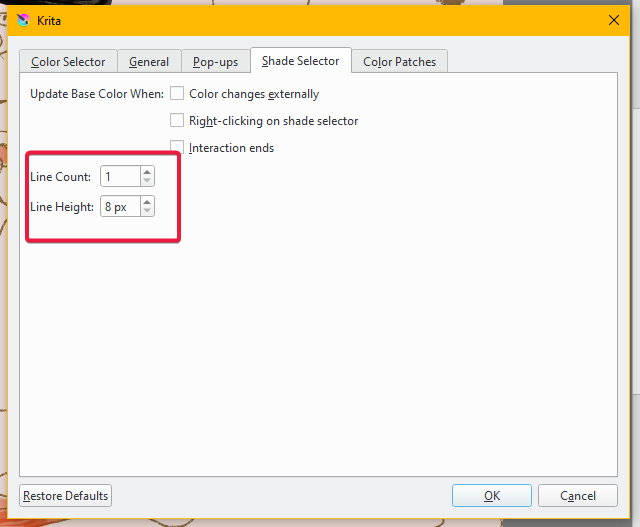
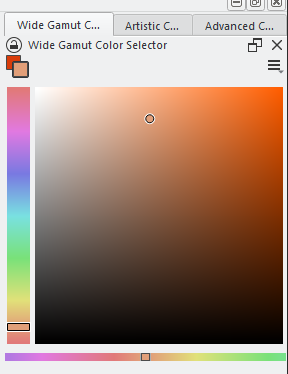
I don’t know if removing the shade selector in the Wide Gamut Color Selector is planned or not, I haven’t read anything about that, but one thing you can do to minimize it is change it to 1 line and reduce the height to the minimum ( 8 px).
I agree, it would be nice to have the option to remove it completely.
1 Like
I want this too.
Also, static edge doesn’t work for slider+square color selectors. I’d like it to have it for them too.
1 Like
Keyboard shortcuts that includes the “Alt” key doesn’t seem to work anymore. Like, I’ve always used “Alt”+“[” and “Alt”+“]” to activate previous and next layers, and I use “Alt”+“M” to mirror my canvas. When I try to rebind new shortcuts, the Alt key isn’t being read at all.
I’m using Windows 10. I unfortunately cannot use Krita until it’s fixed.
@Montie With the 5.2.0 appimage on Linux Mint 21, keyboard shortcuts that use the Alt key do work and I can create new shortcuts using the Alt key.
Can you try this with version 5.1.5 using the portable .zip package
https://download.kde.org/stable/krita/5.2.0/krita-x64-5.2.0.zip
to see if it’s something in krita or a problem with your Alt key.