[MetaData] Krita don't support Multibyte Language?

replace

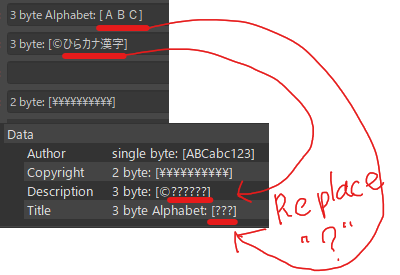
When I try to save the metadata, Japanese words are replaced by “?”.
I can save it in English only, but it doesn’t work in my language. I opened the kra file to see if the document XML was corrupted, but at that point it had not been converted to “?”. XML file is utf-8.
Is this a bug? Or is it a specification?

env: windows10 krita 5.2.2

1 Like

Hello @4Ask and welcome to the forum :slight_smile:

Where are you entering and checking those characters?

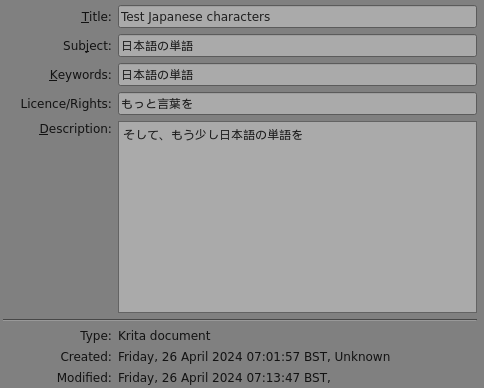
I find that the File → Document Information section can store Japanese characters:

These are saved in the documentinfo.xml file inside the .kra file.

I used Google Translate to generate the Japanese characters on a Linux Mint system.

2 Likes

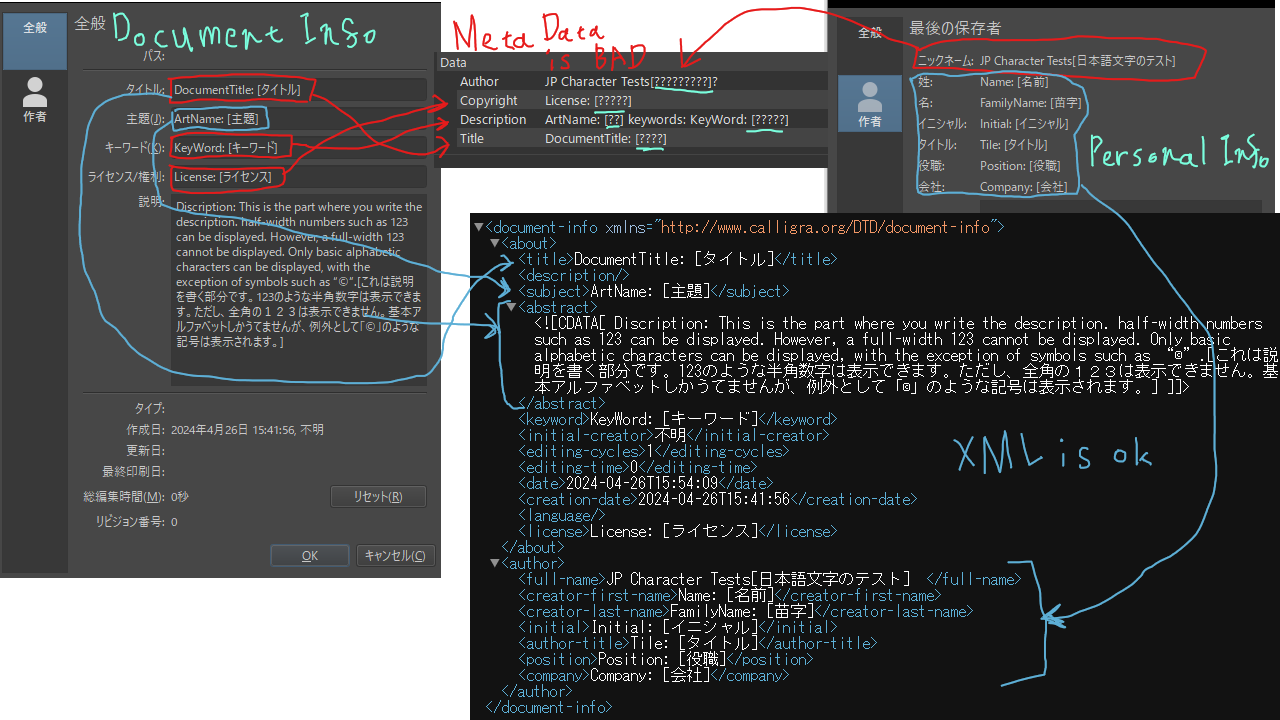
Thank you reply. Sorry for the lack of information in the image. We have uploaded an image with all the information.

I entered all the necessary information, checked the checkboxes for the output options, and exported the file. The metadata of the PNG file saved in such a way is the image in the middle. The lower right image shows the contents of the document XML in the kra file. This one was in perfect condition.
I am having trouble finding out why the embedded metadata is broken. :frowning:

Read MetaData by nomacs, ExifToolGUI

Sadly, metadata as stored in a .kra file as well as metadata exported/imported via .png and .jpg has problems.

Here is an old topic related to this:
Meta data not saved

Notice the statement by the lead developer in that topic:

In general, the metadata system in Krita is pretty old and suffers from having started out as a research project, back in 2007. I’m not surprised there are bugs…

Another:
Author's name

Another:
Exif data and how to save them as jpeg?

The manual actually suggests using an external application to view/edit metadata:
Images for the Manual — Krita Manual 5.2.0 documentation

You can view/edit metadata using Layer → Edit metadata
However, there are problems with reliable storage of it, as you have seen.

3 Likes

I read that topic and thought something had changed since I was able to save from time to time. The tutorial I read said to change the profile settings, so I didn’t know that ExifTool was recommended. Thank you for answering my question sincerely! it was very helpful.
2 Likes

This topic was automatically closed 4 days after the last reply. New replies are no longer allowed.