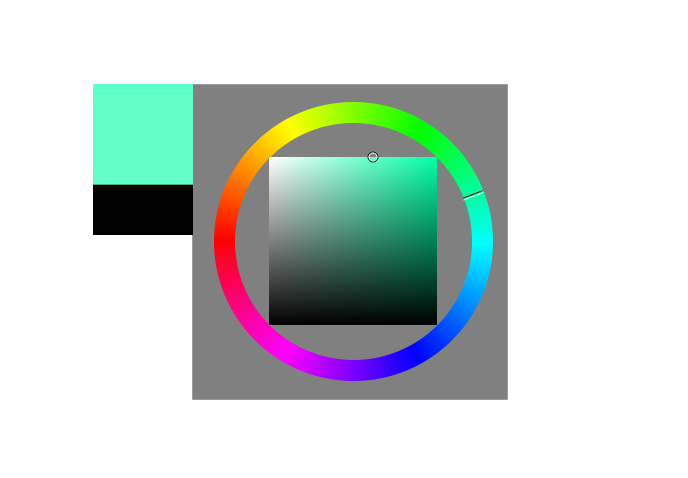
Probably one of my favorite features in krita is called “show color selector”. Basically it allows the user to open popup with color selector wherever the cursor is with just one keyboard shortcut (default shift+ i). For those who have never seen it I, made a GIF. Note that this feature is already in krita, probably for years.

Why I think it’s better than its alternatives - default docker and RMB popup?
The first one requires you to do big movements with your hand on every change in color. It’s such a basic thing for me , and I do it so often, many times before I get the right color, that it’s kind of tiring, especially with a large tablet. Floating docker on the other hand, covers a part of screen, and might cause troubles with desktop.
Popup on RMB is great, but often too small for precise pick, and forces the user to use triangle picker. So basically “show color selector” is the solution, as you can customize size, selector type, and have it pop up only when needed (it inherits the setting you would set in the docker).
But I notice that nobody really uses it/knows about it. I found it only by accident, as the only way to get to know about it, is to find it in keyboard shortcuts in settings or accidentally pressing shift + i (and that requires a lot of luck  )
)
What I mean, we have a wonderous feature in krita, that probably gives us advantage over other painting apps, but even regular users rarely know about it, as it is so hidden as it can be.
I have a couple of ideas how this feature could be made more recognized and enhanced:
Making it easier to find for users:
- Changing the default shortcut - for me this easily could be just ALT, as CTRL and SHIFT already serve functions of similar usefulness. Maybe SPACE, as you can pan many other ways. These, or a bit more advanced shortcuts (ALT+click) could make casual users accidentally find out about it - they already use color picker and brush size change just playing with the program.
(I guess using only modifiers requires the feature to use input manager instead of simple shortcuts, and using a modifier is a huge thing and decision to make, but I think it could be worth it. Unluckily it’s also a little too hard for me to write without any help) - Adding a button to default topbar.
I guess newcomers when starting with krita, try to push those buttons and check what they do. Maybe if one of them opened this popup, people would find out they can make it show from keyboard/tablet buttons (as you hover above the icon you get the shortcut). This is already possible to place it in topbar, and for me it would be worth it to make it a default icon.
Other enhancements:
3. Currently the popup disappears when you move your mouse out of it. For me it is actually quite annoying, as I think the default way to close it, is with keyboard input (which is already one of the ways to close it). I already found in code (kis_color_selector_base.cpp, line 314) this popup can be made to stay just by removing one line of code, that closes it (I compiled krita and it works as expected). Then there are still many ways to close it: middle mouse button, keyboard input. I don’t want to make any changes in code before approval of the community, but this seems quite easy to change.
4.I thought about making it appear when key is pressed, and hide when the key is released. I kind of made it work in code (with a very brute-force way), but right now I’m not sure if it is so much better as I thought it would be
Anyway, thank you for reading this post. I’ll make a survey to get some feedback what you think about this feature and ideas - especially this part that could be easily changed. Feel free to expand your point of view in comments.
- Never knew about this popup - probably want to try it.
- I think other alternatives to color selecting are better OR don’t find this feature interesting.
- I already use it, popup should hide when mouse is outside it, as it currently does.
- I already use it, and sometimes it hides unintentionally - I think it shouldn’t hide immediately on mouse outside of it.
0 voters
 I agree that it should be more discoverable, or mapped to something easier to reach by default! Maybe Krita would benefit from a “fun/useful tips” section on the start menu that takes you to a section like that in the Krita Manual?

 :
:
