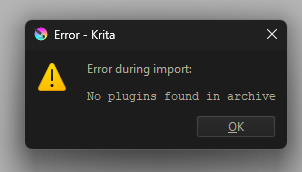
Lately it started to give me this message idk what went wrong.
It happens only with the plugin: Zen picker
Lately it started to give me this message idk what went wrong.
It happens only with the plugin: Zen picker
What version of Krita do you use exactly?
Which exact OS version you are using?
Your issue happens when you are doing what? What is the name of the plugin you try to import (if I guess right based on your screenshot)?
Michelist
Krita 5.3.0 (git 148ce5c), Windows 11, the issue happens when I import the plugin in Import python plugin from file, It happens also with another plugin. Their type is WinRAR Zip archive.
Any plugin, or only a special one?
Michelist
Have you looked inside what is in the archive file? Sometimes there is an additional directory layer where the actual stuff is in.
Two plugins from the same type I used to import, except the other one required more steps to import it into Krita and I fear i missed something while i was following the steps.
Sorry, if you do not name the plugin, we can not help you.
Anyway, I’m out for the next hour, perhaps longer.
Michelist
Yes, Two PY files, I tried to copy-past them in pykrita folder and yet didn’t work
I want to make it easier for you to help, but I’m clueless 
Take your time please, no preassure!
Meanwhile I changed the topic title to be more descriptive of your issue so it hopefully can attract someone who can help.
@Kaaivs I also would suggest you unzip the plugin archive and see what’s actually inside after you downloaded it. I redownloaded my plugin to another computer and installed it (also Windows 11), worked without any problem. It is a little far fetched, but maybe an over eager antivisus software removes content from the zip it deems harmful.
I turned it off but still the plugins don’t work at all, I don’t know about the files inside the zipped file so I prevent touching them and miss everything up  I unzipped it but I don’t know what should I do with them.
Hallo Krita Community,
I have a same Problem with Krita 6.0.1 under CachyOS after update.
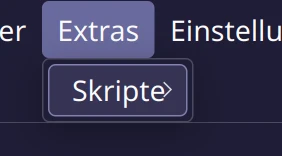
The Scripts point at the Menu shows noting!.
But the plugins are in the pykita File, and with the Krita 5.3.1 Appimage or Flatpak the same config files work!.
I think it is a Problem with Wayland or Python (CachyOS use 3.14.4!)
Use [plugin name removed] and pie menu plugin.
I hope i can help to find the Problem.
@MonteDrago:
 Hello @MonteDrago, and welcome to the forum!
Many plugins will not work in Krita 6.0.x before those who made them don’t update them to work together with Krita’s new API Qt6.
But now to another thing, you can ask here any question about Krita, art, how you yourself can achieve this or that or which brush to use for a task.
BUT we won’t answer any questions about these sucking AI-Plugins for Krita.
That has a lot of reasons and the most important for you is that our forum rules forbid that. We have had lengthy discussions about that topic, and it is a no-go here. First I link our Welcome Page which describes it in short, then I cite the part of our Terms of Service, by the way you just granted to obey them with registering with us, and below I name a few more reasons that may make you understand why we don’t accept it here.
The Terms of Service clearly describe in 5 sub-points of point 8 of our Content Standards why it is not allowed:
Content Standards
- This forum is not the place to promote or showcase AI technology. And since the legality or ethical implications of current AI technology is not yet clear we do not want to host or give space to any of the content that promotes AI use.
- Slop-Posts (posts consisting of AI generated content), no matter if images, videos, audio, texts or other media, are not allowed and will be removed. Exception may be granted for text that is merely translated from one language into another, for example because the user does not speak English.
- Krita allows anyone to create any plugin however they want but it is encouraged to disclose the use of AI when sharing them on the forum. Posts might still get removed when violating any other point of this section.
- Users are free to debate about AI in the dedicated off topic thread but when adding images generated by AI please note that we do not understand the copyright implications of those images so the post might get removed.
- If you spot AI generated content, please report it to moderators by flagging it as AI generated.
If you want to know more reasons:
It is unethical.
Some (if not many) of our users have lost their jobs because of that AI-Dirt.
These plugins are based upon the stolen works of literally all of us!
We believe that painting our own pictures is way more fun as feeding a prompt and get a computation result that may look nice but per definition never can be called art!
More and more countries have laws saying this AI-Slop can’t be copyrighted because of all its attributes/characteristics.
It is a climate killer, because generating these pixel conglomerates consumes a huge amount of energy.
And I’m sure our members can name a lot more reasons.
So, do yourself a favor and don’t ask questions about these plugins here and never post calculation results you got from these cold and death robots.
Hello @AhabGreybeard! 
Michelist
@Kaaivs You created this topic 11 days ago about the Zen Picker plugin.
At the same time, you reported and discussed your problems with it in the Zen Picker Resources topic. Zen picker - #18 by Kaaivs
This seems to be a duplicated effort that can only dilute any attempts to help you.
Is there a reason why you started this topic when you’re already dealing with it in the other topic?
Did you have it working ok before and now you’re having problems?
Did you install rust, as advised in the GitHub project notes, with no problems?
Hello @Michelist
Hello @Michelist, thanks for the Welcome.
Ok, if that’s a problem with the plugin, I can live with it for now.
But under Krita 6.x i see absolut nothing under Scripts menu!.
see: (yes i am German)
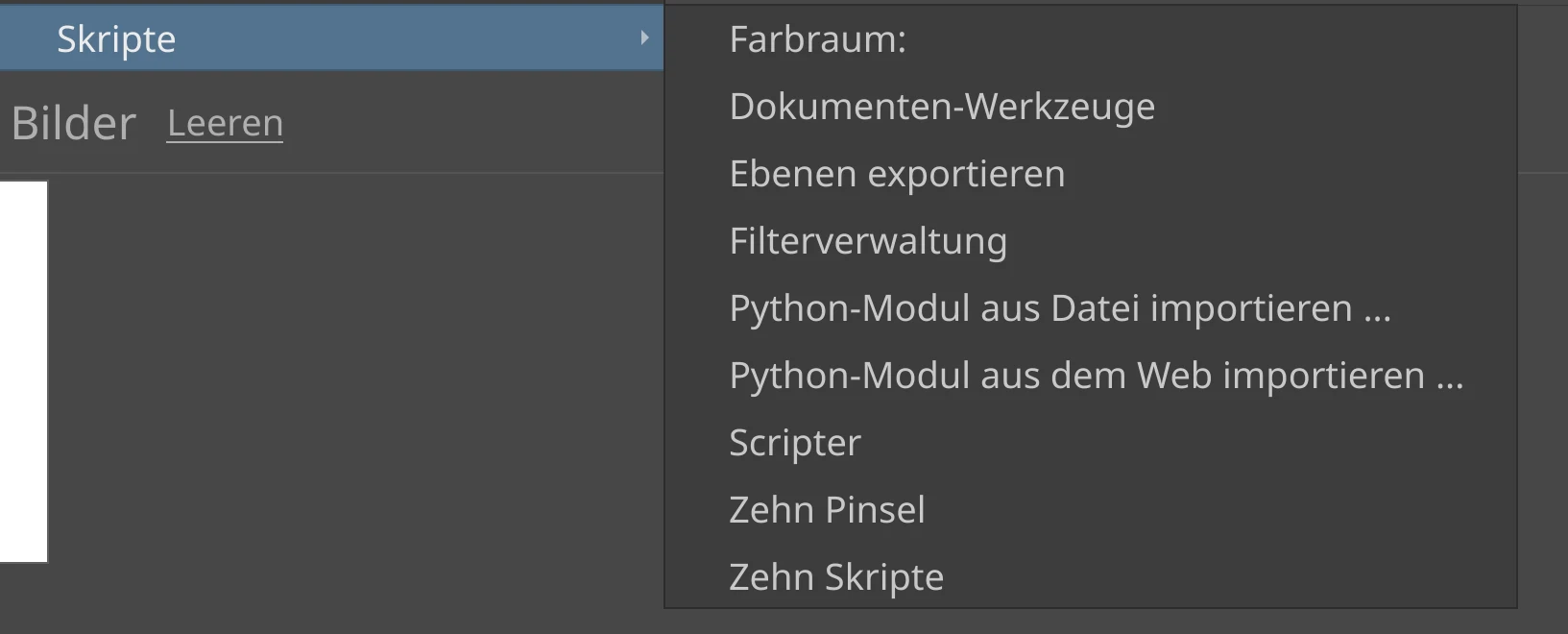
Under 5.3.1 it show this:
Is this a Problem with Python?.
I have only make a update over the Repository from CachyOS.
Sorry, but i want understand who the Problem is.
Hello,
Yea it first was two plugins were showing the same outcome Zen picker and Restart Krita, but @Michelist helped me a lot in this case—he was more working on Zen picker plugin— through the process the Restart Krita plugin perfectly fine but the Zen picker seem to need some help, so I edited because I didn’t see any need to bother anyone with it anymore.
I apologize for the mess I made, I was trying to highlight the issue in case someone is going through the same issue, feel free if you see it’s better to archive it and give chance for other cases to focus on.
Did you install rust? It is required, apparently. Or I may have misunderstood the situation with the Zen Picker plugin.
Yes I tried but the rest of the steps were confusing for me so I might didn’t do it well, However, @Michelist did amazing work he made the plugin easy to be imported like the regular plugins and it did, but if you take a look on my last feedbacks it’s in the pykritabut doesn’t show in the Dockers.
@Kaaivs: Have you checked that it is activated it in Krita under Settings > Configure Krita > Python Plugin Manager?
@MonteDrago: When under Tools → Scripts nothing is shown, it usually helps to restart Krita. This is a known hiccup with an unknown issue but a simple solution - usually.
But as I can see in your screenshot it is not broken for you right now because it shows all the standard entries.
The fact that the entries of your scripts and plugins are not shown right now is due to the same reason that is responsible for many plugins not working right now, their authors haven’t adapted them so far for being compatible with the Qt6 API. And that are a lot, and there will probably be many plugins that will never see an update, simply because their authors abandoned them, left Krita, died, whatever.
So, in the case you should be missing entries for working plugins/scripts you installed to Krita 6, then it may be an issue with your repo version, because right now I can not remember users claiming that issue for working plugins in Krita 6.
But anyway, Krita 6.x is currently not a release version, only experimental/prealpha because of too many issues that did not allow naming it a release version. Unfortunately the maintainers at Arch, who always only look at the version numbers, meant to publish it as the new release in their blindness, where it officially was marked as not to be production ready.
But at least they can claim to be the first who have major issues … 


But you should check errors on Linux always against the one and only official version of Krita for Linux first, which is the AppImage from Krita’s homepage! If it is there too, then it can possibly be a bug in Krita.
Because it is a known fact that we face every now and again with all of these unofficial community builds where the maintainers have fun to integrate new issues into Krita we can not replicate with the AppImage we use. 
Michelist