No preview for .kra thumbnail after 5.3 update on Mac

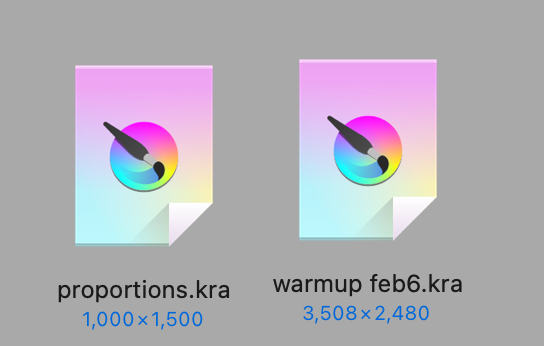
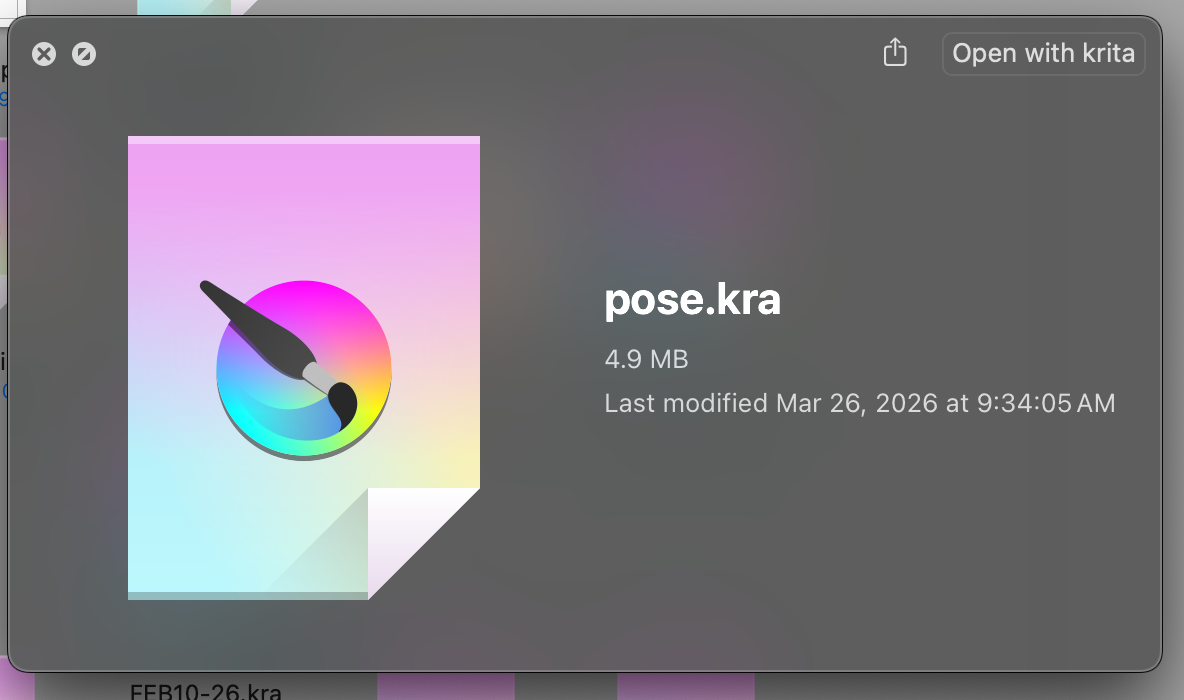
Since updating to 5.3 (improved text tool, yay) I notice that .kra files are not showing thumbnail previews again. Quick Look also isn’t working, and I see that Krita isn’t listed in the extension settings for that feature.

Before the update I was able to see previews when looking at the files in Finder, and I believe Quick Look worked as well.

I’ve seen other forum posts about this issue, so I know this is a known bug. The bug page has it listed as fixed, so I’m a bit confused why it’s reverted to not showing previews. Has the fix not been pushed to 5.3 maybe?

Any thoughts or suggestion would be appreciated. Thanks!

Details:
Mac OS Seqoia 15.6.1
Version: 5.3.0 (git 148ce5c), downloaded from the krita homepage.

1 Like

Someone else said he met the same problem after updated to 5.3. So I guess it might be a new bug and the old fix doesn’t work anymore. But I don’t have a mac so I can’t report the bug :smiling_face_with_tear:. If possible, could you please help report this bug?:rose:

Ah so it’s not just me? That helps to know.

I’ve reopened the first bug report. Thanks for the suggestion!

1 Like

Obligatory “me too!” to keep this thread afloat. However I got nerd-sniped with the info i found digging through system logs.

It appears that both Finder and Quick Look thumbnails agent are having difficulty launching krita-preview ext and krita-thumbnailer ext respectively.

Finder fails with:

Failed to begin using with error: Error Domain=PlugInKit Code=4 "RBSLaunchRequest error trying to launch plugin org.krita.krita-preview(F3086C11-<omitted>): Error Domain=RBSRequestErrorDomain Code=5 "Launch failed." UserInfo={NSLocalizedFailureReason=Launch failed., NSUnderlyingError=0x6c62d58f0 {Error Domain=NSPOSIXErrorDomain Code=111 "Unknown error: 111" UserInfo={NSLocalizedDescription=Launchd job spawn failed}}}" UserInfo={NSLocalizedDescription=RBSLaunchRequest error trying to launch plugin org.krita.krita-preview(F3086C11-<omitted>): Error Domain=RBSRequestErrorDomain Code=5 "Launch failed." UserInfo={NSLocalizedFailureReason=Launch failed., NSUnderlyingError=0x6c62d58f0 {Error Domain=NSPOSIXErrorDomain Code=111 "Unknown error: 111" UserInfo={NSLocalizedDescription=Launchd job spawn failed}}}}

ThumbnailsAgent fails with:

Launch failed with error: Error Domain=com.apple.extensionKit.errorDomain Code=2 "(null)" UserInfo={NSUnderlyingError=0xc9ecffde0 {Error Domain=RBSRequestErrorDomain Code=5 "Launch failed." UserInfo={NSLocalizedFailureReason=Launch failed., NSUnderlyingError=0xc9ecff000 {Error Domain=NSPOSIXErrorDomain Code=111 "Unknown error: 111" UserInfo={NSLocalizedDescription=Launchd job spawn failed}}}}}

Error code seemingly comes from OSLaunchdJob, because somewhere in chain of launching krita-preview, runningboardd logged:

Creating and launching job for: xpcservice<org.krita.krita-preview([osservice<com.apple.Finder(501)>:27747])(501)>{vt hash: 0}

Submitting extension overlay (host PID 27747, path /Applications/krita.app/Contents/PlugIns/krita-preview.appex/Contents/MacOS/krita-preview): <omitted>

<OSLaunchdJob | handle=695FA1C7-8E60-45A0-8CAF-6B19B5B59AF3>: submitExtension created a job

<OSLaunchdJob | handle=695FA1C7-8E60-45A0-8CAF-6B19B5B59AF3>: start succeeded, info=spawn failed, error=111: Invalid or missing Program/ProgramArguments

I’m on Sequoia 15.7, with krita 4.3.1. I don’t have account in the bug tracker, so I just dump this here. If someone do and stumble upon this wall of text, kindly please forward this to that place!

You may want to try @Grum999’s plugin Buli Commander, which I like very much.
It is a fully fledged file manager for Krita that can preview all image formats Krita can handle, you can set different sizes as well as different ways to how they are presented.

The version linked in the plugins opening post does not work anymore, but it is said that the below linked patched version runs also on the 5.3.x versions of Krita.

The plugins full description and manual is found here.


Alternatively, you may want to try @EyeOdins ImagineBoard which also allows browsing and watching files, although the main purpose is a different one, it may be the plugin you prefer, its wiki is found here.

Michelist

No, this issue is not about something inside Krita’s UI scope (i.e. what we see after when we open Krita) it’s something outside Krita, in this case, Finder’s UI, which is MacOS built-in file explorer, equivalent to the “File Explorer” in Windows. The problem is not “Preview file contents inside Krita”, but “Preview Krita content inside Finder”. BuliComander commendably serves the former, but opening Finder isn’t limited to Open/Save Dialog, I have Finder opened all the time while Krita is still closed. Other people may also find it to be more comfortable to browse in Finder first before picking which Krita file to open, and launch Krita by double-clicking the file they want to click via Finder. Krita file content preview that appears inside Finder when one clicks a Krita file comes in really handy.

To have a content preview in Finder for a custom file format, app developer must explicitly create small programs, separate from the main application itself, for it. Otherwise, MacOS and Finder has no way to display the content and simply just show generic app icon. In this case, the custom file format is obviously .kra. This mechanism for previewing content in Finder is called “Quick Look”. When one clicks once on a file in Finder, MacOS will launch the programs written to provide Quick Look preview. This happens not in just that circumstance; Finder provides alternative viewing mode, such as “Thumbnails view” and “Gallery view”. When Finder is opened in those views, the programs will also be launched, without user clicking anything. These small programs are shipped with the main application itself, in an “Application Bundle” per Apple term. So it’s not like the problem itself can be solved by some python script; it’s tied with the way of how Krita is distributed itself.

Up until MacOS 14, Krita, in most versions, had working Quick Look implementation. However, after MacOS 15 (Sequoia), Apple decided to remove a component that Krita depends on to generate the the Quick Look preview, thus the implementation went broke. As a result, for a while MacOS users would be greeted with generic Krita icons for all the Krita files, instead of their beautiful artworks contained in it.

However, Krita 5.2.13-5.2.14 again has working Quick Look implementation. But somehow, after 5.3, the implementation is broken again, so this is a regression. The intent of my last post is to help core maintainers in triaging the regression, all so that the fix can land soon :slightly_smiling_face:

I guess I’m getting too old for support, since I overlook things more often these days. :upside_down_face:

Michelist

Hi kritabetterthancsp, thank you for looking into this! I’ve posted your findings to the bug page.

And thanks for the suggestion Michelist, it’s good to know about alternatives options for file management.

1 Like

This topic was automatically closed 30 days after the last reply. New replies are no longer allowed.