you wrote the same exact thing I did though 
and the double click is there and it works too so it will persist on the manual. if your unable to double click that is a issue that does not relate to me.
I was with a weird idea the other day and started working randomly on this.
How does the ard lock hue variation seems to behave compared to the others?
All colors start from the same value of red.

1 Like
Update:
- Features and Quality of life
Link:
Background Color Hide:
Hover with the mouse over the Color display to see the Background color widget pop up into view, and then you can click on it to swap it out if you want.

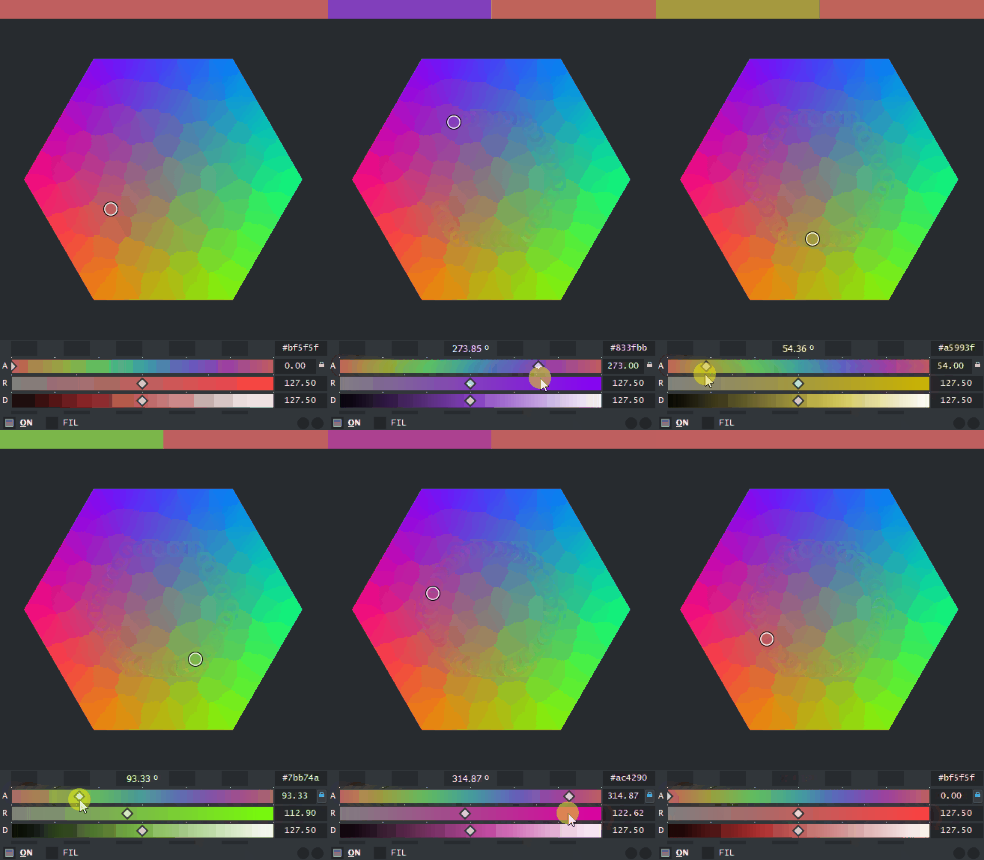
ARD LOCK:
in the ARD channel you can lock the Angle to make it move around differently. Changing angle will affect the amount of ratio at the same time with the lock.
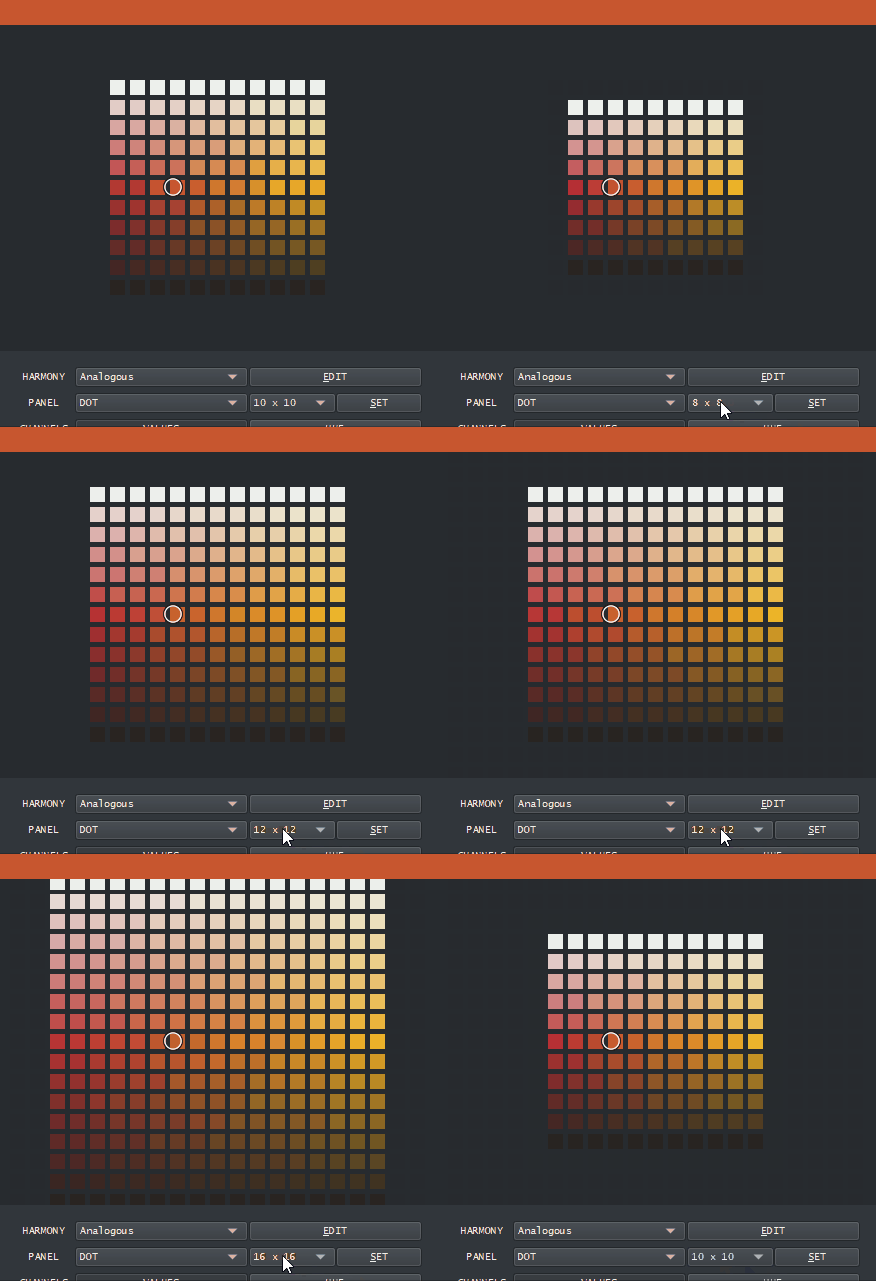
DOT Panel Amount of Divisions:
In the settings of the DOT panel select from 2x2 up too 20x20 divisions.
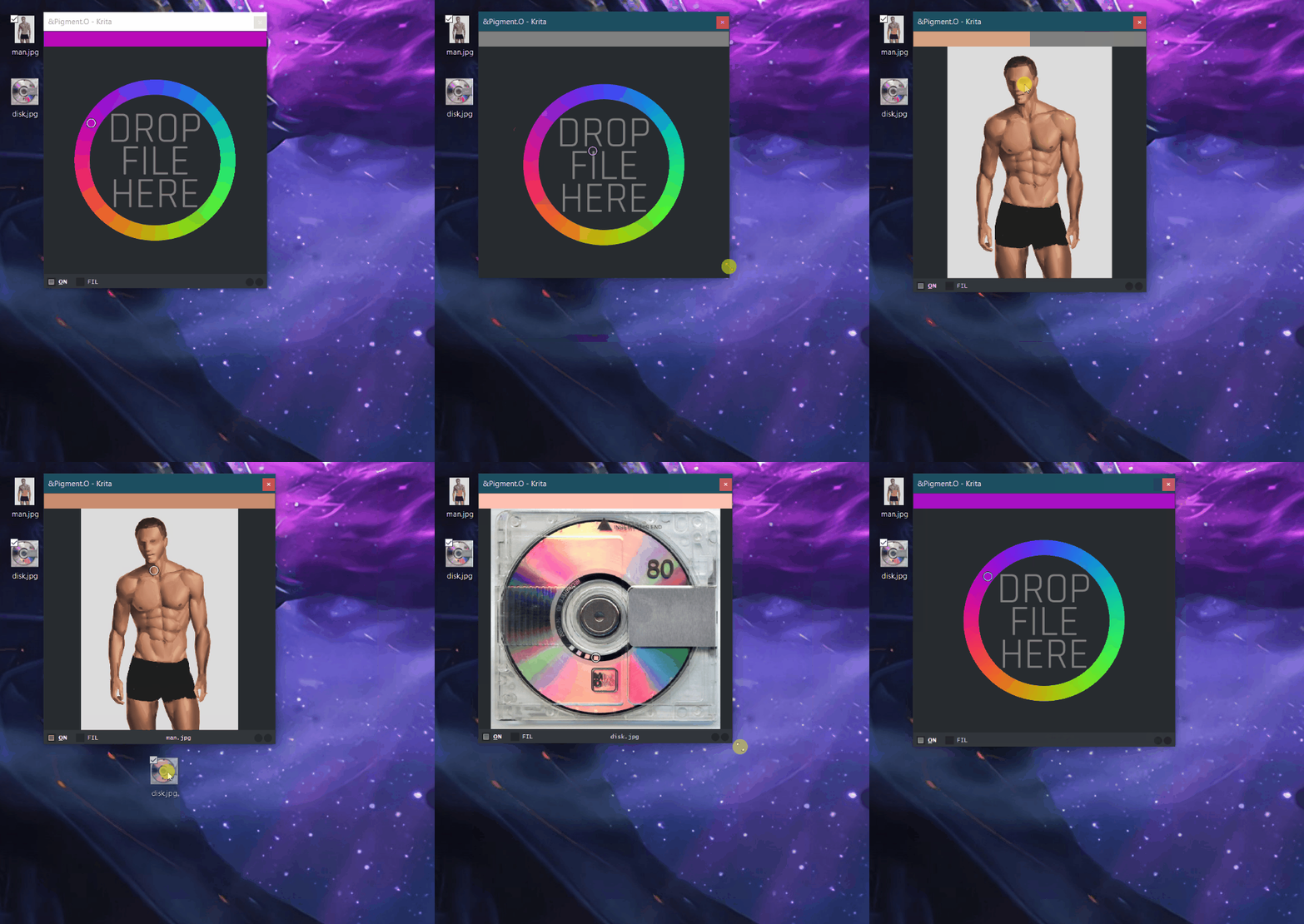
IMG Panel:
This new panel is just a image viewer you can pick a color from by clicking it, comes with a default file to click on. Pressing any modifier key and clicking will clean the image and revert back to the default one. You can use the Path button in the settings to open the OS file explorer to select a file or you can just drag and drop the file into the panel. If you can’t use something correctly because your on Linux or Mac send me word and I will try and fix it.
Honestly I am releasing this now because I will forget what I did soon.
Internally it is all messy with the stuff that is not complete inside but the features that I presented should be complete if there is not a usability issue somewhere.
10 Likes
I did a nano mini micro tweak to the UI.
It seems people in Linux Mint were having issues because the font was too small.
I was digging around and found 2 widgets that were propagating font size down the stack. I deleted it and now the font is now one font unit size bigger  What this means is that Pigmento uses Krita’s font size as it should have been doing in the first place.
But this little change makes me anxious since Linux makes fonts a bit bigger than Windows and then letters might not fit inside the widgets. In Windows they are still fitted but considering Linux I can’t guaranty it will be inside on some distro. Someone will have to say if it does not fit later on.
4 Likes
Hello, I try to add krita’s HSY algorithm and do gamma correction. Most of the time, the numerical error between the pigment.O and krita’s color picker is small, but sometimes it will be large. I think this is caused by gamma correction operation. Is there any way to reduce this error? Thank you!
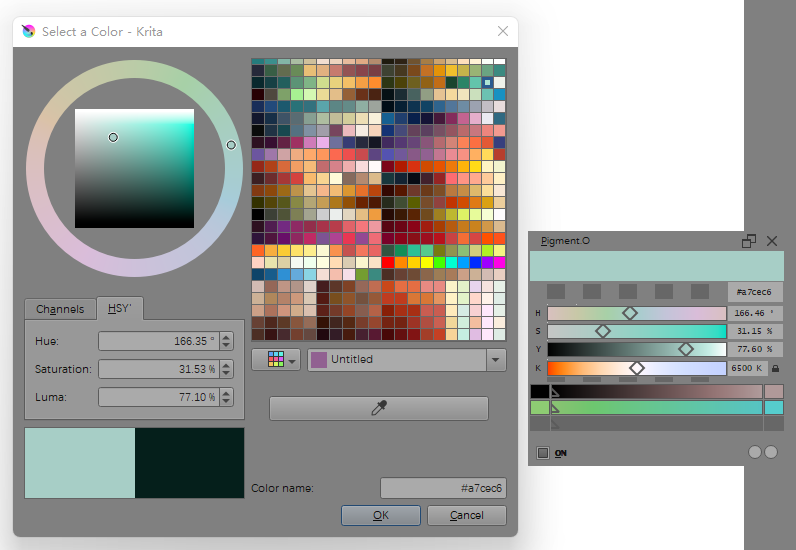
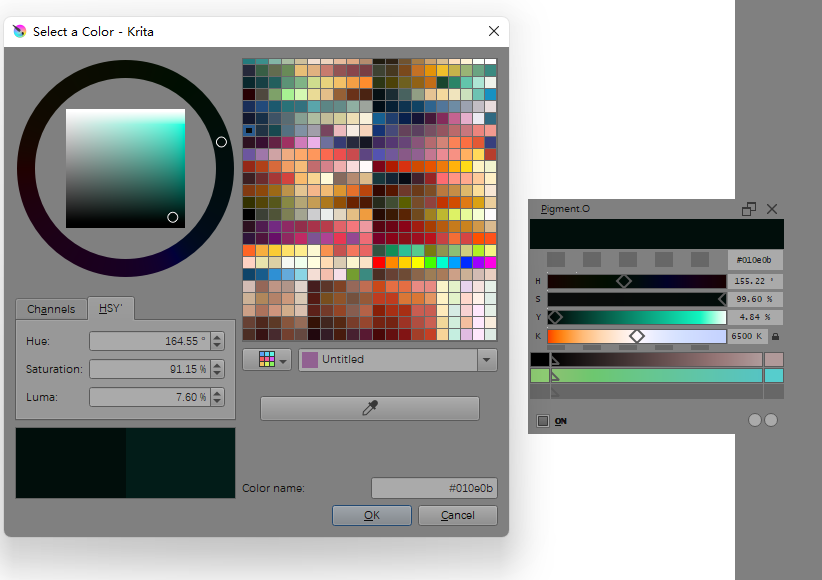
Oh yes HSY I had forgot about that. I was focusing on XYZ now. But I should do it too I re did the menus yesterday and I have tons of space now.
The thing is your probably right on the conversion. What you see is the ugly truth about colour conversions. Closer to white or black there are less colors so the error is bigger, what need is for black and white to be right and the in-between to be right too.
In the manual I explain the conversion error for HSV into RGB and how dispite being a different number is the same colour.
If you look into the ARD panel you will see space you have available on that horizontal line as the ARD panel is the RGB cube cut in half.
1 Like
OK, I understand. Thank you!
I wonder if there are any plans to make “oklab”?Here are some relevant information
I am not against it, looks like a interesting colour space.
My thoughts after readding about OkLab is that I don’t know if it will work. I am gonna do the normal ones first and then see how it goes.
But I should say I don’t know if XYZ will even work untill I do it. This is not my first try to try and make it happen.
1 Like
I found a article and a diagram of how the RGB panel is.
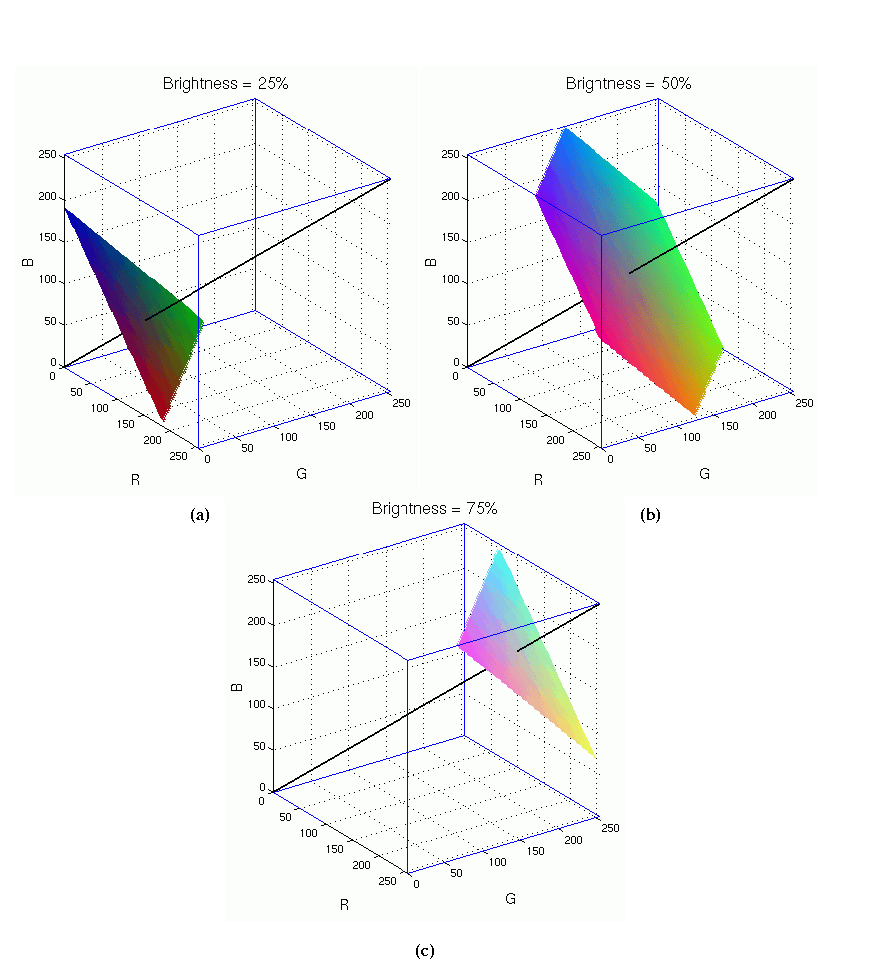
For this reason o made the ARD lock so your constantly at the same distance to the middle gray or R=0.
1 Like
Update: New Features and Fixes (WIP)
- Dialog Box
- Color Spaces
- Fixes
This version is a work in progress version but I think usable.
Some features might not work completely as intended as I am testing them out or have some caveats.
::Dialog box::
Now to access the Settings you click the old triangle button and it opens the settings.
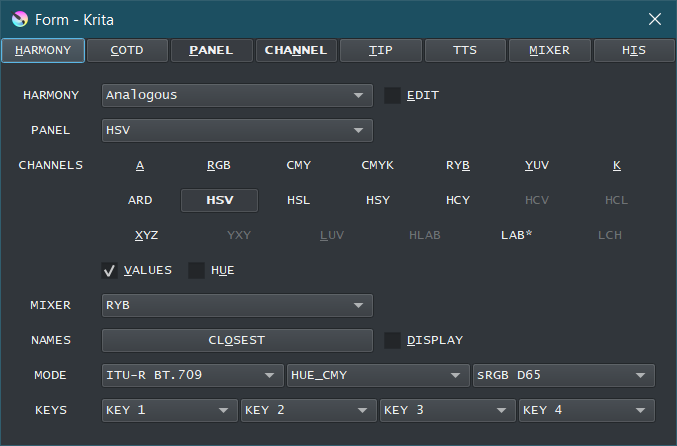
::Color Spaces::
This is where things get Spicy. With the increase in UI space I was able to add more stuff and the most noticeable things is HSY, XYZ and LAB.
HSY - needs to be calibrated and will not matchup perfectly need work so it matches krita’s HSY. @urzeye in case you want to take a look.
XYZ - This is not XYZ done in krita through little lcms so it will never be the same. I did an approach though formulas using as reference Bruce Lindbloom’s site. This allows to change the XYZ luminosity references to sRGB and AdobeRGB both in D50 or D65. The main one to use is “sRGB D65” since your using a monitor but if you want to print D50 is what you want.
LAB - This one is derivative from XYZ so it falls in the same situation.
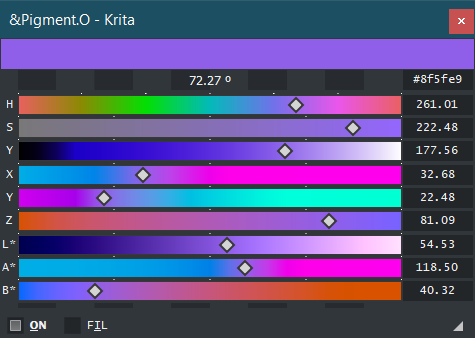
I should note that RGB and XYZ are the 2 main modes now and conversion that excess RGB color space are clamped to the edges for RGB so they have different combinations considering from where it is converted from. Also Pigmento applies the same color space values equivalent to the document that is used so you need to notice those values. This means and RGB document is applied the RGB values, on a CMYK document the CMYK values are applied and so and so on.
My suggestion is to use the 2 first rows of colors spaces for RGB and CMYK documents, and use XYZ and LAB for their own respective documents. the other color models should be used, but not used as a reference if you change the documents color space.
If XYZ and LAB are working I will start unlocking the rest as mixing colors and such, however the formulas must work first.
::Fixes::
Due to this Pigmento can be used in XYZ and LAB documents now. YCbR also but that is another issue.
HSX conversion at higher bit depths are corrected, at least for HSV.
Sliders display varies with bit depth, might exist corner cases not treated yet.
Fixed the limits of the ARD panel not limiting the cursor correctly.
7 Likes
The new version looks really cool, thank you!
1 Like
just testing I just could not help myself from taking a look.
I selected a ASV hue with 60º increments and 50% Ratio and then changed the Luminosity in LAB in 10% increments to see the degradee of luminosity if it is all that amazing.
This was applied onto a RGB document.
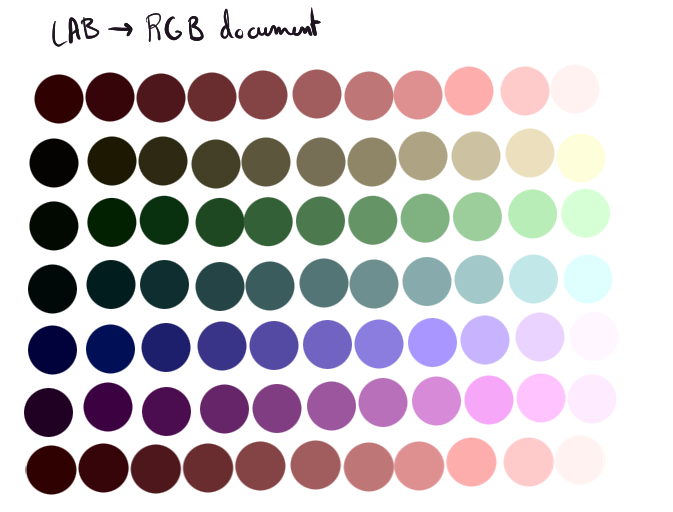
it does some hue shifting while adding lightness but it really does not seem to bad I think.
1 Like
Still WIP and will be for a while but I think I got it. now sliders show the correct color regardless of the source space and the document space and not just considering the document.
LAB* sliders using various documents:
rgb cmyk alpha + gray xyz lab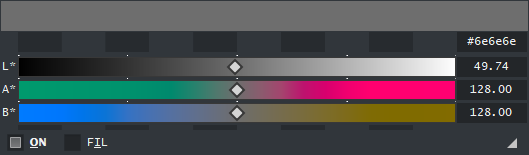
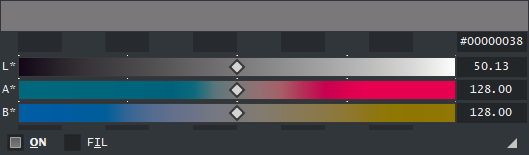
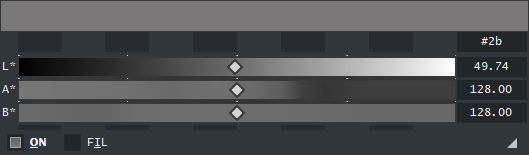
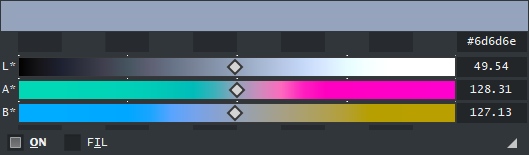
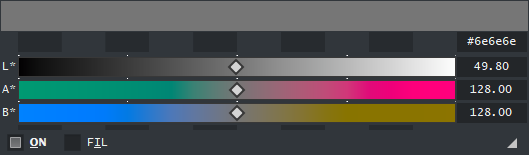
Because of this, the all gray display also returns as a by product.
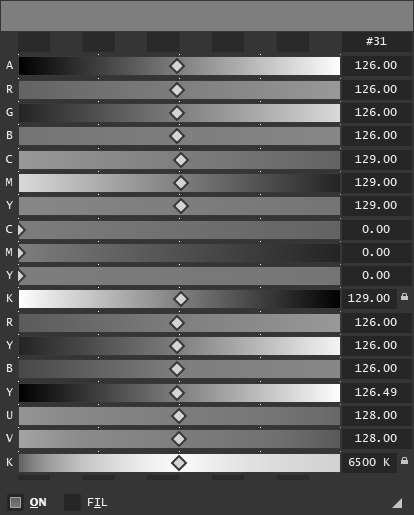
If Krita crashes while closing a CMYK or Grey document tell me about it. I have been after the bug but I am not sure if it is me or the ColorManager since my code is the same for the other spaces.
1 Like
I did a mini update where I activated more stuff, still WIP:
- Color space xyY
- Apple RGB
- ProPhoto RGB (limited to D50)
- Corrected some issues with the mixers and the new conversion display
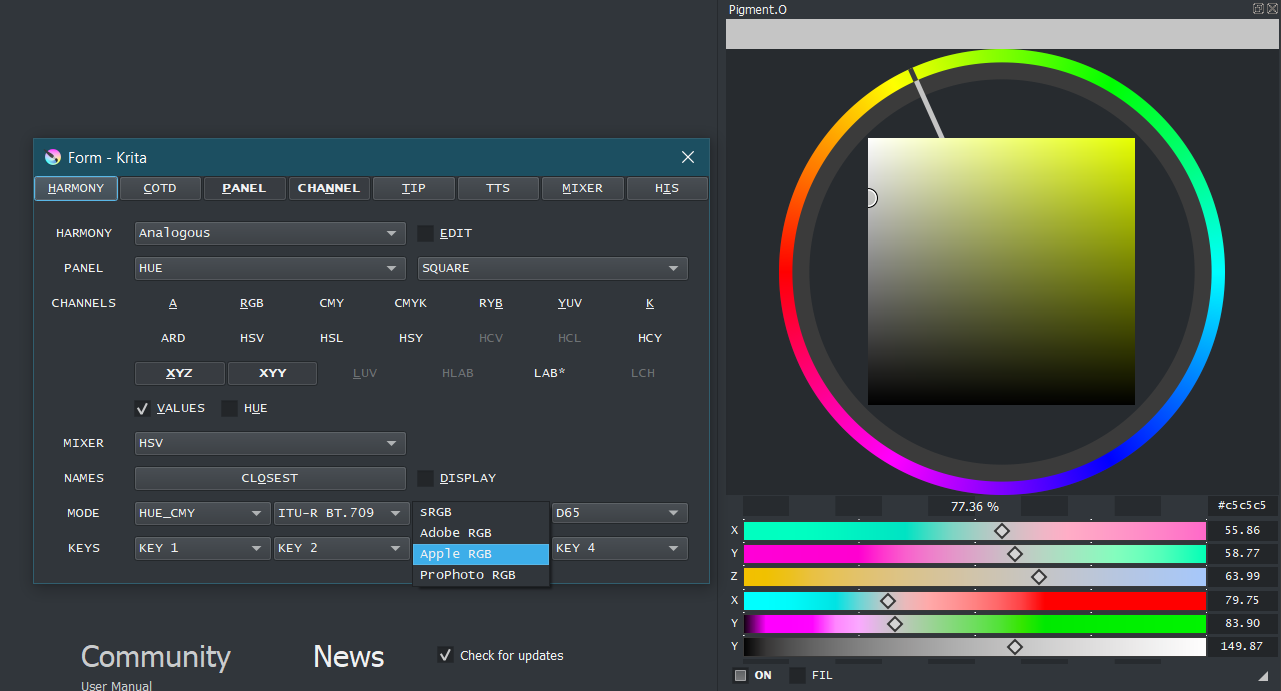
I have been doing this slowly or else my head hurts form the weirdness this has become as it is all abstract for me. I am working on something else and I do this on some breaks now.
Basically I am just doing one by one to see where it breaks because it has everything new already they are just commented out. my main concern is the formulas to see if they are working because there is alot of places where it can go broken if only one of them does not go in line.
3 Likes
I got this bug with nightly build : 5.0.0-prealpha (git b63c767). I’ve turned off Pigment.O from the settings and I do not observe this effect. Which means that it’s something related to Pigment.O
In the video, I’ve turned off the docker but the plugin is still enabled in settings.
1 Like
@okuma_10
I don’t think that is something that is for me to solve at least just yet, that seems like a PreAlpha issue I never work on Alphas because they are unstable. on 4.4.5 it is working properly as expected when I do that.
As you can see on your video you set the Orange color for the text but the color on the canvas was still on Red the whole time. So you had orange for the vector text but not for the color on the canvas as they did not match.
Pigmento nor Tela own any values, they just check them in Krita and update themselves to it, and apply if you change them. If Krita does not matches itself then Pigmento and Tela will cause issues and spiral out of control as things never match with itself. Each cycle they have ends with an apply to be double sure everything is in line.
That must be simply an unfinished section they are working on. I suggest disabling Pigmento and Tela on Krita 5 alphas.
Hey, first time posting here, long time lurker. I’ve been following this project for a little over a year now and I’ve been absolutely awestruck by this plugin and all the work put into it, all the different options and methods of displaying colors just scratch some itch for me, I love it. It has become such a vital part of my work flow at this point with how I have it set up that I have difficulty choosing colors in any other picker in other software. While that is a compliment to your work, it’s also at a detriment. Whenever I’m in a different software and I want to start coloring, I’m frankly at a loss without my pigment.o setup. Because of that, I find myself opening Krita and choosing colors in there and moving it over. For obvious reasons, it’s a bit clunky loading an entire software up just to use the functionality of a singular plug in. That leads to what I want to ask, no clue if this is possible, I’m an artist not much of a programmer, but is there some way to wrap this plug in and have it operate as a standalone application independently of Krita? The functionality all remaining the same with the exception of a button to copy the hex code of the currently color for the purpose of pasting it in other applications. I know it’s a bit of a wild ask and I can’t garuntee other people would make use of such a thing, but I might as well put it out there. Genuinely incredible work, please keep it up, I’ve been following this since it’s infancy and there’s nothing else that’s quite up to par for a color nerd like me.
1 Like
Thank for the words. Makes me happy that it has a place in your work flow.
However to the request to make it a standalone thing:
-
I fear that will not be possible now. Pigmento is inherently made this way because of Krita so it can replace the docker that died Color Sliders, as I could not work on Krita properly without it. Also without Krita internally the code would be another thing altogether and would not make much sense as it is.
-
To make it work isolated I would probably have to make a installer due to the dependencies it requires to exist. And I would never worry that much about making installers for Linux and much less for Mac. As a plugin I can open it up more.
-
Color pickers isolated from the painting app does not make much sense for me either and that is why I integrated so many things into it so I don’t need to lean out into web sites or others or buy weird licenses just for a quick vector. and can only use it for 1 year or 3…bonkers.
-
The max I can do it to make it easier to copy and paste HEX codes out of pigmento but I will need to learn how to do that when i have time and see how to squeeze that feature there.
But my prevision is that Krita is the software to be in for illustration and the reason I am here to begin with. So my aim too is to help it however I can, even if it is just on a simple thing like this for now. I think you will probably have less issues as the market adjusts itself to Krita.
1 Like
Did a small Update, still WIP. Just a inbetween stages version.
- cleaned the entries of HCV and HCL as they were just miss cataloged on the site as I was at (formulas also seemed faulty) and were in fact was LCH(ab*) and that will be added later from a better source.
- Corrected previous HSY and HCY formulas finally, to match Krita’s HSY. But considering the source of it I shall use HCY even though it is Krita’s HSY, they are the same. With this you have all Krita’s HSX color spaces in pigmento even though ARD and HCY have different names. What differs is the formula they use not the results.
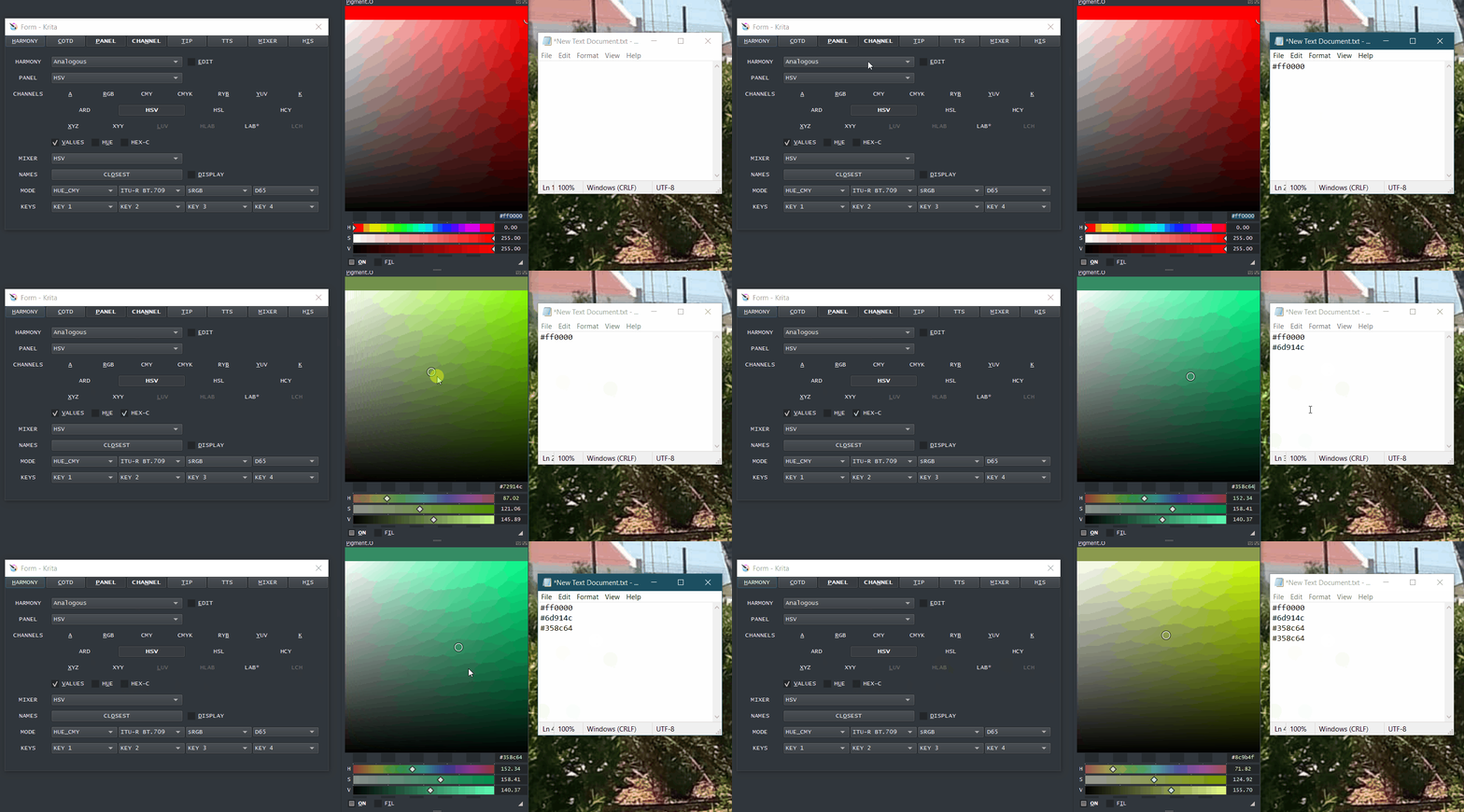
- Considering @Awez request for working in another applications using Pigmento I said I would make copying easier and I made a really nice method I must say. Open the settings dialog and check the “HEX-C” option for it to automatically copy the hex code into the clipboard as soon as your mouse exits Pigmentos widget area, however on the other side you will have to paste it manually still. However I imagine there is no need to have a paste into Pigmento option.
Here is the Demo:
1 Like