Hey, I think we all just should wait till 5.3 released and maybe then will be more reports with slow python api calls and queues syncs, and someone will make fix for that or every plugins should be updated who knows.
Really too early to wain about this  now.
now.
1 Like
Update:
- Interface changes introducing new docker
- Quality of life
- Bug Fixes
Bug Fixes
- On the edges the cursor would shift and break. This would happen randomly. I forced it to be aligned as it should be and if it keeps breaking I will take harsher decisions to keep values aligned.
- Panel Hue Pin snapping to the Triangle shape and Diamond shape now work as intended.
Quality of Life
-
Pin slots now have a visual indicator when it is empty
-
Panel Hue and Gamut rings now will display pinned colors
-
Harmony Range now requires the Shift Key to accept variation. This change was done in order for miss clicks not to cause changes in values.
-
Improved connection with Tela and Imagine Board plugins that also need to be updated too
-
Panel display options now displays their use case in order to not seed confusion for users on what each panel does
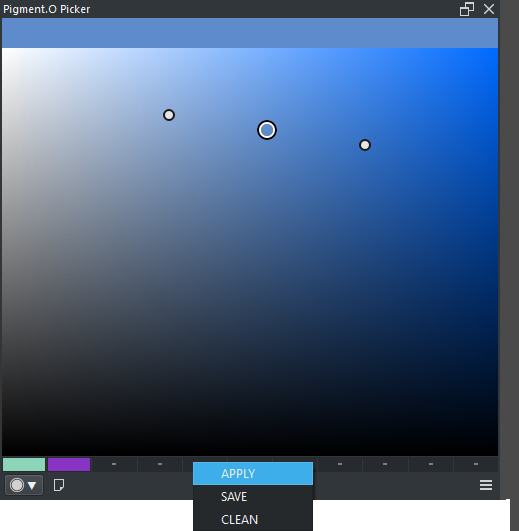
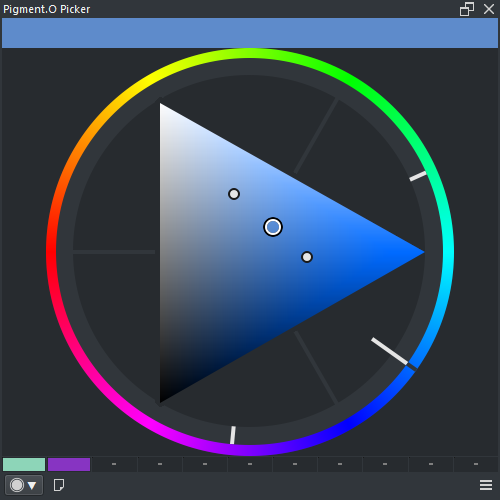
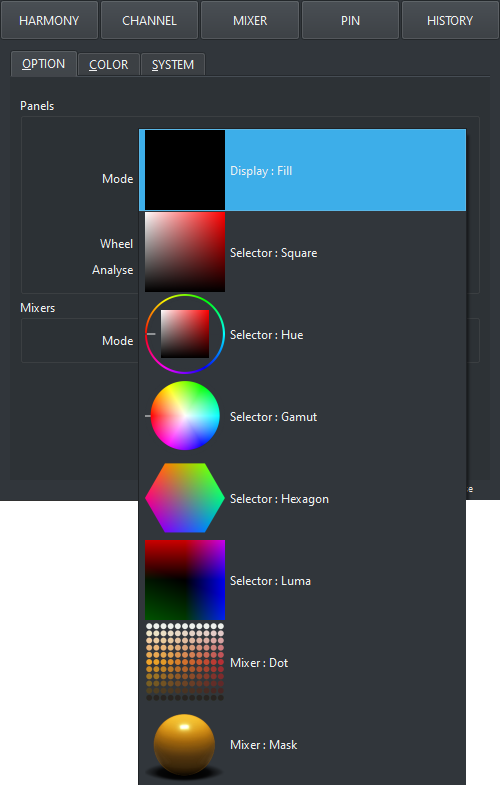
Interface Changes
-
Now Analyzing a documents colors has a more clean Interface. I noticed that people had fear to touch the previous buttons so I imagine like this it will be less stressful for a user to engage with the option.
-
Previously known as “Selection channel” it is now stripped out and introduced as a new docker. this creates a situation where you have two dockers from the same plugin. I usually try to avoid this behavior the most I can, but it was better than creating a new plugin with the same core inside. So “Pigment.O Picker” and “Pigment.O Sampler” are now a thing both drawing from the same core engine. Sampler that has come to replace selection presents itself with a much more clean interface that may still improve over time. Sampler introduces the “Channel” and the “Range” mode using whatever color space you want given from pigmento. “Channel” mode uses the color space only to split a image into maps and the “Range” mode uses color space volume to makes its map. Range can display the current active foreground color to help select the right range to what you wish to select. After it calculates just press insert too introduce the map into the layer stack as a local selection that you can edit as normal. In order to use it, just use the footer buttons from left to right. I should also note that it is sensitive to selections and the alpha channel so you can make masks to tiny sections of the image too. On the Settings you can request to add “Total Ink Coverage” which is surprisingly good to make maps and there is the option to invert the polarity of certain maps too. Also remember that Right Clicking opens menus for options.
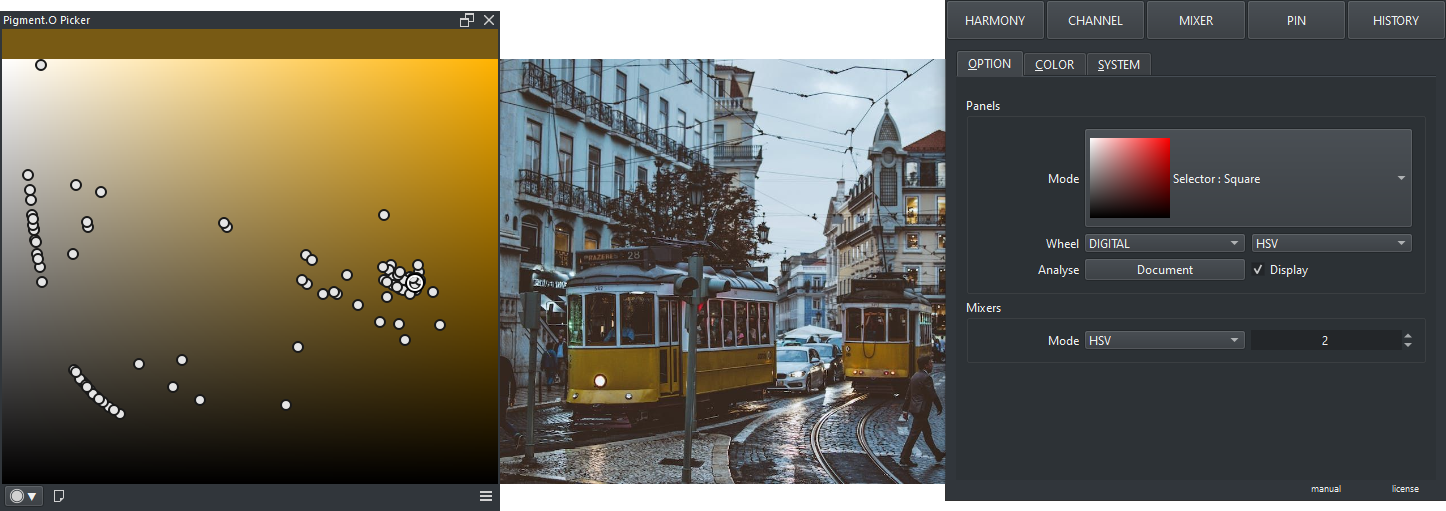
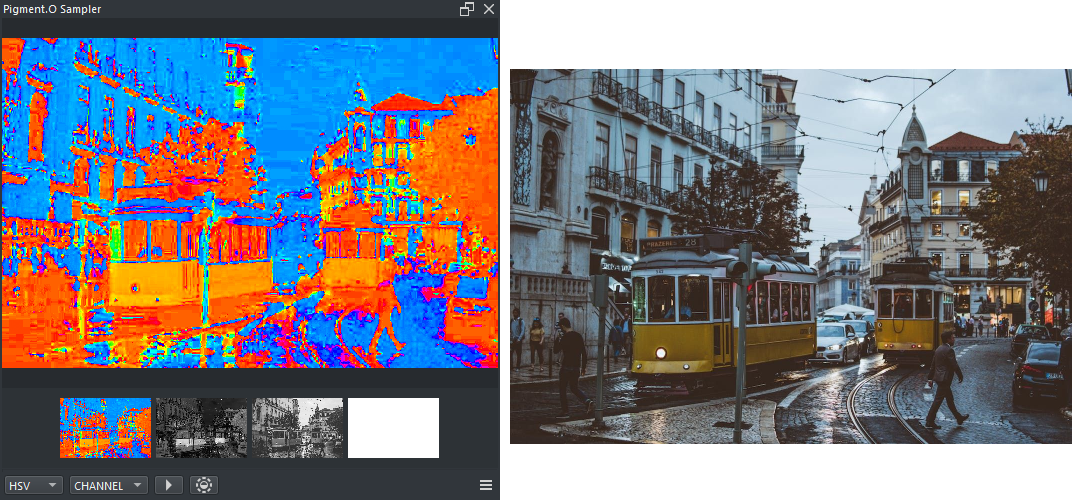
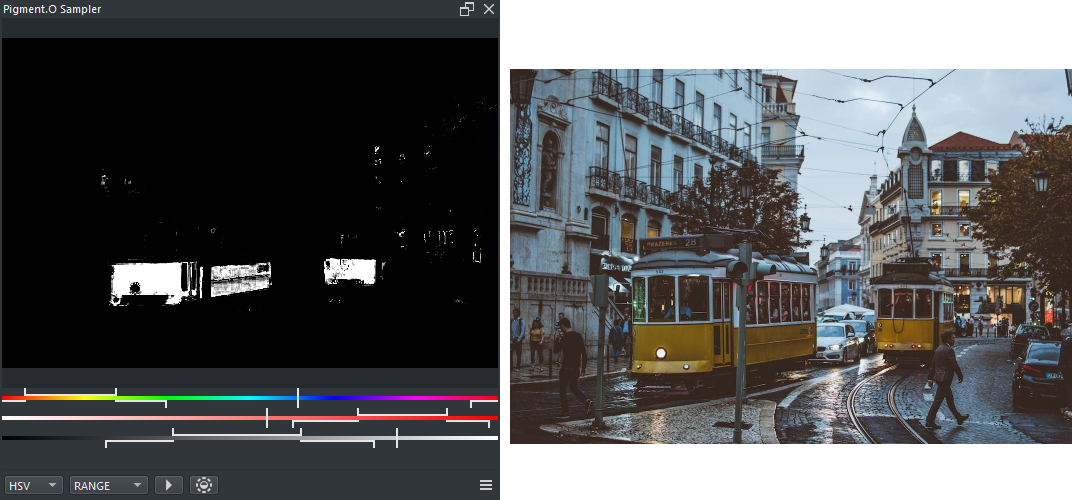
Both these changes leave the quick option icons without 2 icons, leaving only fill present. I believe leaving only the essential options there will improve usage and reduce fear of using features.
I must say that the Sampler is ready to be used but it is not complete in terms of beauty. the look might change as the idea grows. So I wont be updating the wiki and website just yet. Maybe after I do not have any more needs to add for it I will close it of and write everything down properly. Hope it is not to bothersome in the meanwhile.
previews:


hope you enjoy.
10 Likes
Sounds interesting. Thank you! 
Michelist
2 Likes
If you move the range sliders to the edge there is no way to move them back (e.g. green channel slider):
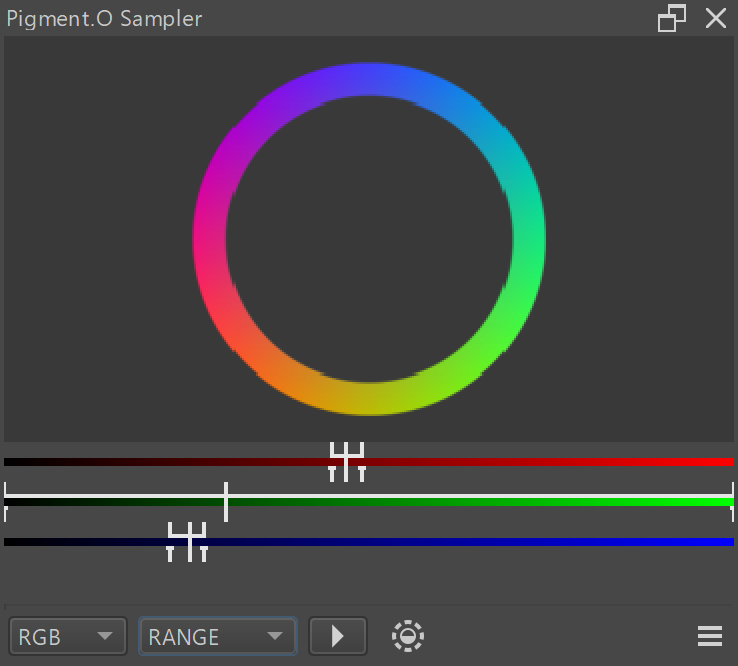
Also, can you add brief documentation as to what the top and bottom sliders mean here? Or what “total ink coverage” is?
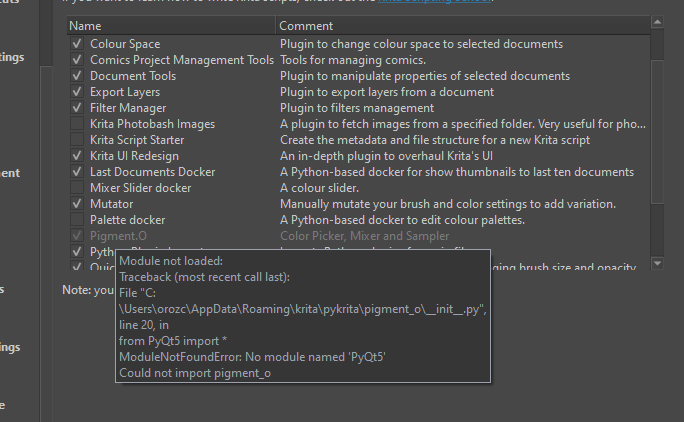
Hello, i know nothing of coding and i was hoping someone could help, i updated krita and Color o. picker to their newest update and this happens when i open krita.
I love this plugin and idk what i would do without it, if someone could let me know what to do i gladly appreciate it, thanks.
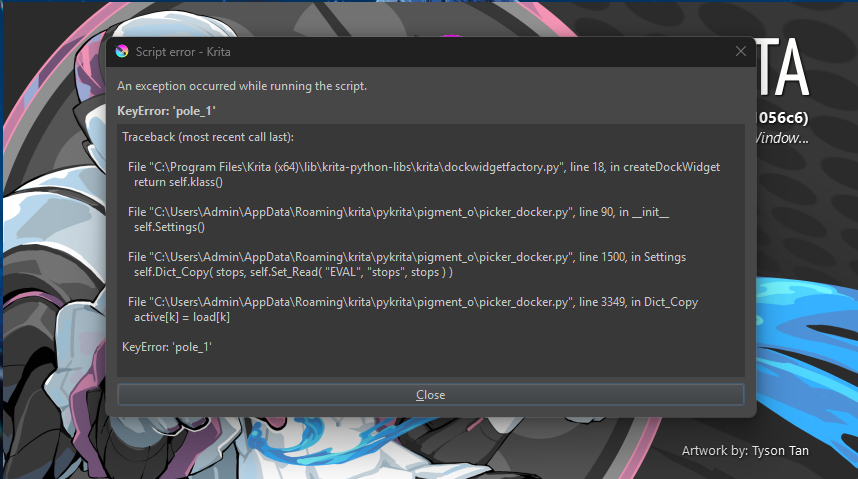
Erase the pigmento entries in the kritarc file and boot krita. If that does not work just turn it off for a bit.
I am still trying to fix all the bugs and i will need some more time sorry. i am rewritting the core so everything else needs to be polished to match it.
There is a weird balance between pigmentos handling of a color which is independant to a large degree and what krita requires in all possible settings and what happens when you change them. And when krita changes there is alot of asyncronies.
Its like the more i search to fix on my side the more situations i find. And some of them might need a fix up stream but regardless i think pigmento should be able to work in the worst situation and not break, not just be optimized BUT require a mint behaviour from krita which does change over time.
There is also a new option in krita that breaks all plugin behaviour unilaterally across the board so i am shuffling a bit to not suffer overly if people activate it. I might even post about them or something still thinking about the most fair way to tackle it.
Hi, thanks a lot! it works now, thank you so much for the work you put in your plugins they are life savers, making plugins for the community is not easy at all and with all the updates seems hard to keep it afloat, thanks for all your work all these years! without people like you krita wouldn’t shine the way it can! krita resource creators deserve more acknowledgment and recognition
2 Likes
Have you already installed the plugin?
Or, have you even read up the requested functionality in its WIKI, how it is set up, the options you have, etc.? Because it is very well described, including screenshots and should answer any question you have on it. The only issue is, you have to do it yourself, so go to the wiki and read up what you’ve just asked for. And by the way, it is about the “Sampler Interface”.
Michelist
1 Like
Funnily it is already linked in the very first post, in a really big box, so anyone can see it …
Michelist
Add/Edit: LOL, it seems that recently I’m giving hints on too many @EyeOdin plugins, the big box is in the first post of the Project Pages plugin, for Pigment.O it is only a link in the text, sorry.
Yes it does it. what you want is the “sampler” docker and then you just need to activate the TIC option in the settings so it pumps out that extra map with the percentage you want and it warns and everything and where it is failing, however the map to correct it produces was never tested for real so if you use it do give me feedback it how it can be improved if something is lacking, but my guess is that it is there.
As for how it works it only uses the values of the document to calculate it. if you have a especial color profile to transform your display I don’t know because it does not use the display in the calculations only to represent colors correctly with the values it has. However if you want to know the Sum of CMYK in a pixel the picker docker does that.
I must say that all my plugins are under a big review so things will be updated soon too.
4 Likes
how exactly am i supposed to turn off luminosity lock? i am having the same issue but i cannot find the gray square
That square is really old code. An idea I deleted it. I recommend updating to a newer version. However the luminosity lock was a bad idea overall because there is YUV and HCY that locks luminosity naturally without having to hack other color spaces to do the same job.
i’m pretty sure i have the most recent version but i reinstalled just in case. im still having issues very odd.
currently to toggle a lock you press the letter of the channel like on CMYK you press the letter K. but the thing is I am always on a dev build and I deleted that like over a year ago. so I donno which luma it is but press the letter.

it seems i have the wrong version or a different one despite completley reinstalling pigment.O twice. Am i downloading it from the correct site? i got it from the github
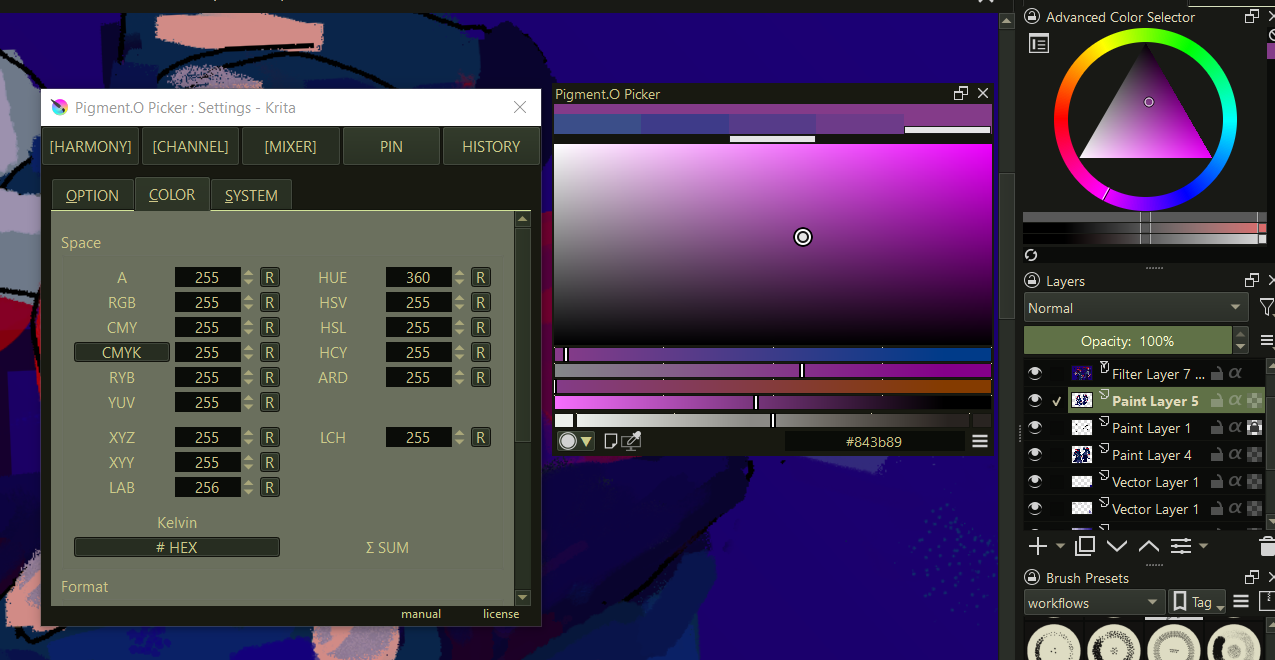
press to show index of channels on format. you can just scroll down for it.
1 Like
Have this bug when using linear color space sRGB-elle-V2-g10 at 16/32 bit
if your on krita 5.3 and probably on 6 too, that happens yeah I need to investigate that better soon. hue is not hueing.
okay im lowkey an idiot and never noticed that, thank you for the help apologies for the inconvience
edit: ok nvm its not working despite nothing being locked, im using 5.2.16 with 64bit windows 10 if that provided any insight
1 Like