Hey, sorry for the late reply.
So, based on the log the problem is either happening on the Krita side (In which case there should be a more specific error message in the status line of the Blender Layer docker) or it’s the failsafe timeout causing trouble.
Try if can still get the same problem when working with a small canvas size + very simple Blender scene. It’s possible that a slow operation on either side causes the other to think there was an error making it disconnect. (I should probably make the timeout configurable…)
Also see if shared memory is enabled in settings, which seems to sometimes cause problems.
2 Likes
Sorry I meant to answer you earlier but didn’t have a chance to test things out
A small canvas size & empty blender scene didn’t work - it disconnects almost instantly after blender starts; I’ve attached a video here:
I could not find settings for shared memory in Krita - or is it called by another name?
I wonder why my poses keep resetting randomly and cannot be retained even with undo.
I forgot that blender is an animating program. Changes made in pose mode didn’t applied unless you create a keyframe.
I was so frustrated because I have to remade the pose every time. silly me

I should’ve using auto keyframe
Bro. This is incredible. Amazing work man!!!
1 Like
This is crazy. this might end my bad habit of getting lost in pintrest searching for different poses
2 Likes
It’s …AWESOME!
1 Like
I have a question. 
Can I use it in blender 2.76 ?
As my PC’s GPU supports OpenGL v1.1, so that I can’t install the later versions of blender. 
…K . A . B . H .
Can it be that you mean “later” (or “newer”) instead of “earlier” which means “older”?
And furthermore: I fear you need at minimum a version above 3.x but why you don’t just try it? If it works then you can be happy and if it doesn’t, you’ll probably have to save for new hardware, like me currently.
Michelist
Oh, yes. Sorry for mistake.
Each time I try to use it my window shows “Krita not Responding”. But if I close Blender this issue gone.
…K . A . B . H .
Then I guess you’ll have to wait for a definitive answer from @Yuntoko, but I’m afraid it won’t work.
Michelist
1 Like
hi! i’ve ran into a bit of a problem.
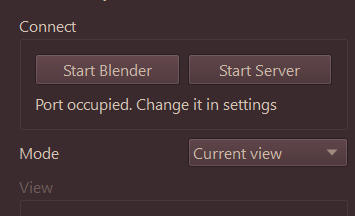
i’ve gotten this message any time i press the Start Blender button or the Start Server button. The message below also pops up too.
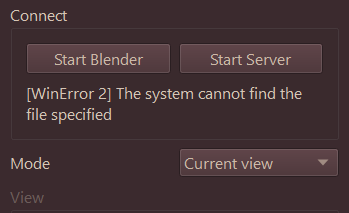
I have Windows 11 on my laptop, and I had Blender beforehand already. But it was a rather older version like 3.0 so I just updated to 4.0. But now it says it cannot find the file specified? or that Port is occupied? I’m not sure where to change in the settings it’s telling me too (i’m sorry i’m not very good with this) so I figured to just try again from the top with the plugin re-install and the Blender re-install.
But so far, it’s not really changing. Any help would be appreciated! <:3
also the dragging file part didn’t help either.
edit: nevermind!! after a few trials, i managed to get everything in check!! it works now!! this plugin is sooo cool :D!!
1 Like
There were some major changes in the python api starting with Blender 2.80 and some of the core functionality I’m using seems to be missing in 2.76.
So unfortunately, I don’t think I can get the addon to work with that version. 
I sware I’ve already did it properly says but I didn’t see the model on Krita because it’s not even here.
@Yuntoko
Hello, i have a problem with the plugin, i installed it automatically and the blender layer is activated, but when i try to open a blender file on Krita this message shows
[WinError 193] %1 is not a valid Win32
And then keeps trying to connect to blender forever without results or opening. What it could be? I have the most recent versions of these programs, both on Steam.

Yo tengo instalado blender desde steam, lo que hice fué instalar 4.1 y en los ajustes cambié la ruta por la de 4.1, me está funcionando bien, ojalá le funcione 
@christianrruiz wrote:
Traducción al español con DeepL.com a continuación:
Hello @christianrruiz and welcome to the forum!
Please be so kind to always add an English translation to your Spanish postings, as this is a forum with English as the chosen language of communication. You can use a translator like Google or DeepL.com, which is usually better, if you are not able to translate it yourself.
Michelist
¡Hola @christianrruiz y bienvenido al foro!
Por favor, ten la amabilidad de añadir siempre una traducción al inglés a tus mensajes en español, ya que este es un foro con el inglés como idioma de comunicación elegido. Puedes usar un traductor como Google o DeepL.com, que suele ser mejor, si no eres capaz de traducirlo tú mismo.
Michelist
2 Likes
It feels wrong to write this as a comment instead of thanking etc because this plugin is amazing xD but i was wondering if is there is currently any option to live project drawing on to the blender objects so it could be used for a texture painting?
And if that function doesnt exist is there any chance for it to come in the future?
1 Like
You can try the dev version from github
Direct zip link: https://github.com/Yuntokon/BlenderLayer/archive/refs/heads/dev.zip
Install and connect as usual, select Projection painting from the mode spinner and paint on the ‘Projection’ layer. You’ll have to setup texture painting in Blender as well, i.e. go to the Texture Paint tab and add a texture to the model.
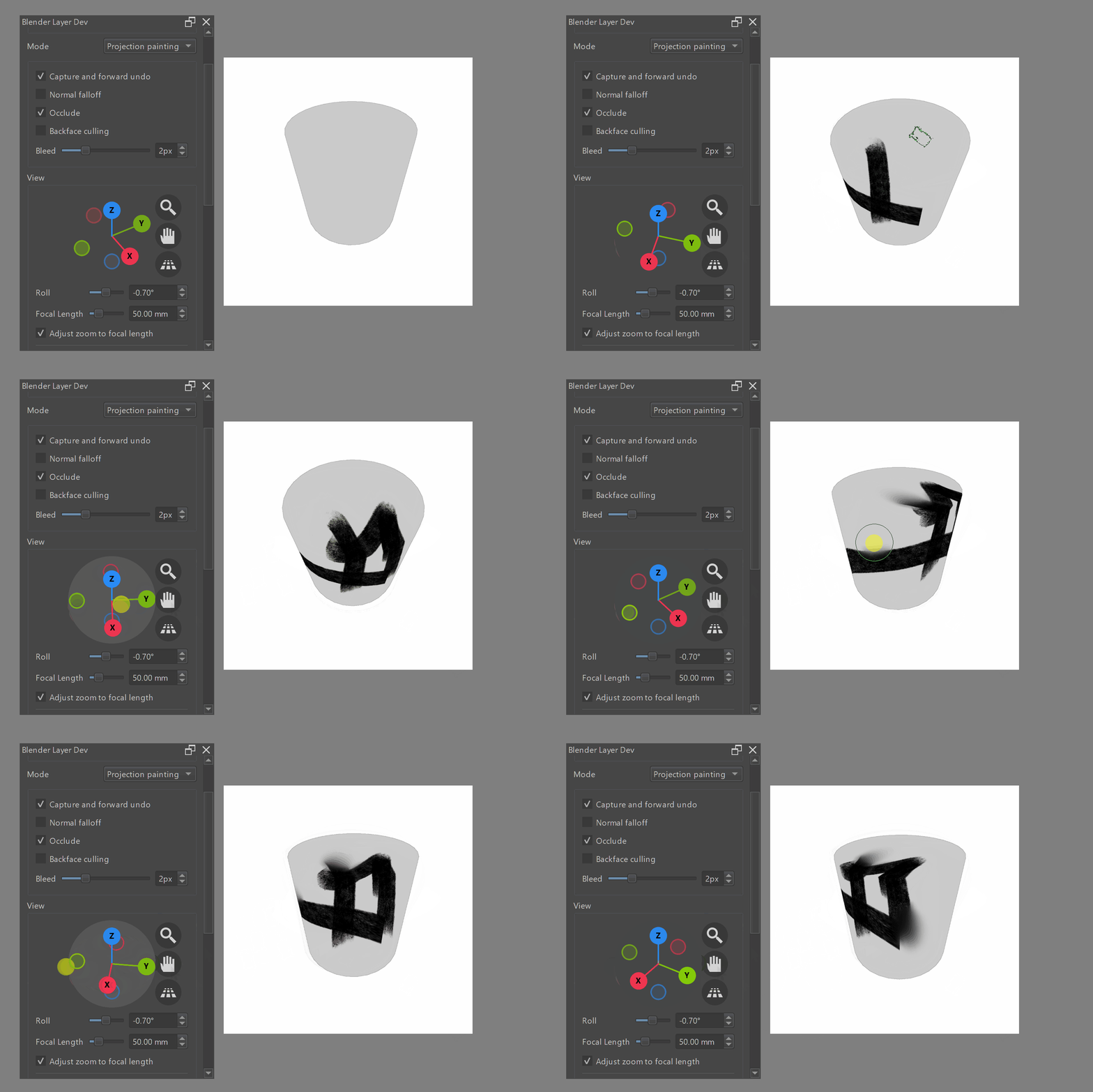
Additional caveats:
- Make sure shared memory buffer is enabled (default)
- Brushstrokes sometimes have artifacts around the edges, creating your textures as ‘32-bit Float’ in Blender seems to fix this, but results in transparency being handled a bit differently so you get some visual popping when doing translucent strokes
- As brush strokes are projected after they are drawn on kritas canvas, the final quality depends both on the canvas size in krita and the texture size in blender
- Anything more fancy than a simple brush (e.g… smudging, filters) is a bit difficult, you can get it to work to a certain degree if a) you select ‘Flat Texture’ as viewport shading, so colors appear in krita as they are on the texture and b) you enable overlay mode on your brushes, however quality will degrade quickly as this reprojects all pixels in that area
- No blending modes
- Parts of the UI might not be implemented yet
The texture painting features are still quite unstable in general and I’m also not really working on that stuff at the moment, so don’t blame me when Krita freezes randomly  .
.
If you’re looking for live uv painting you might also want to check out some other plugins:
11 Likes
Does it work with Blender 4.1?
Also, can I use the “blenders and smear-ers” from Krita inside the blended streamed window? Can I texture paint the 3d model?
This plugin is awesome!!
1 Like