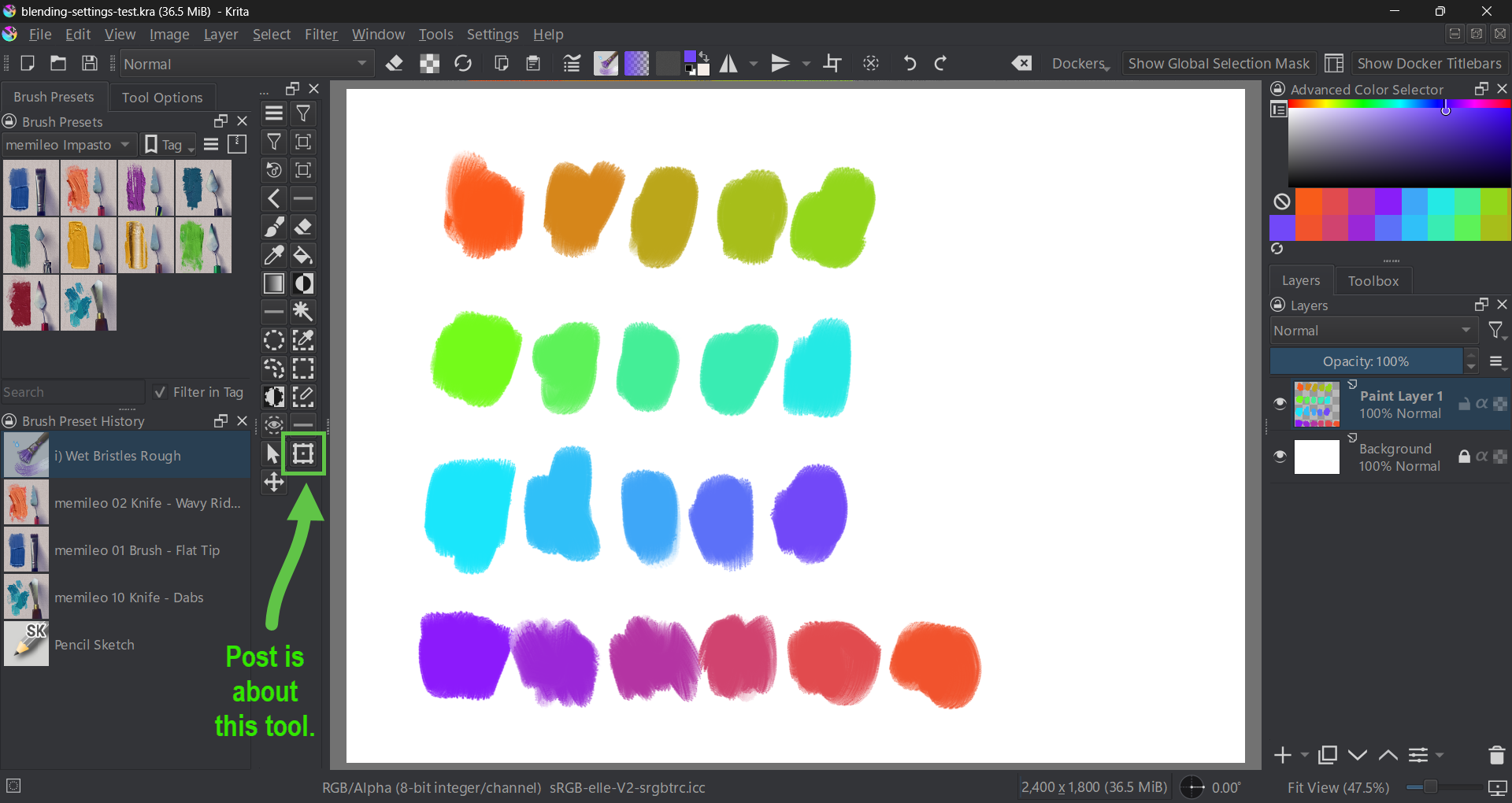
As we all know, the tool “Transform a layer or selection (Ctrl + T )” can be slow and laggy.
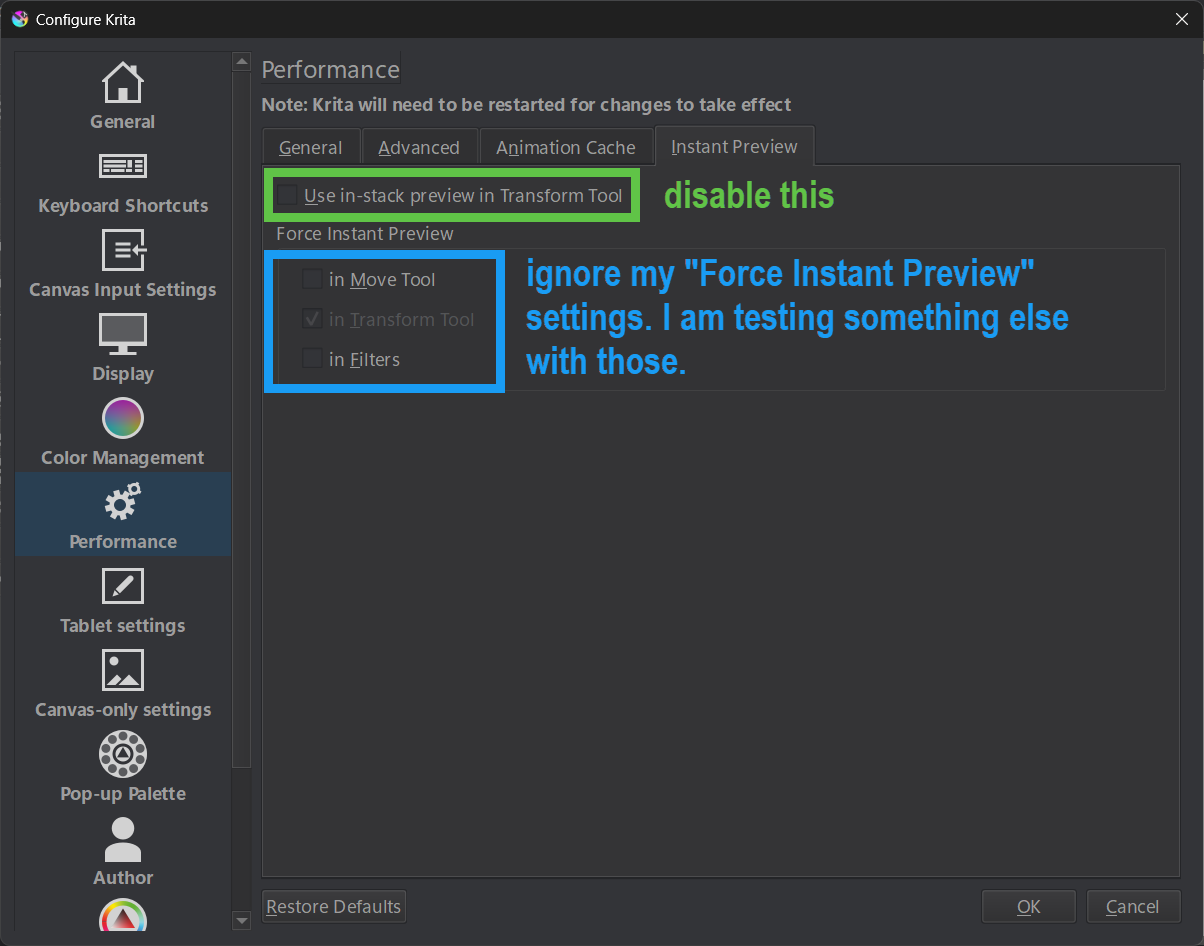
I just noticed, there is a performance setting that helps with this.
The setting is in:
On my system it worked immediately - no need to restart Krita.
20 Likes
Kremer
October 12, 2025, 3:34am
3
Funny how krita has all these hidden tricks and settings people don’t know about.
2 Likes
sooz
October 12, 2025, 4:27am
4
The program is so robust, it’s impossible to know everything.
You might enjoy this thread, @kremer :Tips and Tricks - Hidden Gems in Krita
2 Likes
Elixiah
October 12, 2025, 11:36am
5
@cgidesign It really does help. Thank you!
You are welcome.
This is from the manual:
Starting from Krita 5.0, the performance setting „Use in-stack preview in Transform Tool" allows for the layer blending mode to be previewed during transformation.
I am wondering why “previewing the blending mode” influences the performace so heavily.
Maybe this setting should be off by default ?
system
November 11, 2025, 12:13pm
7
This topic was automatically closed 30 days after the last reply. New replies are no longer allowed.