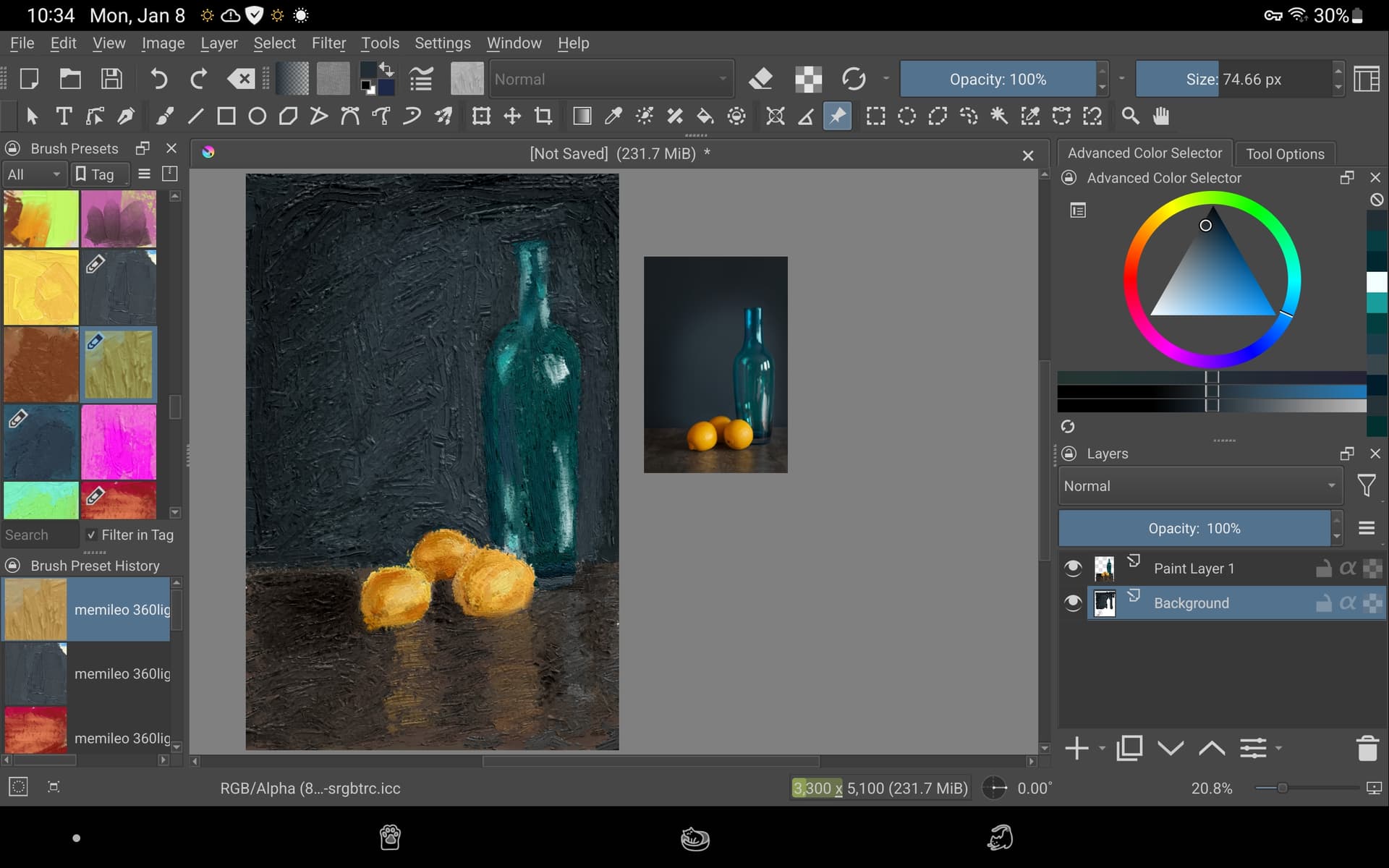
I finally got all the memelio brushes loaded into Krita. They have changed the way that I make digital art. Thanks to all the people who had a hand in this great creation.
3 Likes
Hi
Some feedback on your brushes:
Rotation set to pressure kind of nullifies having baked light direction.
There are some accidental layers included in the brush tip gih files.
I like the AngluarBrushTest5 the best out of these brush tips and with some variations it could make for a nice stamp style brush.
For now finishing some illustrations/paintings takes priority over this project. But I’ll continue to poke at it eventually.
2 Likes
Thank you! I have realized I was not utilizing rotation feature by setting it to pressure later on, on later experiments I changed it to different modifiers such as rotation or tilt elevation I think. After a few weeks I am not really happy with where this experiment ended up, I think I changed some properties of all the brushes I shared here in the last few weeks.
I think one of the major issues I had with the template you have given was sculpting clear shapes for gih files, I may have been doing it all wrong but I have been experimenting with different default brushes and mark making on the template and brush tips either came out too textured (and stamp-like) or too smooth. For now my favorite brush out of your set was “Knife-detail” brush, but looking at the brush gih file, it’s a very cleanly sculpted shape, was that done in Blender?
Thank you for the feedback, looking forward to seeing the future of these brushes and more, it really adds another dimension to brushes in Krita for me.
1 Like
Yes, I found that Blender sculpts with cycles renders usually gives a better result. Photographing real paint is an option as well.
1 Like
There seems to be a ton of things to experiment to achieve various results, but I am glad it is all possible with software such as Krita and Blender + a bit of resourcefulness. I will play around with a couple of these techniques in the future, see if I can make these brushes work and I am definitely going to be keeping an eye on this project! Good luck with your work!
2 Likes
These are really a game changer brushes for Krita, I have been looking for something like Paintstorm studio’s bristle brushes for Krita for very long time, and thought it was impossible to do in Krita. These brushes achieve similar results with natural thick paint flavor.
Thanks for sharing!
2 Likes
A little update:
-
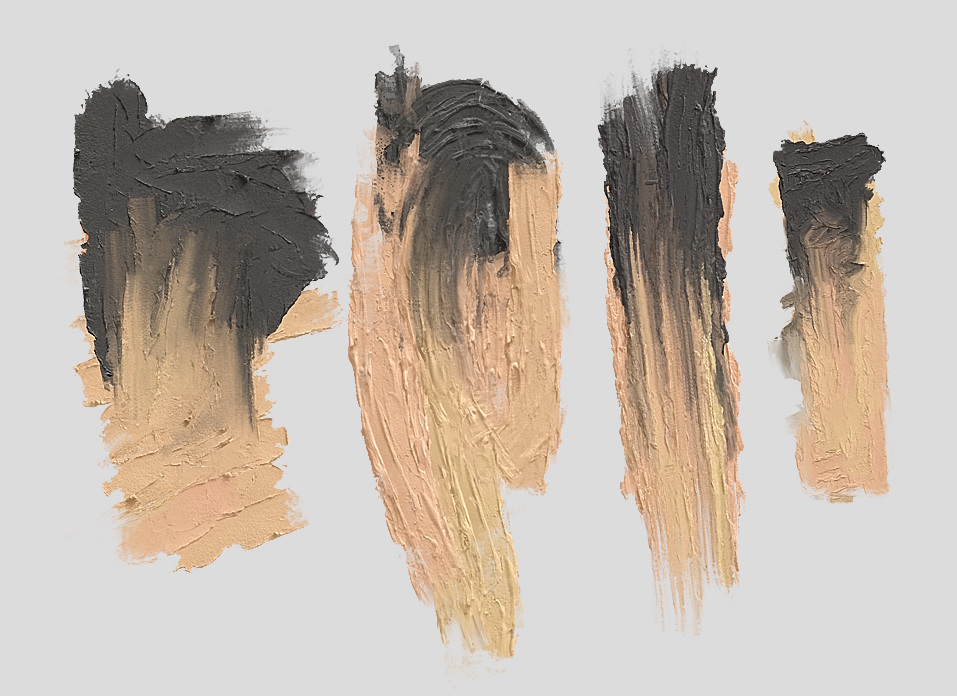
Made some attempts to improve the “Brush flat”. Not quite happy with it yet - looks a bit too uniform but works better with curved lines and blends nicer. It has three different sets of images controlled by pressure. Do you think it works well or is the transition between the layers a bit too abrupt?
I might try to recreate it using the incremental method. -
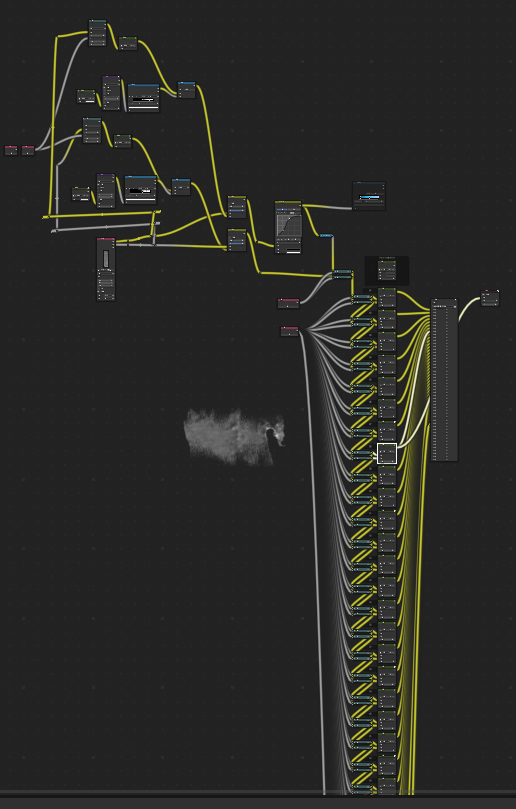
Improved the workflow for creating incremental animation brush tips with a compositing setup instead of doing it at render time.
-
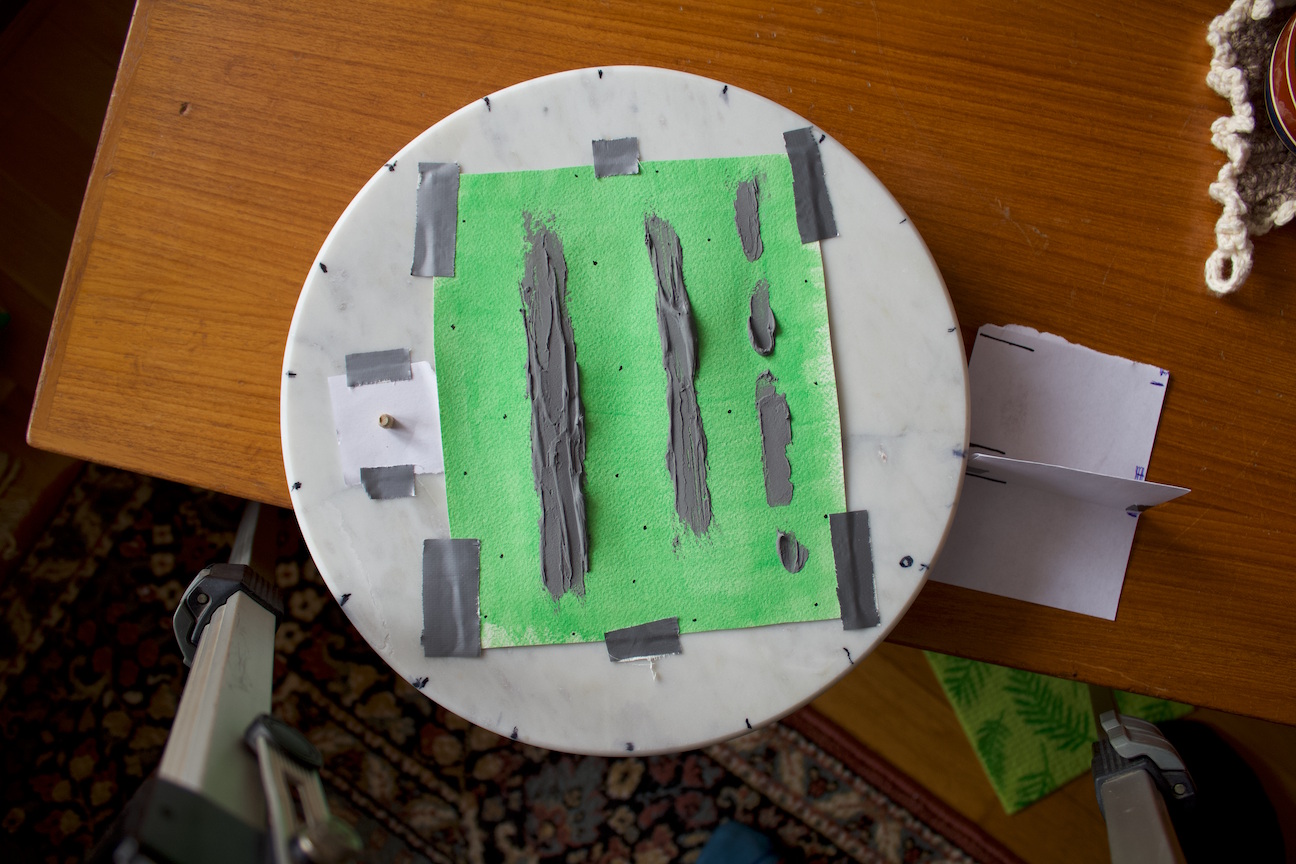
Created 4 new brush tips by photographing paint. Acrylic mixed with some potato flour (hence the powdery texture). I think they turned out quite well despite the non ideal setup (flimsy tripod, warped paper, too similar looking tracking markers, not zoomed in/close enough, didn’t do any lens correction). Aligned and keyed out the background with Natron.
Been mostly overcast days here lately so haven’t shot any more than these so far.
.
.
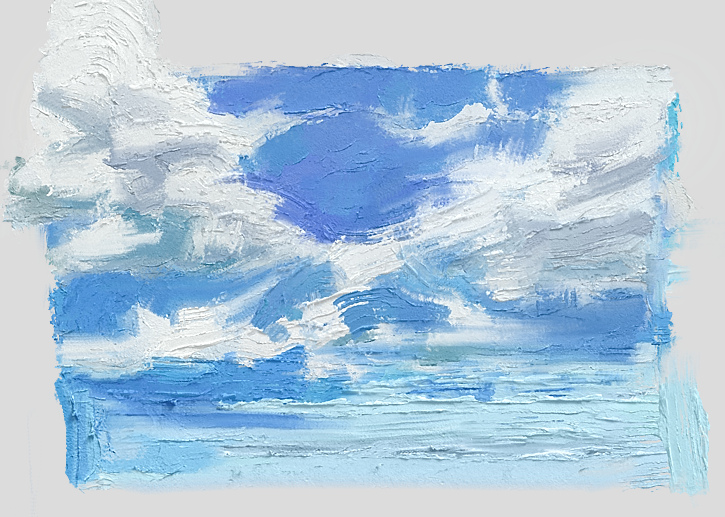
26 Likes
Just wanted to give thanks for these brushes… They are super good and has become a huge selling point for Krita.
4 Likes
Wow, I recently started working trying to create oil brushes, but seeing your results and the process you developed, I don’t know if it makes any sense to continue hahaha
2 Likes
Nono don’t let that stop you. ^^
3 Likes
These look very nice but when I tried them on my Android tablet, Krita 5.1.5 got bogged down and crashed. Oh well. My tablet doesn’t seem to be able to handle these updated brushes. The original ones still work great and I love them!
1 Like
That’s a bummer.
Here, made a taller slice-version of the PHOTO-A brush tip:
Try replacing the PHOTO-A preset with it. Rotation 270°, Spacing 0.26. If it’s still too slow you can also try open the gih file and resize it to a smaller size. (On save/export: Dimensions: 2, Rank: 18 Angular, Rank: 20 Incremental)
If it works fine I can do the same for the other ones. 
3 Likes
Just today, I was needing a brush that had thick paint and somewhat narrow. First impression is what I was looking for, I will have to really try them out tomorrow. Thanks
1 Like
I played around with these just a little bit, my impressions thus far is that I love these new photographed brushes, especially Photo-A brush, it has this chunky and really nice texture. For Brush Flat 6, it feels really creamy (and something like a loaded palette knife in Artrage) and blends really well, I feel like it is definitely a great improvement on the earlier version, I need to actually paint something to really test these out though, thank you very much for your efforts in making these brushes, these really showcase the possibilities of what could be achieved within Krita! Love these new photographed brushes!
2 Likes
@emilm first one (Knife PhotoC) I tried from the new set, but have tried to use different ones of the older sets as finished pieces of this work, also. Loving it!

6 Likes
Ok, I did as you directed on my Windows computer (I hope I understood correctly) and then just re-bundled just that one brush and then imported it to Android, and it worked. I’m thinking that maybe the tablet didn’t like the complete bundle.  (My brush collection on the Galaxy S57 tablet is huge, lol.)
2 Likes
Good that it works. Here’s a version of the bundle with various tradeoffs.
8 Likes


That’s a beautiful addition @emilm
I would go on a limb and say, this whole pack might be one of the most impressives brushsets for digital painting, across softwares, period.
I’m not too familiar with Rebelle, but not even that blew my mind the way these brushes did.
A question: Do you use only Blender in manipulating the images and creating the animations?
1 Like