Thanks! I’ve seen your beautifull painting of boat in watercolors. Did you use much of smudging, mixing colors or it is mostly layering strokes?
2 Likes
“Real” colour blending is definitely tricky since digital colour spaces work and behave so differently from light reflecting off real pigment. Brian Dieterle experimented with stuff in MyPaint a while back, but afaik nothing made it into production. His thread on it is an interesting, if very technical, read.
3 Likes
is a mix. In the boat i used only layered, with the technique i teach in the videos of Digital Atelier videos. In the BG i use smudge to create the water effect. Not really happy with that but at least it gives you a feeling of something fluid.
I think the best part of making watercolor with the new brushes i am making is to see in real time how they behave. People is really focused in speed, for example in concept art. BUt these brushes are better for relaxing. Of course the best is to use real watercolor but in digital. I agree with tiar in 80%. Rebelle is super power in watercolor but as an overal software i don’t like too much because is very restricted in brush editor for example. The brushstrokes are not in real time exactly. You make the brushstroke and then the program computes the water drips and so on. Is very good but different.
It is curious to see how the paper interact with blending, but people need to invest a lot of money to buy all the papers. We could have much more papers in Krita. I am planing new things arround that. And a FB user gave me permission also for creating new brushes with them. Would you like to be involved in Watercolor with Krita project i am planning? everything will be free to help Krita Community because i love watercolor and i love Krita
I am amazed how an open source software like Krita can make impressive effects also.

4 Brush strokes.
10 Likes
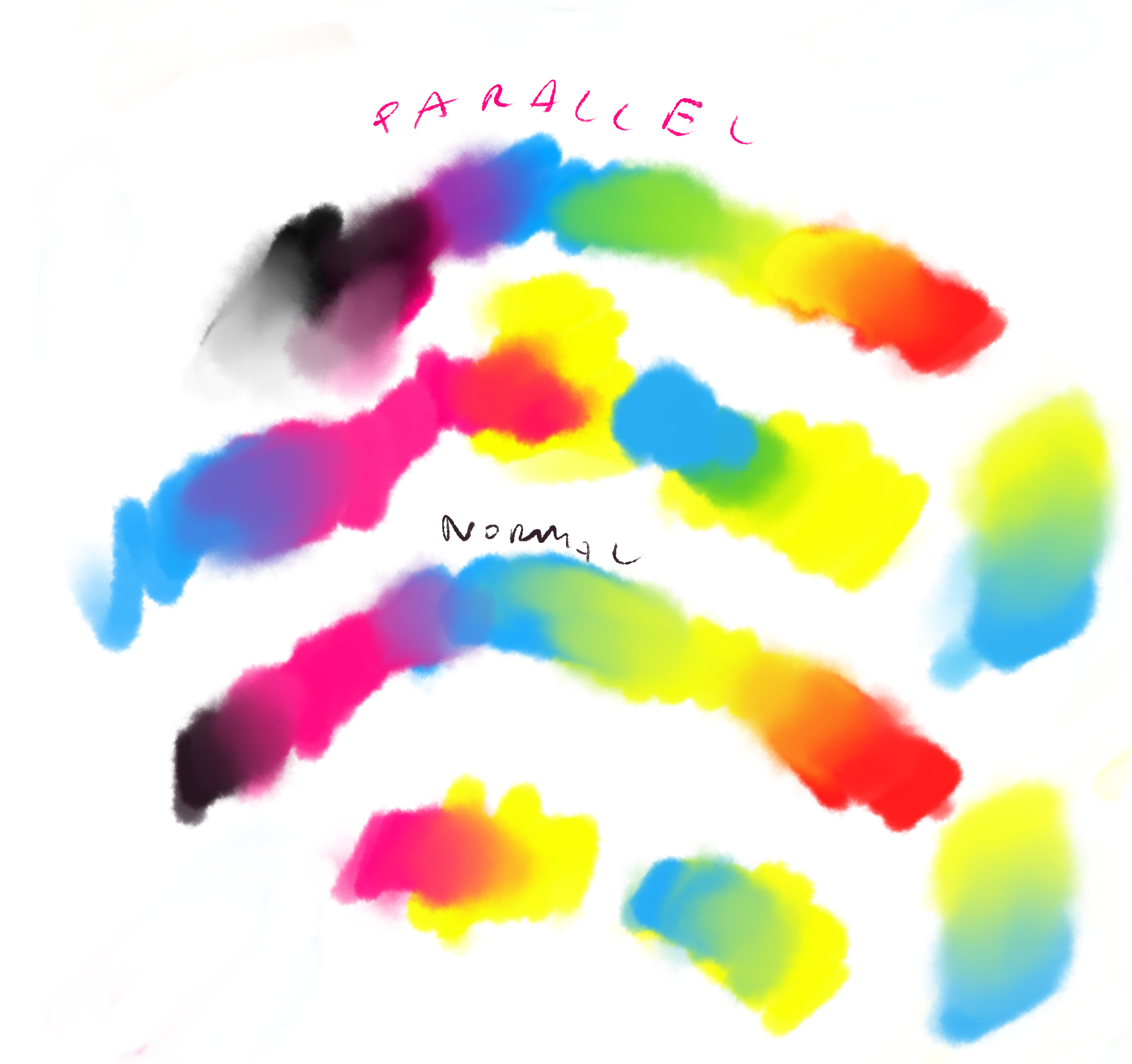
Still about color blending, I was checking different modes and looks like with Paraller blending we can have bit more satisfying painting. It finally gives yellow + blue = green (more green when you start painting blue on yellow), and also mix of magenta and yellow and blue and magenta gives bit more intensive colors. I don’t understand why but it works.
6 Likes
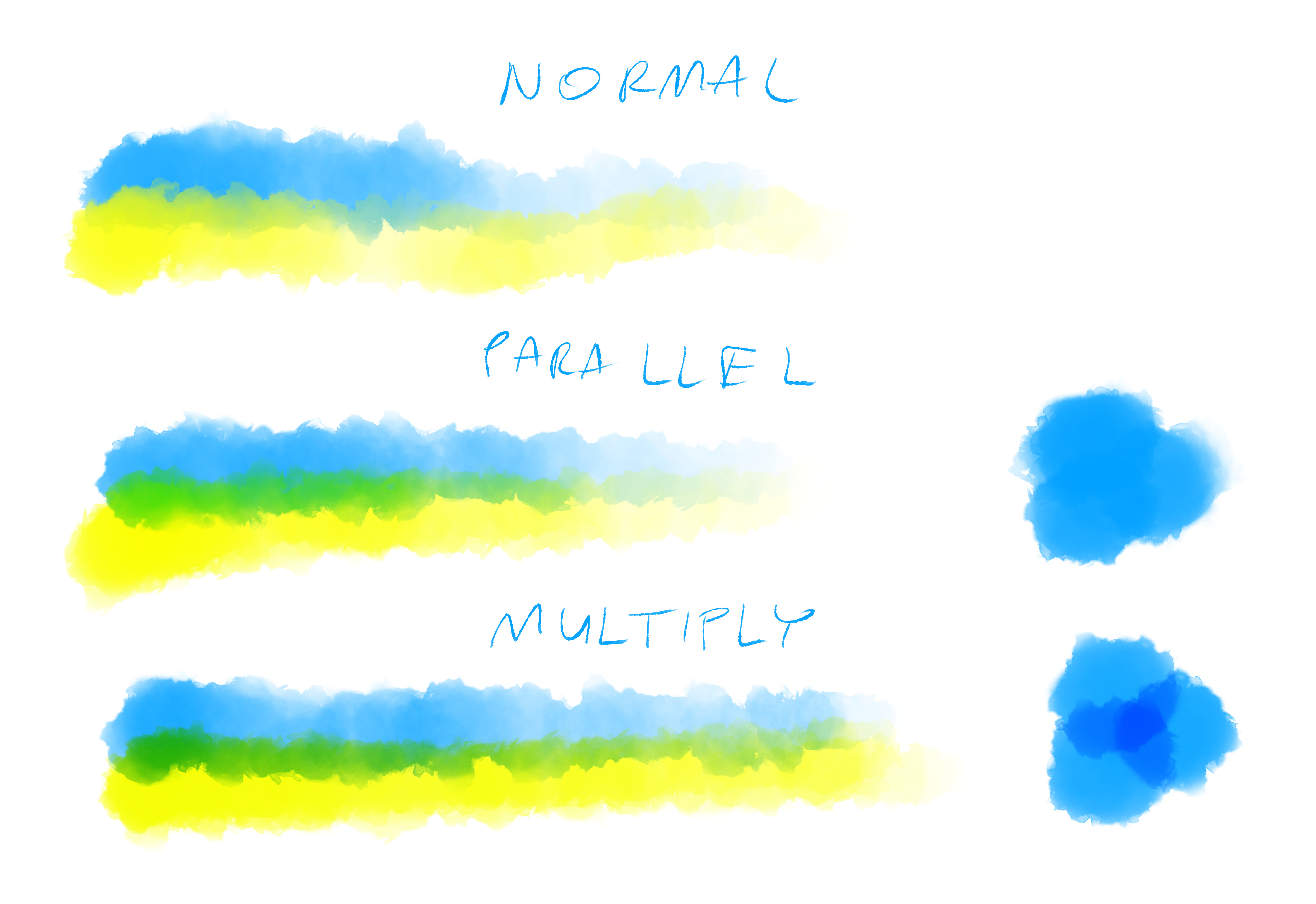
Looks like Parallel mode for blending is really nice for watercolors. It makes candy mixing of colors but is not multiplying itself like Multiply mode (which gaves very bad strong darkening when many strokes mixed)
13 Likes
Another good blending mode for watercolors is Greater, but I think I never liked how it worked with different colors, it only looked good and watercolory if you used the same color with some super fancy-looking watercolor brushes. (Actually, with different colors it might just not work…)
I guess it would be best to first create a layer of color using Greater, and then merge different layers together using Parallel?..
5 Likes
@ tiar
Nice new blending hint, I will try it definitely.
@ RamonM
Thanks for invitation to your Watercolor project. Maybe I could help with testing new brushes, depends on time but could be great.
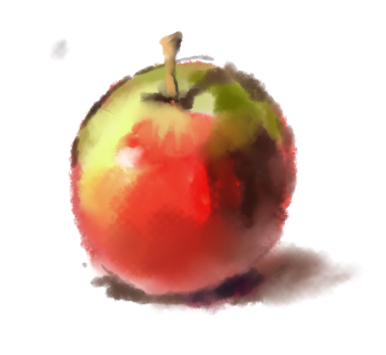
Now Im working on new brush in more “wet in wet” style. I think finally I found good parameters for blending for this.
6 Likes
Do you think it would be a good idea to go into the brush settings and permanently change the blending mode to parallel for all the watercolor brushes, meaning saving them as new versions (over-writing the originals)?
2 Likes
Yes its good idea. I will do it for next update of brushes. Till this moment you can make it on your system as you wrote.
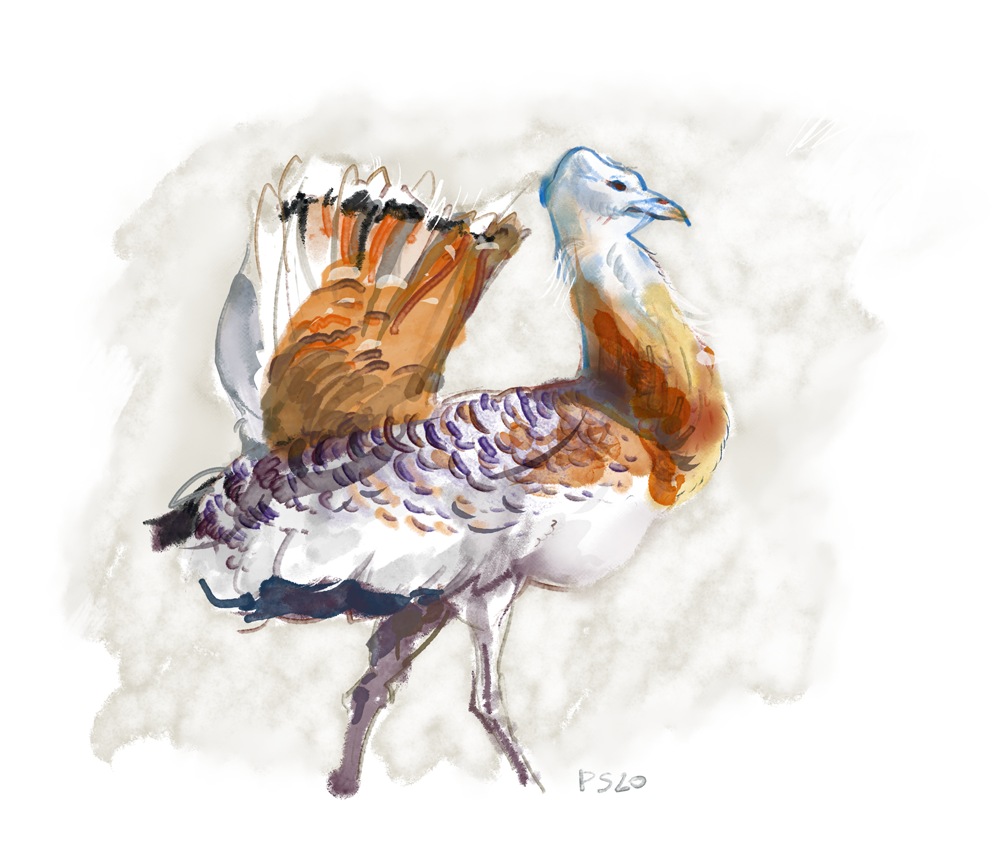
And further testing of brushes:

17 Likes
15 Likes

21 Likes
Keep em commin’! 
2 Likes
These are awesome. I wold suggest making a new thread for artwork made of these brushes
1 Like
Does anybody notice any significant brush lag when using these brushes at the default size? I’m using a six year old Toshiba Satellite C55-B5200 that I bought in 2014. Maybe I just need a new computer. I created a separate thread under a different topic discussing this issue to prevent this thread from going too far off topic (Brush Lag with Watercolor Presets).
2 Likes
It’s actually in MyPaint 2.0, despite not being totally optimal. I describe how it is done here
1 Like
@Pesi, perhaps you can create a video series or tutorial thread explaining how to use the full potential of these watercolor brushes in painting with Krita. I am interested in learning more about convincingly replicating watercolors in Krita.
6 Likes
It would be awesome to see @Pesi, @RamonM and Jackpack realwater’s bundle author to kinda share their knowledge between each other to create the Ultimate Bundle 
Btw In Krita 4.3.0 there will be new watercolor brushes - one can already download it in form of beta version.
3 Likes
I agree with @tiar- an Ultimate Bundle collaboration would be awesome!
1 Like
Thanks for comments! Nice to see some interest in this beautifull technique. In fact Im planning to do some recordings of process how do I use watercolor brushes, unfortunatelly I still didnt have energy for it.
Making ultimate bundle will take even more effort so Im not sure when this could be possible.
Also I can see some new features coming to brush engine so maybe brushes will need some powerfull updates
5 Likes
No problem for me to mix all my watercolor brushes, or talk with other users if we can get better brushes with that movement. honestly Pesi set artwork is really interesting so i will be testing them if he publish more.
@Pesi if you need something let me know because we coul talk and maybe make in the future a group with brushistic goals or texture goals making awesome patterns or whatever.
4 Likes