Thankyou for your help!! it was an old version of krita issue. thankyou for taking your time to reply! 
2 Likes
Happy to hear that friend, hope you have fun! 
Hope you will succeed. 
Best would be some tips based on real (pixel-art) example… 
@Suzuka
Are you still there? 
Is it possible for you to write straight step-by-step walktrhough for you pretty interesting pixel-art plugin ??? 
Hey @Drayldan ! Yes I am, I check this regularly.
I didn’t forgot that  I’m actually building my own web and I plan using it for hosting the manual and all my things altogether in a place. In fact adding the manual there is some of the motivation I had for finally building it.
I do also plan to maybe add some processes of some artworks, since I personally always like to read those kind of things from others and can be inspiring.
I hope is on soon! By the way I’ll post it here,
PS: Thanks for the kind words friend 
3 Likes
I finished the manual! 


 :
:
@Drayldan I appreciate a lot that you showed interest and motivated me for doing it! At the end the plugin had a lot of work behind and by not explaining everything propperly it kinda gets “overshadowed” (and is also kinda unfair for the users).
And thanks for the patience, I know it took some time but I’m happy with it!
I tried to make everything easy to read and concise and well organized, but if I missed something (or something is not clear or could be improved) feel free to give feedback, I’m all ears .
Next I’ll be adding a spanish version for the manual!
6 Likes
 to spanish!


1 Like
Looks useful wish I could try a demo or something. Just started 2d game dev as a hobby.
I’m having some trouble understanding. When I use the k-sprite, the colors I use are muted, and black becomes red. I’m pretty sure I don’t see that anywhere in the guidebook.
Edit: I went to show off what was happening so I could get a screen shot, but I have no clue what happen and colors aren’t even the same as what I picked and are now completely different colors. This purplish pink is now green. Black is still red.
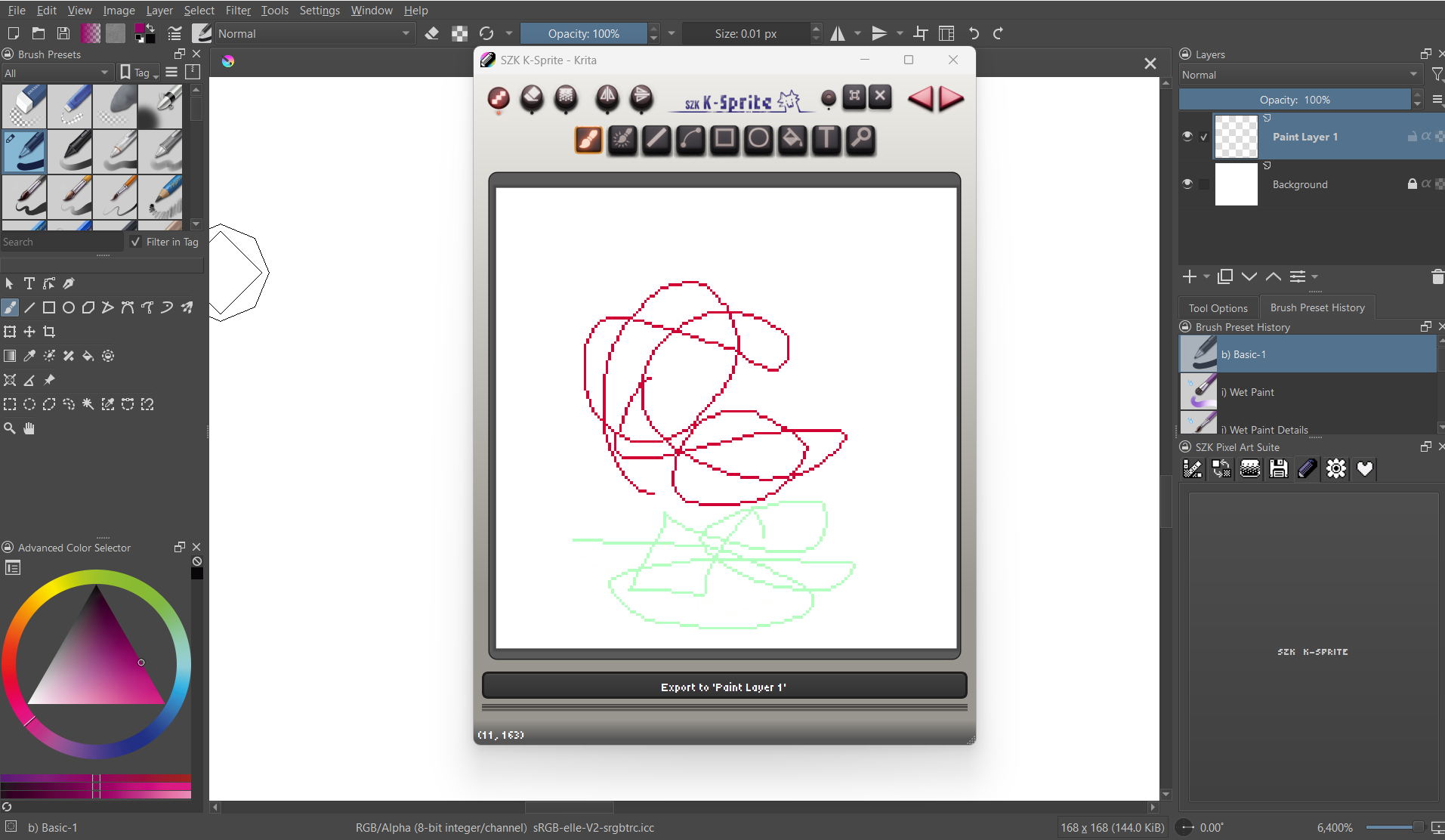
EDIT: Removing because I don’t know why my message was duplicated after editing it.
Hello!
That’s very weird, never happened to me.
What version of Krita are you using? And OS?
Despite I think it shows in the screenshot at the bottom, just in case, what color space are you in? (you can check it in Image → Properties → Image Color Space)
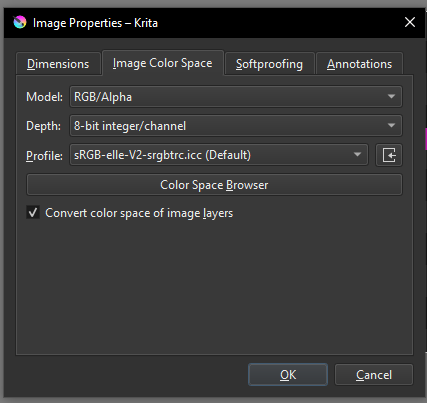
Did you change the color space or something special? I’d like to be able to reproduce it. What happens if you press the button to export to a krita layer?
Any way to reproduce it? Could you send me the file for checking it?
Colors should match, of course:
@_M1 if you wish me to inspect the file for getting more info and is not possible to send files here, feel free to write me at:
I’ve downloaded the last version of Krita since I missed it, and is working correctly. Any info about how to reproduce this is appreciated, is the first time I’ve seen this and I’m actually curious and I’d like to fix it.
Update Krita 5.3.9 (ac6cea8), operating system Windows 11, color space is exact same, when exporting to layer, it comes out as a darker color. I have no clue what the problem could possibly be as I’ve changed nothing. I redownloaded krita onto my computer about 3 months ago and have barely used it. I haven’t even really edited any basic hotkeys.
You’re not accidentally using the “Color Selector Uses Different Color Space than Image” setting, found under Settings → Configure Krita → Color Selector Settings in the first tab → Color Selector with a different color space than your document, are you?
Michelist
1 Like
Thank you so much for providing more info!
I thought exactly as @Michelist , maybe that “Color Selector Uses Different Color Space than Image” option.
But I’ve been trying all modes, with different depths and profiles, and the color selector works correctly as expected.
The thing I’m confused is about your Krita version, 5.3.9
From the oficial page:
Current nightly builds are in version 5.2.11 alpha
Krita Next Nightly Builds (for test purposes) versions are in 5.3.0 prealpha
I did those tests (with the option that Michelist said) in that 5.3.0 prealpha build, and was fine.
But I’m a bit confused since you said that you downloaded Krita 3 months ago. Is it a custom build? Where can I download it for trying for myself? Did you use a different place for downloading Krita rather than the oficial)
(I would like to know what is happening. Even though, the support is meant for the stable versions (supporting experimental nightly builds would be tedious, since they contain bugs, things that may not end in the final version, etc).
1 Like
Apologies, it is a 5.2.9, I was looking through my files and I had confused some things.
Also I checked the color selector settings. I haven’t changed anything, at least on purpose.
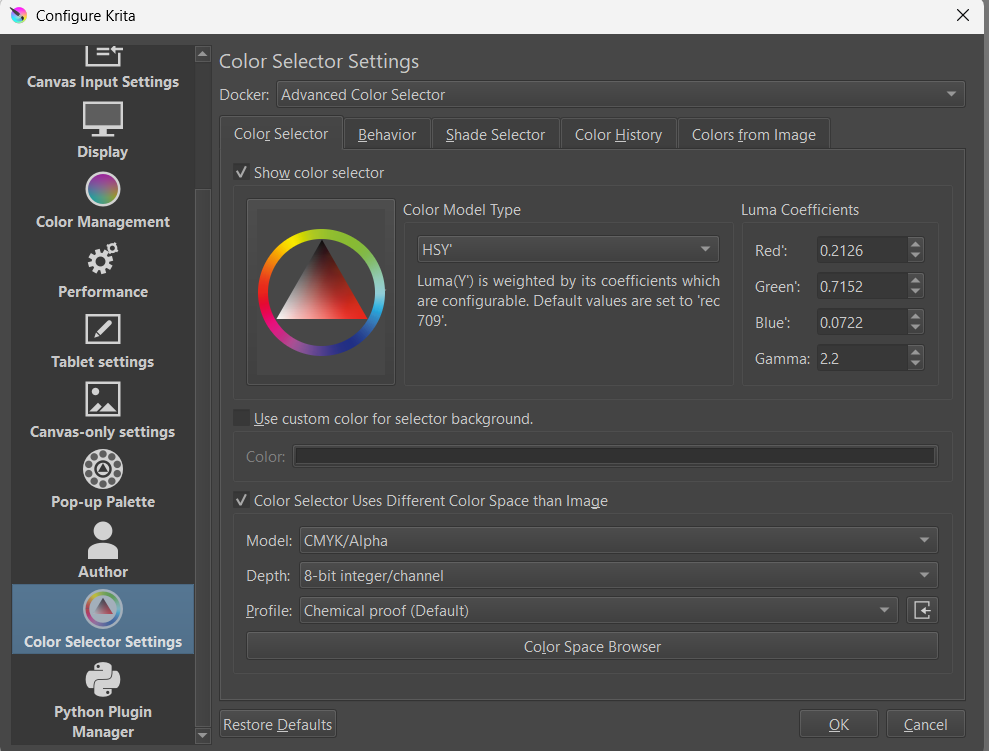
1 Like
If you’re unable to find anything, and I’m unable to provide something useful, I’ll delete and reinstall the pixel art again later today, perhaps it was a corrupted file or something.
Here lies your issue as expected:

Remove the hook and anything is fine.
Michelist
Add/Edit: And by the way, this is not preset, you made this setting!
1 Like
Don’t worry!
But then, I’m still wondering what is happening (5.2.9 was the version I was using before I read your comment (and upgraded to 5.2.11 in case it was a bug for the new version)).
Can you please send me the document? (here, via DM or my email (suzukakadev@gmail.com), what you preffer). I do believe that it could be a document setting.
I’m not sure, since I tried all settings, and those specific settings @_M1 had and still works for me. I think it may be a document setting.
I know that currently K-Sprite do not support CMYK (The reason is that Pyqt do not support painting on QImages with CYMK or Index formats). But maybe M1 has an specific option that causes this.
That may be, I’m no coder, and you will know what you implemented in your plugin.
Let’s see what the answer will be, perhaps I’m wrong (something I’m good at).
Michelist
1 Like