Nice, I somehow overlooked this plugin! I need to try it out, looks really useful having that integrated in Krita, where it’s easier to reach.
3 Likes
Hi, the settings window is popping up on my second monitor instead of the window that contains krita.
1 Like
Strangely I read about monitor numbers yesterday and I should be able to fix it. But I will fix it blind since I have just 1 monitor.
But just to note currently it is trying to show it on the main monitor, so your other second monitor is the main one.
@Lucifer
Try updating and see if the settings is openning in the right place. it should should select the area over krita and drop it right in the middle. I did the same update to Project Pages too.
2 Likes
thanks, it’s opening up in the right location now. you might want to change size back to sw and sh as currently the settings window size is 500 x 500 instead of 500 x 108 previously.
sidenote: in my display settings, the second monitor isn’t set as the primary monitor. But i set it up in a way that menu panels and desktop shortcuts goes on the secondary one. Or it could be because the second monitor is on my left.
2 Likes
oh yes I do forget that timer watch settings geometry is different.
Usually 500x500 is my standard, thank you for telling me about it.

2 Likes
Hello, good morning. I use this plugin quite a lot to manage my work time.
I would like to make you a request if possible: It would be very nice if the timer had the option that the time runs while I work inside krita and stops when I do not. So does the recorder. That way I can control exactly how long I was working, it usually happens to me that I either forget to pause the timer or on the contrary, I forget to play it when I go back to work.
3 Likes
guau jaja i didint see this addon, thanks!!!
2 Likes
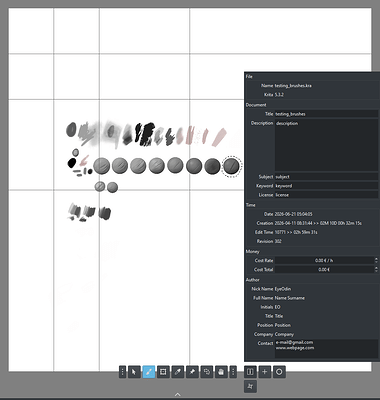
hello, maybe i miss something in the updates but i do not see the info tab at all, is not showing for me
check project pages for that
1 Like
Thank you so much for this! It’ll help with timing/pomodoro stuff and time management!
2 Likes
Thank you for this plugin EyeOdin, it’s been great for figure drawing.
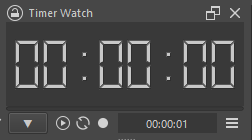
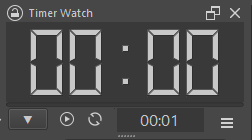
Some things I realized while using this was I don’t need hours for my timer and want alarms to be on persistently rather than untoggled by default (many times I’ve blown past what I set for my timer since the alarm wasn’t enabled). Also, the editing time was hard to see for me due to the small font. Because of these reasons I made a fork and thought to share here in case anyone else wants a more compact version of this neat plugin.
1 Like
Does this work on android
No, plugins do not work on Android right now.
Michelist
1 Like
Awe 
1 Like
It looks like this plugin does not work with Qt6. Any chance of an update?
This plugin is realy good, i was looking for a way to count my work time on my projects so i dont wast to many hours on one artpiece or studie, that i can pause or start the counting only when im drawing. But i kinda miss a feature of storing time on the stopwatch for when i close the krita it just dont reset it, so i can still have on track my time for using the alarm.