I’m wondering if there’s a community discord or something for developing plugins and stuff like that. Something a little more immediate than a forum.
I’ve been trying to fix some of the things that annoy me about Krita before switching to it completely but so far the plugin development has been even more frustrating. Stuff that I think should be simple takes hours of trial and error, digging through other people’s code, GPT gaslighting me, broken links and incomplete docs.
There’s a matrix chat room but it’s more of a general chat for quick small questions not for developers specifically.
The class documentation is pretty complete but lot of things simply can’t be done easily (or at all) as a python plugin because there is no API for a lot of things Krita can easily do on the c++ level. Also events and hooks are missing, making asynchronous programming almost impossible.
Generally developers also don’t like fixing other people’s AI generated code.
Don’t worry, I know how and where AI fails. I am an artist, of course I know!
I’m not asking it to generate my entire program. Generally I am asking questions about what a method/class is and it’s pretty good at that. I’m figuring out how to read the QT docs for more in depth usage.
I got gaslit when I asked it if the notifier had a signal for when a new brush preset was changed. It knew I wanted to hear a yes answer, so it made up a presetChanged signal. Silly me thought this was the exact kind of thing the notifier was used for and didn’t verify. I’m new to python so I thought I was the problem. Two hours later of looking for alternatives it had made up about 10 other nonexistant methods and signals because GPT is incapable of saying it doesn’t know how to do something.
Do you think it’s worth learning how to develop the functionality I am looking for in C++? The deeper I get into the python side of things the more it feels like I simply can’t do the things I want to.
DONE

One shortcut to toggle Timeline and Curve Animation Dockers
	Optional Onion Skin docker included

Activate brush tool when brush preset is selected. (select in docker or shortcut)
	- Mostly Done. Couldn't get selection from docker to work. Can't convert C++ object argument to python

TODO

Truncate brush size to whole numbers when above 10px unless specifically input.

Shrink canvas tab height by half.

Transform tool tab between modes.
    Press Transform tool shortcut again when already in use?
	Maybe a 'Next Mode' shortcut with contextual functionality that can be unique to different tools?

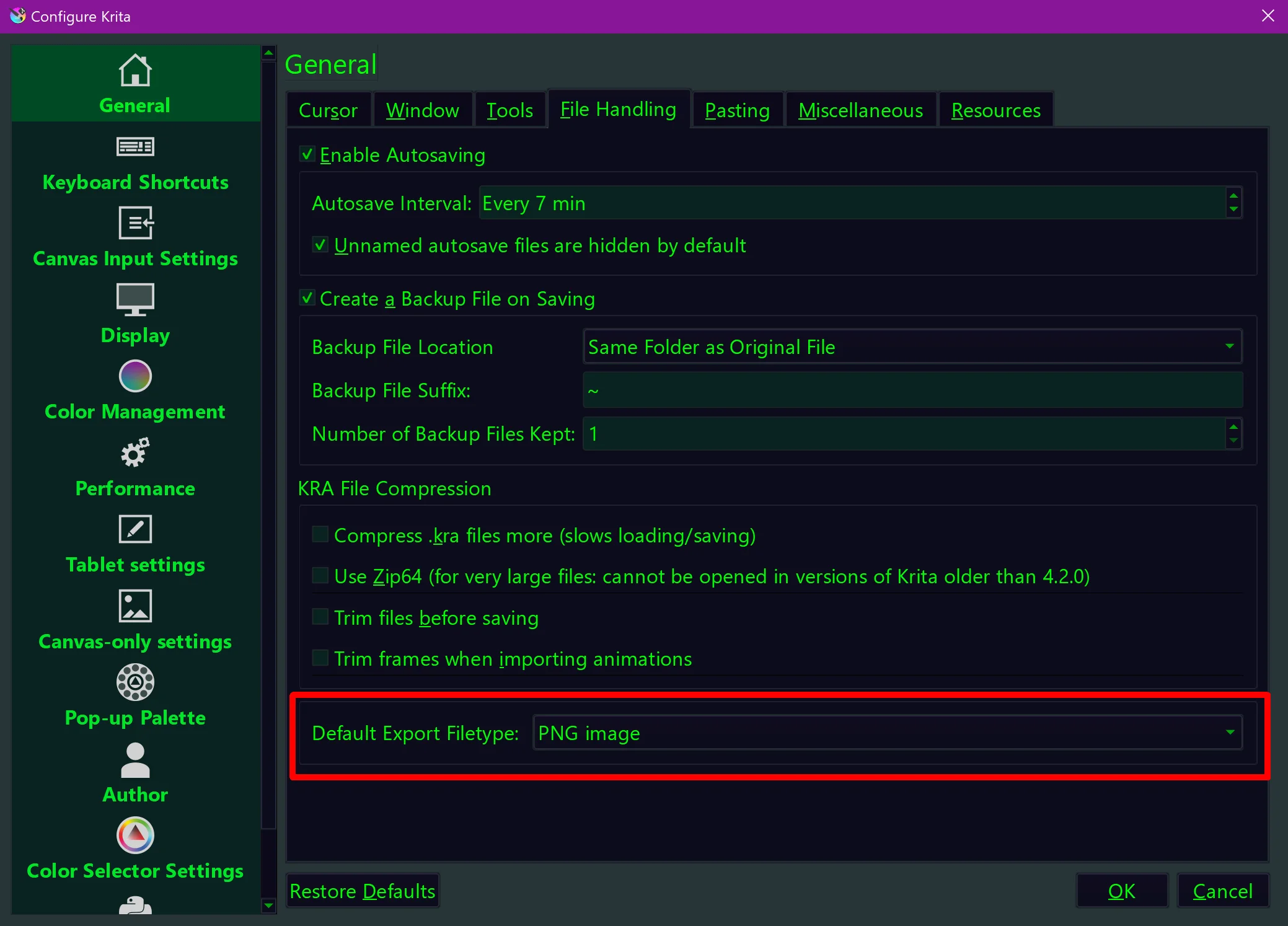
Export default to PNG
	May need to make a whole dialogue box for this or something.
	May be useful in the future if I want to add more options like...
		toggle to auto crop to output zone
		exclude certain layers- tagged specific color or something "draft layers" from csp

Add 'Add Transform Mask to current layer' button to animation curves editor
	adds a transform mask layer as child of current layer if one doesn't already exist.

alternate invocation button press moves selected pixels of current layer, or topmost level of pixels touched when there is no selection made. (CSP hold control to move pixels without opening transform tool)

Have transform masks remember which channels have been left visible in curves editor to reduce clutter.

Consistent marks for easy spacing in Animation Timeline & Curves Editor.
	Min every 4 frames theres a slightly lighter vertical line to for easy counting
	When timeline is zoomed the num frames between lines goes up by power of 2 depending on zoom level.

Alternative to Kenetic scrolling- Scrolling with the 'pan canvas' alternate invocation key only. (space for me)
	Will probably have to unify the Alt invocation controls of paning/scrolling and stuff of Animation Timeline and Curves Editor
	with the canvas
	Maybe not needed- Test first if Kenetic scrolling is the actual cause of the bugs with draging  in the curves editor

Add toggle that changes the the displayed coordinates of the Animation Curves graph as relative to their starting position.
Add toggle that converts displayed coords to be global. Like a psuedo IK and FK animation thing.
	When editing in this mode it bakes in the inverted transformation of it's parents so that an object can be moved
	and graphed independantly.
	Does not actually change anything about the transformation mask's transformations just how it is displayed and some
	extra steps when editing in this mode.
	This one is way above my capabilities in math :(

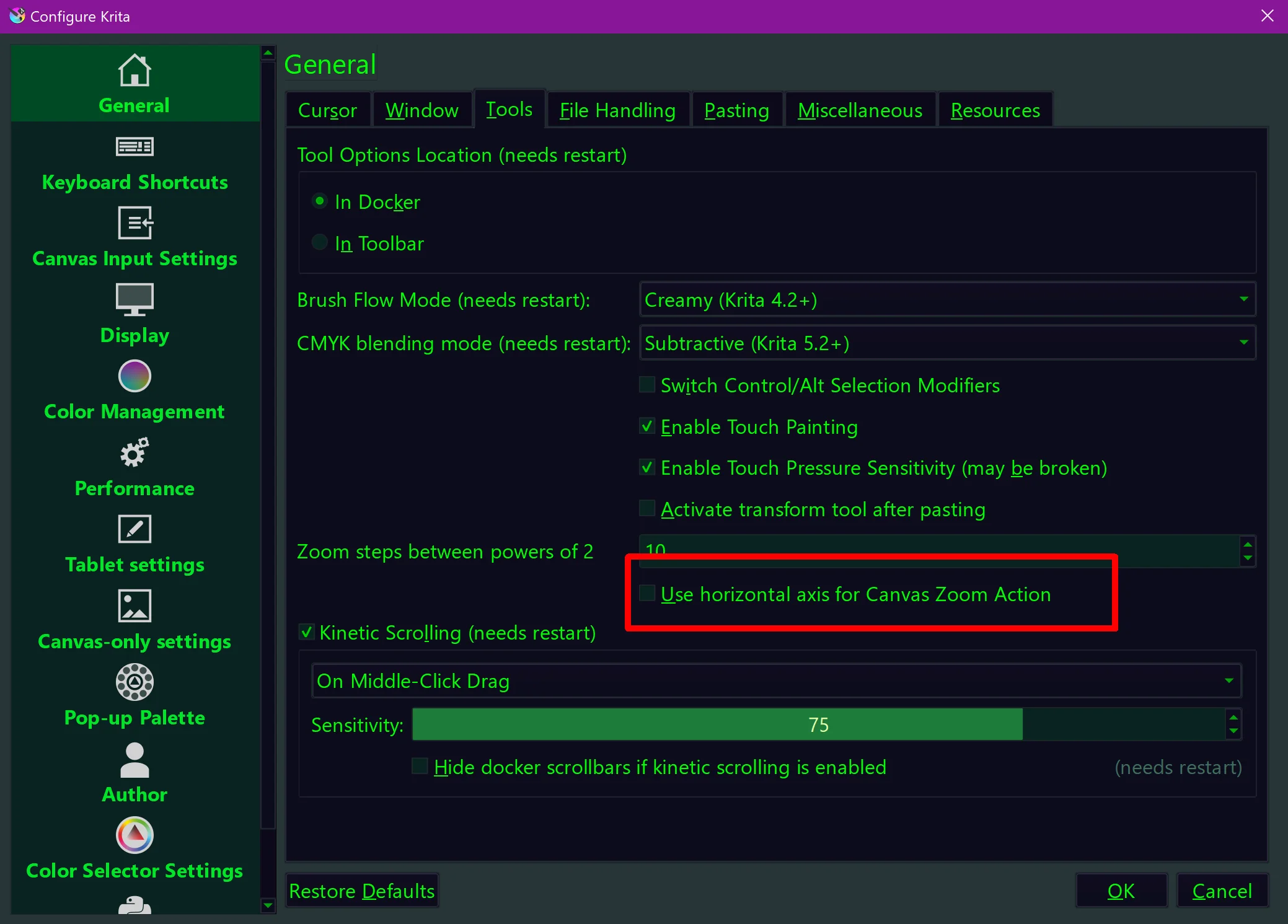
Left-Right alt invocation Zoom (eh... I got used to it already)
I don’t know much about coding and i just don”t have the time with work and kids to learn to code and and create the plugin on my own right now (Life is a mess). If i had time i would. Anyways, I used AI to help me create a reference docker and i think it came out great .. I will be posting it up soon so that people can use it if they want.
A few points on your to-do list are already solved. For reducing the tab height there are at least two plugins I know that can do it, but although one of the best plugins ever, in this case Touchify would be overkill, and I recommend the Krita UI-Redesign plugin.
The default export file type and the horizontal zooming both will come with Krita 5.3:
When developing core features in C++ the problem is that you would have to maintain your own Krita version which is kinda annoying since you can’t do C++ plugins. When your changes are generally useful to other people you could try making a merge request and it gets integrated into mainline Krita. For what you want to do, I don’t know if it’s possible since it mostly seems specific to just how you want it to have for yourself to work.
But what you could do is create the python bindings you feel are missing, this will probably have a good chance of being merged into Krita and then you (and others too) can use the extended Python API for the plugin.
UI wise a lot can be done with a Plug-In. I recommend taking a look at this
It’s like the dev tools of a web-browser and lets you inspect Kritas Qt visual tree and properties, which can help a lot when you want to add buttons or change behavior of certain UI elements.
As for changing how certain tools work (aside from button presses or something). I don’t think it can be done in Python, even with an extended Python API. It is as if you want to change how the engine of a car works compared to changing its gearing.
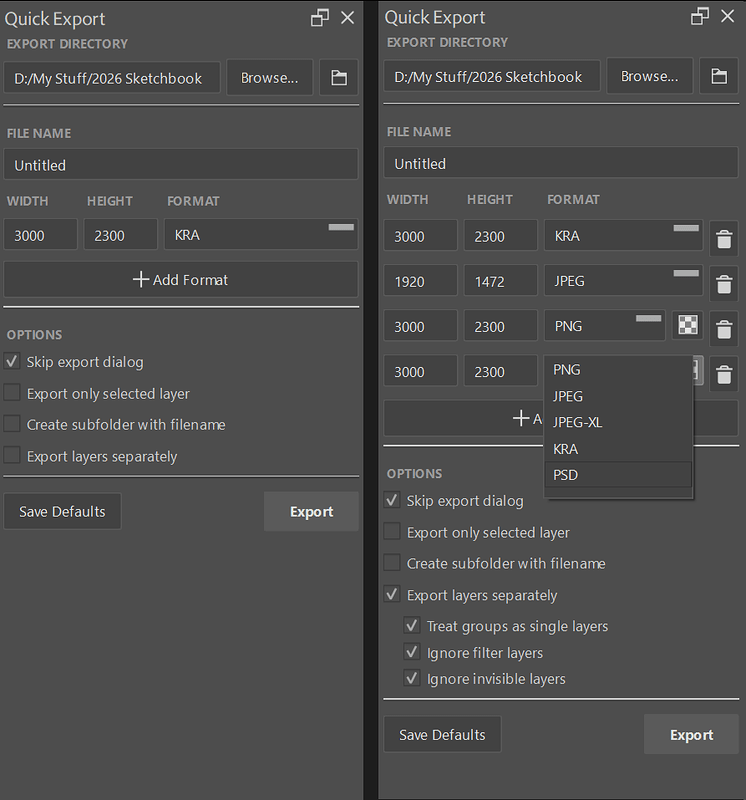
A plugin for this already exists! Quick Export Layers Docker Plugin
You can set a default file format to export and even skip the export dialog so it’s as simple as clicking the “Export” button. You have two ways of filtering out layers to export but I assume you could easily add additional color specific/name specific filters.
Also I’ve forked the plugin so you can rename your exported file and also export in multiple file formats and sizes which I’ve shared in the plugin’s thread.