Why do people not care about the creator of Krita fixing the damn bucket tool?! I’m kind of a beginner artist and I’m thinking of quitting art, one of the biggest reason being because the bucket tool is so poorly made and I yes I know there are workarounds but there shouldn’t have to be!
Hi
There’s more than 600 bugs opened I think.
Why they don’t care of all theses bugs too?
Maybe just because there’s not enough developers, not enough money to pay developers, not enough volunteers to help to fix bug, or more important bugs to fix or maybe the bug you’re talking about in not referenced in bug tracker?
I don’t know.
The only thing I’m sure is everyone is looking at is own stuff to be prioritized because it’s the most important thing in Krita.
Can’t count how many times I saw users complaining that the thing they’re talking about is the most important thing to fix 
Grum999
10 Likes
I used to care about the bucket tool a lot too, but i’ve come to the following solutions:
-
Just paint the area. When you want to do digital painting the act of painting should be the most fun, so why not just meditatively paint the area, like a colouring book. You may set your brush thickness to 500 for that.
-
Another solution if one insists using the tool is to draw closed outlines on one lay and then copypaste it to a layer below. Then on the layer below fill the area with the tool.
-
Use the selection tool to mark an area and then use the fill tool.
7 Likes
You’re right, sorry. Just been feeling kind of unmotivated and there’s one problem after another, it’s either the program or the fact that I’m not good, I’m not creative and I can’t get the colours on my drawing right, but I have looked up on Youtube guides on how to make the colours look good and other types of drawing guides
I don’t know exactly what is the problem with color bucket, on my side it work properly for my need.
Maybe if you explain what is the problem it could be easier to understand what you’re talking.
- What you do?
- What you get?
- What you expect?
Also a screenshot of bucket tool settings can help…
Grum999
3 Likes
Don’t forget the awesome colorize mask.
7 Likes
Oh ya, it’s probably the Fill Gap issue OP is having.
Also the fill brush always comes in handy.
You may want Paint.net for all things fill then bring the file over to Krita for the rest.
Mypaint might also prove better:
2 Likes
3 Likes
If it’s the close gap problem, the problem is already known
There’s already a lot of topics about this subject.
This one might be the most complete:
The subject is not ignored by developers, it just a complex subject that need time to find a solution to provide something that is working properly, fast, and not hard to use/configure.
Also the bucket tool has been redesigned recently, and community was involved by developer:
All of this takes time.
And to my knowledge, if @Deif_Lou may work one day on “close gap” case I think he’s currently working on Photoshop layer style compatibility so it’s a big subject to manage before being able to do something else
Grum999
1 Like
Ok, seriously, sorry for being rude and thank you so much for all these tips! Don’t think I completely understand what you guys are talking about, but that’s just because I’m a beginner and don’t know that much about Krita yet, I’ll have to just think hard with my brain
3 Likes
Don’t worry 
You can ask for help here if needed, there’s many users that can help you if there’s something on which you have a problem.
Just keep in mind that all people here are volunteers and may not have the time to help you quickly.
Also, we often ask many questions to understand exactly the situation.
Then having an answer to solve a problem can take times.
Grum999
1 Like
I felt the same sentiment with the fill tool and have since removed it from my default workflow. The tool is mostly unusable for illustration needs. It’s just faster to block in with a brush and erase back. Dealing with the holes is just mentally frustrating and I think is why you can get so annoyed at the tool.
1 Like
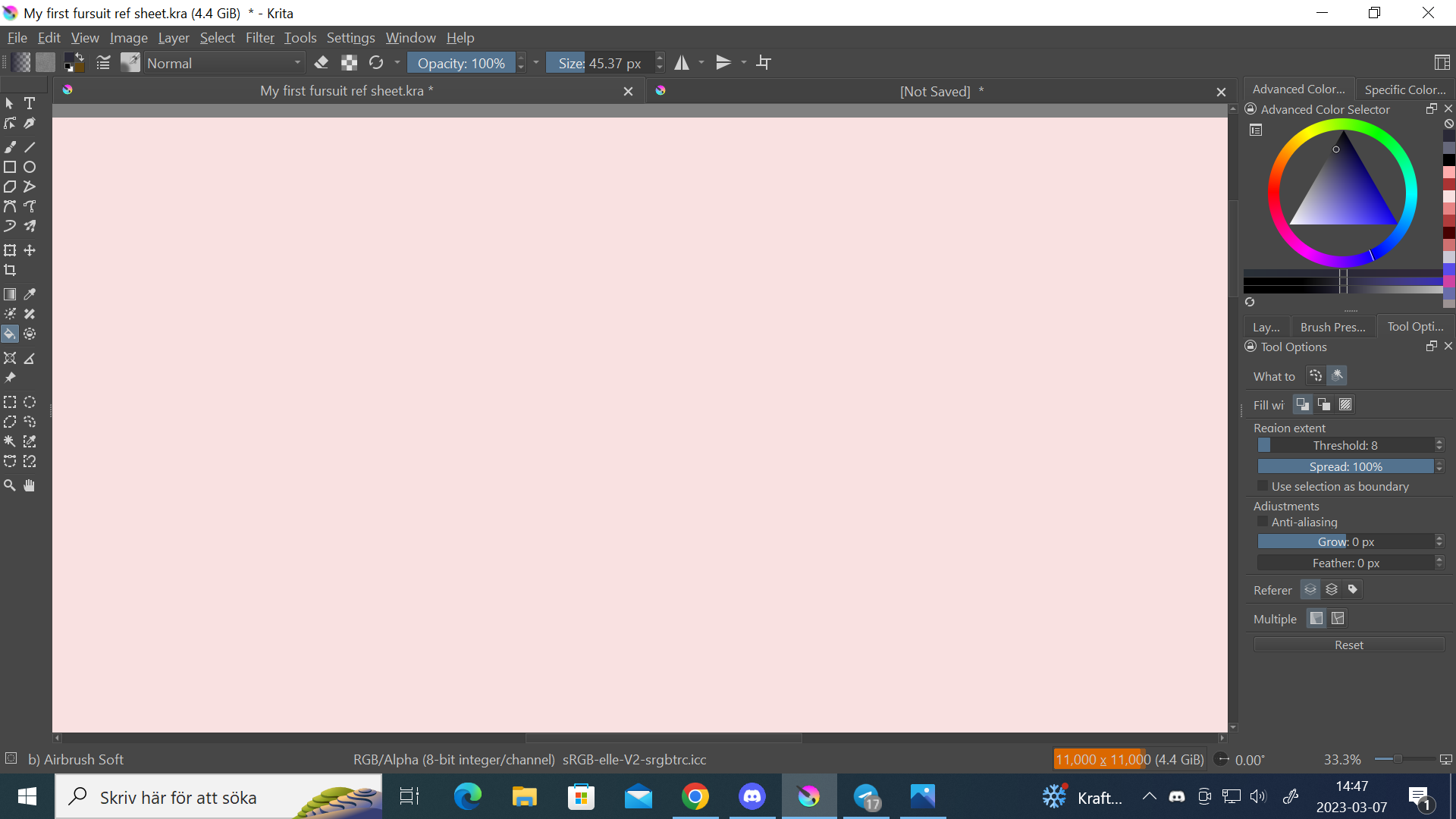
Yes, it’s not implemented yet
That’s why I provided links to topics about this functionality and gave this precision:
Grum999
1 Like
Ahh ok, sorry for not understanding what you meant
As noted by @Avalander above, the Colourise Mask Tool has gap filling capabilities:
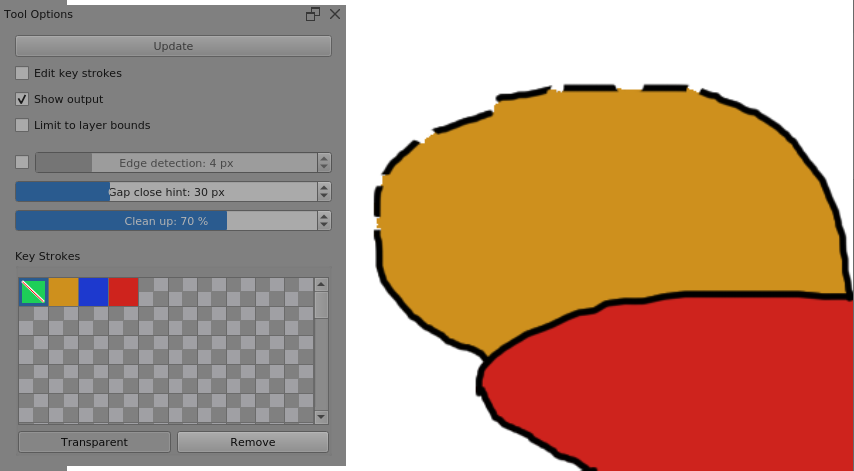
For lineart that contains large gaps by design, you can use a supplementary layer to manually close the gaps to define the filled area as you wish, as noted above by @MaxMint: 2, then use Reference: Merged Copy instead of just the active layer when filling.
It’s a matter of learning the various Tool’s options and some simple working techniques.
1 Like
Interesting feature to try.
I’d also been wondering why there’s no instant preview of fill tolerances for general purposes, not just filling gaps between broken lines. There are many situations where you don’t want to keep undoing/redoing a fill by changing the threshold until you get it just right.
Filling the background around objects with anti-aliased edges could use an instant preview to avoid eroding boundaries too much. A typical case would be filling a white background with blue (sky) and increasing the threshold until the exact point where the white remnants are gone, e.g. sky meets anti-aliased edges of mountain peaks.
@AN23 If you’d like to make a suggestion, go ahead and create a new topic in the Feature Request category.
To help you, this page has tips on writing a feature request that will get noticed and (hopefully) will get votes.
1 Like
OMG @Avalander thank you! I have been using krita for six years and have never known how to use that tool… thank you!
1 Like
I’m glad it was helpful! It was really useful to me back in the day too! All I did was link to the video, though, the real MVP is @Deevad.
2 Likes