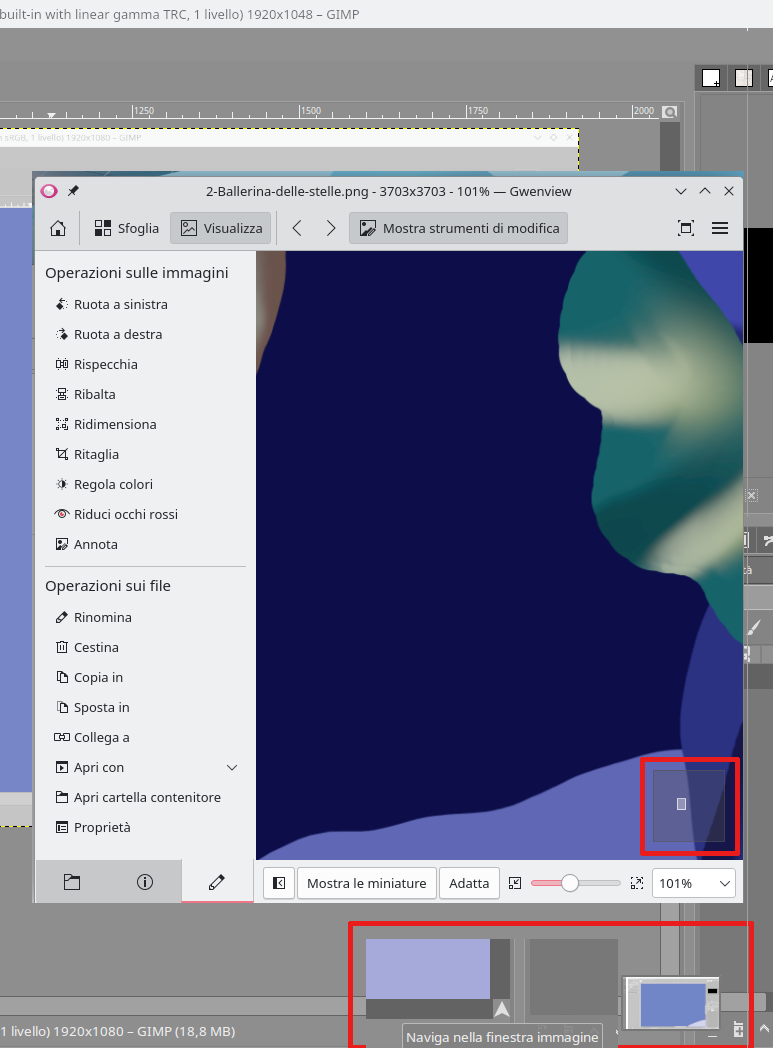
I propose to add zoom to the reference tool, you can also think of adding an option that makes it a window free from the sheet, which can therefore move freely across the entire screen. At the moment I use Gwenview by placing it with the option always on top, I can zoom in and move it where it’s needed!
Hello, you may be interested in the features of the plugin:
Reference images tool is deprecated and now the reference images are added /pined to the canvas. Are you talking about making it into a docker like the overview docker?
Also as a workaround do checkout this plugin - Plugin - Reference Tabs Docker
A navigator for a single image ? Hmmm
I think that something that can be added to the new reference tool is the possibility of cropping the image to keep only what interests us in the image.
Blockquote Reference images tool is deprecated and now the reference images are added /pined to the canvas. Are you talking about making it into a docker like the overview docker?
Also as a workaround do checkout this plugin - Plugin - Reference Tabs Docker
this Reference Tabs Docker
I like it better, it rotates and zooms, all that’s missing is the navigator to go as comfortably as Gwenview to see the details, I’ll try it in action soon!
A way to hack that is to clip the image when inserting it from imagine board.
I really need to see this Gwen viewer again to double check.
Yes I do that lately but it would be nice to have that option in the references tool so I don’t have to do it outside of the program.
Well I did it because the development on that seems stalled for what I read and I wanted it too at the time.
And cropping is really not hard to do I dunno how it still have not happen it is like 1 line of code for the crop to happen. the interaction is what changes but without rotation that is easy honestly. i am sure it is bound to happen eventually.